
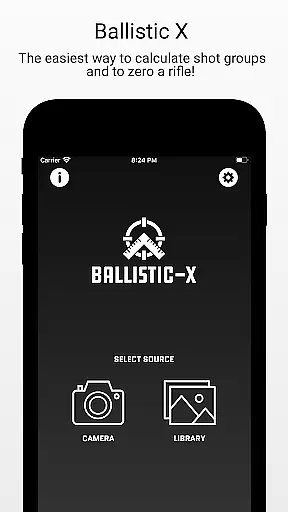
Ballistic X is a specialized mobile application designed for shooting enthusiasts who want to improve their precision and streamline the process of zeroing their rifles. The app offers an intuitive interface that allows users to calculate shot groups with ease, regardless of whether they prefer MOA/MIL or INCH/CM measurements. With its seamless compatibility with various targets, including steel ones, Ballistic X provides a versatile solution for shooters.
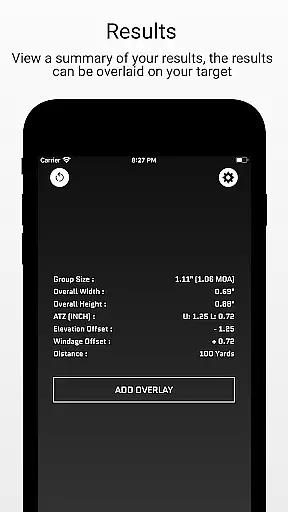
One of the standout features of Ballistic X is its ATZ (Adjustment To Zero) functionality, which dynamically assists in adjusting turrets at any range, saving both time and ammunition. Additionally, users can sync settings across multiple devices by signing in, although this is optional. The app also supports load development with useful data and labeling options, making it an essential tool for both novice and experienced shooters.
The app's value lies in its ability to enhance shooting accuracy through precise calculations and adjustments. By offering a simple workflow that includes taking images of targets, marking points of impact, and exporting data for further analysis, Ballistic X ensures that users can focus on their shooting while the app handles the technical details.
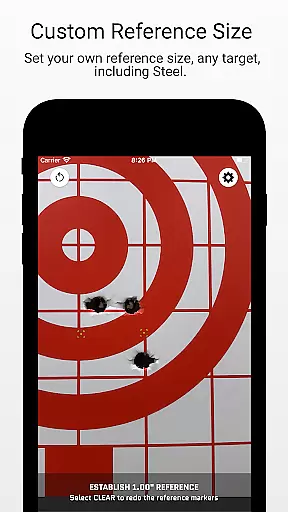
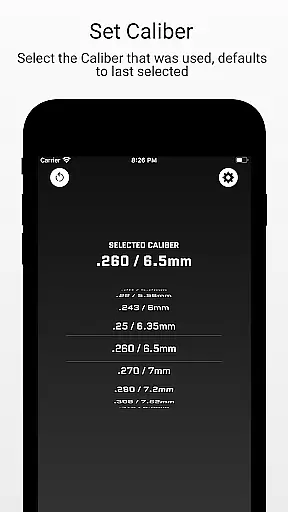
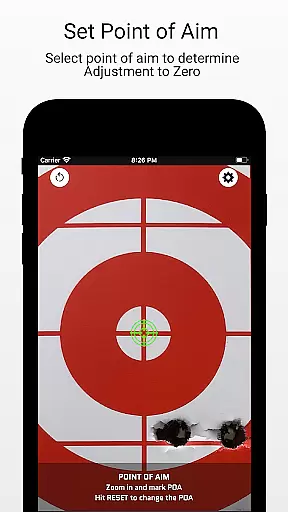
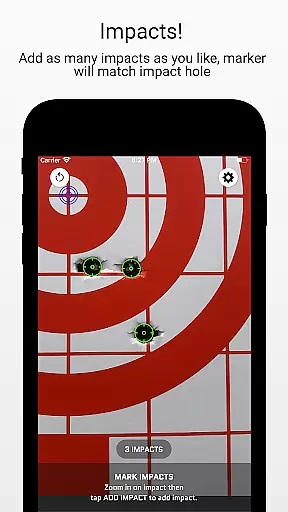
Ballistic X boasts a range of features that cater specifically to the needs of shooters. Its core functionality includes the ability to take images of targets directly within the app or from the user's library. Users can designate reference sizes via settings, mark two points on the target corresponding to the reference, input the distance from the target, select the caliber used, and mark the point of aim and impacts. This comprehensive approach ensures accurate shot group calculations.
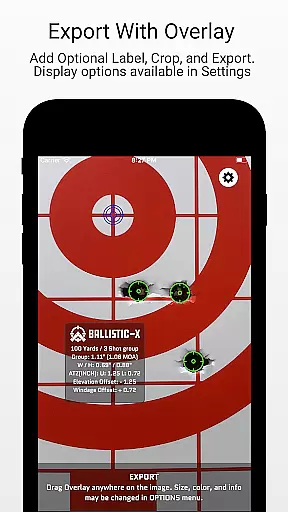
In addition to its basic features, Ballistic X offers advanced overlay display options through an in-app purchase. These include mean radius, circular error probable (CEP), radial standard deviation (SD), vertical SD, horizontal SD, mean windage, mean elevation, and an impact selector. Users can also export data to CSV for further analysis, providing a professional-level toolkit for serious shooters.
Another notable feature is the ATZ (Adjustment To Zero) functionality, which helps users precisely adjust their turrets to bring their rifles to zero. This feature works dynamically at any range and supports all turret options, making it an invaluable tool for both beginners and seasoned marksmen. The app's commitment to customer service and community-driven development further enhances its appeal.
Ballistic X offers an unparalleled level of gameplay realism and physics accuracy tailored specifically for shooting enthusiasts. The app's meticulous attention to detail ensures that every calculation reflects real-world conditions.
The ATZ feature dynamically adjusts at any range, supporting all turret options, which mirrors the precision required in actual shooting scenarios. This functionality not only saves time but also ammunition, by providing exact adjustments needed to zero your rifle.
With options to mark points of aim and impacts, along with overlay features like Mean Radius and Circular Error Probable (CEP), users experience a highly accurate representation of their shot groups. These tools help in understanding the true performance of their rifles and ammunition.
By integrating advanced metrics such as Radial Standard Deviation (SD) and offering export capabilities for further analysis, Ballistic X bridges the gap between digital simulation and live-range experiences, enhancing both learning and precision.
The control scheme of Ballistic X is designed to be intuitive and user-friendly, ensuring that shooters can focus on their training without being distracted by complex interfaces. The app's straightforward workflow allows users to quickly capture and analyze their targets.
From taking an image of the target to marking reference points and inputting distances, each step is streamlined for ease of use. Users can designate reference sizes and select calibers through simple, logical steps that mirror the natural sequence of shooting preparations.
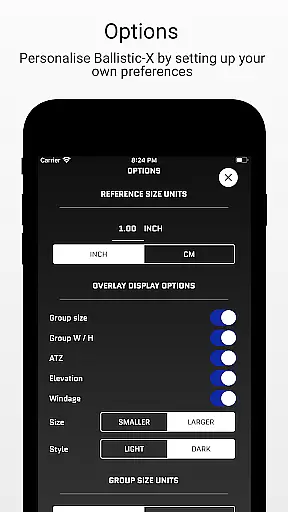
Customization options, such as adjusting settings for MOA/MIL or INCH/CM preferences, are easily accessible through the Options Menu. This flexibility caters to individual shooter needs while maintaining a seamless experience across different types of targets, including steel ones.
Additionally, optional sign-in for syncing settings across devices adds another layer of convenience without complicating the primary functions. Such thoughtful design makes mastering the controls effortless, allowing users to concentrate on improving their skills rather than navigating the app.
User-friendly interface
Accurate shot group calculations
ATZ feature for precise adjustments
Sync settings across devices
Advanced overlay display options
Premium features require in-app purchase
Limited to shooting sports
Optional sign-in for syncing
Requires manual input for some data
Not suitable for non-shooting applications

Extreme bike tricks at your fingertips!
 4.50
4.50
Join over 10,000,000 people in the only official PBA bowling game!
4.40
Build a football club from scratch and see if you can conquer the leagues!
4.70
Real-time 1v1 basketball game! Dunk, shoot & win like MVP basketball superstars!
4.70
Shoot, score, and outplay your rival in a fast-paced basketball battle duel!
4.60
Play T20 Cricket World Cup 2025. Real matches, offline & tournament mode!
4.2
Play with friends and join millions of players in the king of bowling games!
4.60
Create your Ultimate NBA Team and experience realistic 2K Gameplay on Mobile!
4.70
The My Epic app unlocks the mountain and elevates your experience.
3.90
Basketball Team Management Sim Coach a custom team and dunk your way to glory!
4.70
Online app with multiple arenas! Live PvP multiplayer grand slam sports league.
4.60
Beat against 8 ball masters from around the world.
4.40
Out of the Park Baseball Go is a strategy & sports gaming fan’s dream come true.
4.40
Be a wrestling Superstar
4.40
Play eFootball™ with users around the world!
4.10
Play the 3 classic Duck Life games like you've never seen them before!
4.10
Raise your duckling into a champion racer in this addictive pet & adventure game
3.90
Pro Freestyle Football
3.20
An easy-to-use app for sports team communication and logistics
3.20


User Reviews