
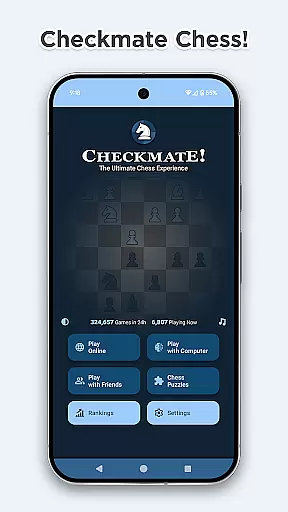
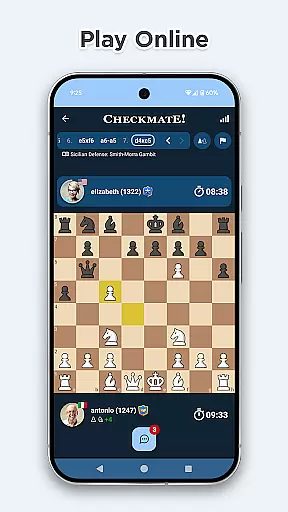
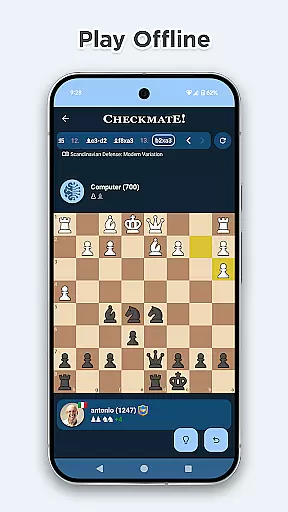
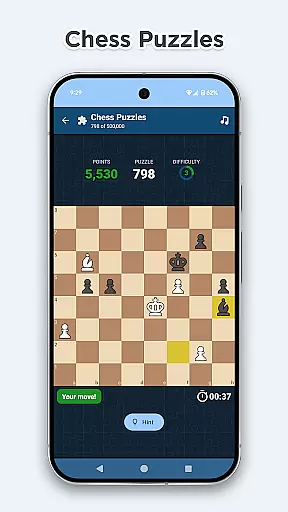


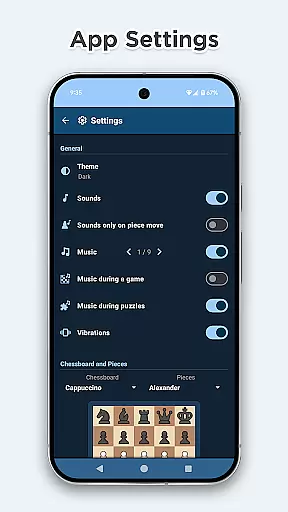
Chess Online & Offline is a feature-rich chess application designed for both casual and serious players. The app allows users to play chess online with opponents worldwide or practice offline against a computer with varying difficulty levels. With its user-friendly interface, the app offers 21 chessboard styles and 16 sets of chess pieces to choose from, ensuring a personalized experience. Additionally, it provides helpful markers that display legal moves, last moves, possible captures, and king-in-check alerts, making it easier for players to strategize effectively.
Beyond standard gameplay, the app includes over 3000 game openings with variations, offering insights into famous strategies like Sicilian Defense and Queen's Gambit. Players can also solve more than 500,000 tactical puzzles to sharpen their skills, earning speed bonuses for quick solutions. The app incorporates classical music and advanced haptics to enhance the overall gaming experience, while optional premove functionality ensures faster-paced games. Suitable for beginners and experts alike, Chess Online & Offline brings innovation and excitement to the timeless game of chess.
Chess Online & Offline stands out with its comprehensive feature set tailored for chess enthusiasts. One of its key highlights is the ability to compete in time-limited online matches across various formats such as Classic, Blitz, and Bullet modes. These formats cater to different playstyles, whether you prefer slower strategic battles or fast-paced decision-making. For offline practice, the app includes a powerful AI opponent with 16 strength levels ranging from beginner (600 ELO) to expert (2100 ELO), calculated using the renowned Arpad Elo formula.
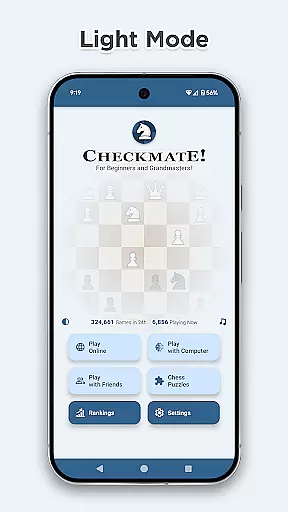
The app also emphasizes player growth through rankings and puzzles. Users can track their global and country-specific rankings based on ELO ratings, online wins, and puzzle-solving performance. Furthermore, the inclusion of detailed game statistics and editing options for user profiles adds another layer of personalization. Built on Google's Firebase Firestore infrastructure, the app guarantees ultra-fast performance even during peak usage times. With support for light and dark themes, Material Design 3 interface, and privacy-conscious data handling, Chess Online & Offline delivers a polished and secure chess experience.
Rule authenticity and flexibility are crucial elements in any board game application, ensuring that the gameplay adheres to official regulations while allowing for variations. Checkmate Chess upholds these principles by offering players a chance to engage in classical chess following universally accepted rules. The app ensures that every move complies with standard chess regulations, providing an authentic experience.
Moreover, the app's adaptability is evident through its diverse game modes. Players can choose from various time controls such as Classic, Blitz, and Bullet games, each with different time constraints. This variety caters to both casual players who enjoy longer strategic battles and those preferring quick, intense matches. Such options highlight the app's commitment to rule authenticity paired with flexible playing conditions.
The inclusion of over 3000 game openings with variations further demonstrates the app's dedication to genuine yet adaptable gameplay. As users explore openings like the Sicilian Defense or Queen's Gambit, they encounter true-to-form setups that also allow creative freedom within established frameworks. This balance enriches the useru2019s understanding of traditional strategies while encouraging innovative playstyles.
The quality of AI opponents in board games significantly impacts the player's experience, offering either a challenging adversary or a predictable one. In Checkmate Chess, the offline mode features a robust computer opponent with 16 strength levels, ranging from beginner-friendly to expert-level difficulty. These AI settings utilize the Arpad Elo formula, aligning with recognized ELO ratings to provide a realistic challenge.
Players seeking to hone their skills will find the adaptive AI invaluable. With difficulties spanning from 600 to 2100 ELO points, the AI adjusts its strategy accordingly, simulating matches against real-world opponents of varying expertise. This feature not only aids newcomers in learning fundamental tactics but also sharpens advanced players' abilities through complex engagements.
Furthermore, the AI's responsiveness enhances the overall gaming experience. Whether practicing endgame techniques or experimenting with new opening strategies, users receive immediate feedback on their moves. This interactive element fosters continuous improvement, making each session both educational and entertaining. Thus, Checkmate Chess delivers high-quality AI opponents that elevate the game beyond mere recreation into a tool for skill development.
User-friendly interface
Extensive customization options
Strong AI opponent
Engaging sound effects
Comprehensive ranking system
Limited social features
No voice chat option
Premium puzzles locked
Occasional lag spikes
Ads between games

Shredder, the chess world champion. Play and learn chess.
 4.50
4.50
Meet adorable cats and sew the coziest quilts.
3.90
Build an empire in around eight minutes!
4.20
Chose clever, score better!
4.60
Become the best merchant in Istanbul!
4.60
The digital strategy game adaptation of the famous board game.
4.00
Relaxing Mahjong: Classic Tile Matching & Offline Puzzle Games! Install Now!
4.90
Color to relax with tons of zen coloring pages in Color Oasis coloring game.
4.80
Dice, strategy, and luck!
4.80
Sharpen your mind and relax with Classic Spider Solitaire! Offline card games!
4.80
Best Dice Game with Friends!
4.80
Connect matching tiles to clear the board. Memory puzzle game at leisure!
4.70
Abstract Surreal coloring pages, color by number, relax coloring book, color app
4.70
The official digital version of the world's favourite explosive cat-based game!
4.60
Handcrafted Sudoku puzzles by the most popular Sudoku channel!
4.50
Develop your Tribe in the Stone Age, a digital adaptation of classic board game.
4.20
VENUS - the biggest DLC for Concorida has just been released!
3.80
The legendary naval combat game sails onto mobile and tablet.
3.50
Loop and Merge!
4.5


User Reviews