
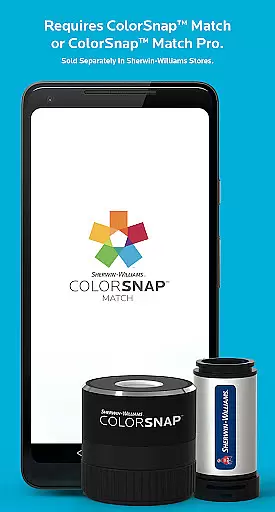
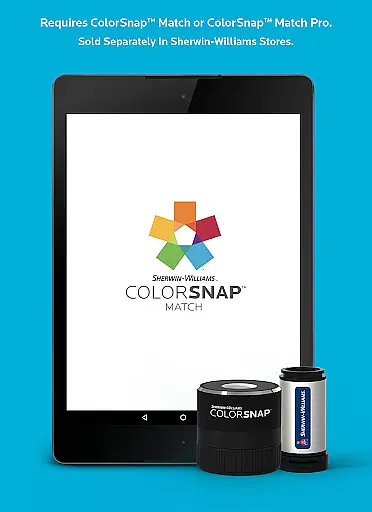
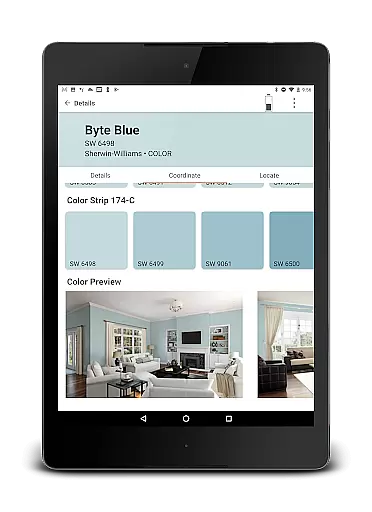
ColorSnap Match is a revolutionary paint matching solution designed to simplify the color selection process for both professionals and DIY enthusiasts. The app connects seamlessly with ColorSnap™ Match Pro and standard ColorSnap™ Match devices, available exclusively at Sherwin-Williams stores, enabling users to instantly identify paint colors and sheens on-site.
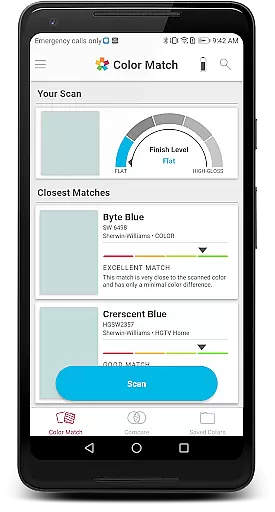
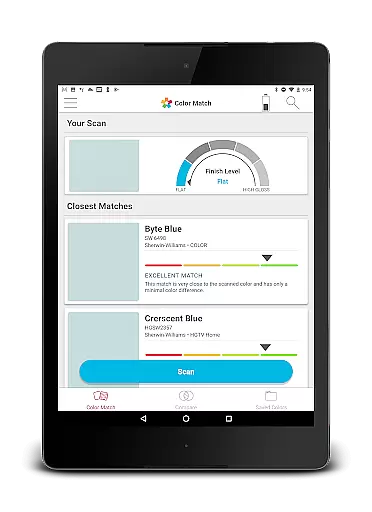
The application's core functionality lies in its ability to scan flat surfaces and match them to the closest Sherwin-Williams paint color. For users with the advanced Match Pro device, the app also determines the paint's sheen, providing comprehensive matching capabilities. This innovative approach eliminates the traditional trial-and-error method of paint matching, saving valuable time and ensuring accurate results.
Ideal for interior designers, contractors, and homeowners undertaking renovation projects, ColorSnap Match streamlines the color selection process while maintaining professional-grade accuracy. By providing instant access to Sherwin-Williams' extensive color database, the app ensures perfect matches every time, directly from the project site to the paint store.
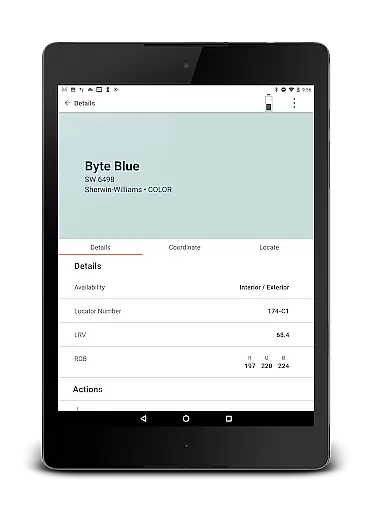
ColorSnap Match distinguishes itself through its sophisticated scanning technology and comprehensive feature set. The app's primary capability allows users to scan any flat surface and immediately receive the closest matching Sherwin-Williams paint color. When paired with the advanced Match Pro device, the application takes color matching to the next level by identifying both the color and its corresponding sheen.
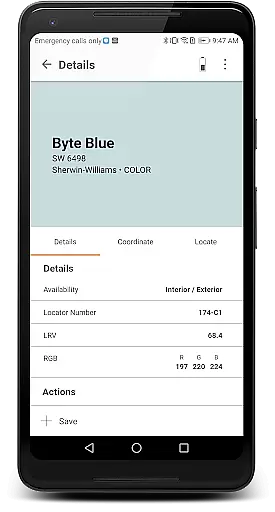
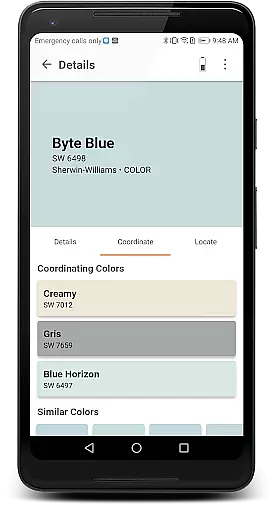
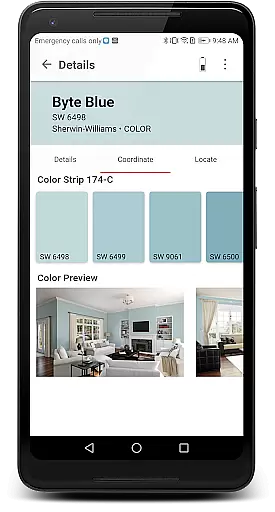
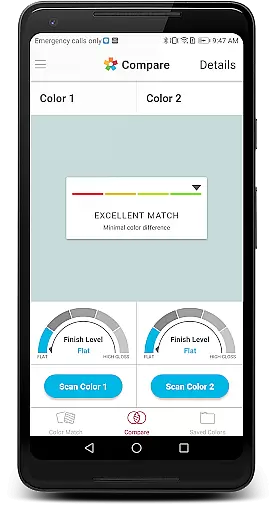
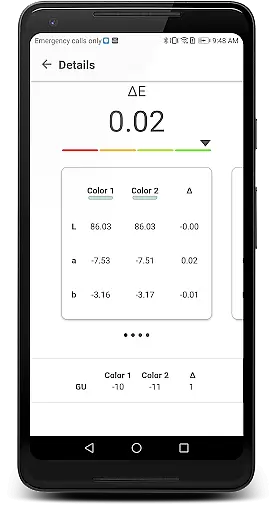
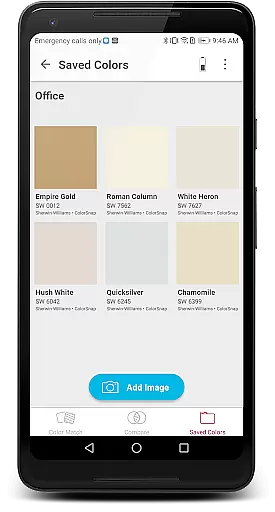
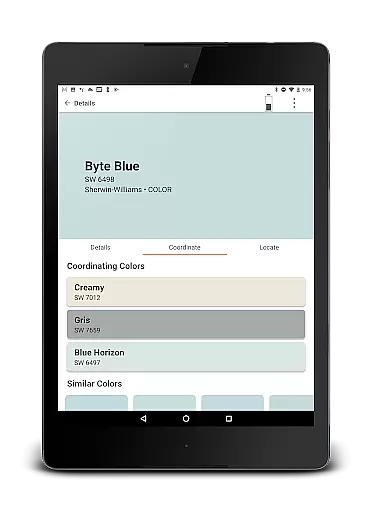
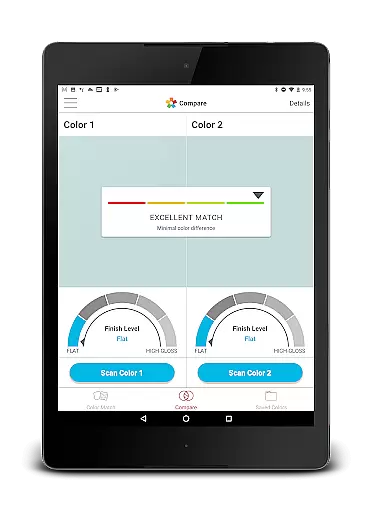
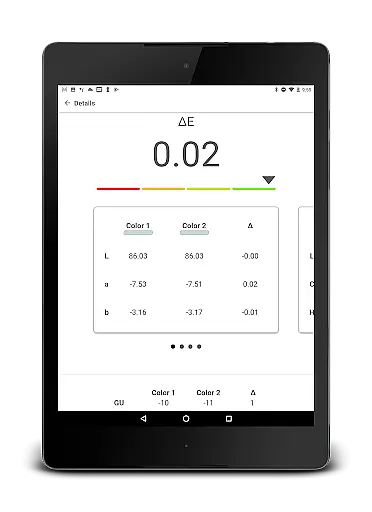
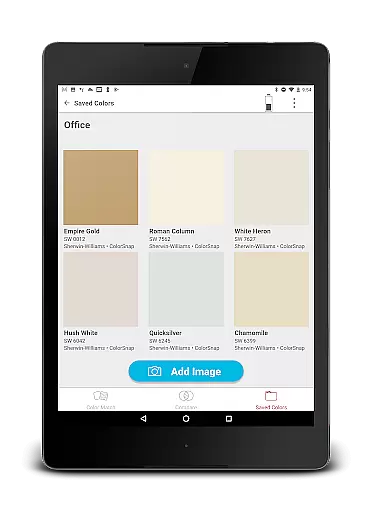
Beyond basic color matching, the app offers several valuable tools for color evaluation and management. Users can compare two colors side-by-side, save favorite matches for future reference, and share their discoveries with clients or team members. The coordinating colors feature provides additional design inspiration by suggesting complementary shades that work harmoniously with the matched color.
Practicality extends to the app's integration with Sherwin-Williams' retail network. The built-in store locator ensures users can quickly find their nearest location to purchase matched paints. These features collectively create a comprehensive color matching ecosystem that supports professionals throughout their projects, from initial concept to final execution.
In the realm of home improvement and property enhancement, ensuring the authenticity of paint colors is crucial. ColorSnap Match revolutionizes this aspect by offering precise color matching capabilities directly from your mobile device. The app connects seamlessly with ColorSnapu2122 Match Pro or ColorSnapu2122 Match tools, which are available at Sherwin-Williams stores, to deliver accurate results every time.
The technology behind ColorSnap Match ensures that each scanned color is matched to the closest Sherwin-Williams paint color with remarkable precision. For professionals and DIY enthusiasts alike, this means an end to the guesswork in selecting paint shades. With the additional feature of identifying a paint's sheen using the ColorSnapu2122 Match Pro device, users can be confident in achieving both the right hue and finish for their projects.
By providing reliable and verified paint color matches, ColorSnap Match supports users in making informed decisions about their property listings or renovation plans. This level of accuracy not only saves time but also enhances the overall quality of work, leading to more successful and satisfying outcomes.
Beyond just matching paint colors, ColorSnap Match offers a suite of features designed to simplify home management tasks related to interior design and decoration. Users can compare two different colors side-by-side within the app, allowing for better visualization and decision-making when planning spaces. This comparison tool is invaluable for coordinating colors and creating harmonious interiors.
The ability to save and share paint colors and photos further extends the utility of ColorSnap Match in managing home aesthetics. Whether collaborating with designers or seeking opinions from friends and family, these sharing capabilities facilitate communication and ensure everyone involved is on the same page regarding color choices.
Additionally, locating the nearest Sherwin-Williams store through the app adds another layer of convenience for users looking to purchase matched paints promptly. By integrating practical tools like viewing coordinating colors and finding local resources, ColorSnap Match becomes an indispensable companion for anyone engaged in home improvement projects.
Instant color matching
Sheen identification
Professional accuracy
Color coordination tools
Store locator integration
Device purchase required
Limited to flat surfaces
Sherwin-Williams exclusive
Pro version costly
Internet connection needed

Map-based search app for apartments and homes for rent.
 4.60
4.60
Unlock AI-based barcode scanning and support the development of Grocy Android
4.0
Tailored Care Guides For Houseplants, Indoor Plants, Garden Plants & Flowers.
4.60
Control your Daikin, Amana & Goodman heating & cooling systems from anywhere
4.40
Resident Center, powered by Buildium, is designed with simplicity in mind.
4.50
Night Owl Protect helps you secure, protect, and connect your world!
4.60
Find contractors for all home renovation projects. Remodeling, repair, and more.
4.20
An easier way to make payments and maintenance requests from anywhere.
3.50
Connect with reliable pros for maintenance services, plumbing, and home design!
4.80
B-hyve Pro App for landscape irrigation professionals
4.70
Your guide to apartments & rental homes. Find your next place to rent with AG.
4.60
Looking for the perfect apartment finder app? Find beautiful rental homes here!
4.60
The Merkury Smart app makes it easy to control your smart devices.
4.50
AI Home Designer & Room Planner: Decorate your interior space with AI
4.40
Control your Vivint Smart Home with the next generation Vivint App.
4.30
Technology powering many in-home services for residents across the United States
3.80
Design house plans in 2D & 3D, style furniture, and preview renovation layouts
3.70
This Fire TV Remote control's your Fire TV Device and Insignia Fire TV Remote
3.70
Universal TV Remote for TV, control all Smart TVs with your mobile phone.
4.4


User Reviews