

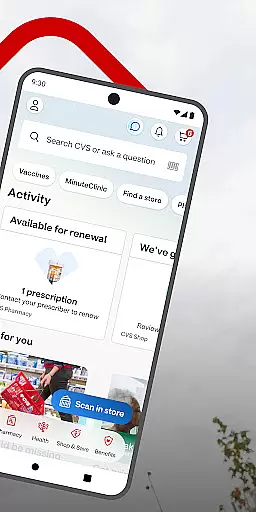
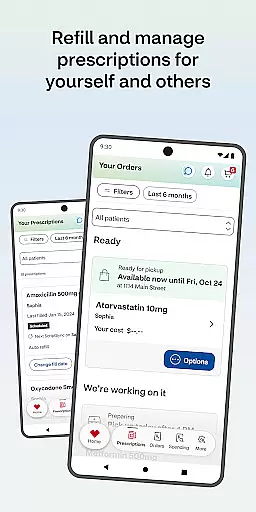
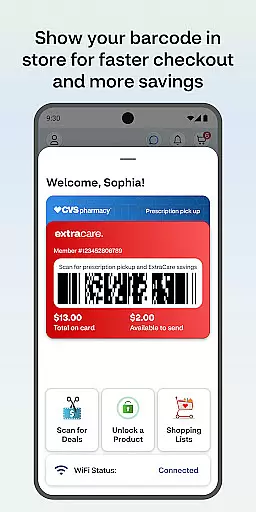
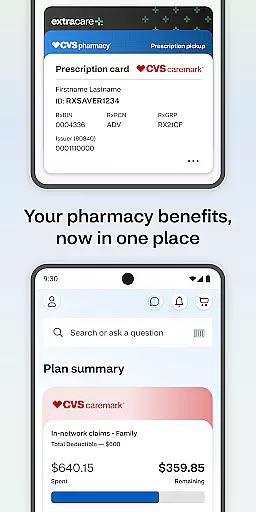
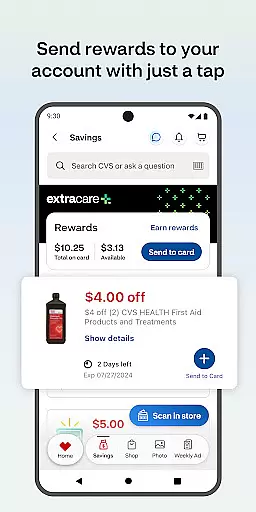
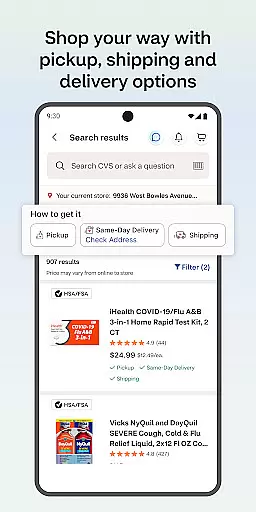
The CVS Health app is a comprehensive medical and wellness solution that simplifies healthcare management. It allows users to easily handle prescription refills, access exclusive deals through ExtraCare, and schedule medical services at CVS Pharmacy or MinuteClinic locations.
With features like medication delivery, drug interaction checks, and telehealth consultations, the app ensures users can manage their family's health needs efficiently while saving both time and money.
The app offers a robust set of features designed to streamline healthcare. Users can refill prescriptions, check drug interactions, and manage their family’s pharmacy needs in one place. The app also provides 24/7 video consultations with healthcare providers.
Additionally, it includes tools for managing ExtraCare rewards, accessing weekly ads, and scheduling vaccinations or clinic visits. These features collectively enhance convenience, promote savings, and support better health management.
In the realm of digital health, the credibility of medical content is paramount. The CVS Healthu00ae app excels in this area by providing users with verified information on drug interactions and medication details. This ensures that individuals can make informed decisions about their health regimens.
Furthermore, the app offers a direct line to healthcare providers through video consultations available around the clock. Each healthcare provider accessible via the app is certified, guaranteeing expert advice for users seeking medical opinions or prescriptions.
The app also allows scheduling vaccines and medical care at nearby CVS Pharmacyu00ae or MinuteClinicu00ae locations. These services are backed by licensed professionals, ensuring that all care provided meets high medical standards.
By integrating these features, CVS Healthu00ae not only informs but also empowers its users with reliable and expert-reviewed medical content, enhancing their ability to manage personal and family health effectively.
Teleconsultations have become an essential part of modern healthcare, and the CVS Healthu00ae app stands out with its superior teleconsultation services. Users can engage in video chats with healthcare providers anytime, which is crucial for timely medical advice without leaving home.
This service is supported by a robust platform that ensures high-quality video transmission, making remote consultations as effective as face-to-face meetings. The clarity and reliability of these interactions help maintain continuity of care.
Moreover, the availability of teleconsultations 24/7 within the app means that urgent health concerns can be addressed promptly, regardless of the hour. This constant access significantly enhances user convenience and peace of mind.
Overall, the CVS Healthu00ae app's commitment to quality in teleconsultations transforms how users perceive and interact with remote healthcare services, setting a benchmark in the industry.
User-friendly interface
Comprehensive health tools
Time-saving solutions
Cost-effective deals
Family health management
Limited to CVS services
Background GPS usage
Requires constant updates
Occasional bugs reported
Android version restrictions

Want to make it easier to manage your health? We’re with you, wherever you are.
 4.70
4.70
The Omada app enhances your program experience and helps you stay engaged.
4.50
Save up to 80% on your pharmacy prescriptions & medications with free Rx coupons
4.70
Remote, medical-grade heart care at your fingertips
4.70
Coaches you through labour using hypnobirthing techniques & tracks contractions
4.70
Discover the source of pain with Muscle Trigger Point Anatomy.
4.70
Secure video appointments
4.50
Anthem/Wellpoint and other health insurance plans
4.60
Find and Price Care
4.60
A comprehensive medical disease app.
5.00
myVCA is your tailor-made guide to raising a healthy and happy pet.
4.90
Manage your prescriptions and pharmacy care anytime, anywhere.
4.80
Health Care at Your Fingertips
4.60
Blue Cross and Blue Shield of Texas member information
4.60
Take on apraxia and aphasia with a powerful video-driven speech therapy app.
4.60
Over 1,200 review questions and 5 exams—pass the NREMT with EMT Review Plus!
4.10
Crush your paramedic exam with NREMT-style tests, ECGs, and top-tier prep!
3.90
An easy way to earn money donating plasma. Book a visit, sit back, and get paid.
3.80
A fantastic 3d reference that includes over 300 structures and a quiz function.
3.00


User Reviews