
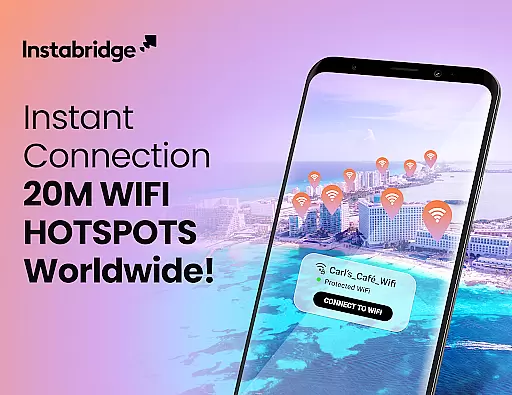
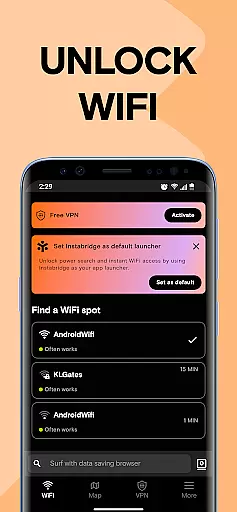
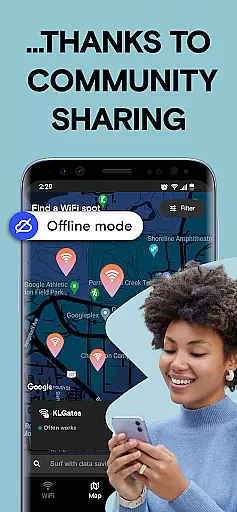

Instabridge is a comprehensive travel and connectivity solution that simplifies public WiFi access for users worldwide. The app's core functionality revolves around its extensive WiFi Hotspot map, which provides instant connections to millions of secure networks without the need for passwords. This feature is particularly valuable for travelers who can benefit from offline access to the WiFi map, ensuring connectivity even without an active data connection.
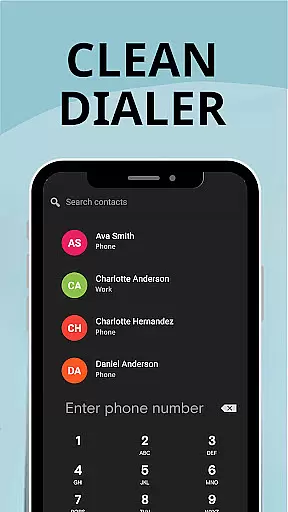
Beyond basic WiFi access, Instabridge incorporates additional communication tools including a robust Caller ID system that helps users manage incoming calls more effectively. The app also promotes a sharing economy model through its global WiFi community, currently encompassing over 20 million networks. This community-driven approach not only facilitates free internet access but also contributes to a larger mission of achieving universal connectivity.
The application's value extends to its smart network evaluation capabilities, providing users with detailed information about network quality and performance metrics. With features like automatic connection and mobile data options for eSIM devices, Instabridge ensures seamless internet access across 190+ countries, making it an essential tool for both local use and international travel.
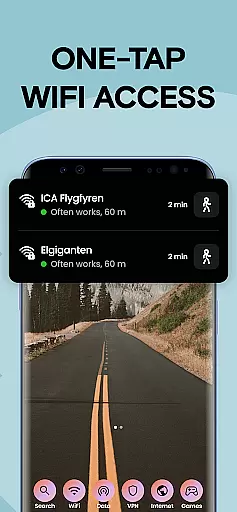
Instabridge distinguishes itself through a rich set of features designed to enhance user connectivity. The app's Quick WiFi Access function allows users to connect to available networks with a single tap, while its Power Search capability consolidates app, contact, and web access into one convenient launcher. These features work together to create a streamlined user experience that minimizes the time and effort required to establish internet connections.
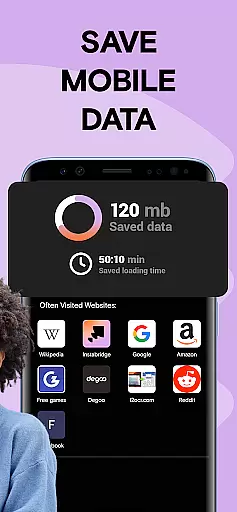
A notable innovation is the app's Data-saving browser, which offers 10× better compression compared to standard browsers. This feature, combined with detailed WiFi statistics and built-in speed tests, empowers users to make informed decisions about their network usage. The inclusion of Mobile Data services for eSIM-enabled devices further expands the app's utility, providing global internet access without traditional roaming charges or SIM card swaps.
Security and reliability are maintained through support for multiple encryption protocols including WEP, WPA, WPA2, and WPA3. The app's offline functionality ensures users can access crucial network information even without an active connection. These technical capabilities, coupled with automatic connection features and network quality assessments, create a comprehensive solution that addresses various connectivity challenges faced by modern travelers.
Instabridge ensures booking authenticity by providing verified WiFi hotspot locations worldwide. The app's extensive network of over 20 million hotspots is community-driven, ensuring that each connection point is reliable and functional.
The detailed WiFi map offers real-time information about network speed, popularity, and data usage. This verification process guarantees users access to genuine and high-quality internet connections without the need for passwords or complicated setup procedures.
By using Instabridge's offline map feature, travelers can confidently connect to WiFi networks even in areas with no cellular coverage. This level of authenticity in network availability provides peace of mind for users who need consistent internet access while traveling.
The app's integration with eSIM technology further enhances booking authenticity by offering seamless mobile data packages for travelers in 190+ countries. This comprehensive approach to connectivity ensures users receive legitimate services both through WiFi hotspots and mobile data solutions.
Instabridge promotes price transparency by offering free access to millions of WiFi hotspots globally. Unlike other services that might hide costs or require subscriptions, Instabridge clearly communicates its value proposition - free connectivity through shared networks.
The app's mobile data feature provides clear pricing for global internet access through eSIM technology. Users can purchase data packages knowing exactly what they're paying for, with no hidden fees or surprise charges when traveling internationally.
Through its power search and data-saving browser features, Instabridge helps users save money by reducing mobile data consumption. These tools are explicitly designed to minimize costs while maximizing connectivity efficiency.
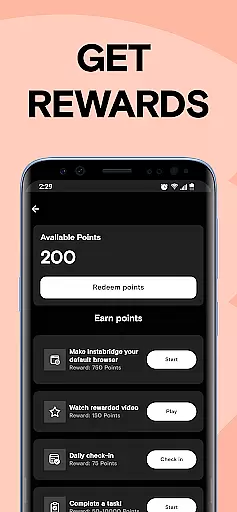
All premium features and potential costs are clearly outlined within the app, maintaining complete transparency with users. This straightforward approach to pricing allows travelers to budget effectively while staying connected during their journeys.
User-friendly interface
Extensive global coverage
Offline map functionality
Integrated security features
Community-driven network
Limited eSIM device support
Occasional connection issues
Regional restrictions apply
Advanced features require setup
Some features need premium access

A Camino de Santiago Guidebook from St. Jean Pied de Port to Santiago
 3.60
3.60
Mix of explore game, travel mapping & tracking to memorize everywhere you go
3.60
Save on gas and convenience with the earnify™ App
4.70
Book neighborhood dog boarding, dog walking, pet sitting, and doggy day care.
4.60
NEW! Vacation with Ease.
4.60
Booking your bus tickets has never been easier
4.70
Earn hotel and travel rewards, find hotel offers, and access your Digital Key.
4.50
Get Moving Made Easier® with the official U-Haul® Moving & Storage app.
3.40
Now you can book homes, experiences, and services—all in our redesigned app.
4.40
Travel and Book 8,000+ Hotels Worldwide with the Marriott Bonvoy™ app.
4.90
Rent the perfect car for wherever you’re going
4.90
Maximize your cruise vacation with the Royal Caribbean app
4.70
Download now and start earning rewards on hotels, tours, and everything travel.
4.50
Travel light with our easy-to-use mobile app, the perfect flying companion.
4.40
The Official Freedom Trail Foundation app.
4.30
Iowa 511 is the Iowa Department of Transportation's traveler information app.
3.80
Examine the planet
3.80
Every Diners, Drive-in & Dives location in one place! Your guide to Flavortown!
3.00
Learn about one of the most famous Victorian cemeteries in the world
2.80


User Reviews