

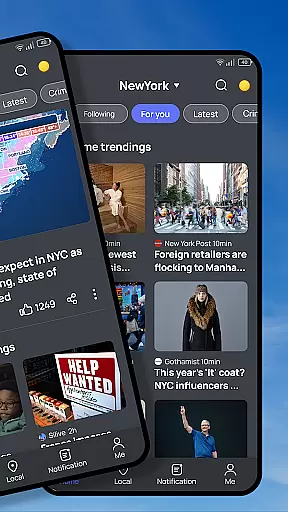






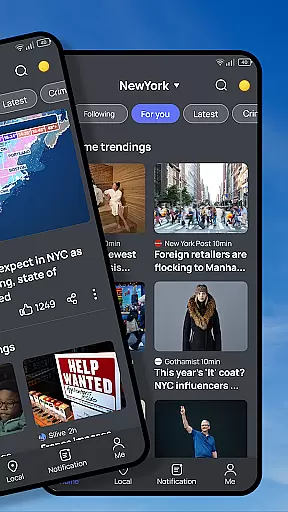






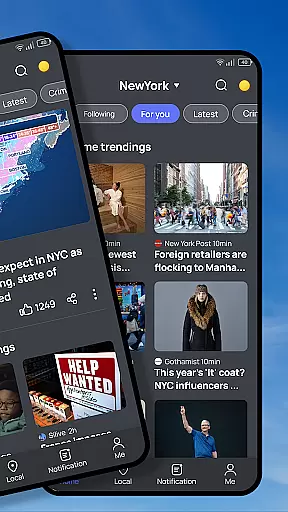





Snap News revolutionizes how users stay informed by offering a smart, AI-powered news aggregation platform. The app's core functionality lies in its ability to deliver hyperlocal updates alongside global perspectives through an intelligent discovery engine. This ensures users receive real-time, relevant content tailored to their specific interests and location.
Beyond basic news delivery, Snap News provides enhanced reading features including customizable text formatting and offline reading options. The app also incorporates community-focused elements like local event tracking and shared neighborhood stories. These features make it particularly valuable for users who want to stay connected with both their immediate surroundings and broader world events.
The true value of Snap News emerges in its seamless combination of technology and thoughtful curation. By aggregating content from over 1,500 verified sources while offering precise control over news preferences, the app serves as an indispensable tool for anyone seeking to maintain comprehensive awareness of current affairs without information overload.
Snap News distinguishes itself through several innovative features that enhance the news consumption experience. The app's Smart Discovery Engine employs advanced AI algorithms to surface relevant content, creating a personalized news feed that evolves with user preferences. This system seamlessly integrates local insights with global coverage, providing a comprehensive view of current events.
A key differentiator is the app's Precision News Delivery system, which combines verified source aggregation with smart alert capabilities. Users benefit from hyperlocal updates about their neighborhood while receiving timely notifications about breaking stories that matter to them. The app's customization options are equally impressive, allowing users to create precise news mixes across topics, locations, and sources.
The Enhanced Reading Experience feature set includes adjustable text formatting, offline reading capabilities, and a clean modern interface. These elements work together to provide maximum comfort and accessibility. Additionally, the Community Pulse and Insight Features offer unique value by enabling users to track local trends, compare perspectives on major stories, and understand community developments over time.
In today's digital age, the credibility and diversity of news sources are more crucial than ever. Snap News recognizes this by aggregating content from over 1,500 verified sources, ensuring that users receive a balanced view of local and global events. This extensive network spans various reputable publishers, providing a wide spectrum of perspectives.
The app employs a meticulous vetting process for its sources, prioritizing those with established track records for accuracy and ethical journalism. By doing so, Snap News delivers not just information, but reliable insights you can trust. This commitment to source verification helps maintain the integrity of the news feed.
Moreover, Snap News enhances source diversity through its smart discovery engine. Users can seamlessly navigate between local insights and global perspectives, accessing real-time updates tailored to their location and interests. This ensures that no single viewpoint dominates your newsfeed, fostering a well-rounded understanding of current affairs.
Snap News places a strong emphasis on content accuracy and rigorous fact-checking processes. The platform's AI-powered content discovery system works tirelessly to filter out misinformation, ensuring that only verified stories reach the user. This technological approach is complemented by human oversight, creating a robust defense against false reporting.
Each article undergoes multiple layers of scrutiny before appearing in your feed. The system cross-references information across its network of trusted sources, flagging inconsistencies for further review. This dual-layer verification significantly reduces the risk of encountering inaccurate information.
Furthermore, Snap News provides tools for users to compare different perspectives on major stories, enabling them to track developments over time. This feature, combined with the ability to understand local trends and patterns, empowers readers to form well-informed opinions based on thoroughly vetted content. The result is a news experience that's both comprehensive and credible.
AI-powered content discovery
Hyperlocal news coverage
Verified source aggregation
Customizable news feed
Offline reading capability
Premium subscription required
Occasional notification overload
Limited international sources
High data usage
Steep learning curve

Get the latest news anytime, anywhere
 4.10
4.10
Download The Atlantic app for complete coverage of politics, culture, and more.
4.90
Live, Sport, Podcasts & Video
3.60
Discover Taiwan Through News, Entertainment & Culture
4.50
Read millions of expert stories on business, tech, design, and current events
4.70
Stay Informed with Personalized Daily News from Daily News.
4.50
Stay informed with latest world & local news personalized for your interest
4.00
Watch MS NOW videos and stream audio from the team formerly known as MSNBC.
4.60
Crime map, police scanner & alerts
4.80
Podcasts. Live Radio. Music.
4.90
Breaking News delivers real-time updates, personalized content, and local news.
4.60
Live local weather + breaking news in one app. Plan your day and stay informed!
4.40
Noisy. Opinionated. Right.
4.40
Breaking News, Politics & Award-Winning Journalism
4.40
Stay connected with Local News for the latest weather, events, and breaking news
4.40
Quora is a place to share knowledge and better understand the world
4.20
National, local and world news
4.10
Local NYC news and weather alerts. Watch NBC 4 New York live 24/7.
4.00
World News On Finance, Business, Economics, Stock Market & Investment Portfolio
4.00


User Reviews