
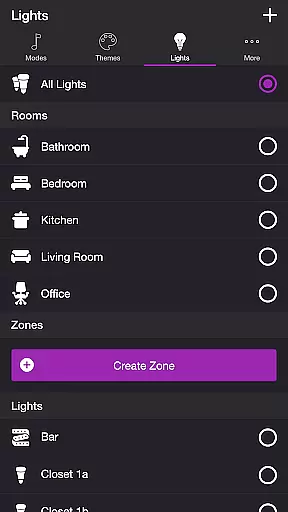
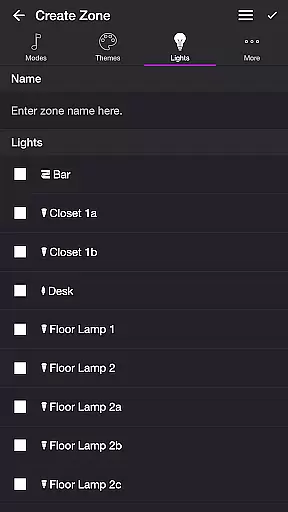
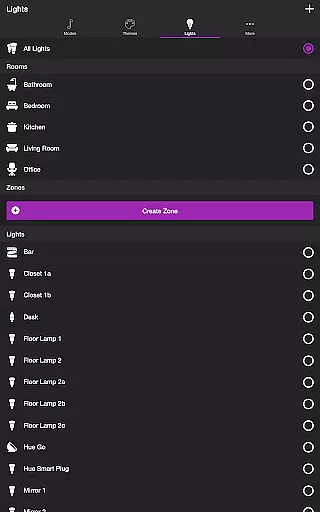
Soundstorm for Hue is an innovative entertainment application that transforms your Philips Hue lights into a dynamic party experience. The app allows users to sync their smart lights with music, creating stunning visual effects through various customizable modes.
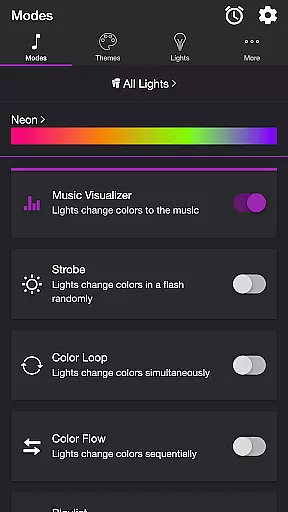
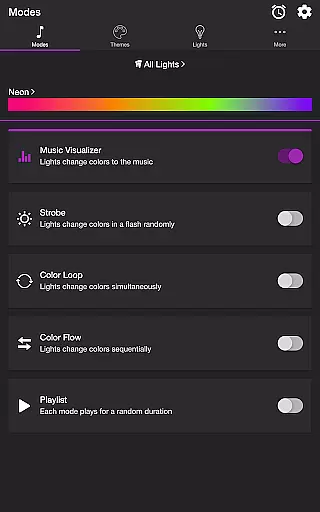
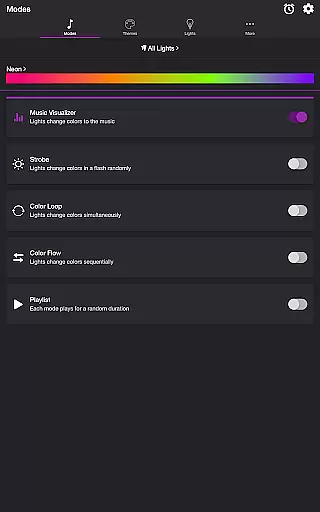
The application features multiple lighting modes including Music Visualizer, Strobe, Color Loop, Color Flow, and Playlist. Each mode offers unique ways to interact with your lights, from pulsing to the beat of your favorite songs to creating sequential color flows. With support for custom themes and detailed settings, users can tailor the experience to match their preferences.
Perfect for parties or ambient lighting, Soundstorm for Hue brings a new dimension to home entertainment. By leveraging the capabilities of Philips Hue lights, it creates an immersive atmosphere that enhances any occasion.
Soundstorm for Hue stands out with its diverse feature set tailored for entertainment enthusiasts. The app's core functionality lies in its ability to synchronize Philips Hue lights with audio input, creating captivating light shows.
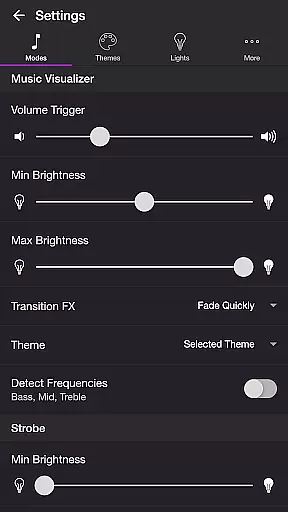
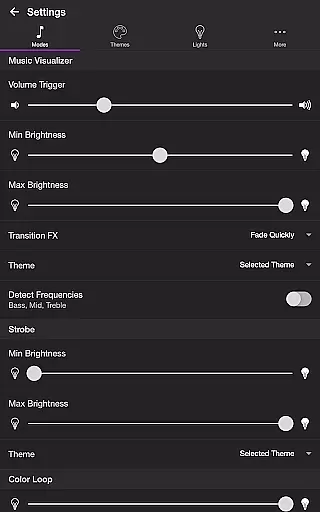
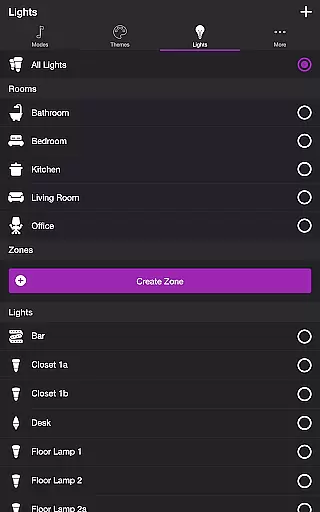
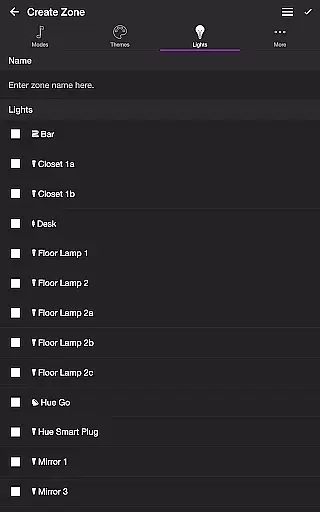
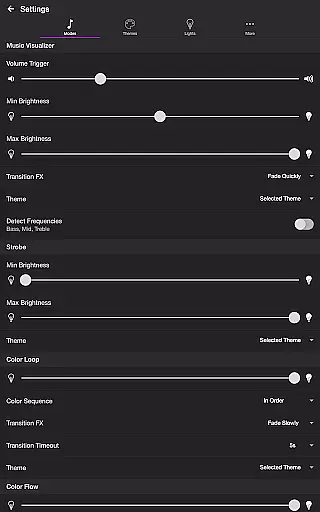
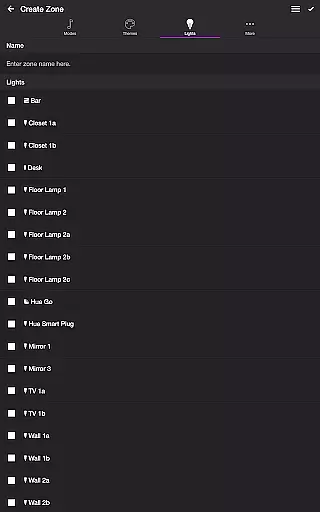
Users can choose from several modes like Music Visualizer which uses the device's microphone to adapt lights to live music, or predefined patterns such as Strobe and Color Loop. The app provides extensive customization options including brightness control, transition effects, and frequency detection settings. Advanced features let users target specific lights for different audio frequencies.
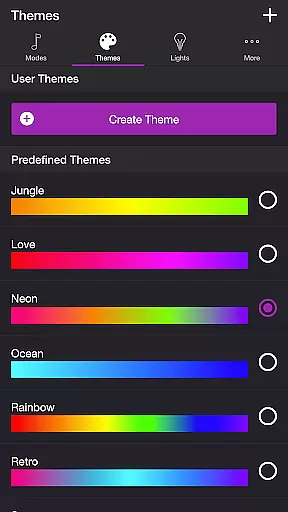
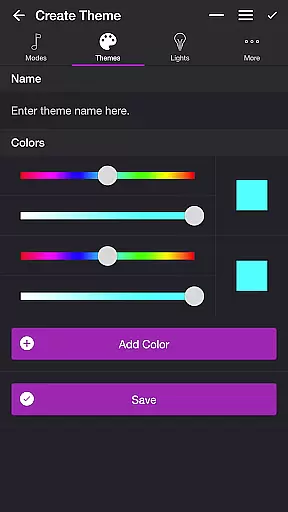
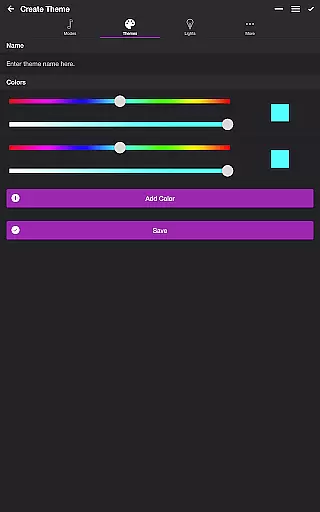
What sets Soundstorm for Hue apart is its sophisticated theme management system and playlist functionality. Users can create custom color schemes and automate mode transitions, making it an essential tool for creating memorable lighting experiences.
Soundstorm for Hue offers a diverse range of content through its various modes and themes, ensuring users have multiple entertainment options. The app features several modes including Music Visualizer, Strobe, Color Loop, Color Flow, and Playlist, each providing a unique way to enjoy Philips Hue lights.
The Music Visualizer mode listens to the ambient music and changes the lights' colors accordingly, creating an immersive experience. With customizable settings such as volume triggers, brightness levels, and transition effects, users can tailor the visualizer to their preferences.
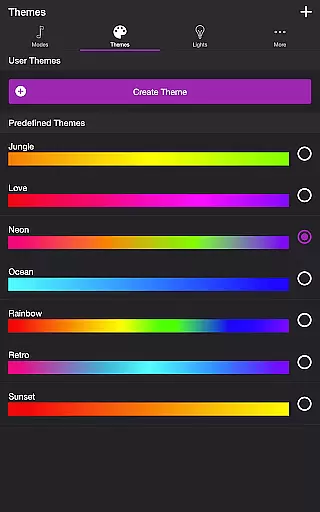
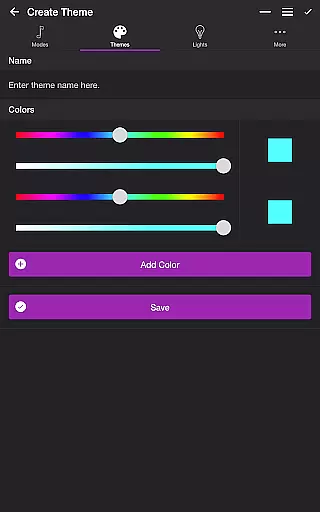
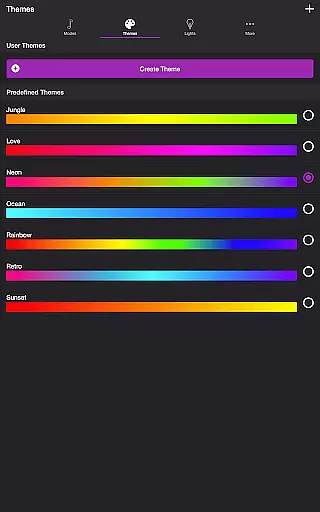
In addition to the dynamic modes, Soundstorm for Hue allows users to choose from predefined themes or create their own, offering fresh content regularly. Themes dictate the color schemes used in each mode, and with the ability to edit and reorder colors, users can keep their light shows vibrant and engaging.
One of the key strengths of Soundstorm for Hue is its ability to maintain user engagement over extended periods. By providing a suite of interactive features, the app encourages users to spend more time customizing and enjoying their lighting experiences.
With options like the Sleep Timer and automatic start modes, users can set their preferred configurations to engage with the app daily. These features help in retaining users by integrating seamlessly into their routines, prompting regular interaction.
Furthermore, the detailed settings for each mode, such as frequency detection and transition effects, invite users to experiment and fine-tune their setups. This high level of personalization not only enhances the user experience but also promotes longer sessions and repeat usage, contributing to better retention rates.
Extensive customization
Versatile light modes
User-friendly interface
Real-time music sync
Advanced theme editor
Hue Bridge required
Microphone access needed
Premium features locked
Complex setup process
Limited free themes

* Multiple Matches * Intuitive UI * Scoring Made Easy!
 4.40
4.40
Exclusive creator communities
4.70
EVP Recorder / Voice Recorder for ghost hunting, to communicate with ghosts.
4.5
Collaboration with popular VTubers
4.4
Stream Live TV, News & Documentaries. Watch Full Seasons with PBS Passport.
4.80
Your choice of 350+ networks plus movies and full TV series on-demand.
3.70
NFL, NBA, NHL, MLB, local sports coverage, shows, movies & news!
3.20
Necrophone is spirit box ghost hunting app made for spirit communication.
3.70
Raise Christmas Magic with daily missions, magical scanners, and kindness.
4.0
Time tracking, lap counting and much more for Carrera® Digital 132/124
4.80
Triple A is a highly complex, kinetic, and interactive visualizer.
4.50
Play games. Earn real rewards. Cash out in 3hours via PayPal or gift cards.
4.40
Best of icon for christmas
4.30
A companion app for the game Elite Dangerous
4.10
Start EVP/Spirit Box tonight: real EMF, offline, recording. One-time purchase.
4.10
Browse popular images and videos from Reddit on Android TV!
3.90
Binaural Brainwave Doses for Every Imaginable Mood
3.60
Unofficial Game Companion App” “Guides • Builds • Tips • Progression
4.4
Christmas Globe: Transform your Wear OS device into a festive timekeeper!
4.4


User Reviews