
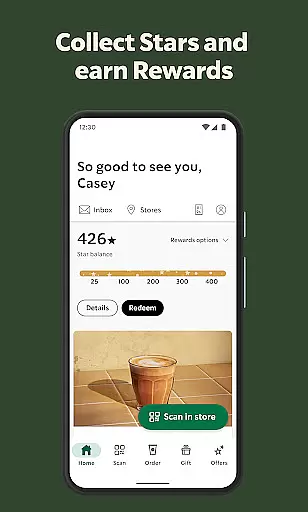
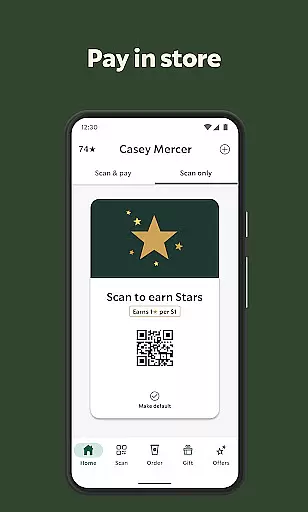
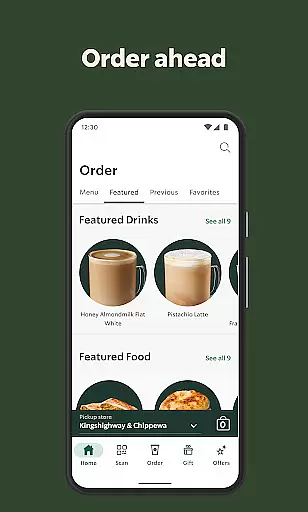
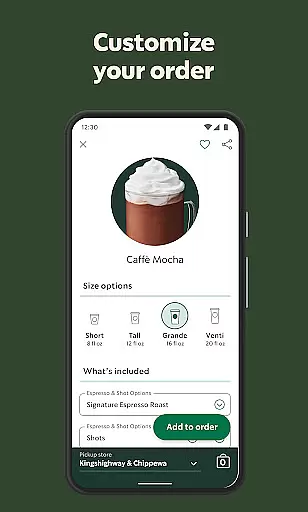
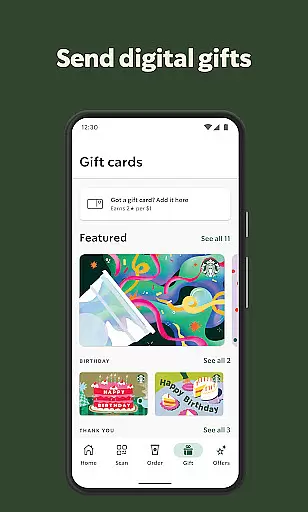
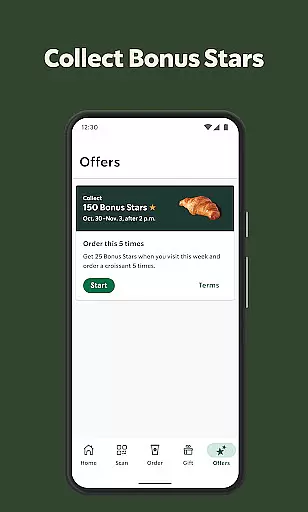
Starbucks® app revolutionizes the coffee ordering experience by allowing users to order ahead, earn rewards, and pay seamlessly. The core functionality centers around mobile ordering and payment, making it easy for customers to get their favorite drinks without waiting in line. With features like saved custom drinks, Rewards program integration, and store locator, the app creates a personalized and efficient experience.
The app is particularly useful during busy mornings or peak hours when coffee shops typically have long lines. Users can place their usual orders through the app, choose a convenient pickup time, and simply walk in to grab their drink. This saves significant time while ensuring they get their preferred beverages exactly as they like them. Additionally, the Starbucks® Rewards program adds extra value by letting users earn Stars toward free food and drinks, creating an engaging loyalty loop.
One of the standout features of the Starbucks® app is its ability to save custom drinks and preferred payment methods, streamlining the entire ordering process. Users can easily reorder their favorite beverages with just a few taps, eliminating the need to repeatedly input the same details. The app also displays previous orders, which helps maintain consistency for regular customers who want to repeat their past purchases.
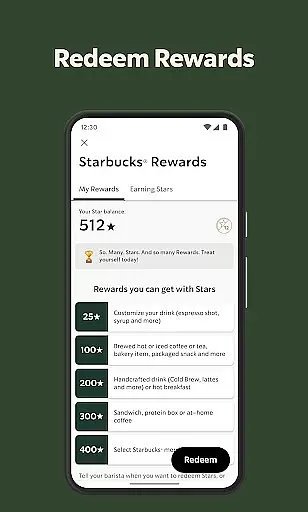
Another key feature is the Starbucks® Rewards program, which incentivizes frequent use through a gamified system of earning Stars. These Stars can be redeemed for free drinks, food items, and even birthday treats. The app makes it simple to track progress and view available rewards, keeping users motivated to continue engaging with the brand. Additionally, the built-in store locator provides essential information such as directions, operating hours, and specific amenities like drive-thru availability, enhancing the overall convenience factor.
Locating your nearest Starbucks has never been easier with the Store Locator feature. This essential functionality allows users to find nearby locations quickly and efficiently. The app provides detailed information about each store, including distance, operating hours, and available amenities.
The Starbucks app goes beyond basic location services by offering additional details that enhance the customer experience. Users can filter stores based on specific amenities like drive-thru availability, free Wi-Fi, or whether the location is currently open. These filters ensure that customers can choose a store that best fits their immediate needs.
For those on the go, the app's map integration proves invaluable. It offers accurate directions and estimated travel times, helping users plan their visits effectively. Whether you're looking for a quick coffee pickup or a place to relax with free Wi-Fi, the Store Locator function streamlines the entire process.
This feature not only saves time but also enhances convenience for regular patrons. By providing comprehensive store information at users' fingertips, it creates a more personalized and efficient coffee run experience. The Store Locator truly exemplifies how digital solutions can improve everyday routines.
The Starbucks app revolutionizes the way customers access their favorite beverages through its advanced Delivery and Pickup options. This feature enables users to either order ahead for pickup or have their orders delivered directly to their location. Such flexibility caters to various customer preferences and schedules.
For pickup orders, the app allows customers to customize their drinks, select preferred pickup times, and choose specific store locations. This streamlined process ensures that orders are ready upon arrival, significantly reducing wait times. Additionally, users can save their favorite orders for even faster future transactions.
When it comes to delivery, the app partners with reliable services to ensure timely and safe transportation of orders. Customers can track their deliveries in real-time, receiving updates about preparation stages and estimated arrival times. The transparent fee structure eliminates surprises, showing all costs upfront.
These combined services represent Starbucks' commitment to modern convenience. By integrating multiple fulfillment options within a single platform, the app successfully bridges the gap between digital ordering and physical store experiences. This approach not only meets but exceeds contemporary consumer expectations.
User-friendly interface
Seamless payment options
Rewarding loyalty program
Customizable drink profiles
Convenient store locator
Limited to Starbucks stores
Occasional bugs reported
Requires internet connection
Geographic restrictions apply
Some features US-only

Everything you want right here
 4.50
4.50
Choose From A Wide Array of Wines, Spirits, Beers & More
4.60
Order pizza and earn points
3.90
Order from local pizzerias
4.20
Find the perfect restaurant for any occasion on OpenTable.
4.60
Order for Pickup and Delivery
4.70
Order Food, Track, and Earn Rewards
3.80
Enjoy Exclusive Deals, Rewards, Gas Benefits, and 24/7 Food Delivery!
4.90
EASIEST WAY TO PIZZA®
4.70
Restaurant Reservations
4.90
Save at the pump AND in store with deals on gas, snacks & drinks at Murphy USA.
4.80
Enjoy all your Legendary favorites at Texas Roadhouse!
4.80
Tons of tasty options, ready in an instant! Order for pickup or delivery.
4.70
Get food, grocery, and retail essentials delivered fast with DoorDash.
4.70
Earn rewards when you order online for delivery or pickup from Sonic Drive-In.
4.60
Order your Buffalo Wild Wings favorites for takeout & delivery
4.50
Order Beer, Snacks & More 24/7
4.20
Food Delivered to your door! Order from 1800+ Grocery & Retail Store Brands.
4.10
Skip the line, get delivery + exclusive treats
3.90


User Reviews