
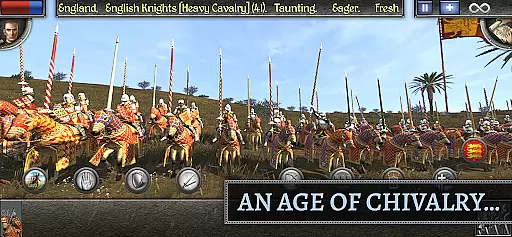
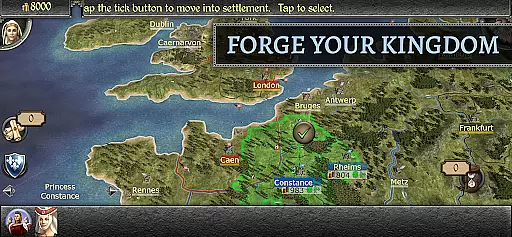
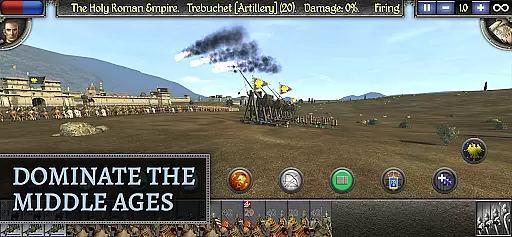
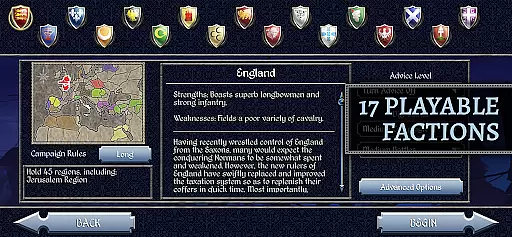
Total War: MEDIEVAL II brings the renowned Total War series to Android, combining real-time battles with deep turn-based strategy. Set in the Middle Ages across three continents, players can engage in spectacular conflicts and political scheming as they vie for power among medieval kingdoms. The game offers up to 17 playable factions, each with unique strengths and playstyles.
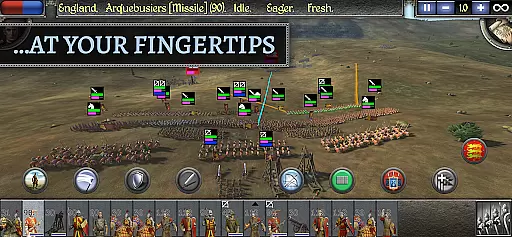
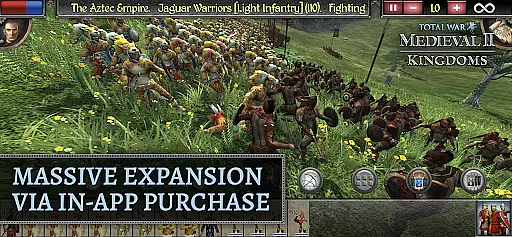
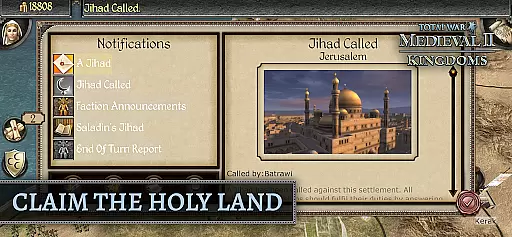
With the Kingdoms expansion available via in-app purchase, players gain access to 24 factions across four distinct campaigns. Whether through military conquest or diplomatic maneuvering, you must secure resources and loyalty to expand your empire. The game features massive real-time battles where you command infantry, archers, and cavalry using medieval weaponry. A new touch-friendly interface ensures smooth control on mobile devices.
This strategy game requires Android 12 or later and significant storage space. It provides a rich historical experience across five centuries of medieval history, making it ideal for strategy enthusiasts seeking depth and complexity in their gaming experience.
Total War: MEDIEVAL II stands out with its combination of real-time battles and turn-based strategy. Players can deploy various military units such as infantry, archers, and cavalry into large-scale battles. Each unit type has specific strengths and weaknesses, requiring strategic planning and execution during combat scenarios.
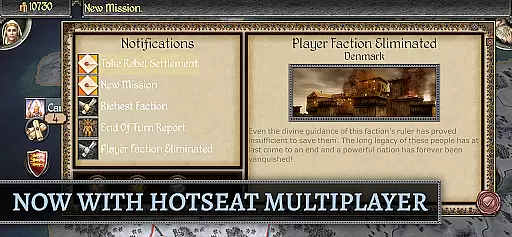
The game includes sophisticated diplomatic tools, allowing players to form alliances, negotiate trade agreements, or destabilize rivals through espionage. With the Kingdoms expansion, additional campaigns and factions are introduced, expanding the gameplay possibilities. The recent update enhances late-era units like Pikemen and Zweihanders while introducing asynchronous multiplayer campaigns for those who own the expansion.
A newly designed user interface optimized for touch controls makes battlefield management intuitive. Players also have the option to use mouse and keyboard for more precise control. This blend of historical authenticity, strategic depth, and modernized controls creates an engaging experience for fans of the genre.
Strategic depth in Total War: MEDIEVAL II is defined by the intricate layers of planning and execution required to build and maintain a successful empire. The game challenges players to consider multiple factors, including military strength, economic stability, diplomatic relations, and internal politics.
The game implements this through its turn-based campaign mode, where each decision can have far-reaching consequences. Players must manage resources, construct buildings, recruit armies, and negotiate with other factions. Every choice affects the empire's growth and stability, requiring careful consideration and foresight.
Players benefit from this depth as it allows for a personalized approach to conquest. Whether choosing a path of diplomacy, trade, or warfare, the complexity of the decision-making process ensures that each playthrough is unique and engaging. This variety keeps the gameplay fresh and encourages strategic thinking.
The true value lies in how the game rewards long-term planning and adaptability. As players navigate the ever-changing political landscape, they learn to anticipate challenges and opportunities, making their victories all the more satisfying. This deep strategic experience is what sets Total War: MEDIEVAL II apart in the strategy genre.
Faction and unit balance in Total War: MEDIEVAL II ensures that no single faction or unit type dominates the game. This equilibrium is crucial for maintaining fair and competitive gameplay across the diverse range of available factions.
The game achieves this balance through meticulous design and continuous updates. Each faction has unique strengths and weaknesses, encouraging players to exploit their specific advantages while mitigating potential drawbacks. Units are similarly varied, with different capabilities and roles on the battlefield, ensuring that tactical decisions significantly impact outcomes.
For players, this balance means that victories are earned through skillful strategy rather than reliance on overpowered units or factions. It fosters a more immersive and rewarding experience, as success depends on understanding and leveraging the nuanced mechanics of the game.
Ultimately, the attention to faction and unit balance enhances replayability and fairness. Players can experiment with different strategies and factions without fear of encountering insurmountable odds, thus promoting a vibrant and dynamic community of strategists who continually seek new ways to conquer.
Deep strategic gameplay
Historically rich setting
Massive real-time battles
Extensive faction variety
Touch-friendly interface
High system requirements
Large storage needs
Expansion packs cost extra
Complex for beginners
Occasional performance issues
Rebuild a ruined city in this post-apocalyptic mix of strategy and simulation.
 4.40
4.40
New Maya Civilization!
4.50
Hello Commander. Please board the Elmo and set off into the breaking dawn.
4.50
Build gourmet grilled cheese sandwiches in Papa's Cheeseria To Go!
4.60
Survive.! Evolve.! Thrive!!
4.80
The unforgiving, award winning SWAT-command quick tactics game.
4.20
Set your td battle strategy at the frontiers. Lead epic towers & mighty heroes
4.80
Smash Hit Tower Defense Game
4.80
Forge Your Legacy in the Untamed Frontier!
4.50
Crash Zombie With Your Wisdom
4.50
Fight for Rome or destroy it in antiquity's greatest conflict.
4.40
Archer Assassin Shooting Games is Offline Twisty Arrow CrossBow Masters Archery
4.40
Ride, shoot & survive in fun epic offline cowboy and west sniper shooting games.
4.40
Beat the summer heat in Papa's Freezeria HD!
4.30
Bake and decorate delicious cupcakes on the go!
4.30
Tower Defense Strategy game with tactical, real-time PvP battles!
4.30
Get Permit From Euro Truck Simulator Driving School & Cargo Oil Tanker Trailer
4.20
Top, bake, and serve pizzas in Papa's Pizzeria To Go!
4.20
Launch eco-projects, save animals, protect Earth planet! Great world builder!
4.10


User Reviews