
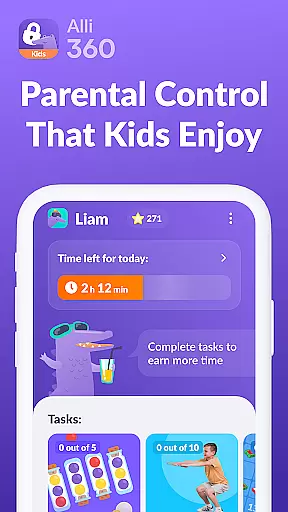


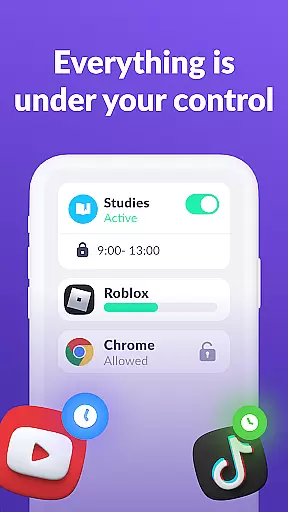

Alli360 by Kids360 is a parental control app designed to help parents manage their children's screen time effectively. The service allows setting time limits on entertainment apps and games, ensuring a healthy balance between digital engagement and other activities. Parents can create schedules for school hours and bedtime, blocking access to non-educational content during these periods.
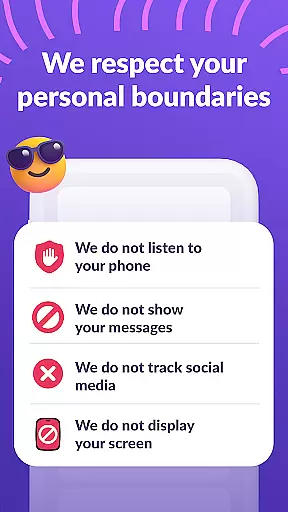
The app also provides detailed usage statistics, showing how much time teens spend on their devices and which applications they use most frequently. Importantly, communication apps remain accessible at all times, allowing parents to stay connected with their children. Alli360 operates transparently and requires explicit consent from the child for installation and monitoring, maintaining privacy compliance with GDPR standards.
Alli360 offers several key features that make it an effective parental control tool. The Time Limit function lets parents set specific durations for app and game usage, while the Schedule feature enables defining periods when certain apps are inaccessible, such as during homework or sleep time. The Application List allows parents to select which apps to limit or block entirely.
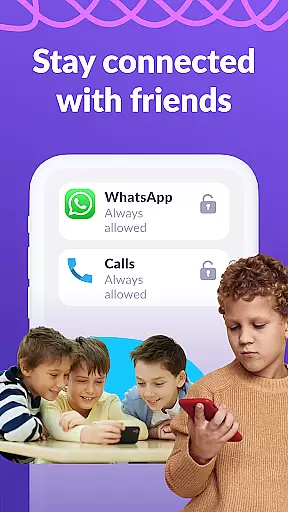
Parents can view comprehensive reports on their teen's smartphone activity through the Time Spent feature, gaining insights into app preferences and usage patterns. The Always Keep in Touch functionality ensures essential communication apps remain available. These features collectively empower parents to guide their children's digital habits responsibly while maintaining open lines of communication.
When it comes to parenting applications, the credibility of content and expert validation are paramount. Alli360 by Kids360 ensures that all features are designed with family safety and parental control in mind. The app provides parents with reliable tools to manage their children's screen time effectively.
The service allows setting time limits on entertainment apps and games, ensuring that usage aligns with parental guidelines. Parents can create schedules for school and rest times, blocking access to non-educational apps during crucial hours. This structured approach is developed under strict adherence to child safety regulations and has been crafted with expert input to ensure efficacy.
Alli360 also offers transparency in how data is handled, storing personal information according to GDPR policies. With these measures in place, parents can trust that they are using a verified and credible tool for monitoring their teenageru2019s smartphone activity without infringing on privacy rights.
Growth tracking accuracy is essential for understanding a child's digital habits over time. Alli360 excels in providing detailed insights into how much time teens spend on their smartphones. By categorizing usage statistics, parents gain an accurate picture of which applications consume most of their childu2019s attention.
This feature goes beyond simple monitoring; it empowers parents to make informed decisions about screen time management. Detailed reports highlight patterns such as peak usage times and frequently used apps, enabling tailored interventions where necessary. Such precision helps foster healthier digital behaviors among adolescents.
Furthermore, the always-on availability of communication apps ensures that while leisure activities might be restricted, vital connections remain uninterrupted. This balance between oversight and freedom supports both safety and personal growthu2014key components in nurturing responsible tech use from an early age.
Effective time management
Transparent monitoring
Comprehensive app control
Detailed usage reports
Essential communication access
Requires explicit consent
Limited free features
Subscription needed
Complex setup
Dependent on another app

All-In-One Pregnancy Tracker, Your Baby's Milestones, Growth Stages & Parenting
 4.70
4.70
Cherish every beat - capture your baby's heart sounds with our app
4.30
FamilyMode helps you manage your family’s digital lives—at home or on the go.
4.30
Join over 1MM parents & professionals who've used OFW to navigate co-parenting
4.40
Save money on diapers. Get the Pampers Rewards app.
3.90
GeoLog - Real-Time Location Tracker
4.40
Speech Therapy Exercises For All!
4.40
Screen Time, App and Web Block & Monitoring, Location Tracker
3.60
App/Game blocker & GPS tracker
4.50
Fun Ideas for Parents
4.70
Parental control App for Location, Remote Camera, Screen Mirroring, Block Apps.
4.60
Reliable phone tracker by number & locate phone app. Protect your family.
4.50
All-in-one pregnancy app, contraction timer, kick counter & due date calculator
4.40
Real-time family location with consent, check-ins & SOS—private by default.
4.40
Fake call application designed for parents and adults to discipline their children through the children's police.
4.20
Protect kids online safety through GPS tracking,screen time control,app blocking
4.20
Monitor screen time and build healthy habits with Family Safety
3.90
A Coloring for the Whole Family! Discover the Joy of Family Love Through Colors!
3.60
Track pregnancy health and wellness with pregnant tracker from healthcare advice
4.0


User Reviews