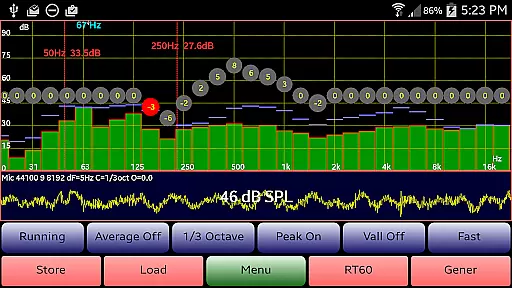
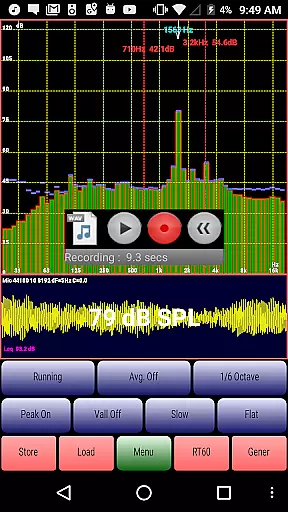
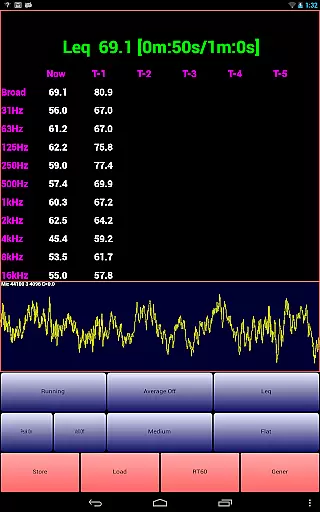
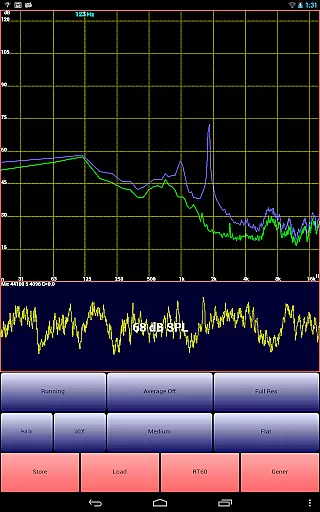
AudioTool is a comprehensive audio measurement and analysis application designed for audio engineers and enthusiasts. The app features a range of professional tools including an SPL meter, RT60 measurement, Leq, Sone, Spectrum Analyzer, Spectrogram, Chart Recorder, Signal Generator, Polarity Checker, and Mic calibration. It caters to users who require precise audio measurements for various applications such as gig measurements, home theater calibration, acoustics testing, and automotive audio tuning.
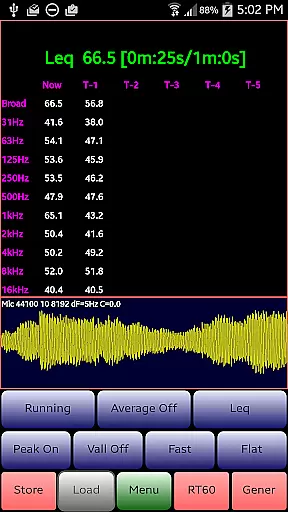
The app stands out with its advanced functionalities like 1/1, 1/3, 1/6 & 1/12 octave RTA modes, multiple filters, A/C Weighting, film industry X Curve, and more. AudioTool also provides exclusive ISO 1/3 Octave Calibration to correct for your phone's microphone response, ensuring accurate readings. With recent updates, it now allows loading and displaying stored spectrum files alongside real-time data, enhancing comparative analysis capabilities.
AudioTool is particularly useful in professional environments where precision and reliability are crucial. Its ability to perform complex audio analyses and generate detailed reports makes it an indispensable tool for audio professionals worldwide. Whether you're calibrating a sound system or conducting acoustic research, AudioTool delivers the accuracy and functionality needed to achieve optimal results.
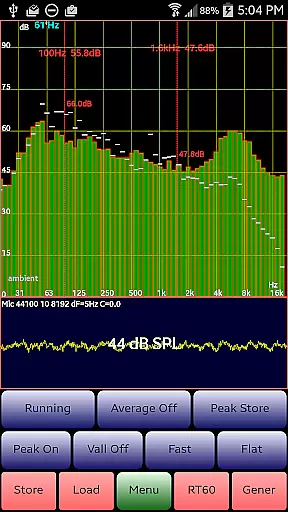
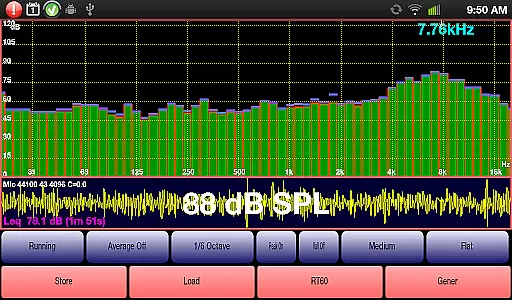
AudioTool offers a rich set of features tailored for audio professionals. One of its standout capabilities is the Real-Time Analyzer (RTA) which supports multiple octave modes (1/1, 1/3, 1/6 & 1/12) allowing users to conduct detailed frequency analysis. This feature is complemented by various weighting options (Flat, A/C, and X Curve) and filter settings (Impulse, Fast, Medium, Slow), providing flexibility in different measurement scenarios.
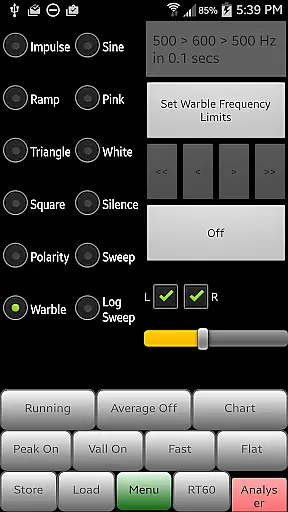
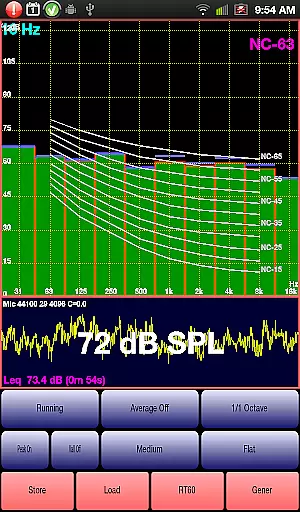
In addition to the RTA, AudioTool includes a Signal Generator that produces White and Pink Noise, Sine, Square, Triangle, and Ramp waves, along with Sine Linear and Log Sweeps, Warbles, and Impulses. These signals are generated using multiple cycled buffers refreshed randomly, ensuring truly random noise outputs. The app also features a loudspeaker polarity checker, essential for verifying speaker wiring phases, and a Noise Criteria function that overlays NC contours on the RTA display.
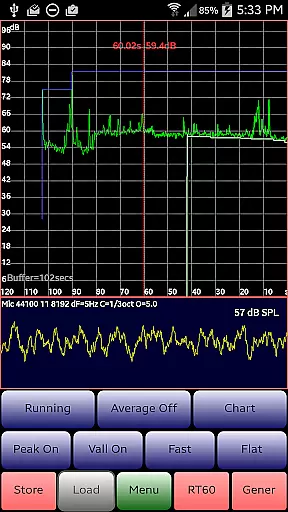
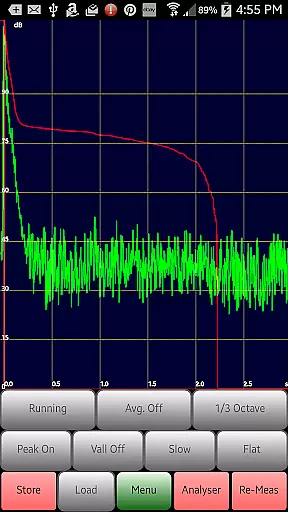
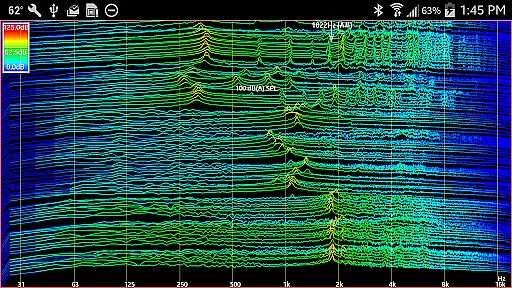
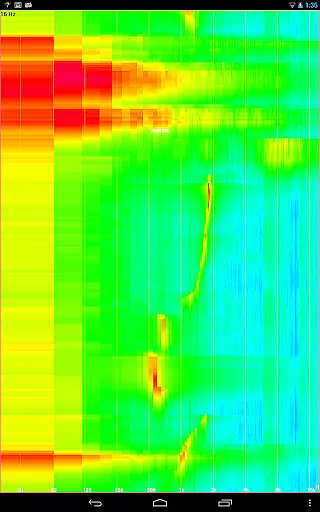
Another significant feature is the RT60 measurement tool, which assesses reverberation levels in spaces using either a loud clap or Pink Noise from the generator. The Chart Recorder function provides a visual trace of SPL measurements over time, while the Spectrogram and Waterfall displays offer insights into frequency changes. Overall, these features make AudioTool a versatile and powerful tool for anyone involved in audio engineering or acoustics.
AudioTool offers an extensive suite of audio measurement and generation tools, forming a comprehensive music library that caters to audio engineers and enthusiasts alike. With features such as RTA modes, Leq measurements, signal generators, and more, the app provides users with a wide array of functionalities that are essential for professional audio analysis.
The application's commitment to copyright authenticity is evident through its support for ISO 1/3 Octave Calibration and compatibility with external microphones like Dayton Audio iMM-6 and MicW i436. This ensures that all generated sounds and calibrations adhere to industry standards, providing reliable and legal audio references.
Users benefit from the ability to save and load calibration files, which not only enhances workflow efficiency but also guarantees that their work remains within legal copyright frameworks. The app's continuous updates and feature expansions reflect a dedication to maintaining a current and authentic music library.
AudioTool excels in delivering high-quality audio options, ensuring precise sound reproduction across various applications. The app supports multiple octave RTA modes, including 1/1, 1/3, 1/6, and 1/12, allowing users to perform detailed frequency analyses tailored to specific needs.
In addition to its robust RTA capabilities, AudioTool includes advanced signal generation features such as White/Pink Noise, Sine, Square, Triangle waves, and more. These options enable users to create accurate test signals for acoustical measurements, enhancing the overall audio quality experience.
The app's adherence to industry-standard practices, such as Hann windowing and multiple cycled buffers for random noise generation, underscores its focus on delivering top-tier audio quality. Users can trust that their measurements and generated sounds maintain high fidelity throughout the audio spectrum.
Comprehensive audio tools
Advanced RTA modes
Exclusive ISO calibration
Real-time analysis
Professional signal generation
Complex for beginners
Hardware dependent
No iOS version
Occasional bugs
Steep learning curve

Offline and always ad-free - stream in the highest quality available.
 4.10
4.10
Performance-Synthesizer & Multi-Track-Sequencer, polyphonic + multi timbral!
4.70
Save hundreds of dollars for a physical strobe tuner and instead use this app.
4.50
More downloads than any other metronome. Includes drum machine & tempo trainer.
4.80
Bass Booster & Volume Equalizer Pro improves your music and video sound quality
4.60
Learn and play 2M+ music tabs & chords on guitar, ukulele, bass, and more
4.30
Let your Android device with the sound effects you want
4.50
Customize Your Favorite Songs and Videos with booster.
4.70
Play your music offline without limits
4.80
24,000 free audio books and no ads!
4.90
Music, News & Sports Radio Tuner App. Tune in Live FM & AM Radio Stations.
4.80
Recording studio w/ 10k beats, pro vocal FX and a network of 20M rappers & fans!
4.60
Fun & Easy Voice Changer – Record, Edit & Add Hilarious Effects!
4.50
Time Guru will strengthen your internal sense of musical time via random muting.
4.30
A High-Precision Audio Spectrum Analysis App
4.20
Next generation modular control surface
4.10
Permanently backup Now Playing. Maps, filters & listening stats.
4.00
Sheet music reader, piano & music note player. Play music score & learn to read.
3.90
The Skullcandy App Experience
3.20


User Reviews