
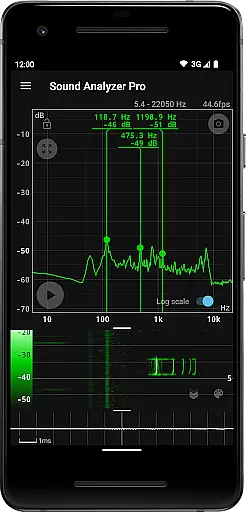
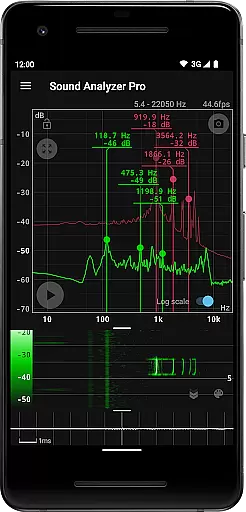
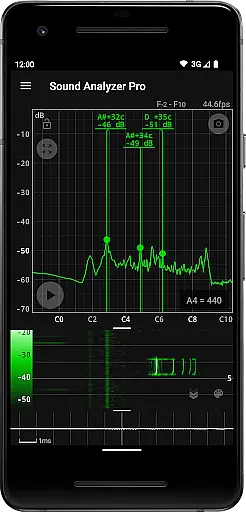
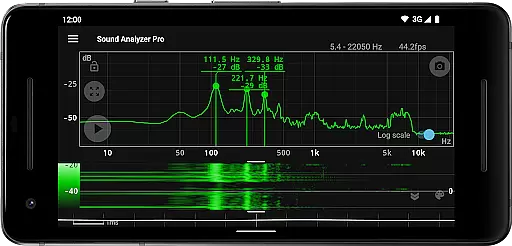
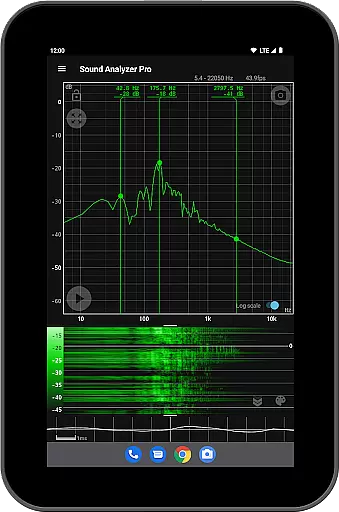
Sound Analyzer is a sophisticated audio analysis tool designed for both professionals and enthusiasts in the music and audio field. This application allows users to analyze audio signals directly from their mobile devices, providing real-time frequency (Hz) and amplitude (dB) spectra. Its high measurement accuracy, with errors typically within 0.1 Hz in low-noise environments, makes it an invaluable tool for precise audio analysis.
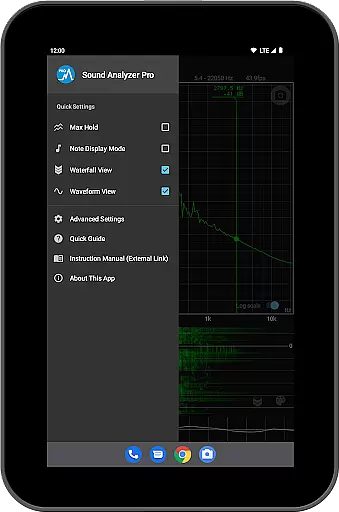
In addition to its core spectrum analysis capabilities, Sound Analyzer offers advanced features such as waterfall view for tracking spectral changes over time, waveform view for visualizing sound waveforms, and note display mode that translates frequencies into musical notes. These features make it suitable for various applications including sound engineering, music production, and acoustic research.
The app's ability to function without advertisements enhances user experience, allowing uninterrupted analysis sessions. Whether you're tuning musical instruments, conducting acoustic experiments, or simply exploring the science of sound, Sound Analyzer provides a comprehensive solution for all your audio analysis needs.
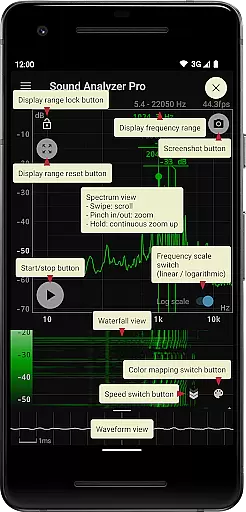
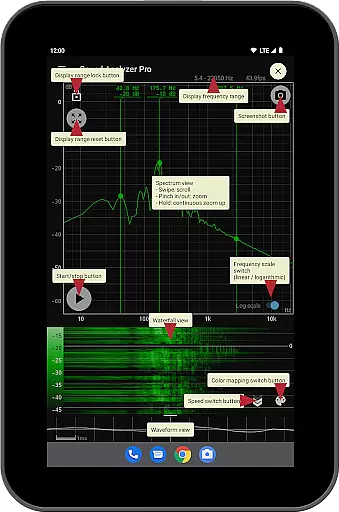
Sound Analyzer stands out with its diverse range of specialized features tailored for audio professionals. The app's peak frequency display function provides real-time information about prominent spectral components, while its innovative touch-based interface allows users to easily adjust display ranges and switch between logarithmic and linear frequency scales.
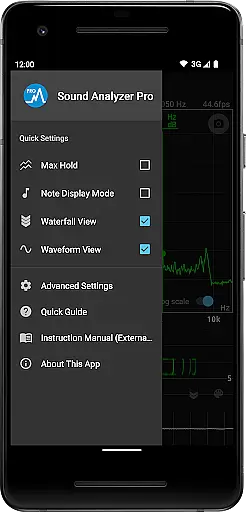
One of the app's most valuable features is its multiple visualization modes. The waterfall view enables users to track how audio spectra evolve over time, while the waveform view offers detailed insights into sound wave patterns. Additionally, the note display mode helps musicians by translating complex frequency data into familiar musical notes with cent precision.
Other notable features include the max hold function for capturing peak values, a screenshot function with timer for documentation purposes, and the ability to extend frequency measurements up to 96 kHz on compatible devices. The absence of advertisements ensures a clean workspace for professional use.
Sound Analyzer does not focus on providing a vast music library but rather emphasizes real-time audio signal analysis. The app allows users to analyze any audio input, ensuring that the content analyzed is authentic and free from copyright issues.
The application's ability to display frequency and amplitude spectra in real time means that users can verify the originality of sounds without relying on pre-recorded libraries. This feature provides peace of mind for professionals who need to ensure their audio content is unique and legally safe.
While Sound Analyzer doesn't boast an extensive music database, its innovative approach to analyzing live audio inputs offers a new level of authenticity verification. Users can trust that the spectral data they are viewing corresponds directly to the audio being captured by their device.
Sound Analyzer excels in delivering high-quality audio analysis with precision and clarity. The app supports frequency measurements with an accuracy error generally within 0.1 Hz in low-noise environments, offering users reliable data for their audio projects.
With features like the Max hold function and switchable frequency axis scales between logarithmic and linear, users have multiple options to customize their audio quality analysis. These tools allow for detailed examination of sound properties, catering to both amateur enthusiasts and professional audio engineers.
The inclusion of advanced views such as Waterfall and Waveform further enhances the audio quality assessment experience. By providing visual representations of spectral changes over time and sound waveforms, Sound Analyzer equips users with comprehensive insights into their audio signals' characteristics.
High-precision measurement
Real-time spectrum analysis
No advertisements
Multiple visualization modes
Musical note translation
Complex for beginners
Requires high-end device
Limited high-frequency support
Advanced features overwhelming
Interface not intuitive

A synth that really lets you shape your sounds!
 4.50
4.50
VB-AUDIO Software / VBAN-Receptor allows listening to any VBAN Streams
4.10
Bass Booster Pro takes auto-equalizing to the next level!
4.30
Music Streaming suite for Ampache, Nextcloud Music and compatible backends.
4.3
USB audio recording and playback finally possible on Android 3.1 or higher!
3.90
Listen radio AM / FM Stations. Live AM / FM Radio App Station. Radio Com.
4.70
The official Sonos app
4.10
Full featured mp3 and audio player with Chromecast and Android Auto support.
4.40
Reverse your voice & songs instantly! Fun singing challenge with cool effects.
4.60
Full-featured, High-Quality Groovebox Workstation, perfect for Live Performance!
4.80
Make songs with AI! Any genre, custom lyric, song generator for music creation!
4.80
Gorgeous UI, Powerful music Search and Equalizer, the great choice for you!
4.70
Listen to live FM radio stations, sports, music and news on global radios online
4.70
Simple & Intuitive Metronome
4.70
Help you quickly get started with Shokz headphones
4.40
Manage your Sonos system directly from your home-screen!
4.40
Powerful 10-Band equalizer pro with sound booster improves Android audio quality
4.30
PowerAudio is a powerful offline music player.
4.20
Sing, record, and create music together — enhanced by smart voice tools.
4.00


User Reviews