
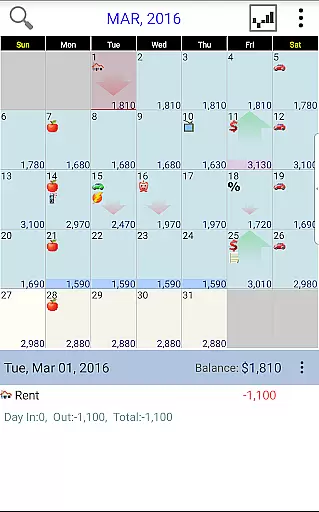
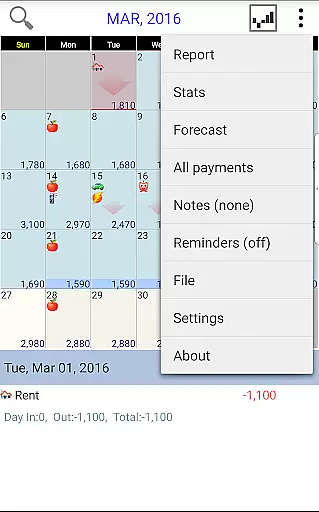
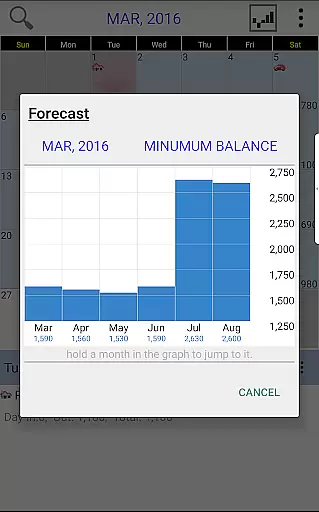
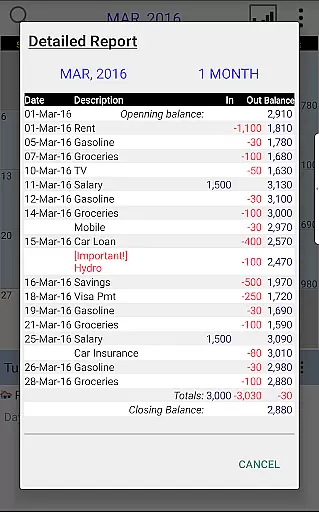
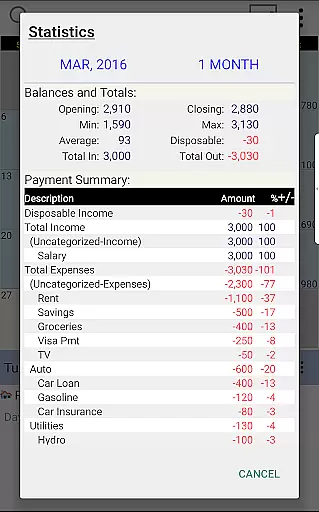
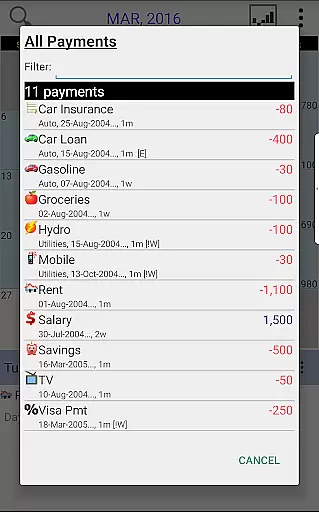
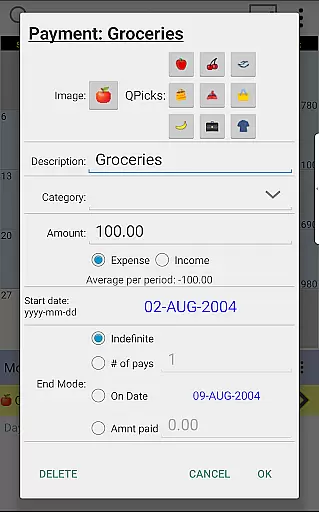
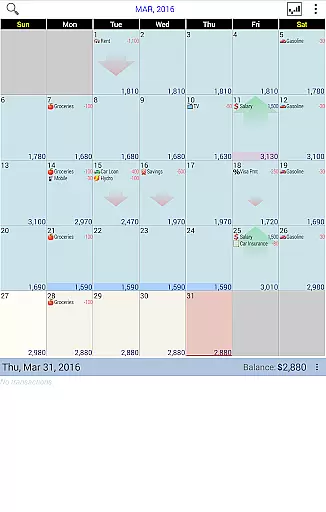
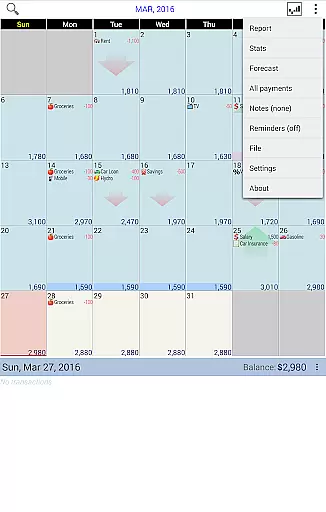
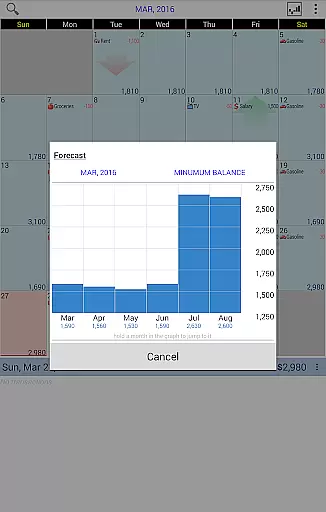
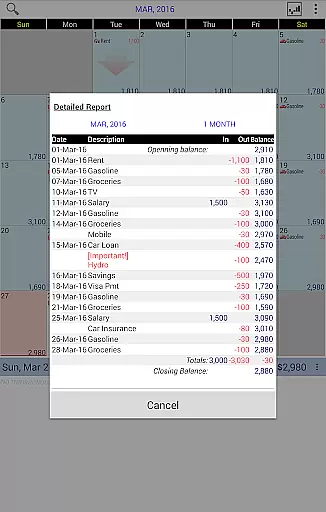
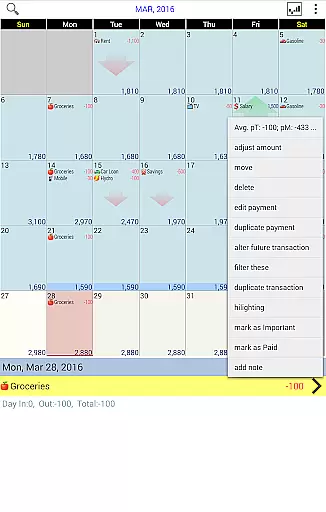
Budget Calendar is a comprehensive financial planning tool designed to simplify budget management through its intuitive calendar-based interface. Unlike traditional ledger systems, this application visually presents all transactions on a calendar, allowing users to easily track and adjust their payments. Each transaction can be customized with unique icons for quick identification, and entries are movable to accommodate changing schedules. The app provides clear statistics and reports across multiple months, enabling users to maintain an accurate budget balance that reflects their actual financial situation.
One of the standout features is its cross-platform compatibility. Budget Calendar's smartphone version seamlessly integrates with desktop versions (available as a separate purchase), ensuring users can manage their finances from any device. With support for Google Drive syncing, maintaining consistency between devices is effortless. Whether you're planning future expenses or analyzing past spending patterns, Budget Calendar offers the tools needed to stay financially organized and in control.
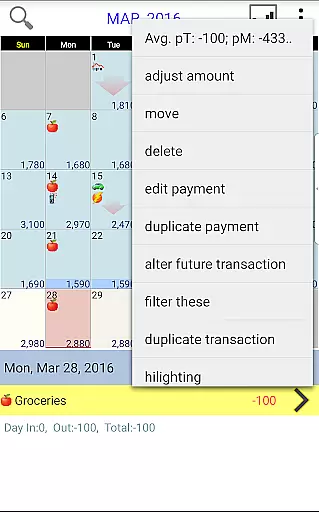
Budget Calendar distinguishes itself through several key features that enhance the budgeting experience. The app's calendar-centric design replaces complex ledgers with a visual timeline of transactions, making it easier to comprehend cash flow at a glance. Users can assign custom icons to each payment, providing instant recognition of different expense categories. The drag-and-drop functionality allows for effortless rescheduling of transactions, while the app automatically updates relevant statistics and reports.
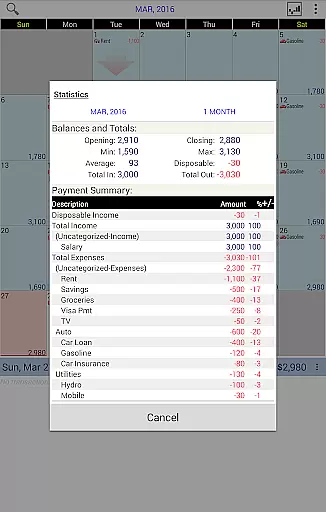
The application's reporting capabilities are particularly robust, offering detailed insights into monthly spending patterns and budget trends. Users can generate comprehensive reports for single or multiple months, helping them identify areas for financial improvement. Another notable feature is the adjustable budget balance function, which enables precise alignment with actual account balances. For those seeking a unified financial management solution across devices, Budget Calendar supports seamless synchronization between mobile and desktop platforms through Google Drive integration.
Budget Calendar ensures robust account security through multiple layers of protection. The app employs advanced encryption protocols to safeguard your financial data, ensuring that all transactions and personal information remain confidential.
Authentication mechanisms are in place to verify user identity, preventing unauthorized access. With features like password protection and optional biometric login, users can rest assured their accounts are secure from potential threats.
The app also provides real-time alerts for any unusual activities, empowering users to take immediate action if they suspect any discrepancies. This proactive approach to security helps maintain the integrity of your financial planning.
By prioritizing account and fund security, Budget Calendar creates a safe environment for managing your budget and payment plans, allowing you to focus on achieving your financial goals without worrying about data breaches.
The transaction experience in Budget Calendar is designed to be intuitive and efficient. All financial activities are displayed on an easy-to-read calendar interface, eliminating the complexity often associated with traditional ledger systems.
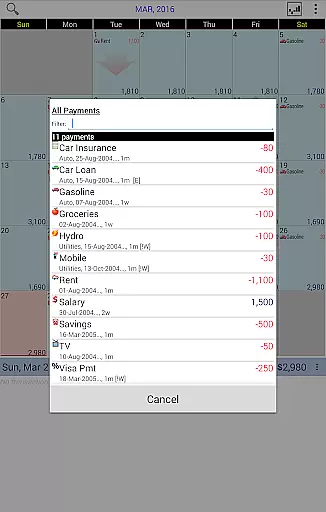
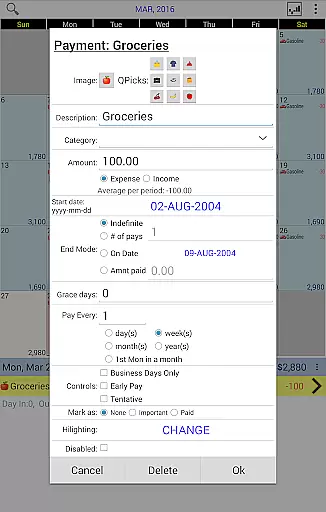
Each transaction can be customized with unique icons, making it simple to identify different types of payments at a glance. Users have the flexibility to move transactions between days, adapting to changes in their financial schedule effortlessly.
Real-time updates and clear visual representations provide users with instant insights into their spending patterns. This transparency enables better financial decision-making and helps users stay on top of their budgeting goals.
With seamless syncing across devices via Google Drive, users can access their transaction history anytime, anywhere. This cohesive transaction experience makes managing finances convenient and stress-free.
User-friendly interface
Customizable transaction icons
Drag-and-drop functionality
Detailed financial reports
Cross-platform sync
Desktop version costs extra
Limited free features
Requires Google account
No automatic categorization
Learning curve for beginners

Currency Converter, Exchange Rates, Widgets
 4.90
4.90
Manage your Discover account conveniently from anywhere.
4.80
Money transfer made easy. Send money to friends and family with great rates.
4.70
Simple & secure international money transfers - for personal & business needs.
4.80
No credit check, no interest, no worries.
4.70
Save, spend & get paid faster²
4.50
Read and extract public data on NFC Contactless banking card (VISA, MasterCard
4.30
Powerful Money Manager, Expense & Savings Tracker, Budget Planner - Pro Version
4.70
Join 12M+ users. Instant cash advances, personal loans, build credit, save money
4.80
Secure, simple money transfer app. Send money to Mexico and worldwide fast.
4.80
The Citi Mobile® App lets you manage your accounts virtually anytime, anywhere
4.80
Pay rent on your schedule.
4.70
Your Big Financial Friend
4.70
Download the MySynchrony App to manage your accounts securely and conveniently!
4.60
The US Debt Clock .org App gives you a Real-Time glimpse of US Financial Stats
4.60
Earn cash & save money daily. Access instant cash advances* - no credit check!
4.50
Change the way you money with Credit Genie
4.30
Mine Bitcoin in the cloud! Earn BTC daily with high-speed mining power.
4.30
BTC, Crypto, Stocks & Options.
4.20


User Reviews