
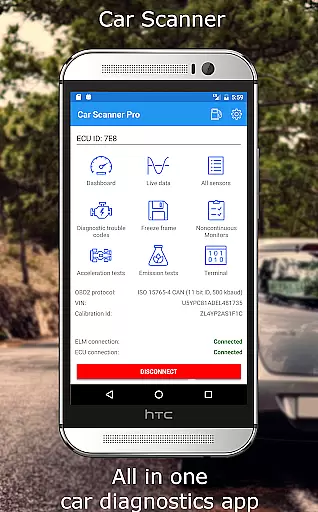
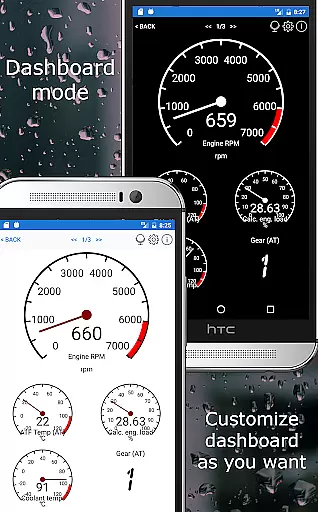
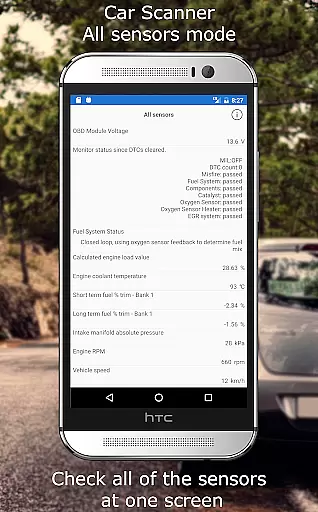
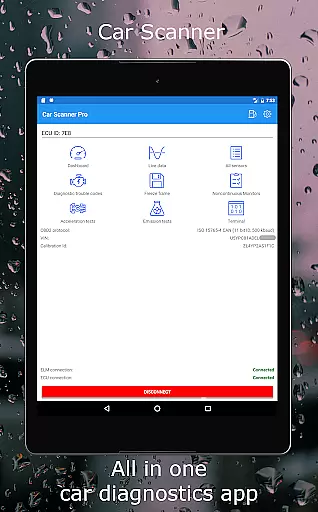
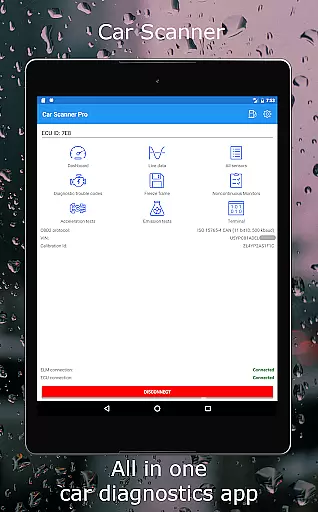
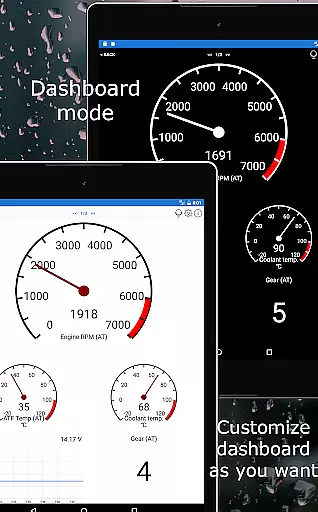
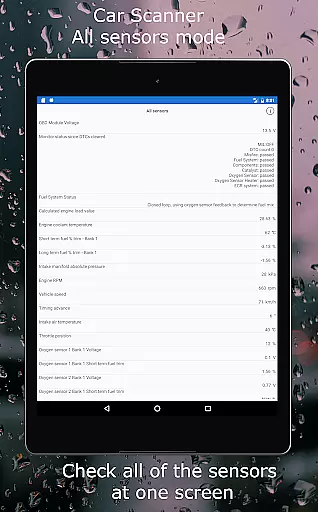
Car Scanner ELM OBD2 is a comprehensive vehicle diagnostics and performance monitoring tool designed for car enthusiasts and professionals. This application connects to your vehicle's OBD2 system through a compatible Wi-Fi or Bluetooth adapter, providing real-time data on engine performance, fault codes, and sensor readings. With its customizable dashboard, users can create personalized layouts displaying the exact information they need. The app supports an extensive range of vehicles and offers unique features such as Mode 06 testing, readiness checks for emission tests, and even HUD projection for nighttime driving.
Beyond basic diagnostics, Car Scanner ELM OBD2 serves as a trip computer, tracking fuel consumption and offering precise acceleration measurements. It also includes advanced coding capabilities for certain vehicle brands, allowing users to modify hidden settings within their car's system. Whether you're looking to troubleshoot issues, optimize performance, or simply monitor your vehicle's health, this app provides the tools necessary to keep your car running smoothly while potentially saving on repair costs.
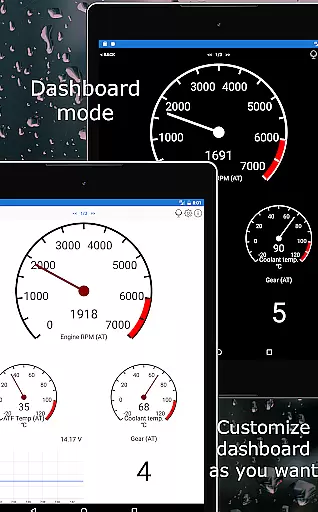
Car Scanner ELM OBD2 stands out with its rich feature set tailored for both casual users and automotive professionals. One of its key strengths is the highly customizable dashboard, which allows users to design their own interface with specific gauges and charts. This flexibility ensures that you only see the data most relevant to your needs. Additionally, the app supports custom PIDs, unlocking hidden information directly from the car manufacturer. For those dealing with diagnostic trouble codes (DTCs), the app not only displays but also resets these codes, thanks to its extensive DTC code database.
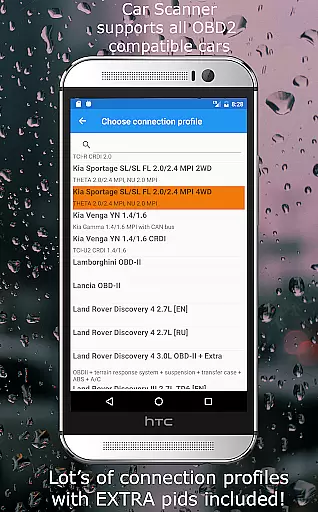
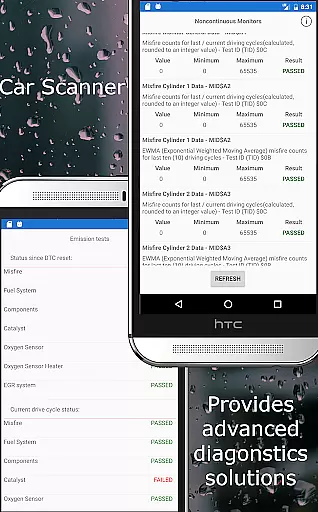
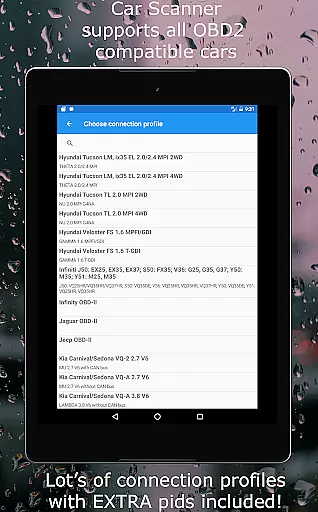
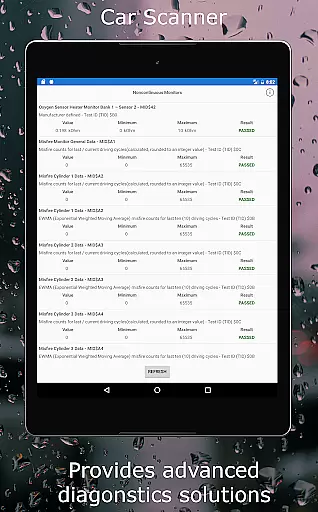
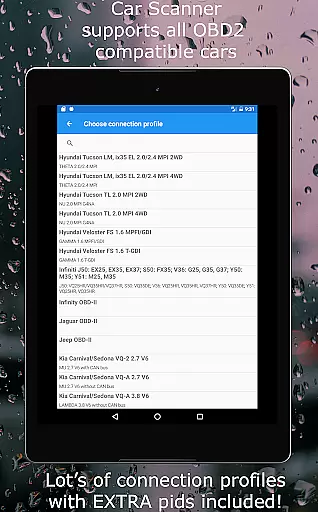
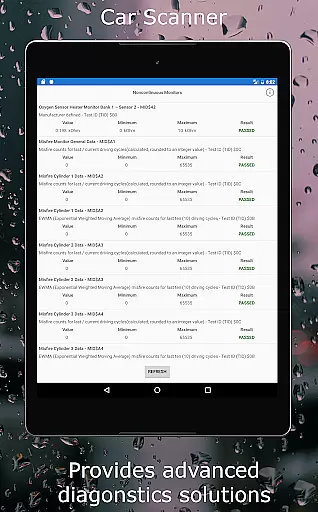
Another remarkable feature is the Mode 06 testing capability, which provides detailed self-monitoring results from the ECU, helping users address potential issues before they become serious problems. The app also excels in its wide compatibility, working with any OBD2 standard vehicle and offering specialized connection profiles for various brands like Toyota, Ford, and Volkswagen. Moreover, it includes professional-grade tools such as video in motion activation and ambient light configuration for supported vehicles. These advanced functionalities make Car Scanner ELM OBD2 a versatile choice for anyone seeking an in-depth understanding of their vehicle's performance.
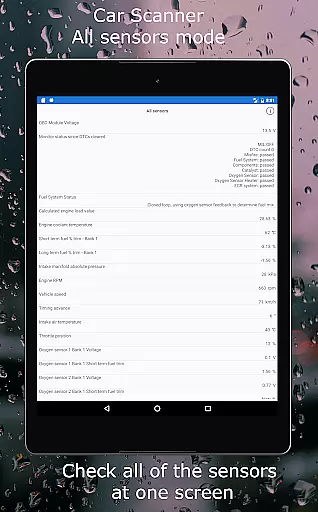
Car Scanner ELM OBD2 provides an extensive array of detailed vehicle information by interfacing with the car's onboard diagnostics system. This includes real-time data on engine performance, sensor statuses, and fault codes that allow users to understand their vehicle's health comprehensively.
The app supports a wide range of vehicles and enables owners to access information that might be restricted by manufacturers. With custom PIDs, users can unlock additional data streams, offering insights into their car's operation that are not typically visible.
Through its compatibility with various connection profiles, Car Scanner caters to specific makes such as Toyota, GM, Ford, and more. This specialization allows for enhanced data interpretation and even modification of hidden settings within certain vehicles, providing unprecedented control over oneu2019s automobile.
For those interested in the intricacies of their car's mechanics, this application delivers precise details about individual components' status, contributing to informed maintenance decisions and potentially reducing repair costs through early issue detection.
One of the standout features of Car Scanner ELM OBD2 is its provision of price transparency when it comes to vehicle diagnostics. The app itself offers a wide variety of functions for free, which is a significant advantage over many other OBD2 scanners that charge for advanced features.
Users can save money on what would traditionally be expensive diagnostic services offered by automotive professionals. By simply purchasing a compatible ELM327 adapter, they gain access to critical car performance metrics without ongoing subscription fees or service charges.
Additionally, the app aids in maintaining cost efficiency by allowing users to reset DTC fault codes themselves, eliminating the need for professional intervention for minor issues. It also helps keep repair costs down by providing ECU self-monitoring test results via Mode 06, empowering users with knowledge about potential problems before they become costly repairs.
While initial investment in an OBD2 adapter is required, Car Scanner ensures there are no hidden costs thereafter, making it an economically transparent solution for monitoring your vehicle's condition.
User-friendly interface
Extensive vehicle support
Customizable dashboard
Advanced diagnostic tools
Free version available
Requires additional hardware
Some features are brand-specific
Connection stability varies
Not all cars fully compatible
Premium version needed for full access

ODB2 based monitoring application for the Chevy Bolt (2017-2021)
 4.00
4.00
Ferrari inspired analog & digital watch face with quick access and premium style
4.4
Simplify your drive
3.90
BlueDriver® is a Premium Diagnostic OBD2 Scan Tool. www.BlueDriver.com
3.90
Your go-to app for car, truck & SUV parts, DIY tools, and expert repair help.
4.70
Find, search, and browse 40,000+ used cars, SUVs, and trucks.
4.50
Find Fast EV Chargers | Charge Your Vehicle at 1,100+ Fast Car Charging Stations
4.60
Autotrader is your online solution for buying and selling new and used cars.
4.40
Shop, finance, or sell today.
4.80
7-Day Returns on All Cars
4.80
MySubaru: Download. Connect. Love.
4.70
DMV practice test 2025: Driver License permit test & written test for all states
4.70
Quick and easy car diagnostics to get you the right fix.
4.70
Instant diesel savings. No credit checks or fees. Nationwide growing network.
4.40
Taximeter; the professional's choice
4.30
Better fuel to help keep you on the road
3.20
O'Reilly Pro will streamline your parts lookup and ordering process!
3.20
Easily notify car owners in urgent situations, safe, fast, multilingual.
4.2
Theme for Car Launcher
4.3


User Reviews