
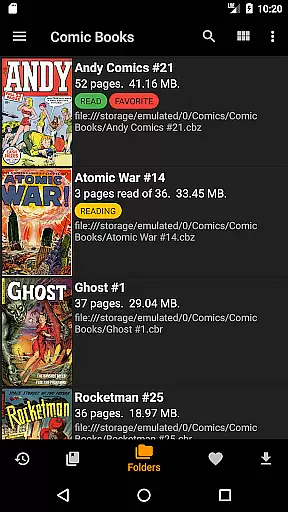
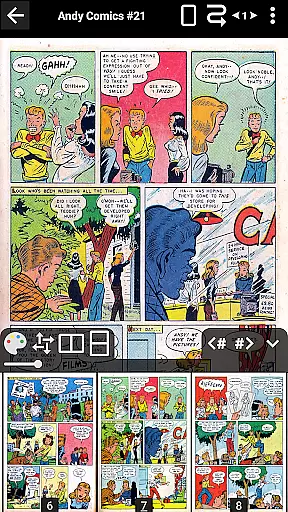
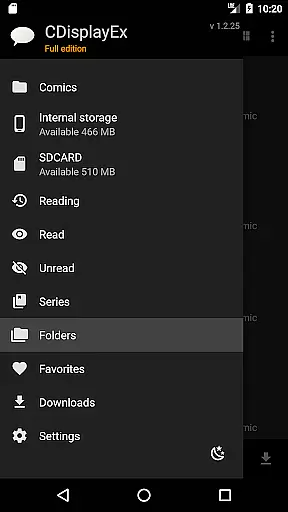
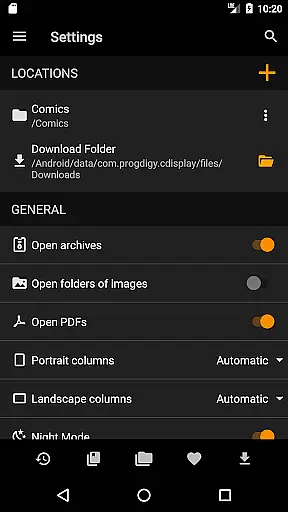
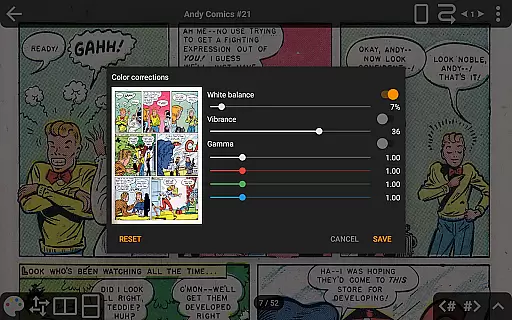
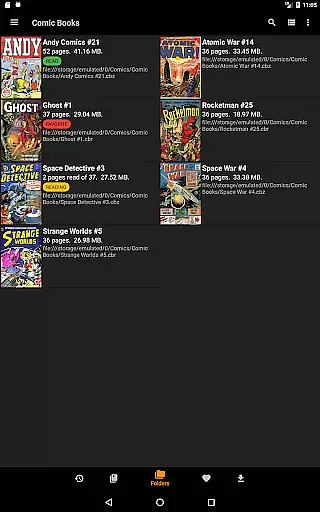
CDisplayEx Comic Reader is a versatile and efficient comic book reader designed for seamless reading experiences. This application supports all major comic formats including .cbr, .cbz, and .pdf files, making it the go-to choice for comic enthusiasts. The app loads comics instantly and offers fluid navigation, ensuring maximum comfort while reading.
Beyond basic reading capabilities, CDisplayEx provides advanced features such as continuous page scrolling in both horizontal and vertical directions, advanced scaling options, and support for bookmarks. It also allows users to connect to cloud services like OneDrive, Dropbox, and Mega, enhancing accessibility and convenience. With its integrated library management system, users can organize their collections by series and easily search for specific volumes, providing an organized and enjoyable reading experience.
CDisplayEx Comic Reader stands out with its comprehensive feature set tailored for comic lovers. The app's ability to handle various comic formats ensures that users can access their entire library without compatibility issues. Its instant loading capability and smooth page transitions create an immersive reading environment.
One of the key highlights is the advanced page scaling options, which allow users to customize their reading experience by presetting the number of moves to reach the opposite edge of a page. Additionally, the app supports network file opening without full downloads, S-Pen functionality, night mode, and multiple language interfaces. These features collectively enhance usability and cater to diverse user preferences, setting CDisplayEx apart from other comic readers on the market.
CDisplayEx Comic Reader offers an extensive and versatile comic library that supports all major comic book formats including .cbr, .cbz, and .pdf files. This ensures that users can access a wide variety of comics and manga without compatibility issues.
The application allows seamless integration with cloud services such as Onedrive, Dropbox, Komga, Kavita, and Mega in its Pro version, significantly expanding the range of accessible content. Users can browse through their folders or preload files on their devices for offline reading, enhancing convenience.
With integrated library management, CDisplayEx groups comics by series and suggests the next album to read, making it easier for users to organize and enjoy their collections. The built-in search function enables instant volume retrieval, ensuring a smooth and efficient reading experience.
Authenticity and proper licensing are crucial for any comic reader, and CDisplayEx Comic Reader takes these aspects seriously. It provides users with immediate loading and fluid reading experiences, ensuring that the displayed content is genuine and accurately presented.
Although Google Drive access is being phased out due to certification costs, the application continues to offer reliable access to other cloud services like Onedrive, Dropbox, and Mega. These platforms often include licensed content, giving users peace of mind regarding the legitimacy of their reads.
The Pro version further enhances content authenticity by providing advanced features such as continuous pages, horizontal and vertical scrolling, and sophisticated page scaling options. These features ensure that users receive a high-quality, authentic reading experience while enjoying their legally acquired comic books.
User-friendly interface
Supports multiple formats
Advanced scaling options
Integrated library management
No ads in Pro version
Limited Google Drive access
Pro version is paid
Occasional bugs reported
Interface may feel dated
Large file loading times

Alpha Manga is a Japanese manga app where you can read isekai manga.
 4.10
4.10
Read manga, comics, and manhwa
4.3
Comic reader app: open ZIP, RAR, CBZ, CBR, and PDF files
3.00
Joke book collection with the funniest dad jokes and riddles for you to enjoy!
4.60
Comic Scanner - Book Value - Identify and sell your comic collection with AI.
3.80
The fastest and most convenient comic book reader - comics of all formats
4.40
Read comics, manhwa, manga & novels Official webtoons with daily updates
4.30
+Not your everyday comic. Everyday.
3.50
Get the latest manga chapters daily, released simultaneously with Japan.
3.10
The pure application on the Manga SWAT website
4.80
Artists wanting to use decent hand reference on the go, this app is for you!
4.70
Instant access to over 30,000 Marvel comics with new issues added every week.
4.70
Webtoons, comics, web novels, and e-books are all here! RIDI, my own space to enjoy stories
4.30
Pocket Toons: Free Webtoons, Comics, & Manga - New Chapter Drops Everyday
4.30
Toomics is a premium comic service with every genre for all readers to enjoy!
4.00
Your key to unlocking manga and webtoons on the go
3.50
Create your personalized cartoon comic strips & comic books.
3.20
Official digital-manga store. Quality translations that support artists.
3.10
You can create comics, manga and manwha using AI with Arcstory comic book maker
2.70


User Reviews