
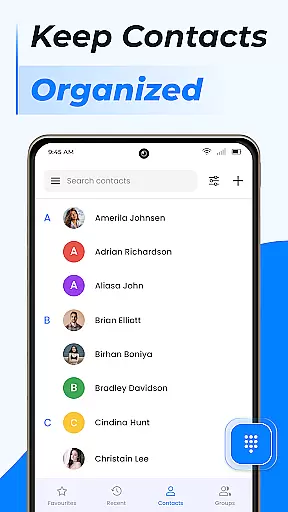
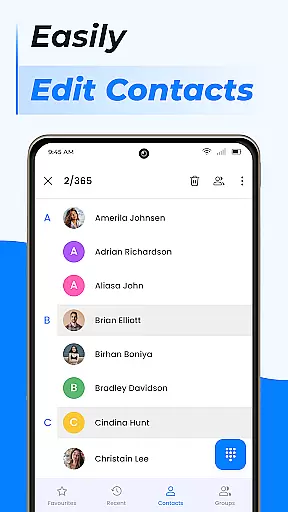
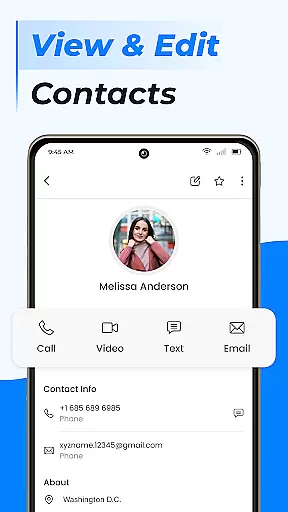
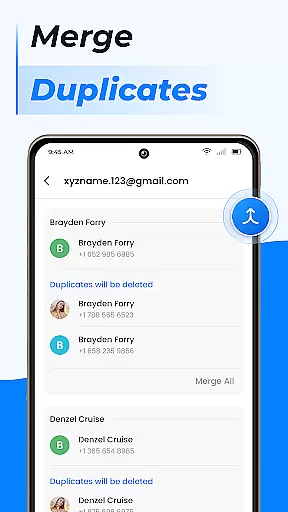
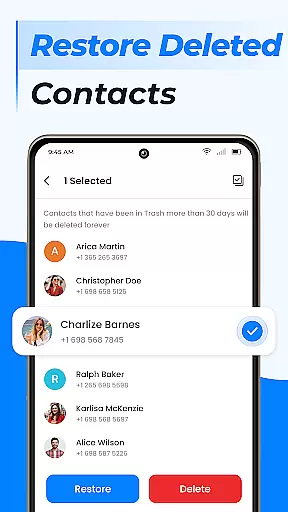
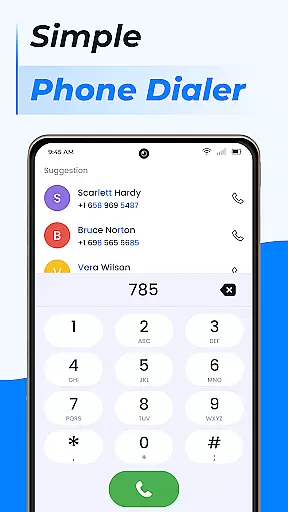
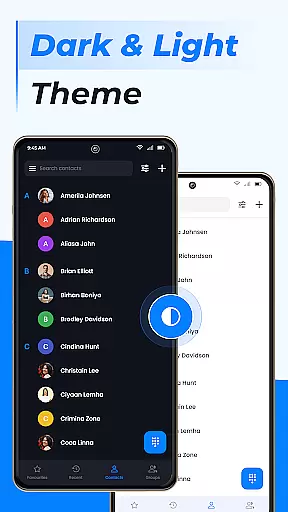
Contacts is a comprehensive communication management tool designed to simplify the way you handle your Android phone's contact list. This app allows users to efficiently organize, edit, and manage their contacts with intuitive features that enhance accessibility and control. With capabilities such as adding new contacts, editing existing ones, and managing duplicate entries, it ensures your contact list remains up-to-date and clutter-free.
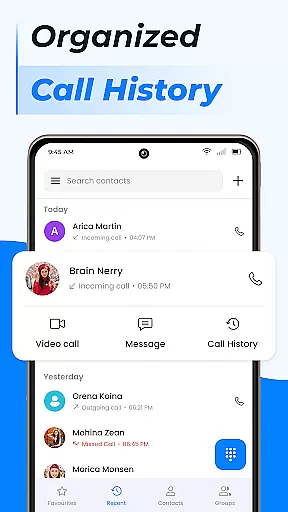
Beyond basic contact management, the app offers advanced functionalities including group creation for better organization, contact storage management, and integration with Gmail contacts. The Favorites feature provides quick access to frequently contacted individuals, while the built-in dialer supports call blocking, caller ID, and smart contact search. These robust tools collectively elevate the user's calling experience and streamline communication processes.
Whether for personal or professional use, Contacts proves invaluable by consolidating all contact-related tasks into one platform. Its seamless synchronization with cloud services and Google Contacts ensures data safety and accessibility across multiple devices, making it an essential tool for anyone seeking to maintain an organized and efficient communication system.
Contacts stands out through its diverse range of features tailored to optimize contact management on Android devices. One of its core strengths lies in the ability to perform detailed contact edits, allowing users to update information such as phone numbers or job titles effortlessly. Additionally, the app simplifies the process of merging duplicate contacts, ensuring that each entry remains unique and accurate within the phone book.
The app also introduces innovative organizational tools like group creation, which enables users to categorize contacts based on specific criteria such as work or personal relationships. This functionality not only enhances clarity but also facilitates targeted messaging and interaction. Furthermore, the integrated dialer goes beyond traditional calling by incorporating advanced features such as call blocking, caller ID recognition, and a detailed call log history, empowering users to take full control over their communication activities.
Another notable aspect is the app's support for contact backup and synchronization. By leveraging cloud services and Google Contacts integration, Contacts ensures that valuable contact data is securely stored and easily retrievable. This combination of practicality, innovation, and reliability makes the app a standout choice for individuals looking to enhance their contact management experience.
Real-time messaging speed and reliability are crucial for any communication app, ensuring that messages are delivered instantly and without fail. The Contacts app excels in this area by providing a seamless experience for users who need to get in touch with their contacts quickly.
This application leverages advanced algorithms to optimize message delivery times while maintaining high standards of reliability. Whether you're reaching out to a colleague or connecting with friends, the app ensures your communications are sent and received promptly.
Users benefit from knowing their important messages won't be delayed or lost. With real-time updates, they can see when their messages have been delivered and read, enhancing trust in the communication process.
The robust infrastructure supporting the Contacts app guarantees minimal latency even during peak usage periods. This means users can rely on it as their go-to tool for fast and dependable messaging, making every interaction count.
Media sharing support is an essential feature for modern communication apps, allowing users to exchange photos, videos, and other files effortlessly. The Contacts app offers comprehensive media sharing capabilities that enhance user interactions beyond simple text-based conversations.
With this app, users can easily attach various types of media to their messages. From sharing memorable photos to sending important documents, the app supports multiple file formats, ensuring versatility and convenience in everyday use.
The intuitive interface simplifies the process of selecting and sending media files. Users can access their deviceu2019s gallery or file manager directly within the app, streamlining the sharing experience and saving valuable time.
Moreover, the app optimizes media transfers for speed and quality, ensuring that shared content retains its original clarity. This focus on delivering high-quality media experiences makes the Contacts app a reliable choice for all your communication needs.
User-friendly interface
Advanced contact organization
Integrated call management
Cloud synchronization
Free essential features
Limited offline functionality
Occasional sync delays
Premium feature costs
Ads in free version
Steep learning curve

Manage BoostMobile Account
 4.60
4.60
Quickly and easily identify and block unknown callers
3.70
Welcome to the future of phone service.
4.60
Simplify texting with Messages SMS, offline messaging, themes & smart tools!
4.30
Faster version of Messages. Messenger for your contacts.
4.50
Measure BHP, Torque & 0-60 Clear car OBD faults View engine data in Google Earth
4.00
Fast internet with AI, Adblock & VPN. Browse on a safe, incognito web browser.
4.70
Caller ID, Spam Call & SMS Blocker
3.80
Talk & text free with a second phone number plus unlimited 5G data, no fees.
4.50
Use this Dialer app alone or as a TREK: Total Interface companion.
4.70
Adblock & VPN Browser: Blocks banners, pop-ups and video ads, fast downloader!
4.60
Experience real private browsing without tracking, surveillance, or censorship.
4.50
Create a secure hotspot on-the-go with Portable WiFi - Mobile hotspot.
4.40
A softphone with crystal clear SIP Calling & Reliable VoIP dialer
4.00
This app enables the phone to receive and send FT8 traffic!
3.80
Fun, free app that lets kids video call and message family and close friends.
3.80
Manage and Fund Calling Accounts and Schedule and Join Video Sessions
3.60
A Browser with powerful ad blocker to help focus on what really matters.
3.00
Radio communication simulator for gaming communities
4.2


User Reviews