
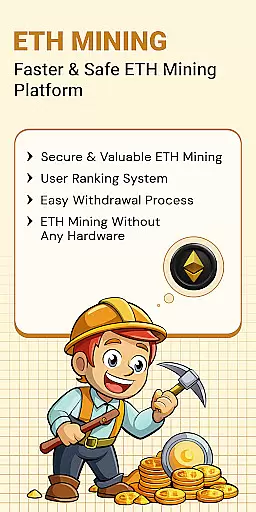
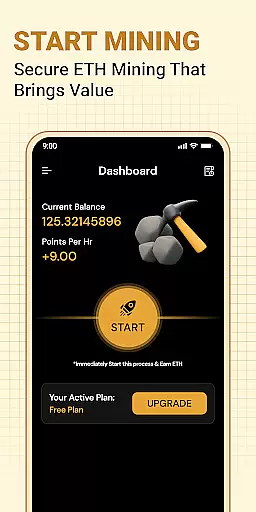
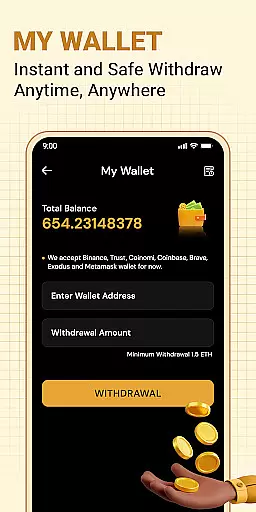


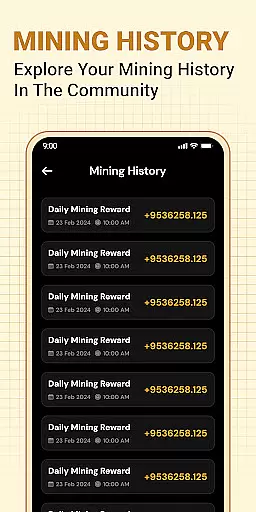
ETH Cloud Miner is an innovative app designed for Ethereum enthusiasts who want to monitor their cloud mining activities conveniently. The core functionality revolves around providing real-time data on your Ethereum mining performance without utilizing your mobile device's processing power. This makes it an ideal solution for both beginners and experienced crypto miners looking to keep track of essential metrics such as hashrate, uptime, and estimated rewards.
The app stands out with its user-friendly interface that displays all critical mining information in one place. Whether you're at home or on the go, you can easily access your cloud mining stats through a simple dashboard. Additionally, the app supports integration with various third-party cloud mining providers, ensuring compatibility across different services. This seamless connection allows users to focus on optimizing their mining strategies rather than worrying about technical details.
For those new to cryptocurrency, ETH Cloud Miner offers an accessible entry point into the world of Ethereum mining. By eliminating the need for expensive hardware and reducing electricity costs, this app democratizes access to Ethereum mining. Users can make informed decisions based on accurate, up-to-date information, ultimately enhancing their mining efficiency and profitability.
One of the standout features of ETH Cloud Miner is its ability to connect with multiple cloud mining providers. This flexibility ensures that no matter which service you use, you can view your mining data in a unified format. The app retrieves live statistics such as hashrate, session duration, and estimated earnings, presenting them in an easy-to-understand dashboard.
Another notable feature is the app's lightweight design. Unlike traditional mining software that consumes significant system resources, ETH Cloud Miner operates entirely on remote servers. Your mobile device remains free from any processing load, preserving battery life and ensuring smooth performance. This design choice also enhances security by keeping sensitive operations off your personal device.
Furthermore, the app includes customization options that allow users to tailor their experience. You can set preferences for notifications, choose which metrics to display prominently, and even adjust the refresh rate of your data. These features ensure that each user can create a personalized monitoring environment that suits their specific needs and preferences.
Task creation and detail customization are essential features for users who need to manage their Ethereum mining activities effectively. The ETH Cloud Miner app allows users to create specific tasks related to their cloud mining operations, ensuring that every aspect of the mining process can be monitored and adjusted as needed.
The app provides detailed options for customizing these tasks, allowing miners to set preferences for hashrate monitoring, session data tracking, and reward estimations. This level of customization ensures that users can tailor the information displayed to match their unique requirements and goals.
By leveraging these capabilities, users gain the ability to optimize their mining strategies based on real-time data. This feature empowers both novice and experienced miners to make informed decisions, enhancing their overall mining efficiency and profitability.
Ultimately, the task creation and customization functionalities in ETH Cloud Miner deliver a personalized and powerful toolset for managing cloud-based Ethereum mining operations, making it an invaluable asset for anyone involved in cryptocurrency mining.
Reminder settings play a crucial role in keeping Ethereum miners informed about their ongoing mining activities. With ETH Cloud Miner, users can configure reminders to alert them about significant events or changes in their mining performance, such as drops in hashrate or updates on estimated daily rewards.
This feature supports various types of reminders, including push notifications and email alerts, ensuring that users never miss critical updates. By customizing reminder settings, miners can maintain optimal performance levels and address any issues promptly, thus maximizing their mining output.
Moreover, the flexibility in setting reminders means that users can choose the frequency and type of notifications they receive. Whether it's hourly updates or daily summaries, the app caters to individual preferences, providing a seamless and user-friendly experience.
In summary, the reminder settings in ETH Cloud Miner enhance user engagement by delivering timely and relevant information, enabling miners to stay on top of their operations and make data-driven decisions with confidence.
User-friendly interface
Real-time data tracking
Compatible with multiple providers
Lightweight and secure
Customizable settings
Limited to cloud mining
No direct mining capability
Dependent on third-party services
Premium features may require subscription
Occasional sync delays

An App for Bhutanese
 4.0
4.0
Manage all your events, leads, ticketing, payments and check-ins.
4.30
Mobile Event Guide for Greater NY Dental Meeting
4.4
Buy event tickets easily with our user-friendly App. Stay updated on hot events
4.3
Create Wedding Invitation and Wedding Anniversary Cards using our app
4.60
Invitation card maker for birthday party & Wedding. Digital greeting card editor
4.90
Soft Proxy for Your Online World
4.2
Fast Scans. Happy Fans. For Every Hometown!
4.60
Meet people over dinner
4.40
Plan your wedding for free on the go: vendors, budget, website and checklists!
4.80
Find Live Event Ticket Deals to Sports, Concerts, Festivals, & Comedy For Less!
4.80
Discover events & experiences in NYC, LA, Chicago, DC, Miami and more!
4.70
Events, Meetings, Photo Shoots
4.50
PheedLoop Go! is the mobile event app for events powered by PheedLoop.
4.40
Introducing the official Magic: The Gathering app for mobile.
4.20
Buy tickets for any event!
3.90
The Official App
4.1
Community for Mods, Addons, Melsaves, Melmods for Melon Playground
4.1
The Official Football Ticketing App for Fans in Qatar
4.2


User Reviews