
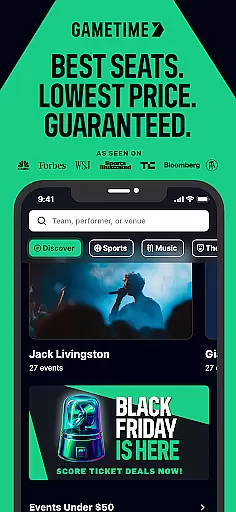

Gametime is a leading mobile application designed for event enthusiasts who seek affordable ticketing solutions. The app specializes in providing discounted tickets to a wide range of live events including sports, concerts, festivals, comedy shows, and theatrical performances. One of its standout features is the ability to purchase tickets at reduced prices as the event time approaches, allowing users to capitalize on last-minute deals. Additionally, Gametime includes Gametime Ticket Coverage, a complimentary service policy that ensures customer satisfaction through benefits like the Lowest Price Guarantee and Lightning Refunds.
With an intuitive interface, Gametime simplifies the ticket-buying process by offering tools such as panoramic seat views, venue maps, and a seamless two-click checkout system. The app also supports eco-friendly practices by delivering tickets digitally, eliminating the need for paper tickets. Furthermore, users can easily list and sell their own tickets through the app, receiving payments via PayPal. Whether you're looking to attend a major sporting event, a top concert, or a popular theater show, Gametime provides a reliable and user-friendly platform to enhance your live entertainment experience.
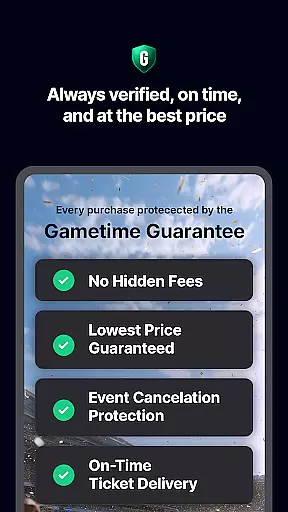
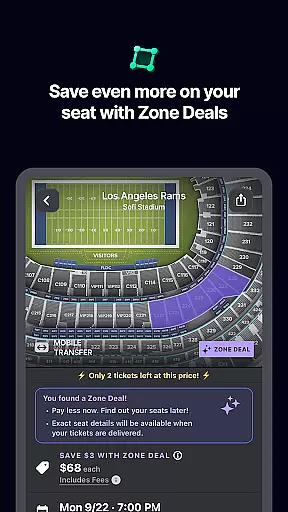
Gametime offers a robust set of features tailored to enhance the ticket-buying experience. One of its key functionalities is the dynamic pricing model, which allows users to take advantage of falling ticket prices as the event start time approaches. This feature is complemented by the Special Zone Deals, which provide additional discounts and savings opportunities. Another significant aspect is the Gametime Ticket Coverage, a comprehensive service policy included with every purchase. This policy guarantees the lowest price, offers quick refunds for canceled events, and even provides job loss protection, ensuring peace of mind for users.
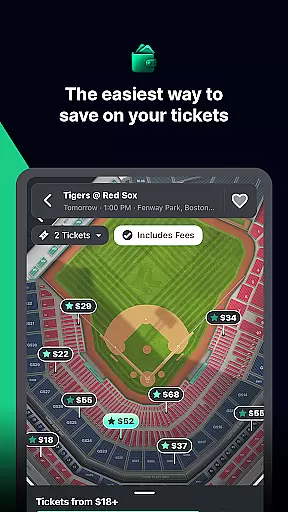
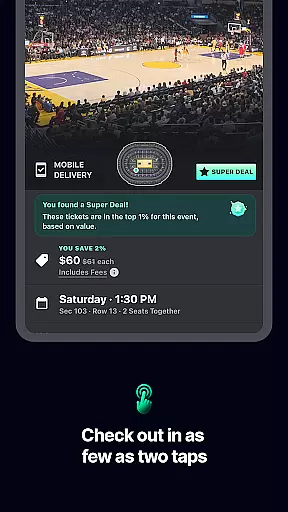
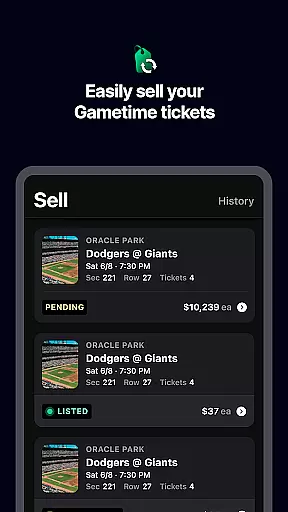
The app's user interface is designed for simplicity and efficiency. It includes detailed venue maps and panoramic photos that allow users to compare seat locations and views before making a purchase. The checkout process is streamlined with a two-click system, and tickets are delivered directly to the user's mobile device, enabling instant access to events. Moreover, Gametime promotes environmentally friendly practices by eliminating the need for physical tickets and facilitating easy sharing with friends via mobile devices. For those looking to sell tickets, the app offers a straightforward listing process with real-time updates and PayPal integration for payments, making it a versatile tool for both buyers and sellers in the event ticketing market.
Task creation and detail customization are essential features for any event management app like Gametime. This functionality allows users to not only find events but also tailor their experience by selecting specific seats, pricing options, and other preferences that suit their needs.
Gametime excels in this area by providing a user-friendly interface where customers can easily browse through various events and choose from a wide array of seating options. The app's detailed venue maps and panoramic photos enable users to make informed decisions about their seat selection, ensuring they get the best view possible at an affordable price.
The value of such customization is immense for users who want to enjoy live entertainment without compromising on quality or breaking the bank. With features like Special Zone Deals and 2-click checkout process, Gametime makes it simple for anyone to create personalized event experiences with minimal effort.
Ultimately, these capabilities empower users to craft unique outings tailored to their tastes while saving both time and money. Whether you're planning to attend a concert, sports game, or theater performance, Gametime's robust customization tools ensure that every outing is as enjoyable as it can be.
Reminder settings play a crucial role in ensuring that users never miss out on their favorite events. For an app like Gametime, which specializes in providing last-minute deals on tickets, having reliable reminder functionalities is key to enhancing user engagement and satisfaction.
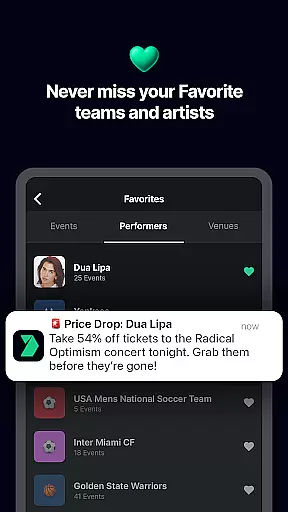
Gametime offers flexible reminder options that allow users to set alerts for upcoming events, ticket sales, and special promotions. These reminders can be customized according to personal preferences, such as receiving notifications days before an event or just hours prior, giving users ample time to plan their attendance.
This feature significantly benefits users by keeping them informed about important dates and opportunities, thus maximizing their chances of securing great deals. Moreover, timely reminders help reduce stress associated with forgetting event details, allowing fans to focus more on enjoying the experience rather than worrying about logistics.
In summary, Gametimeu2019s reminder settings enhance the overall user experience by providing timely updates and alerts, making sure that every user has the opportunity to participate in memorable live events without hassle.
User-friendly interface
Comprehensive service policy
Dynamic pricing model
Wide range of events
Mobile ticket delivery
Resale market only
Limited international support
No direct ticket sales
Potential high fees
Event availability varies

The Official App
 4.5
4.5
Buy event tickets easily with our user-friendly App. Stay updated on hot events
4.3
Here you can choose tickets for films, performances, concerts and other events
4.60
Microsoft Build is an annual developer conference hosted by Microsoft
4.20
Create Wedding Invitation and Wedding Anniversary Cards using our app
4.60
The KRUU app - plan, celebrate, remember
4.80
Soft Proxy for Your Online World
4.4
Events, Meetings, Photo Shoots
4.50
Meet people over dinner
4.40
Invitation card maker for birthday party & Wedding. Digital greeting card editor
4.90
Birthday Greetings provides Birthday Card, Frames, Gifs & Father's day Wishes
4.80
Buy and Sell Tickets for Concerts, Sports, and Theater.
4.70
Discover events & experiences in NYC, LA, Chicago, DC, Miami and more!
4.70
Fast Scans. Happy Fans. For Every Hometown!
4.60
Freebie Games for Epic Games, Steam, Amazon, Rockstar etc.
4.40
Track birthdays, habits & goals. Unlimited countdowns and count-ups
4.20
The Official App
3.70
Purchase line-skip passes, drinks, cover, and more at bars and clubs
3.50
It is an Event Planning Application.
4.5


User Reviews