
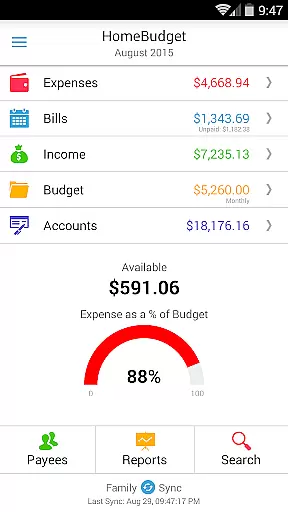
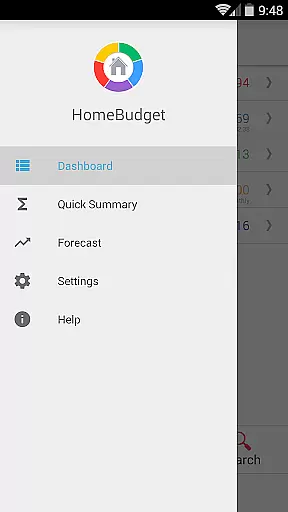
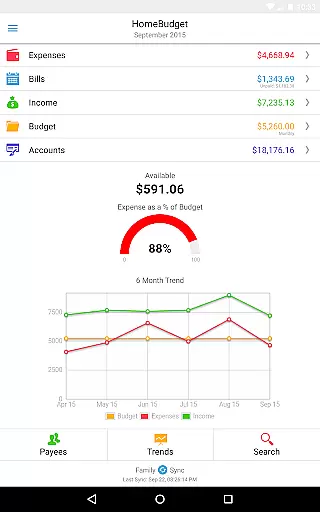
Home Budget with Sync is a comprehensive financial management application designed to help users track expenses, income, bills-due, and account balances across multiple platforms. Available on both mobile (Android, iPhone/iPad) and desktop (Windows, Mac OS), it offers instant data synchronization between devices, ensuring seamless access to your financial information wherever you are. The app stands out with its integrated feature set that allows bills to become expenses while adjusting account balances simultaneously, providing a holistic view of your finances.
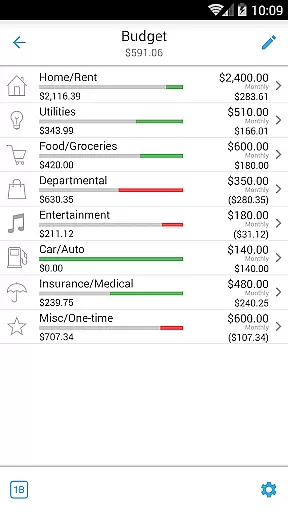
One of the key highlights of Home Budget with Sync is its Family Sync functionality. This advanced feature enables multiple devices within a household to exchange expense and income information automatically over the air. Whether you're managing personal finances or coordinating a family budget, this app provides the tools necessary for effective financial planning and analysis. With support for budgeting, detailed reports, and customizable categories, Home Budget with Sync empowers users to take control of their financial health.
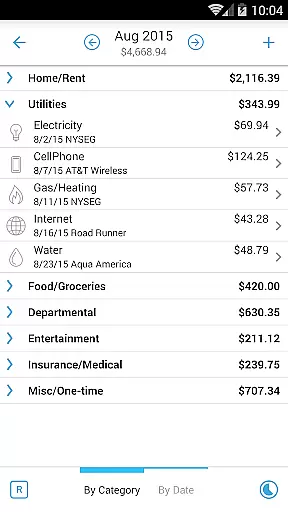
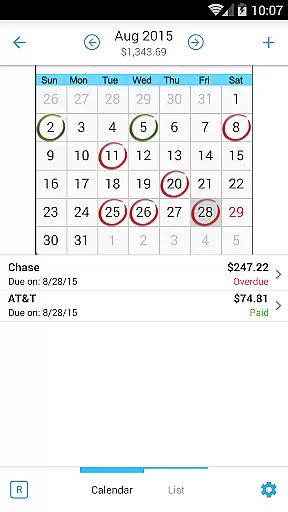
Home Budget with Sync boasts an extensive array of features tailored to simplify financial management. Users can create, edit, and delete expenses, income, and recurring bills with ease. The app supports detailed tracking by allowing users to browse entries by month, category, or date, and even attach photo images of receipts for record-keeping. Its sophisticated bill management system includes reminders, calendar views, and the ability to classify expenses into fixed, variable, and discretionary categories, helping users compute disposable income accurately.
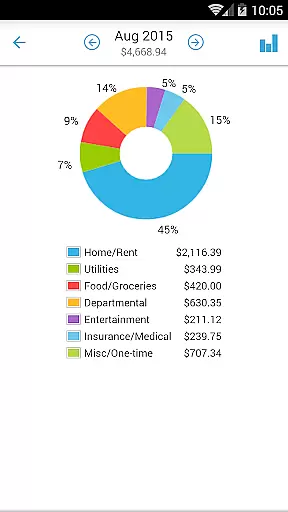
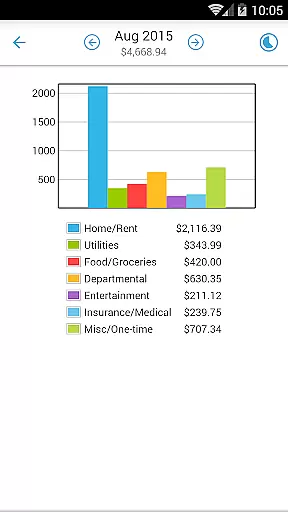
The app's reporting capabilities are equally impressive, offering trend charts for expenses, budgets, and income over the last six months. Users can visualize their financial data through pie/bar charts and export reports via email or WiFi. Additionally, Home Budget with Sync provides robust account management features, supporting various account types such as checking, savings, credit, debit, and cash. With password protection, backup/restore options, and the ability to upload custom category icons, this app ensures both security and personalization in managing your finances.
Account and Fund Security is a critical aspect of any financial management application. Home Budget with Sync ensures the safety of your financial data through multiple layers of protection. The app provides password protection, allowing only authorized users to access sensitive information.
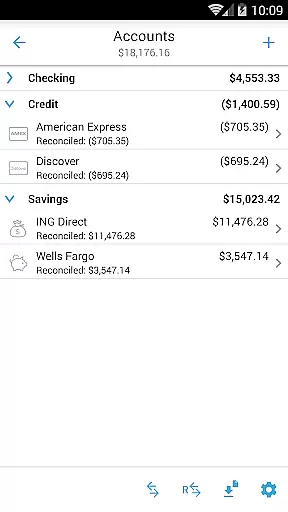
The application supports various account types including Checking, Savings, Credit, Debit, and Cash accounts. Each transaction made is accurately tracked and reflected in the account balances, ensuring that users have an up-to-date view of their financial status. This meticulous tracking helps prevent unauthorized transactions and discrepancies.
Additionally, Home Budget offers a backup and restore feature for complete application data, including all receipts. This means that even if your device is lost or damaged, your financial records remain safe and can be restored on a new device. The ability to export data via email or WiFi also adds another layer of security by allowing users to keep their records outside the device.
By combining these features, Home Budget with Sync not only protects your funds but also gives you peace of mind knowing that your financial data is secure and always accessible.
A seamless transaction experience is essential for effective personal finance management. Home Budget with Sync excels in this area by offering an integrated set of features that streamline expense tracking, income recording, and bill payments. With its intuitive interface, users can easily create, edit, and delete expenses, income, and recurring bills.
The app allows users to associate accounts and payees with transactions, providing a detailed overview of where money is coming from and where it's going. Users can attach photo images of receipts directly to entries, making record-keeping straightforward and visual. The search functionality further enhances the transaction experience by enabling quick retrieval of past entries.
Home Budget also includes robust reporting tools such as trend charts for expenses, budgets, and income over the last six months. Pie and bar charts offer clear visual breakdowns of spending habits, empowering users to make informed financial decisions. These reports can be exported via email or WiFi for sharing or archiving purposes.
Ultimately, Home Budget with Sync transforms the often tedious task of managing finances into a smooth and insightful process, helping users maintain control over their financial health effortlessly.
User-friendly interface
Comprehensive budgeting tools
Instant cross-platform sync
Detailed financial reports
Secure data management
Separate purchase for each OS
Limited free version features
Occasional sync issues
Subscription cost required
Complex for beginners

Bank better with our new app
 3.80
3.80
Get a cash advance instantly. File taxes & cover unexpected bills in minutes.
4.60
Money transfer made easy. Send money to friends and family with great rates.
4.70
Your insurance, anytime, anywhere
4.00
Easily invest, save, and plan—all in one app.
4.60
All your crypto & stocks in one secure and trusted app.
4.40
Your Big Financial Friend
4.70
Mine Bitcoin in the cloud! Earn BTC daily with high-speed mining power.
4.30
Make your paycheck work harder for you with Perpay.
4.10
Currency Converter, Exchange Rates, Widgets
4.90
Get 250$ Cash Advance to solve emergencies instantly in loan app called LendMe
4.70
Currency Converter (200+ currencies) with live exchange rates and offline mode.
4.70
Over 180 currencies conversion rates with live exchange rates and offline mode.
4.60 4.50
4.50
Read and extract public data on NFC Contactless banking card (VISA, MasterCard
4.30
BTC, Crypto, Stocks & Options.
4.20
Venmo is the fun and easy way to pay and get paid.
4.10
Retirement plan, IRA, retail and HSA customers serviced by Empower.
3.10
Bill Manager is a simple app to help you keep track of your upcoming bills.
4.1


User Reviews