
HRV4Training is a scientifically validated HRV app that doesn't require an external sensor. It helps optimize your goals by providing tailored feedback on your physical condition. The app supports devices like the Oura ring, Coros watches, and Bluetooth sensors.
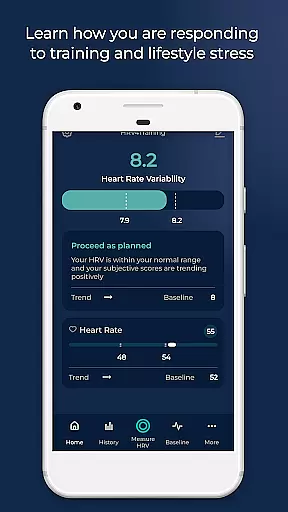
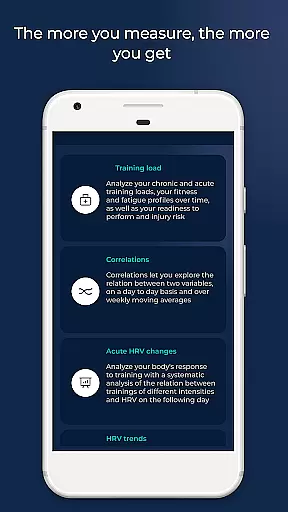
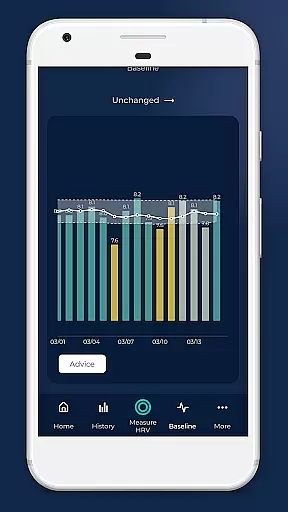
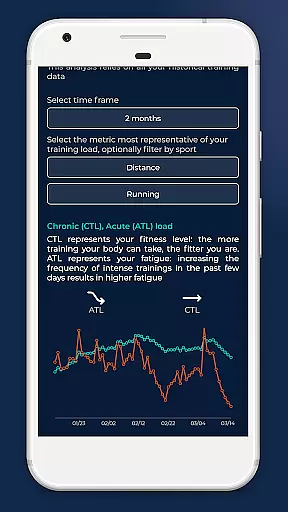
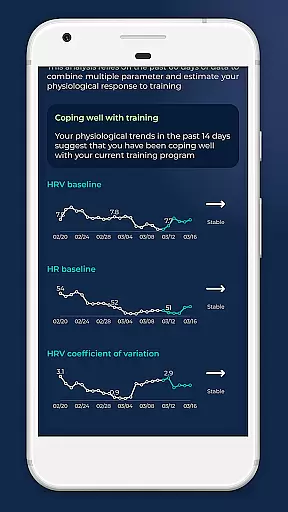
HRV4Training goes beyond simple measurements, offering insights into acute HRV changes, long-term trends, correlations between physiological data, training load analysis, VO2max estimation for runners, and weekly summaries to track progress. All data is processed within the app to provide actionable interpretations.
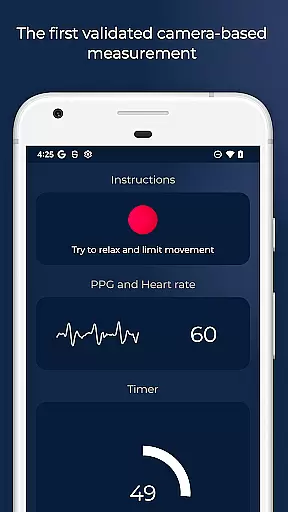
HRV4Training offers advanced features such as HRV-based advice to adapt training based on recovery measures, TAGS for tracking sleep and mental energy, and compatibility with Bluetooth SMART heart rate monitors. Users can configure test durations and view PPG signals during tests.
The app extracts and stores various physiological features while lying down or standing, including heart rate, AVNN, SDNN, rMSSD, pNN50, LF, and HF. It provides population summaries, data export via email, RR-intervals correction, and integration with TrainingPeaks and Strava.
Personalized planning in HRV4Training is a cornerstone feature that leverages scientifically validated HRV measurements to tailor feedback on your physical condition. This app uniquely offers insights into acute or day-to-day HRV changes due to various stressors like alcohol, travel, and training, without the need for an external sensor.
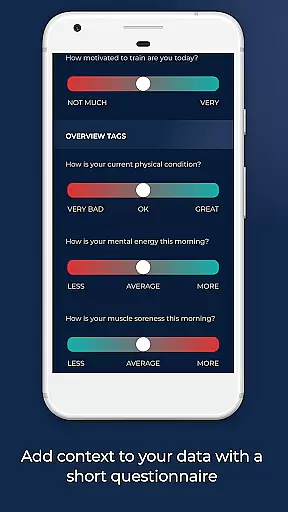
The app's sophisticated algorithms analyze physiological data, providing personalized advice that helps you adapt your training based on objective recovery measures. With options to tag sleep, mental energy, muscle fatigue, and stress, HRV4Training enables a comprehensive understanding of factors influencing your physical state.
Users benefit from an adaptive training plan that considers both short-term HRV fluctuations and long-term trends, ensuring optimization of their fitness goals. The inclusion of VO2max estimation for runners and training polarization analysis further refines this personalized approach, delivering a holistic view of your health and performance trajectory.
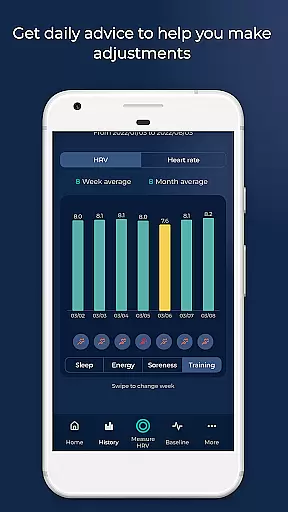
Progress visualization in HRV4Training empowers users with clear, actionable insights through advanced data representation. By integrating with platforms like Strava and TrainingPeaks, the app provides weekly and monthly summaries that track progress, helping users understand their evolving fitness landscape.
The app extracts and stores detailed physiological features such as heart rate, mean of beat-to-beat intervals (AVNN), standard deviation of beat-to-beat intervals (SDNN), and more. These metrics are visualized to show both lying down and standing states, offering a nuanced perspective on your body's responses.
HRV4Training stands out by correlating physiological measurements with user annotations, presenting population summaries, and comparisons to put your data into perspective. This visualization ensures that users can see tangible evidence of their progress, maintaining motivation and enabling informed adjustments to their training regimen.
Scientifically validated
Tailored feedback
Advanced insights
Actionable data
Device compatibility
Requires account
Complex interface
Premium pricing
Limited free features
Signal dependency

The simplest way to track your 21 Day Program containers, exercises, and water.
 4.50
4.50
Power-lifting, weightlifting and Wendler 531 app to track your workout program.
4.90
Beauty Care, Makeup & Skin Care Scanner | Pregnancy App For A Mom | Healthy Baby
5.00
The Sleep Miracle Sound Machine: Soothes baby to sleep with a gentle "Shhh"
3.00
Fast Body building & Weight Loss. Home Workouts with Daily Coach, No Equipment.
4.30
GloryFit is a companion app for the smart bracelet.
3.60
Looking to take control of your health? Our psychology-based programs can help.
4.10
Jogging app for calorie counter and distance tracker. Running app to lose weight
4.20
Workouts for everyone
4.70
Drink water reminder app. Track water intake. Smart simple hydration tracker.
4.70
Period Tracker, the easiest way to track your periods!
4.50
Binaural Beats - Fully Customizable Waves - Pure Sound - No Loops
4.50
Raccoon AI Calorie Counter. Intermittent Fasting & Timer. Macro, Carb, Protein
4.50
Monitor, analyze, track, and convert blood sugar & help you control diabetes.
4.10
Your personal BP tracking companion, focus on helping you achieve wellness goal.
4.10
Make sense of your health data.
3.80
Track sleep cycle, relax with white noise, sleep sounds & smart alarm clock
3.80
Dexcom G7 Continuous Glucose Monitoring
3.70
Using Recognise™ has been shown to reduce pain, and improve performance.
4.4


User Reviews