
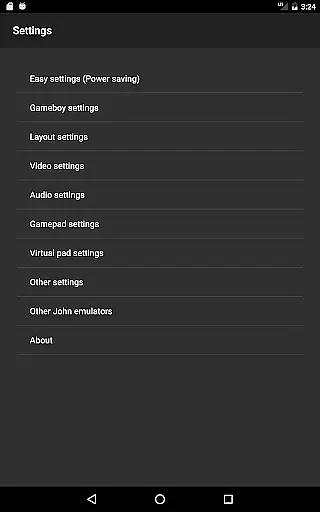
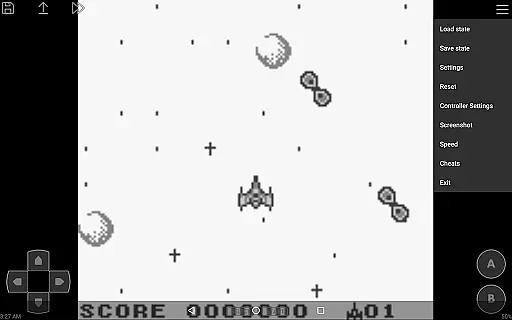
John GBC is a high-performance Game Boy/Game Boy Color emulator designed for Android 6.0 and above. This app offers an authentic emulation experience through its original GBC engine while providing modern features like high-quality rendering and customizable controls.
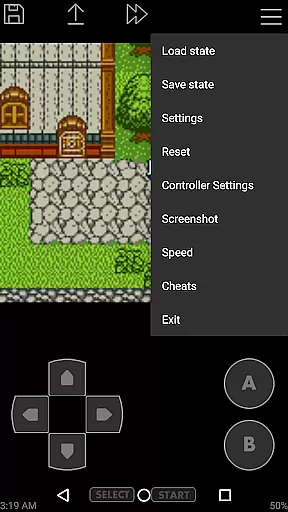
The emulator supports a wide range of functionalities including save states with previews, fast forward and slow down options, and cheat support. It also allows users to play games using virtual on-screen keypads or Bluetooth controllers. With zipped file support and Dropbox integration, managing game files becomes seamless.
Ideal for retro gaming enthusiasts, John GBC ensures a smooth and responsive emulation experience without any advertisements or the need for an internet connection. The app requires users to provide their own game files and works best when paired with compatible hardware.
John GBC stands out with its robust feature set tailored for both casual players and emulation enthusiasts. The app's original GBC engine delivers accurate performance, while its high-quality rendering ensures crisp visuals on modern devices.
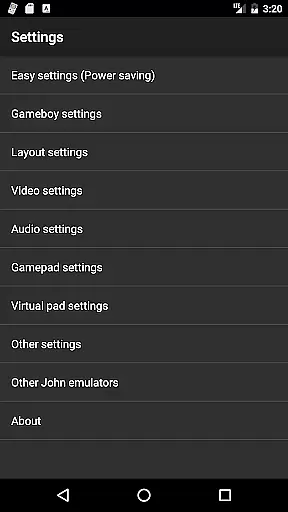
One of the key highlights is its versatile control options. Users can customize on-screen buttons, utilize turbo functions, or connect external Bluetooth/MOGA controllers. Additional features include save states with visual previews, fast forward/slow down functionality (ranging from x0.25 to x16 speed), and support for popular cheat formats like Game Genie and Game Shark.
For convenience, John GBC supports searching game files across internal storage and SD cards, handling zipped files, and even integrating with Dropbox via John DataSync. These features make it one of the most comprehensive and user-friendly emulators available on Android.
John GBC delivers an authentic arcade experience by emulating the original Game Boy and Game Boy Color engines with precision. The emulator ensures high-quality rendering that captures the essence of classic gaming, bringing back the nostalgia of playing original arcade titles.
The app supports a wide range of features including zipped game files, save states with previews, and virtual on-screen keypads. These functionalities not only replicate the traditional arcade feel but also enhance user convenience, making it possible to enjoy classic games without the need for physical cartridges or hardware.
With turbo buttons, fast forward, slow down options, and support for cheats like Game Genie, John GBC offers an enriched gaming experience. Players can customize controls, use external Bluetooth or MOGA controllers, and even enjoy Super Gameboy borders, ensuring every session is as close to the authentic arcade experience as possible.
Control responsiveness is at the heart of John GBC's design, ensuring that every action translates instantly into gameplay. The emulator supports customizable keys, allowing users to tailor the control scheme to their preferences, which significantly enhances the overall gaming experience.
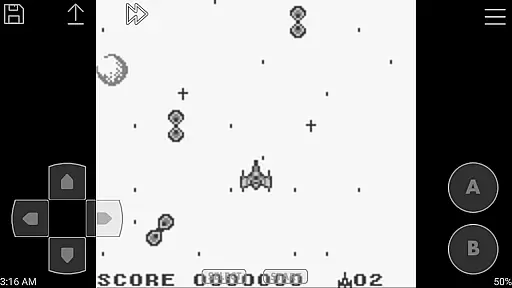
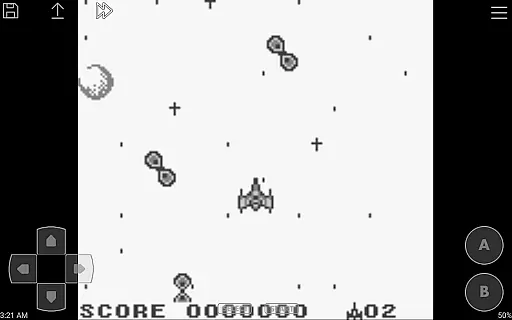
Featuring a virtual on-screen keypad, John GBC provides tactile feedback akin to traditional arcade controls. This intuitive interface ensures players can engage seamlessly with their favorite games, maintaining immersion without the distraction of unresponsive or cumbersome controls.
In addition to standard inputs, John GBC includes advanced features such as turbo buttons and precise speed adjustments ranging from 0.25x to 16x. These capabilities ensure gamers have the tools they need for optimal performance, whether they're seeking a leisurely playthrough or an intense challenge.
Fast emulation speed
Customizable controls
No advertisements
Save state support
Dropbox integration
Requires game files
No iOS version
Paid app
Complex setup
Limited updates

Join the art challenge: Guess the word and draw fast before the timer runs out!
 4.20
4.20
Use superpower in your magic hands. Defeat the enemies in a fun elemental game.
4.50
It's quite possibly the world's hardest game!
3.90
Jump and fly your way through danger in this rythm-based action platformer!
4.50
Restore peace and order in the city
3.20
Shoot the web, jump and teleport! Be a stickman hero and destroy your enemies!
4.50
Genesis/Mega Drive/CD & Master System/Mark III Emulator
4.30
A fast, full-featured GBA emulator with link cable emulation.
3.90
Merge bowmasters to win the bow and arrow war! Play the fun archery game!
4.60
Punch your way through the Streets of Rage once again!
4.80
*Try for free.* Survive alone in a Roguelike Reverse Bullet Hell.
4.80
Master the skies in this epic airplane shooting game! Join the air force now!
4.80
Gameboy Color Emulator
4.60
Payback 2 includes everything from tank battles to high speed helicopter races!
4.50
Challenge your friends across the world to see who can jump the farthest!
4.50
GBA Emulator
4.40
A Ball Bouncer With Depth
4.00
Bounce through platforms. Avoid obstacles. Get the bouncing ball to the finish.
4.00
John GBA is GBA emulator. This emulator is easy to use.
3.10


User Reviews