
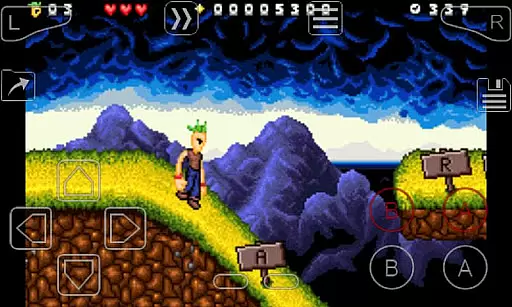
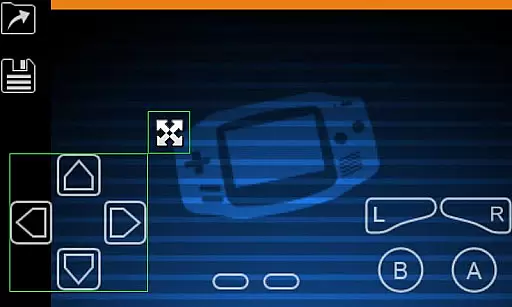
My Boy! is a high-performance GameBoy Advance emulator designed for Android devices, enabling users to play classic GBA games on modern smartphones and tablets. The app boasts near-perfect emulation of the original hardware, including advanced features like link cable support for multiplayer gaming across devices via Bluetooth or Wi-Fi.
One of the standout capabilities of My Boy! is its ability to leverage Android's hardware sensors to emulate gyroscope, tilt, solar sensor, and rumble functionalities, providing an immersive experience. Additionally, it supports real-time cheat code entry, fast-forward gameplay, and save states with screenshots, making it a versatile tool for both casual players and retro gaming enthusiasts.
This emulator is particularly useful for gamers who want to relive their favorite childhood titles or explore the extensive GBA library. With Google Drive sync functionality, users can seamlessly switch between devices while maintaining their game progress, offering both convenience and flexibility in managing their gaming experience.
My Boy! stands out with its robust feature set tailored for an optimal emulation experience. The app utilizes a JIT recompiler for super-fast emulation, ensuring smooth performance even on lower-end devices. It achieves impressive compatibility, running nearly all GBA games without issues, while also supporting advanced BIOS emulation without requiring external files.
The emulator offers unique functionalities such as link cable emulation for multiplayer games, either locally or across devices using Bluetooth or Wi-Fi. It also integrates Android's hardware sensors to replicate gyroscope, tilt, and solar sensor effects, along with vibration feedback for a more authentic experience. Users can apply cheat codes on the fly, use OpenGL rendering for enhanced graphics, and customize screen layouts extensively.
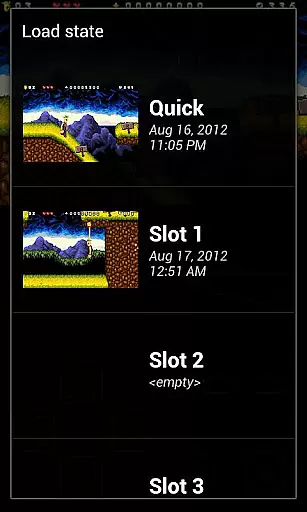
Additional notable features include save state support with screenshots, Google Drive sync for cross-device gaming, customizable on-screen controls, and GLSL shader-based video filters. These features collectively provide users with a highly customizable and rich emulation experience that caters to both nostalgic gamers and those exploring retro gaming for the first time.
Arcade authenticity and nostalgia are essential elements for any emulator aiming to recreate the classic gaming experience on modern devices. My Boy! - GBA Emulator excels in this area by offering high-level BIOS emulation without the need for a BIOS file, ensuring that original GameBoy Advance games run as they were intended.
The emulator supports a wide array of features that contribute to an authentic arcade feel. These include precise control schemes, multiplayer linking capabilities via Bluetooth or Wi-Fi, and even gyroscope/tilt/solar sensor emulation using Android's hardware sensors. Such comprehensive support allows users to relive their favorite childhood gaming moments with accuracy.
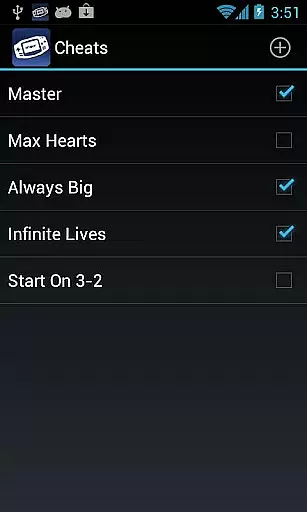
Players benefit from the ability to use multilined cheat codes on the fly, providing a flexible gaming experience reminiscent of traditional arcade culture where adaptability was key. Additionally, fast-forward and slow-down functions let gamers tailor the pace of play to their liking, enhancing both challenge and enjoyment.
Control responsiveness is crucial for an optimal gaming experience, especially when emulating classic arcade games. My Boy! - GBA Emulator ensures that every touch on your Android device translates into immediate action within the game, thanks to its advanced input processing system.
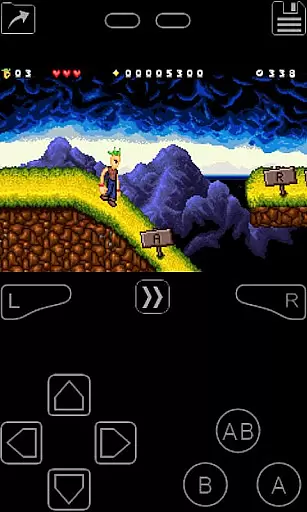
The emulator offers customizable on-screen keypads and shortcut buttons, allowing players to create a personalized layout that suits their play style. With multi-touch support available for devices running Android 2.0 or later, it delivers intuitive controls that respond instantly to user inputs, mimicking the tactile feedback of physical arcade buttons.
Furthermore, the screen layout editor enables gamers to fine-tune the position and size of each control element, ensuring precision during gameplay. This level of customization not only enhances control responsiveness but also contributes to an immersive experience that captures the essence of arcade gaming on mobile platforms.
Fast emulation speed
High game compatibility
Multiplayer support
Hardware sensor integration
Customizable controls
No included games
Complex setup
Legal concerns
Ads in free version
Occasional bugs

Monster Run its a game for relax.
 4.3
4.3
Welcome back to Vice City. Welcome back to the 1980s.
3.30
Mine planets, upgrade your space ship, battle others, and dominate the galaxy!
3.90
Eat & evolve your shark in the ultimate shark survival game!
4.50
PC Engine/TurboGrafx-16 Emulator
4.50
Jump and fly your way through danger in this rythm-based action platformer!
4.50
Create your restaurant story & make food on a crazy kitchen in this cooking game
4.70
Collect layers in running game & build the biggest slinky toy to beat the giant!
4.30
Play all your favorite Playstation games in your android device!!
4.50
Save the Galaxy from galaxiga alien - Classic arcade shooter game
4.60
Use superpower in your magic hands. Defeat the enemies in a fun elemental game.
4.50
Play, Craft and Share your Endless Runner Levels on Kooply Run: Subway Craft
4.50
The only Sega Saturn emulator for Android
4.40
Genesis, Mega Drive, Mega CD, Master System, Game Gear Emulator!
4.20
Sit back and relax! Tap to move the black hole, and swallow weapons to win.
4.20
Enter Double Dragon Trilogy, a compilation of the beloved arcade series
4.10
Restore peace and order in the city
3.20
A fluid, action-packed arcade space shootout!
4.5
Reach high, and shine in the neon world in 3D!
4.4


User Reviews