
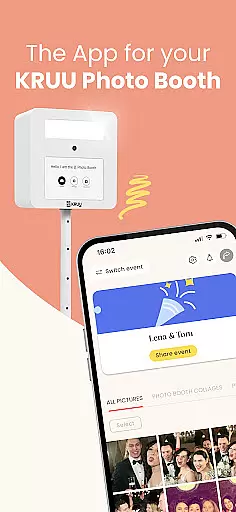
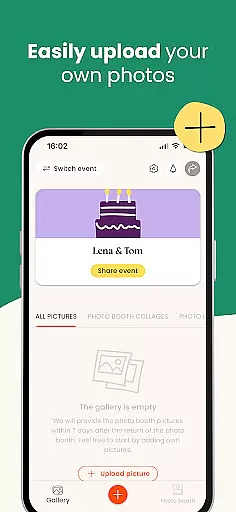
KRUU is an innovative mobile application designed specifically for event photography management, catering to both event organizers and attendees. The app's core functionality revolves around creating a centralized digital space where all event photos can be securely stored, shared, and interacted with. Through its intuitive interface, users can easily upload images from events, create dedicated galleries, and manage participant access.
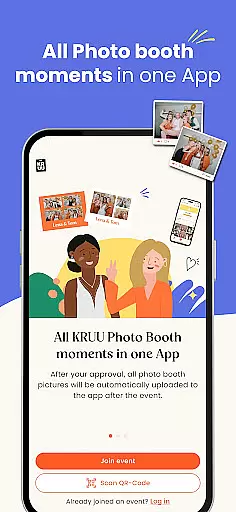
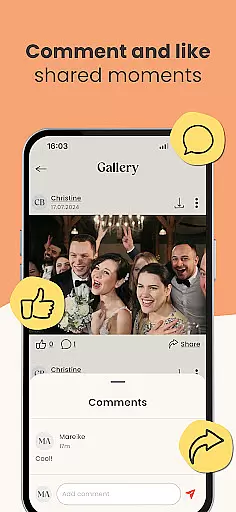
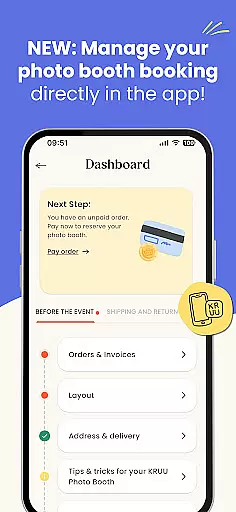
What sets KRUU apart is its seamless integration with the KRUU Photo Booth system, automatically transferring booth photos directly to the app. This feature ensures no special moments are missed while maintaining exceptional image quality. Additionally, the app provides social interaction features such as liking and commenting on photos, creating an engaging community experience around event memories.
The application proves particularly valuable at weddings, corporate events, and family gatherings, where multiple photographers and guests capture various angles of the same occasion. Event organizers can efficiently manage participants through the admin area while ensuring GDPR-compliant privacy standards, making it especially suitable for European users who prioritize data protection.
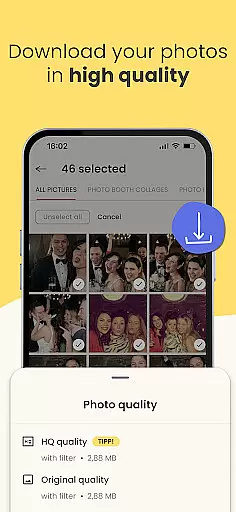
KRUU offers a comprehensive suite of features that enhance event photography management. The app provides unlimited cloud storage for event photos, allowing users to upload high-resolution images without worrying about space limitations. Each event creates its own dedicated gallery, complete with social media-style interaction features including likes, comments, and download options.
A standout feature is the automatic synchronization with KRUU Photo Booths, eliminating the need for manual photo transfers. The app's administrative tools enable event organizers to manage participant lists effectively, control access permissions, and monitor sharing activities. Advanced privacy settings ensure that only authorized guests can view and interact with the photos, while German-based servers provide top-tier data protection according to strict GDPR standards.
Additional practical features include easy event creation and joining processes, intuitive invitation systems for friends and family, and long-term storage options. Photos remain accessible in the app for three months, providing ample time for users to revisit and download their favorite memories. The free pricing model, without any in-app purchases or hidden costs, makes professional-grade event photography management accessible to all users.
Task creation and detail customization are essential for organizing events effectively. The KRUU app excels in this area by allowing users to create new events or join existing ones seamlessly. When creating an event, users can specify all necessary details, ensuring that every aspect of the celebration is covered.
The app provides an intuitive interface where users can easily input event information such as date, time, and location. Additionally, it allows for the management of participants through an admin area, giving event organizers full control over who has access to the event's photos and updates.
Users benefit from the ability to customize their event pages with personalized touches, making each event unique. This feature ensures that all guests are on the same page and can contribute to capturing every memorable moment.
By offering such detailed customization options, the KRUU app not only enhances the event planning process but also enriches the overall experience for both organizers and attendees.
Reminder settings play a crucial role in ensuring that users never miss important moments during an event. The KRUU app incorporates effective reminder features that keep users engaged and informed throughout their celebrations. These reminders help users stay updated on photo uploads and interactions within the app.
Within the app, users can set up notifications for various activities, such as when new photos are uploaded or when there are comments and likes on their shared images. This functionality ensures that users remain actively involved in the event, even if they step away from the app temporarily.
The flexibility of reminder settings allows users to tailor notifications according to their preferences. Whether it's receiving instant alerts or daily summaries, the app caters to different user needs, enhancing convenience and engagement.
Ultimately, these reminder features ensure that no precious memory is overlooked, allowing users to relive their special moments long after the event has concluded.
User-friendly interface
Free with no in-app purchases
GDPR-compliant storage
Automatic photo booth integration
Social interaction features
Limited to event photography
Three-month storage limit
Requires stable internet
Event-based organization
Android-only availability

Here you can choose tickets for films, performances, concerts and other events
 4.60
4.60
Watch live football matches and streaming events on our Arabic TV app!
3.50
TV Garden is a video player to play your own TV streams from around the world!
4.0
Instant photo sharing for every occasion
3.80
Everything you need for the Best Thursday Ever.
4.40
The Official Football Ticketing App for Fans in Qatar
4.3
Meet people over dinner
4.40
Save money on concert, sport, and theater tickets, and discover upcoming events.
4.80
Buy and sell tickets to sports, concerts, theater, festivals, and comedy events
4.10
The Ultimate Tournament Hub
4.70
Find tickets to upcoming concerts, sports events, festivals, shows, attractions
4.70
Buy and Sell Tickets for Concerts, Sports, and Theater.
4.70
Create Wedding Invitation and Wedding Anniversary Cards using our app
4.60
Events, Meetings, Photo Shoots
4.50
Manage all your events, leads, ticketing, payments and check-ins.
4.30
Introducing the official Magic: The Gathering app for mobile.
4.20
The world's largest selection of tickets is now at your fingertips
3.90
The Official App
4.3
Browse events, find transportation, keep up with the latest news from your team
4.3


User Reviews