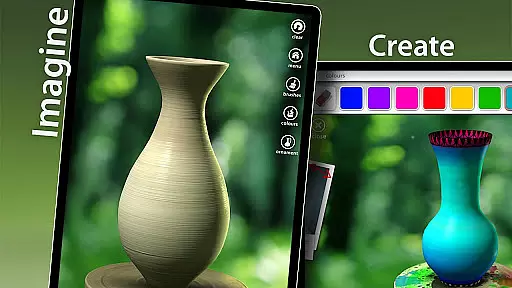

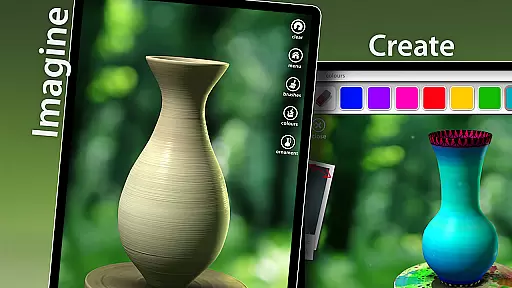


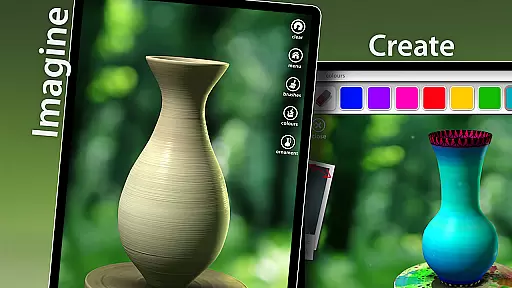

Let's Create! Pottery is a casual mobile game that brings the art of pottery-making to your fingertips. Designed for creative minds and hobbyists, this app allows users to craft unique ceramic pieces through an intuitive and relaxing process. The core functionality revolves around shaping clay on a virtual wheel, selecting from dozens of materials, and applying various glazes to create personalized pottery items.
Beyond just creation, the app offers a therapeutic experience that helps relieve stress while providing a fun artistic outlet. Whether you're looking to pass time or seeking a creative escape, Let's Create! Pottery delivers an engaging experience suitable for all ages. Its combination of simple mechanics with deep customization options makes it stand out in the casual gaming category.
The app boasts several notable features that enhance the pottery-making experience. First is the realistic 3D modeling engine which simulates the tactile sensation of working with clay, allowing users to shape their creations naturally. The interface includes an easy-to-use wheel-spinning mechanism where players can mold their pots by swiping and tapping gestures.
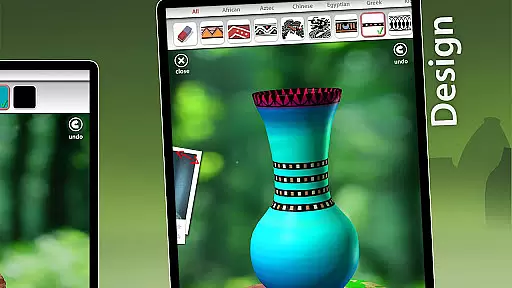
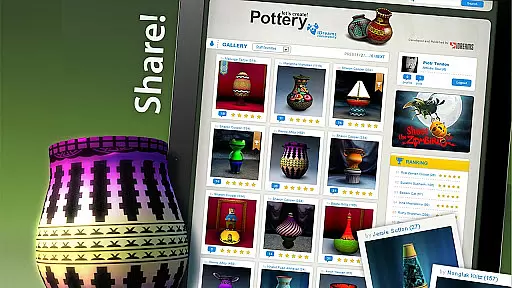
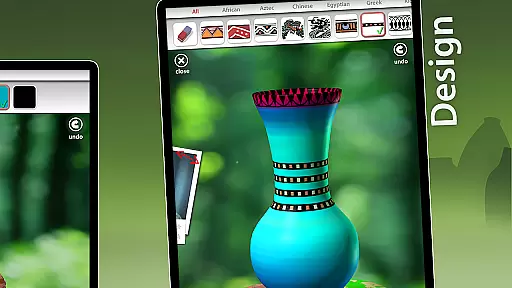
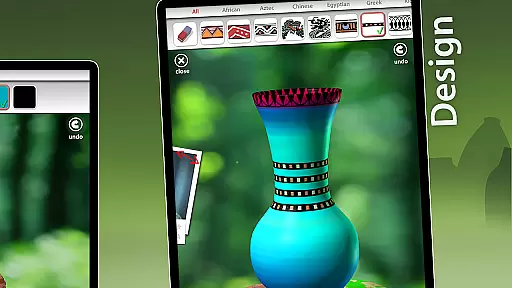
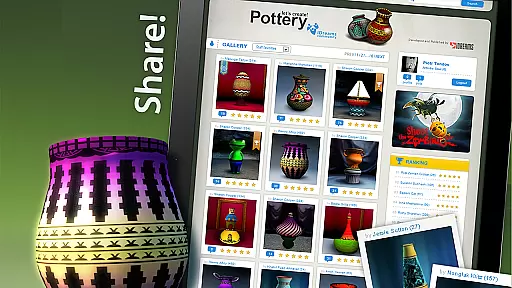
Customization is another highlight, offering a wide range of colors, patterns, and decorative elements to choose from. Players can save their finished works in a gallery, share them directly on social media, or even export images to their device. Additionally, regular updates introduce new design challenges and seasonal content, keeping the gameplay fresh and exciting over time.
At the heart of Let's Create! Pottery lies an elegantly simple core gameplay mechanic that makes ceramic art accessible to everyone. The game strips away complex procedures, leaving players with the joy of creation.
Players start by throwing clay on a virtual wheel, shaping it with intuitive touch controls. This straightforward process requires no prior knowledge of pottery, making it easy for anyone to pick up and play. The interface provides clear visual cues, guiding users through each step without overwhelming them.
The game's simplicity extends to its glazing and firing stages, where players can choose from various colors and finishes. These options are presented in a user-friendly manner, allowing for both quick selections and more detailed customization. Such design choices ensure that creating beautiful pottery remains an enjoyable and stress-free experience.
Let's Create! Pottery offers remarkable flexibility in session length, accommodating different play styles and time constraints. Whether you have five minutes or an hour, the game adapts seamlessly to your schedule.
Short sessions allow players to complete a single piece from start to finish, providing a satisfying experience in brief bursts. For longer sessions, artists can work on multiple pieces, experiment with different designs, and explore various glazing techniques at their own pace.
This flexibility makes the game perfect for both casual and dedicated players. The ability to save works in progress means you can always return to refine your creations later. Such adaptable session lengths create an inclusive experience that fits perfectly into any lifestyle.
User-friendly interface
Wide variety of customization options
Relaxing and therapeutic gameplay
Frequent content updates
Suitable for all age groups
Limited advanced tools for experts
In-app purchases can add up
Occasional performance lags
Ads may interrupt gameplay
Learning curve for beginners

The classic Snake with vibrant neon colors for just 5 cents!
 4.3
4.3
Defeat your enemies by creating a larger army of bullets!
4.40
Tricky Puzzle Fun Brain Story is a fresh brain game with everyday scenarios
4.50
Sort 3D items into boxes and clear the board in this fun, relaxing puzzle game!
4.80
An idle incremental game where you decide to travel across the whole Universe
4.3
Be the Coin Master: attack friends & collect coins in this fun adventure game!
4.80
Match & sort coins in addicting puzzle games—be the master of color matching fun
4.40
let's travel around the culinary world together!
4.10
Get ready to mix, match, and conquer the fashion world, one battle at a time.
3.70
Blast through Match-3 puzzles, collect cute creatures, build your own paradise!
4.90
Unmissable Black Friday Discounts! Come and unlock your 3D screw puzzles offers!
4.80
Help Austin renovate his home and solve exciting match-3 puzzles along the way!
4.70
Embark on a colourful hand drawn journey of discovery through the ages!
4.40
Blend & Match! Mix colors on paper, compare with objects, aim for perfect match!
4.30
Join Tom and friends and care for them. Create fun stories and play mini-games.
4.30
Go exploring with Duggee!
4.20
11 classic games featuring Freddi Fish, Pajama Sam, Putt-Putt, and Spy Fox.
3.80
A Cozy Cooking Game. Mix, Cook, and Discover New Recipes!
3.70
A minimalist game about digging a hole in the garden of a newly purchased house
3.00


User Reviews