Libby is an award-winning app that connects users to their local library's digital collection. With a library card, users can instantly borrow ebooks, audiobooks, and magazines for free. The app offers features like offline downloads, automatic syncing of reading positions across devices, and compatibility with Kindle (U.S. libraries only). Libby also supports Android Auto for audiobook listening.
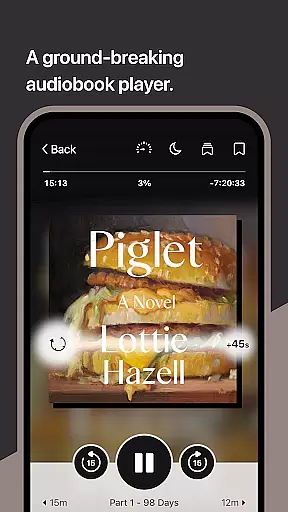
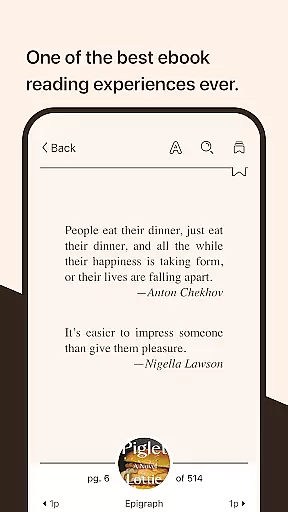
The app provides an intuitive ebook reader with customizable text settings, zoom functionality for magazines, and tools for defining words. Its audio player allows playback speed adjustment, sleep timer settings, and easy navigation. These features make Libby an essential tool for avid readers and learners who want access to a vast library of content on their mobile devices.
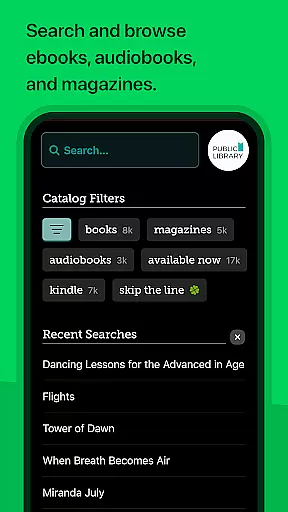
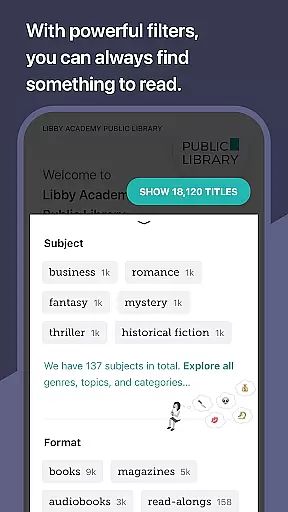
Libby stands out with its comprehensive set of features tailored for book lovers. Users can browse their library's digital catalog, which includes everything from classic literature to New York Times best-sellers. The app's downloading capability allows offline reading, while streaming saves device storage space.
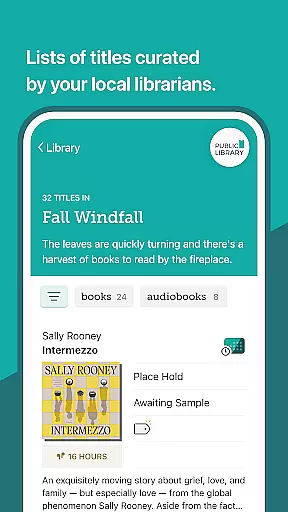
One of Libby's innovative features is its support for creating personalized reading lists using tags. Readers can manage multiple lists and keep track of their must-read books. Additionally, the app's advanced ebook reader and audio player provide functionalities like adjustable text settings, playback speed control, and note-taking options, enhancing the overall user experience.
These features collectively offer a seamless and enriched reading experience, making Libby a top choice for those who frequently use library resources.
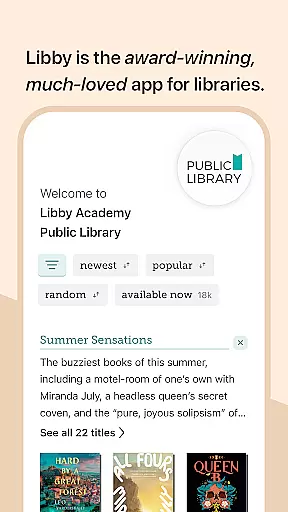
Libby offers an extensive e-book library that includes millions of titles from classics to New York Times best-sellers. This vast collection is made available through local libraries worldwide, ensuring users have access to a diverse range of reading materials.
The app guarantees the copyright authenticity of its content by partnering directly with libraries and publishers. This collaboration ensures that all books available for borrowing are legal copies, providing users with peace of mind regarding the legitimacy of their reads.
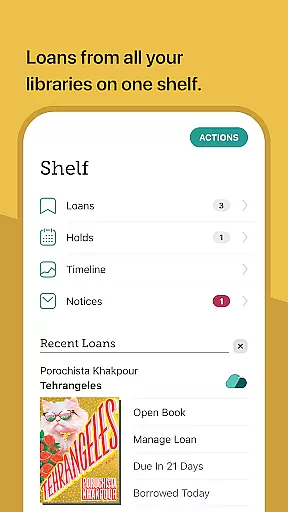
With Libby, users can instantly borrow e-books for free using their library card. The convenience of accessing such a wide array of verified content without any additional cost enhances the overall value proposition for avid readers and casual users alike.
One of Libby's strengths lies in its broad format compatibility, supporting various types of digital media including e-books, audiobooks, and magazines. This versatility allows users to enjoy their preferred content in multiple formats, catering to different reading or listening preferences.
The app also enables users to send borrowed e-books directly to their Kindle devices, albeit limited to U.S. libraries. Such functionality underscores Libby's commitment to integrating seamlessly with other popular platforms, enhancing user experience across devices.
Furthermore, features like offline downloads and streaming options provide flexibility in how users consume content. Whether downloading titles for later use or streaming them to save device space, Libby ensures that its service remains accessible and convenient regardless of connectivity constraints.
User-friendly interface
Wide selection of books
Syncs across devices
Offline reading
Customizable reader
Kindle support limited
Library card required
Dependent on library
No video content
Region restrictions

A guide for the Court of Atonement spiritual healing process.
 4.5
4.5
The Bible Audio Guide
4.80
Novels, audiobooks, ebooks & fanfiction. Read anytime, anywhere!
3.40
Mirror Bible - eye-opening paraphrase translation of the NT by Francois du Toit
4.30
Shop over 13 million new and used books at up to 80% off list price
4.20
Improve your vocabulary and grammar with the 15 biggest Oxford Dictionaries.
4.30
Read and study the Bible and other content in over 1,000 languages.
4.80
Universal Zoom, learn about sizes & distances of the universe and microcosmos
4.80
Calculate, Knowledge, Homework
4.40
"When tweetle beetles fight, it's called a tweetle beetle battle."
4.90
“I am the Lorax. I speak for the trees.”
4.80
Crowd-sourced listing of businesses with anti-gun signs, and pro-2a alternatives
4.60
Research your family history to explore ancestors and search for your heritage
4.50
A companion for prayer, with Azan alarm, Quibla direction, and Holy Quran book
4.10
CleverBook Pro makes the popular guide for the game even better!
4.00
Unlock more features in Lithium and show your support. Expand for details.
4.00
Enjoy your favorite books
3.50
Sea tide predictions for all coastal U.S. locations.
4.0
University of North Carolina Herbarium presents the flora of TN, AL, & MS.
4.1


User Reviews