
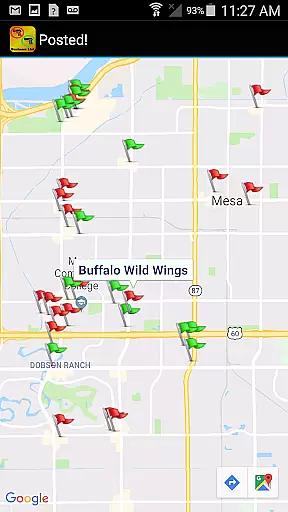
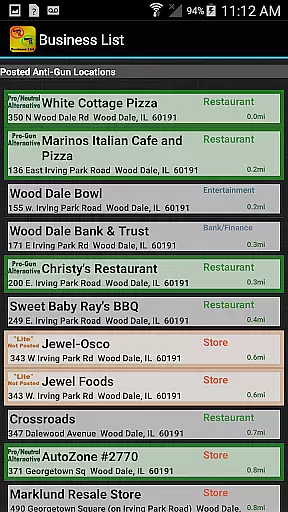
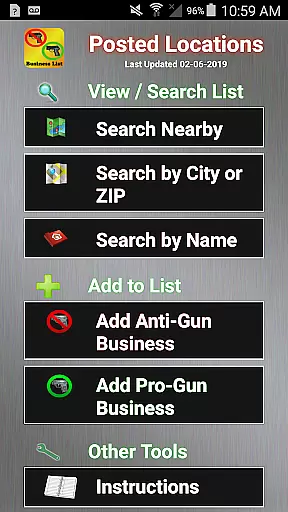
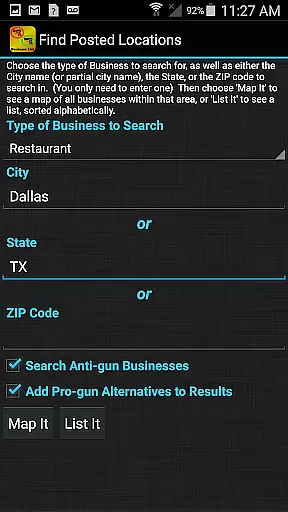
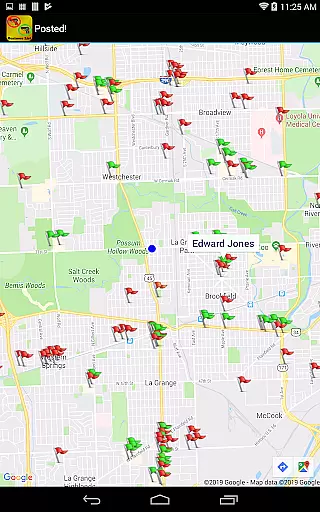
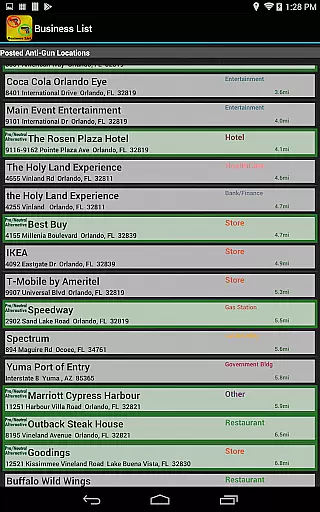
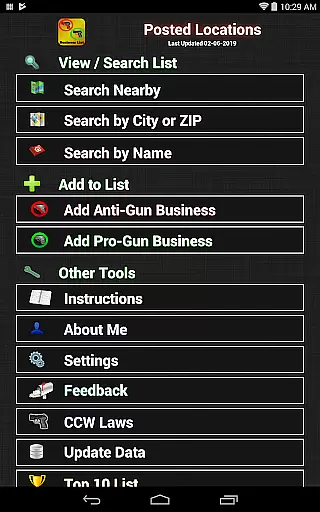
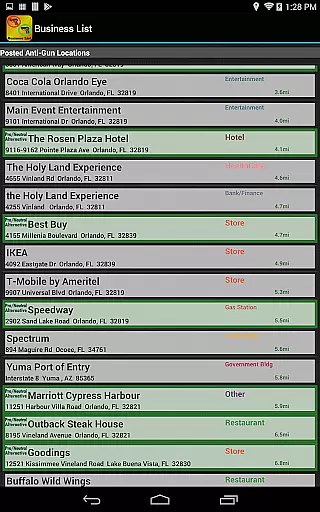
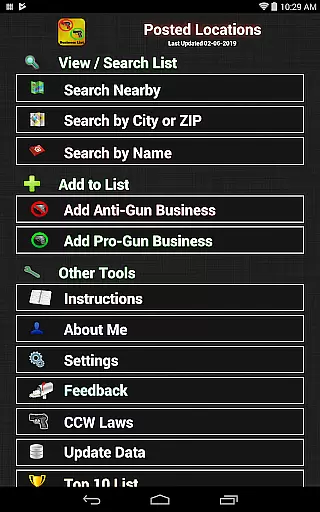
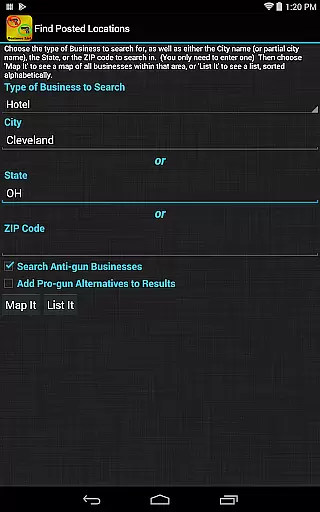
Posted! is an essential reference application designed specifically for gun owners, particularly those with concealed carry licenses. The app provides a comprehensive and regularly updated directory of over 19,000 anti-gun locations and 15,000 pro-Second Amendment alternatives across multiple states in the U.S. Its primary function is to help users identify businesses and establishments where firearms are prohibited by law or policy, allowing them to plan their activities accordingly. This ensures that users can avoid potential legal issues and make informed decisions about where they go armed.
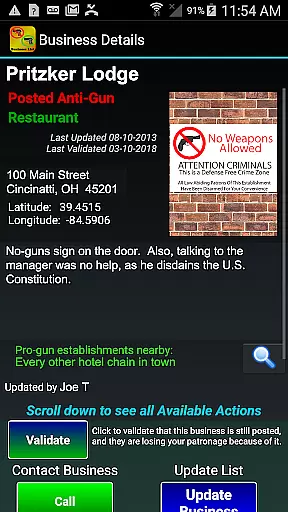
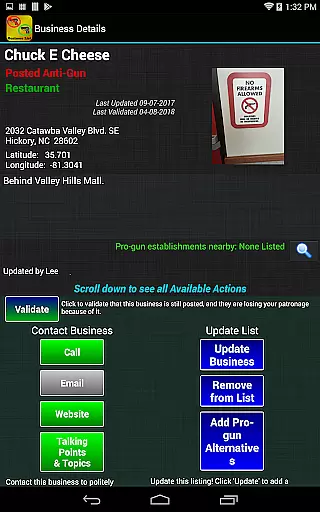
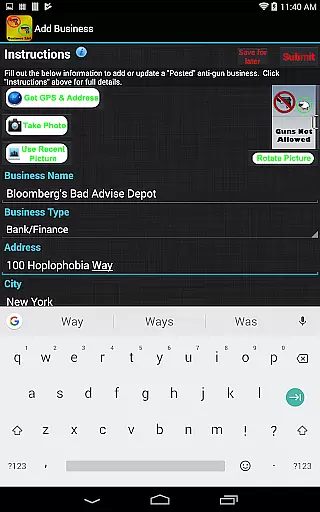
In addition to its core directory functionality, Posted! offers practical tools such as the ability to contact listed businesses directly via call or email to express opinions on their firearm policies. It also allows users to contribute to the database by adding new locations or updating existing entries, making it a dynamic and community-driven resource. Whether you're booking a hotel, planning dinner at a restaurant, or visiting a store, this app helps you stay prepared and informed about which places respect your Second Amendment rights and which do not.
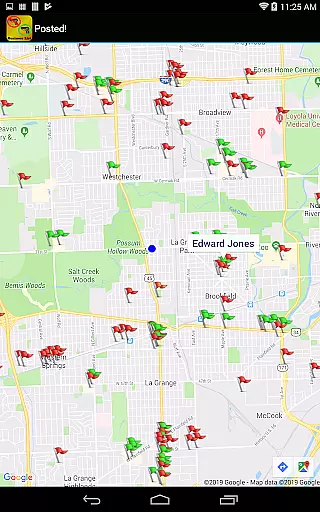
The app's value extends beyond just avoiding prohibited areas; it empowers users to support pro-gun establishments while steering clear of anti-gun ones. With crowd-sourced data from various gun forums and sites, Posted! serves as a reliable tool for responsible gun owners who want to exercise their rights conscientiously and legally.
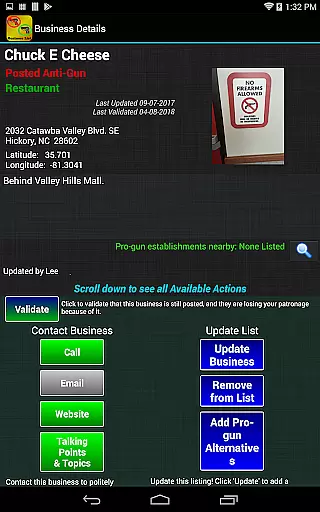
One of the standout features of Posted! is its extensive and user-driven database. The app includes thousands of entries categorized into anti-gun and pro-Second Amendment locations, covering most U.S. states. These listings are continually updated through contributions from users like yourself, ensuring the information remains current and relevant. Each entry typically includes details such as business names, addresses, and whether they prohibit firearms, empowering users to make well-informed decisions before visiting these locations.
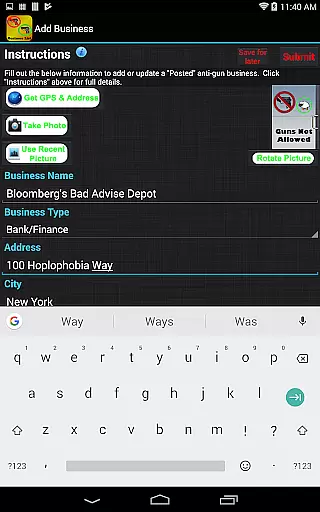
Beyond its directory capabilities, Posted! incorporates interactive functionalities that enhance user engagement. For instance, users can directly communicate with businesses via phone calls or emails to discuss their stance on firearm policies. Additionally, the app enables users to suggest updates to the database, including adding newly discovered anti-gun locations or removing outdated ones. This collaborative approach ensures that the app evolves alongside changing societal attitudes toward firearms.
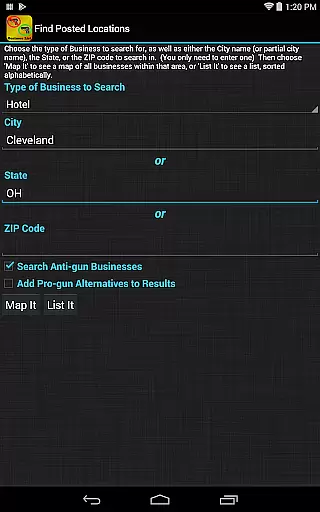
Another notable feature is the inclusion of pro-gun alternatives, which allows users to find businesses that welcome firearms. This dual-purpose functionality makes Posted! more than just a prohibitive list—it’s also a guide to supporting establishments that align with your values. Furthermore, the app integrates seamlessly with other resources, such as the CCW app, which provides detailed information on state-specific firearm laws. Together, these features create a robust ecosystem for responsible gun owners seeking both convenience and compliance.
When evaluating digital resources like Posted!, the size and authenticity of the e-book library are crucial factors. This application boasts an extensive collection of over 19,000 anti-gun locations and 15,000 pro-Second Amendment alternatives, making it a comprehensive tool for gun owners. The vast database ensures that users have access to up-to-date information on businesses and locations that prohibit or allow firearms, thus enhancing their decision-making process.
The authenticity of the content is equally important. Posted! gathers data from various reliable sources, including gun forums and websites, with proper permissions. This crowd-sourced approach guarantees that the information is not only extensive but also credible and legally sound. Users can trust the accuracy of the listings, which are regularly updated by both the developers and the user community.
Moreover, the app provides features that allow users to contribute to the library's growth. With options to add new businesses or remove outdated entries, the collective effort ensures the library remains current and relevant. This interactive element fosters a sense of community and shared responsibility among users, further enhancing the reliability of the information provided.
Ultimately, the combination of a large, authentic e-book library and active user participation makes Posted! an invaluable resource for gun owners. By ensuring that the data is both comprehensive and accurate, the app empowers users to make informed decisions about where they can legally carry their firearms, thereby promoting safety and compliance with local laws.
Format compatibility is a vital aspect of any digital reference tool, and Posted! excels in this area by offering versatile accessibility options. As a mobile application available on Google Play, it ensures that users can easily download and access its extensive database on their Android devices. This compatibility with widely-used platforms enhances the app's usability, allowing gun owners to carry essential information wherever they go.
In addition to platform compatibility, the app supports various formats for viewing and interacting with its content. Whether users prefer to browse lists, search for specific locations, or receive alerts about nearby businesses, Posted! accommodates these preferences seamlessly. The ability to call or email listed businesses directly from the app further demonstrates its commitment to user-friendly design and functionality.
Furthermore, the app's developers prioritize cross-device synchronization, enabling users to maintain consistent access to their data. This feature is particularly beneficial for individuals who rely on multiple devices for their daily activities. By ensuring that updates and changes are reflected across all platforms, Posted! provides a cohesive and reliable user experience.
Overall, the app's strong format compatibility enhances its value as a reference tool for gun owners. By supporting diverse interaction methods and maintaining seamless integration across devices, Posted! ensures that users can efficiently access critical information, thereby facilitating safer and more informed choices regarding firearm carry laws.
User-friendly interface
Comprehensive location database
Regularly updated content
Community-driven contributions
Pro-gun alternatives included
Limited international coverage
Dependent on user input
No offline mode available
State law variations complex
Premium version costs extra

Bilingual dictionary with English translations of Modern Standard Arabic words.
 4.30
4.30
Guide for dōTERRA® Products
3.60
The ultimate military vehicle identification (Equipment ID) guide.
4.40
Knots 360 Pro ( 3D ) shows you animated 192 knots in 3D perspective
4.10
Improve your vocabulary and grammar with the 15 biggest Oxford Dictionaries.
4.30
Universal Zoom, learn about sizes & distances of the universe and microcosmos
4.80
The dynamic dictionary/reference app for piano chords and scales!
4.80
F9 Cookbook Mobile App
4.60
Premium reader for ePub, PDF, and more. TTS and translation. Great on any screen
3.50
Flora of Virginia Project (www.floraofvirginia.org)
5.00
What’s that bird? Just answer 5 questions, snap a photo, or record its song!
4.90
Plan of Life that Saint Josemaría recommended
4.80
Enjoy daily devotionals, Bible verses, audio courses, and more.
4.80
World's most comprehensive dictionary app: 13 languages, all online or offline!
4.80
Read the Quran in Arabic alongside its translation, with color coded Tajweed.
4.50
Manage collectibles, survey and treasure maps in Elder Scrolls Online.
4.40
Learn Electricians' Handbook PRO complete guide beginners to advance.
4.40
A wonderful reader for good time spend.
4.20
KJV Bible works offline with Audio, Hebrew & Greek lexicon (concordance) & more!
4.20


User Reviews