
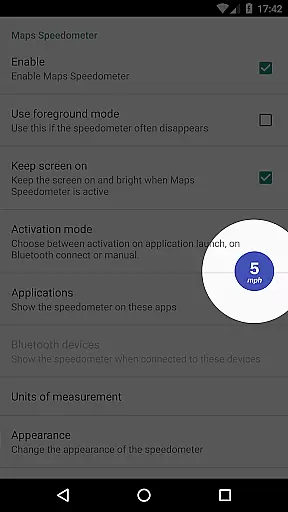
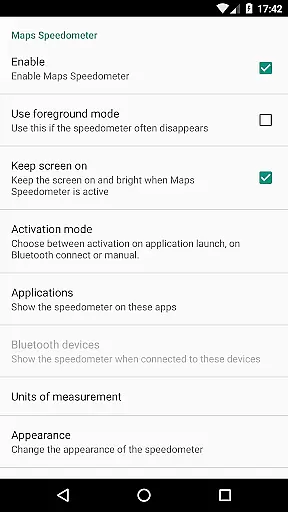
Maps Speedometer is a versatile travel companion that displays your current speed in real-time as an elegant overlay on your device. This innovative app automatically activates when your selected apps are in use or when connected to a Bluetooth device, ensuring you always have access to your speed information without disruption. Designed with customization in mind, it offers adjustable settings for transparency, size, position, and colors, allowing users to tailor the display to their preferences.
The app's intelligent detection system works seamlessly in the background, showing or hiding the speedometer based on app activity or Bluetooth connection status. Supporting measurements in miles per hour, kilometers per hour, or knots, Maps Speedometer caters to a global audience of drivers, cyclists, and marine enthusiasts alike. Its commitment to privacy ensures no internet access is required, safeguarding your data while providing essential travel information.
Maps Speedometer stands out with its rich feature set tailored for travelers and commuters. One of its key features is the automatic display functionality, which intelligently shows or hides the speedometer overlay based on the active app or Bluetooth connection status. This ensures minimal distraction while keeping you informed about your speed at all times. The app supports multiple units of measurement, including mph, km/h, and knots, making it adaptable to various modes of transportation and regional preferences.
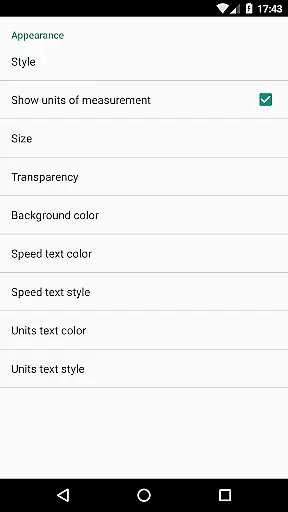
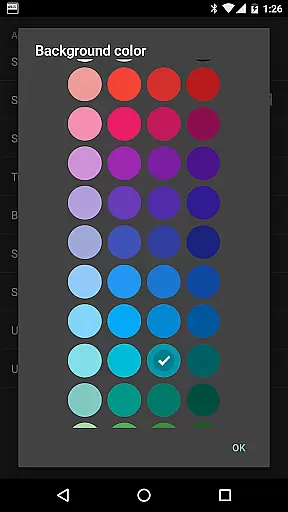
User experience is at the core of Maps Speedometer's design. It provides extensive customization options, allowing users to adjust transparency, size, position, and even color schemes of the overlay. These features ensure the speedometer integrates seamlessly into your device's interface without obstructing important information. Additionally, the overlay can be temporarily hidden with a simple touch, offering flexibility during critical moments of navigation or when using other apps.
Despite its advanced capabilities, Maps Speedometer maintains a strong focus on privacy and security. It operates entirely offline, eliminating the need for internet access and ensuring no private data is shared through backdoors. The app utilizes Accessibility services solely to detect the currently active app, enabling precise control over when the speedometer appears. This thoughtful implementation makes Maps Speedometer a reliable and trustworthy tool for enhancing your travel experience.
Booking authenticity is a crucial aspect of any travel-related application, ensuring that all reservations and bookings made through the app are legitimate and trustworthy. Maps Speedometer, while not a booking app per se, enhances your travel experience by providing accurate speed information as you navigate through different routes.
This app uses advanced detection techniques to automatically display a speedometer overlay when your chosen navigation app is active. This ensures that the speed data you see is authentic and in real-time, giving you peace of mind as you travel. The use of Accessibility services allows the app to detect the current active app, ensuring that the overlay only appears when needed.
Users can benefit from this feature by having a reliable tool that works seamlessly with their preferred navigation apps. Whether you're on a road trip or commuting daily, the assurance that the speed information is both accurate and timely can significantly enhance your travel safety and efficiency.
Price transparency refers to the clarity and openness in displaying costs associated with services or products within an app. Although Maps Speedometer does not involve direct monetary transactions, it offers unparalleled value by being a free app with no advertisements or hidden costs.
The app provides complete transparency regarding its features and functionality. Users can enjoy an ad-free experience without the need for internet access, ensuring privacy and eliminating concerns about hidden fees or data sharing. All features, including adjustable speedometer settings and Bluetooth connectivity options, are clearly outlined in the app description.
This level of transparency benefits users by allowing them to make informed decisions about using the app. Knowing exactly what the app offers, without worrying about unexpected charges or privacy breaches, enhances user trust and satisfaction. Additionally, the ability to customize the speedometer's appearance and behavior adds to the overall value proposition of Maps Speedometer.
Real-time speed tracking
Customizable display options
No internet access required
Automatic activation feature
Supports multiple units
Limited Android Auto support
Requires Accessibility permission
Overlay may obstruct some apps
No built-in speed limit alerts
Bluetooth dependency for some features

The travel app that makes booking cheap flights, hotels, and car rentals easy.
 4.80
4.80
Save on gas and convenience with the earnify™ App
4.70
Meet Allyz®, your ultimate travel companion
4.70
Stay at Motel 6 for less - book fast, save more with MY6 app!
4.70
Rent the perfect car for wherever you’re going
4.90
Flight booking, hotel booking & more - all in one place with the Southwest App!
4.50
The United app puts valuable travel information in the palm of your hand.
4.70
Now you can book homes, experiences, and services—all in our redesigned app.
4.40
Stack Upside with your current credit & debit rewards for even more cash back!
4.50
Frontier’s Android app makes travelling easier than ever before!
4.70
Booking your bus tickets has never been easier
4.70
Get all MTA services, Subway, Bus, LIRR, Metro-North and More all in one place.
4.60
Get the app that knows where you’re going - view your flight, check in & more
4.50
Travel light with our easy-to-use mobile app, the perfect flying companion.
4.40
Link & locate for real-time child & family safety: GPS tracker for families
4.40
MyTSA gives you 24/7 access to info that passengers frequently request from TSA.
4.10
Real-time flight tracking with live maps and flight status updates.
3.70
Find the best prices, pay for the cheapest gas, and save on every fill up
3.30
OFFLINE detailed information about the Florida National and State Parks
4.0


User Reviews