
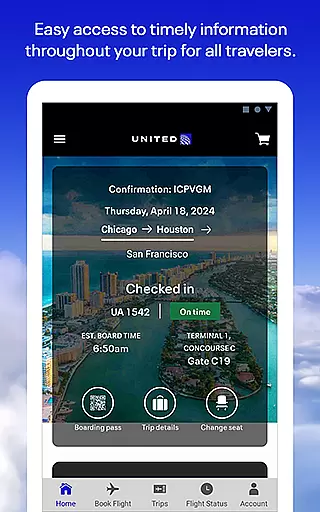
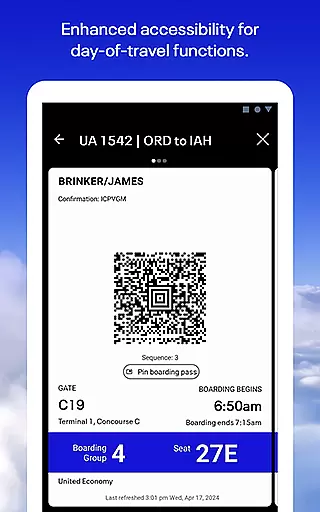
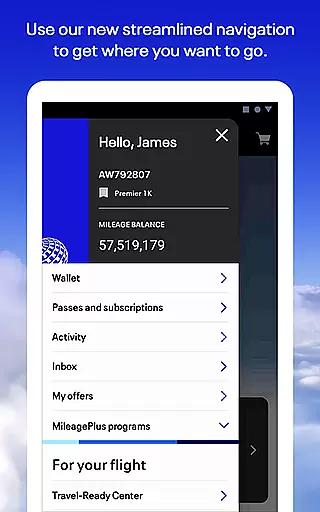
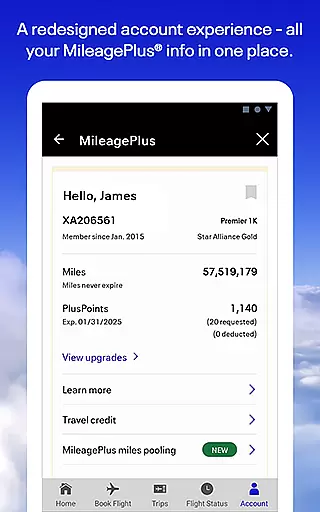
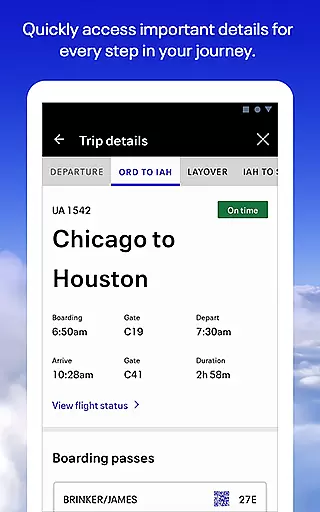
United Airlines app is a comprehensive travel companion that simplifies every aspect of your journey. With its user-friendly interface, the app allows you to search and book flights across United's vast global network. Whether you're planning your next vacation or managing an upcoming business trip, this app provides essential tools for organizing your travel needs.
Beyond booking, the app offers features such as mobile check-in, seat selection, and real-time flight status updates. The Travel-Ready Center ensures you have all necessary documentation before departure, while the bag tracking service keeps you informed about your luggage's whereabouts. Additionally, enjoy in-flight entertainment options and manage your MileagePlus account directly from the app, making it an indispensable tool for modern travelers.
The United Airlines app stands out with its array of robust features designed to enhance the travel experience. One key feature is the ability to seamlessly book and manage flights, including changing seats or even flights when better options arise. This flexibility empowers users to tailor their travel plans according to their preferences.
Another notable feature is the Travel-Ready Center, which helps passengers ensure they have all required documents and vaccinations before traveling. Furthermore, the app's built-in terminal guide aids in navigating airports efficiently, providing gate information and airport maps. Lastly, the integration of MileagePlus services allows members to earn and redeem miles effortlessly, adding significant value for frequent flyers.
When it comes to booking travel, ensuring the authenticity of your reservations is paramount. The United Airlines app provides a secure and reliable booking experience across its global network.
Users can search for flights and make bookings not only for themselves but also for friends and family directly through the app. Each reservation is verified and confirmed in real-time, providing peace of mind that your travel plans are set.
The app's Travel-Ready Center further enhances this assurance by helping travelers ensure they have all necessary documentation and meet travel requirements before departure. This comprehensive approach to booking ensures that every detail is accounted for, making the process as seamless as possible.
Price transparency is crucial when planning travel, and the United Airlines app excels in this area by offering clear and competitive pricing. Users can easily compare flight options and view all associated costs upfront, including any additional fees for baggage or seat selection.
In addition to displaying current prices, the app allows users to take advantage of any available discounts or promotions, ensuring they get the best possible deal. This openness about pricing helps build trust with users, knowing exactly what they are paying for without hidden surprises.
Furthermore, customers enrolled in MileagePlus can use their miles to book award travel directly within the app, adding another layer of financial flexibility and transparency to their travel planning experience.
User-friendly interface
Comprehensive booking options
Real-time flight updates
Travel-Ready Center
MileagePlus integration
Limited offline functionality
Occasional bugs reported
Ads within the app
Some features require login
In-flight purchases only

The Official Freedom Trail Foundation app.
 4.30
4.30
Every Diners, Drive-in & Dives location in one place! Your guide to Flavortown!
3.00
CLEAR provides a safer, easier way through airports, stadiums, and beyond.
4.20
GPS Live Satellite Earth to find route navigation and current location map
4.00
Get faster fuel rewards, exclusive offers, and helpful tools!
4.70
One app, 300,000+ travel experiences, tours, and tickets you’ll remember.
4.90
Guest how you guest when you book one of our 6,800+ hotels and earn rewards.
4.90
Booking your bus tickets has never been easier
4.70
Flight booking, hotel booking & more - all in one place with the Southwest App!
4.50
Manage your travel on Delta with access to boarding passes, flight info & more.
4.80
Take JetBlue everywhere you go! Book, manage and check in for your trips & more.
4.60
Get exclusive travel deals and enjoy the award-winning customer service!
4.60
Walt Disney World Resort maps, wait times, tickets, dining & more.
4.50
Earn hotel and travel rewards, find hotel offers, and access your Digital Key.
4.50
Maps, Wait Times, Park Hours
4.40
Now you can book homes, experiences, and services—all in our redesigned app.
4.40
Amplify Your Experience
3.00
OFFLINE detailed information about the Florida National and State Parks
4.1
Locate and navigate to local holiday displays
4.4


User Reviews