
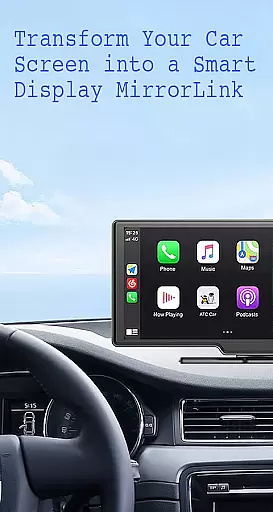
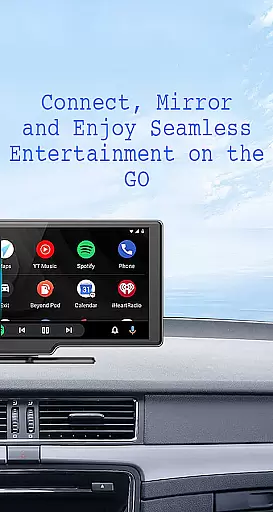
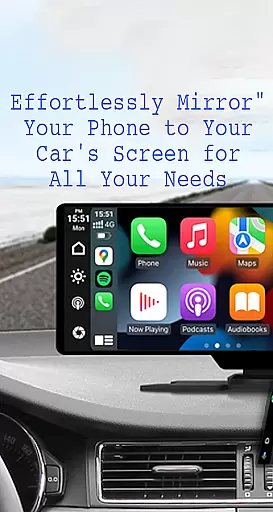
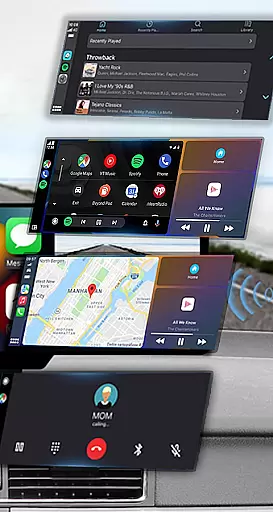
Mirror Link is a powerful application that allows users to seamlessly connect their smartphones to their car's display system. The app supports both wireless and USB connections, providing flexibility in how you choose to link your devices. With this app, you can mirror your phone's screen directly onto your car's larger display, making it easier to access navigation, media, and communication apps while driving.
One of the standout features of Mirror Link is its ability to enhance driving safety by minimizing distractions. By displaying your phone's interface on the car screen, you can keep your focus on the road while still being able to control essential phone functions such as music playback, maps, and hands-free calling. Whether you're commuting to work or embarking on a long road trip, Mirror Link ensures that your smartphone becomes a valuable co-pilot.
Mirror Link offers an impressive array of features designed to make your driving experience safer and more enjoyable. First and foremost, the app provides static screen sharing, allowing you to project your smartphone's display onto your car's screen with remarkable stability. This feature is particularly useful for accessing navigation apps, viewing multimedia content, and managing communications without needing to handle your phone.
In addition to screen sharing, Mirror Link supports both wireless and USB connectivity options. This versatility ensures that you can establish a connection that best suits your needs, whether you prefer the convenience of wireless pairing or the reliability of a physical connection. The app also includes automation capabilities, such as automatically playing and pausing music when your device connects to the car display. Furthermore, Mirror Link is compatible with all car brands and devices equipped with built-in web browsers, making it a universally accessible solution for enhancing your in-car technology experience.
Functionality completeness in a car screen mirroring app like Mirror Link ensures that users can seamlessly connect their smartphones to their vehicle's display. This includes essential features such as static screen sharing, multimedia access, and automation capabilities.
Mirror Link delivers comprehensive functionality by supporting both wireless and USB connections. It allows drivers to mirror their phone's screen on the car display, granting easy access to music, videos, maps, and communication apps. The app also integrates with systems like Apple CarPlay and Android Auto, enhancing its utility.
For users, this level of coverage means they can enjoy a wide range of applications directly from their car's touchscreen. Whether it's navigating with maps, making hands-free calls, or streaming music, Mirror Link provides a complete solution for accessing smartphone features safely while driving.
Usability in a car screen mirroring application is crucial for ensuring that drivers can operate their devices with minimal distraction. An intuitive interface and smooth operation are key components that contribute to an enhanced driving experience.
Mirror Link excels in usability by offering one-click screen sharing and communication. Its straightforward setup process requires only a few steps: enabling Miracast, selecting 'Connect Car', and waiting for the device search to complete. Once connected, users benefit from automatic playback controls when connecting or disconnecting from the car display.
The operational smoothness provided by Mirror Link translates into practical advantages for drivers. With universal compatibility across all car brands and devices with web browsers, users enjoy uninterrupted access to their phoneu2019s features. This seamless integration promotes safer driving habits by reducing the need to handle phones manually while on the road.
User-friendly interface
Wireless and USB connectivity
Enhances driving safety
Universal compatibility
Automation features
Limited to compatible devices
Occasional connectivity issues
Requires Miracast support
Interface may vary by car model
Premium features may require payment

View your cameras anywhere and anytime
 4.20
4.20
Record with Double Camera Video Recording using Dual Camera Front and Back Video
3.00
Connect your phone to any endoscope camera, USB camera, or borescope with ease.
3.70
TV USB connector app provides you a seamless cast option from your phone to tv.
4.70
Enjoy hours of entertainment with our Roblox mobile games app
4.1
Mobs maker Minecraft help MCPE creators make their own mob by using Blockbench
3.50
Manage apps & elevate your gaming experience with Game Launcher: Gaming Hub app.
4.30
Mobile Connect To TV - HDMI USB & WiFi Screen Mirroring
3.70
Now Available on Android ™
3.40
Explore The Holy Quran Majeed for Muslim. Listen to MP3 Quran & Al Quran Kareem.
4.80
Tune your game graphics with our GFX optimizer for optimal gaming experience
4.50
Game booster GFX may reduce interruptions and improve gaming experience.
4.50
Wireless reverse charging using phone now is possible
4.30
An impressive collection of tools, characters, weapons, skins and more!
4.30
Android secret code for smart phone, mobile codes, with secret codes app
4.20
Sad ringtones full of feeling, sad music ringtones
3.90
a wireless controller that provides a seamless and gaming experience for players
3.80
Use your Phone as Drone Controller.
3.70
CloudEye 365 is a easy-handling APP
3.60


User Reviews