
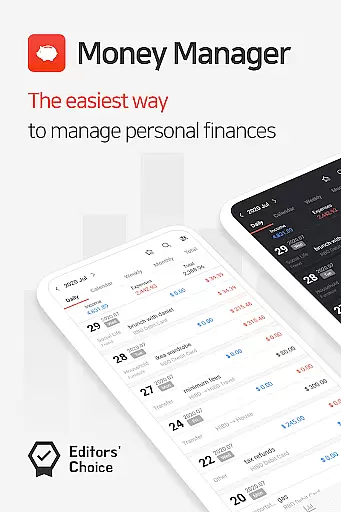
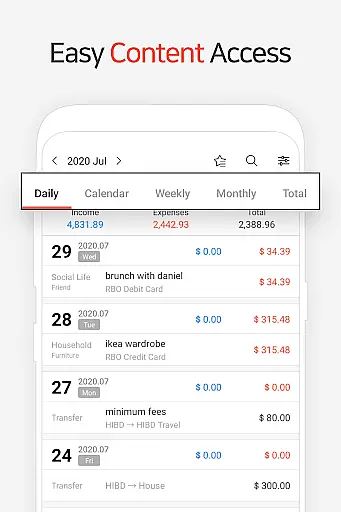
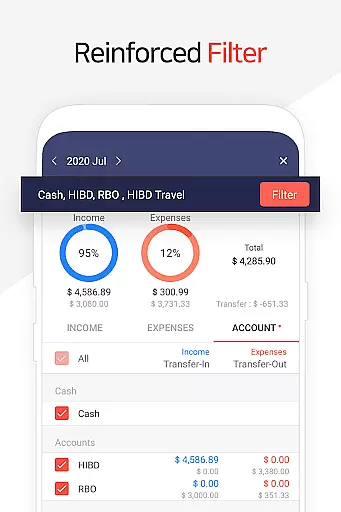
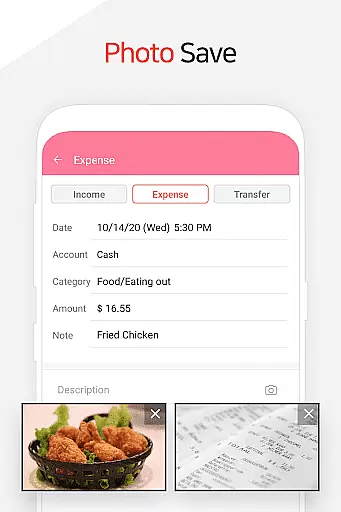
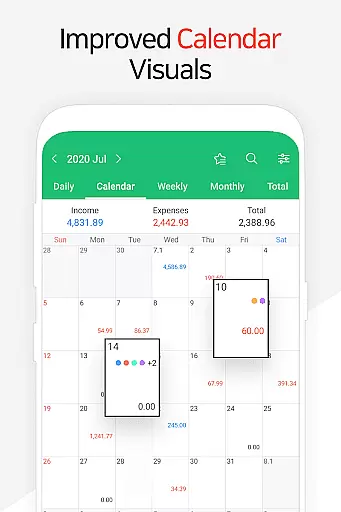
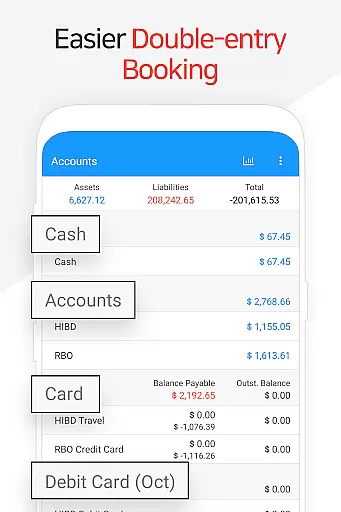
Money Manager is a comprehensive personal finance application designed to help users efficiently manage their assets and track financial activities. The app employs double-entry bookkeeping, ensuring accurate recording of both incoming and outgoing transactions while automatically updating account balances. This feature provides users with a clear understanding of their financial standing at all times.
In addition to transaction tracking, Money Manager offers robust budget management tools that display expenses against budgets through intuitive graphs. Users can also oversee credit and debit card payments, schedule automatic transfers, and set recurring transactions for salaries, loans, or savings. With instant statistics and visual reports, the app enables users to monitor spending patterns by category and month, empowering them to make informed financial decisions.
The app's secure passcode feature ensures privacy, while its PC synchronization allows for advanced data management via Wi-Fi. Whether it’s for personal or professional use, Money Manager equips users with the tools needed to maintain organized and optimized financial records.
Money Manager stands out with its diverse range of features tailored for effective financial management. One key highlight is its double-entry bookkeeping system, which not only tracks income and expenses but also updates linked accounts in real time. This functionality simplifies asset tracking and reduces manual entry errors, making it ideal for individuals seeking precision in their finances.
Another notable feature is the budget management tool, which uses graphical representations to compare actual spending against planned budgets. Additionally, the app supports detailed card management, allowing users to input billing cycles and view outstanding balances directly within the interface. For convenience, Money Manager includes bookmarking for frequent expenses, automated transfers between accounts, and customizable recurrence settings for regular payments like insurance or subscriptions.
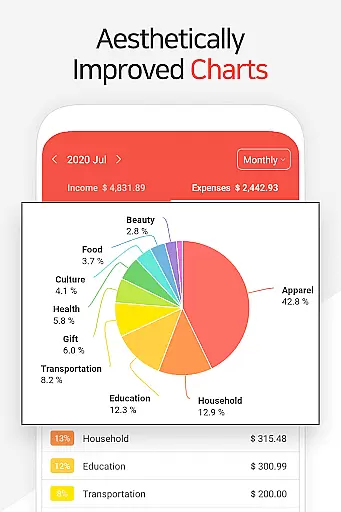
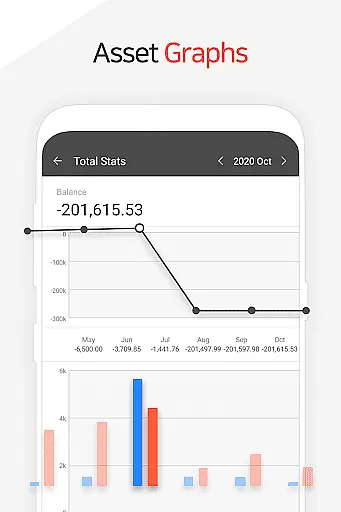
Users benefit from instant statistical insights generated from entered data, presented through dynamic charts showing monthly trends and asset changes. Furthermore, the app integrates backup and restore capabilities, including Google Drive support, ensuring data safety and accessibility across devices.
Account and fund security is a critical aspect of any financial management application. Money Manager ensures this through multiple layers of protection.
The app provides a passcode feature, allowing users to set up an additional layer of authentication. This ensures that only authorized individuals can access sensitive financial data.
Furthermore, the application supports secure backup and restore functionalities. Users can create backups in Excel format and even utilize Google Drive for cloud storage, ensuring their data is protected against device loss or damage.
These security measures give users peace of mind, knowing their financial information is safeguarded while using Money Manager's comprehensive asset management features.
A seamless transaction experience is essential for effective personal finance management. Money Manager excels in this area by offering intuitive features for managing various financial activities.
The app supports double-entry bookkeeping, which streamlines the process of recording income and expenses. As soon as users input financial transactions, the app automatically updates corresponding accounts, maintaining real-time accuracy.
Additionally, Money Manager includes functions for transfers, direct debits, and recurring payments. These features enable users to efficiently manage salary deposits, insurance payments, and loan repayments through automated processes.
The instant statistics feature provides immediate feedback on financial activities, displaying expense patterns and monthly changes through clear visualizations. This real-time transaction tracking enhances the overall user experience.
User-friendly interface
Real-time balance updates
Comprehensive budget tracking
Secure passcode protection
Multi-platform sync
Limited free version
Occasional syncing issues
No investment tracking
Premium subscription cost
Complex for beginners

Retirement plan, IRA, retail and HSA customers serviced by Empower.
 3.10
3.10
Save, spend & get paid faster²
4.50
Get up to 500, get paid early, earn interest and find work with no hidden fees.
4.40
Manage your credit card account with the Credit One Bank mobile app.
4.70
Check EBT, SNAP, WIC balances, manage food stamps, and save money with benefits
4.80
Mine Bitcoin in the cloud! Earn BTC daily with high-speed mining power.
4.30
NFC mobile payment app Use your phone as a contactless bank card
4.00
Keep track of your subscriptions with no limitations
4.80
Real-time tracking: Stocks, Indices, Futures, Commodities, ETF, & Funds prices.
4.60
Join 12M+ users. Instant cash advances, personal loans, build credit, save money
4.80
Early payday cash advance up to $150 a day with a max of $1,000 per pay period
4.70
Get 250$ Cash Advance to solve emergencies instantly in loan app called LendMe
4.70
Your Big Financial Friend
4.70
Currency Converter (200+ currencies) with live exchange rates and offline mode.
4.70
Over 180 currencies conversion rates with live exchange rates and offline mode.
4.60
Read and extract public data on NFC Contactless banking card (VISA, MasterCard
4.30
The PayPal app is the secure way to send and receive money, shop and pay in 4.
4.20
Invest, bank & save in one app. Trade stocks, earn high APY & budget smarter.
4.00
SuperQi, Your all-in-one Super App.
1.30


User Reviews