






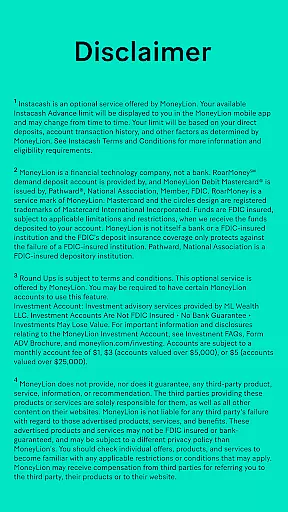
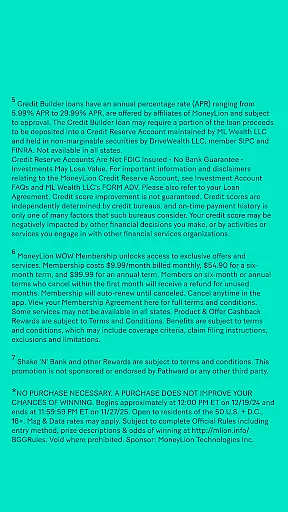





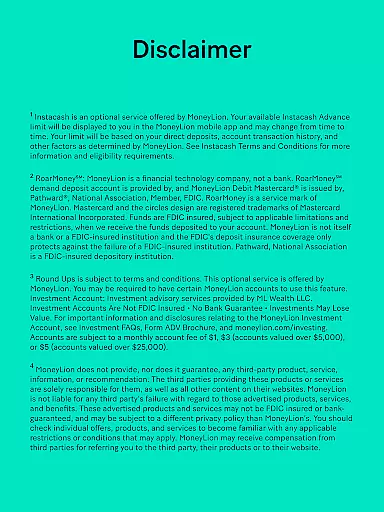





MoneyLion is a comprehensive financial management app that empowers users to make smarter financial choices. The app offers mobile banking solutions through RoarMoney℠, allowing direct deposits and early access to paychecks up to two days in advance. With features like Round Ups³, users can invest spare change from everyday purchases, while Instacash® provides cash advances of up to $500 with no interest or credit checks.
Beyond basic banking services, MoneyLion extends personal loan options and credit-building opportunities. Users can explore loan offers tailored to their needs and improve credit health with Credit Builder Loans. Additionally, the app's rewards program, MoneyLion WOW⁷, grants cashback on spending alongside perks such as cell phone insurance and travel protection. These tools collectively help users manage finances effectively while earning valuable benefits.
Designed for individuals seeking flexible financial support, MoneyLion is ideal for those who want integrated banking, borrowing, and investing capabilities within one platform. Whether accessing quick funds during emergencies or planning long-term financial growth, this app delivers practical solutions that adapt to various monetary needs.
One of MoneyLion's standout features is its RoarMoney℠ banking service, which supports early paycheck deposits and automated savings through Round Ups³. This functionality enables users to effortlessly grow their savings by rounding up transactions to the nearest dollar and investing the difference. Furthermore, the app’s Instacash® service allows users to access up to $500 of their paycheck ahead of schedule without incurring interest or mandatory fees, making it a reliable option for short-term liquidity needs.
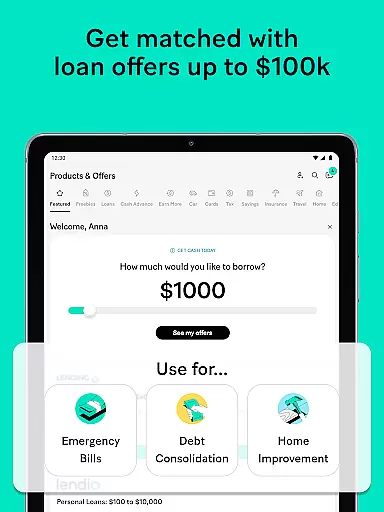
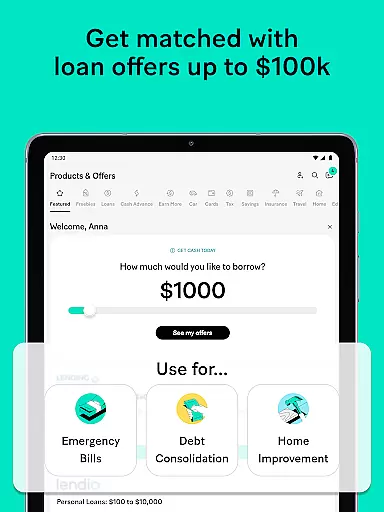
Another key aspect is the app's marketplace for personalized loan offers. Users can compare loans ranging from small amounts to larger sums, each accompanied by transparent terms regarding repayment schedules and APRs. Additionally, MoneyLion includes a Credit Builder Loan feature designed to enhance credit scores over time. By reporting payments to all three major credit bureaus—Equifax, Experian, and TransUnion—the app ensures consistent tracking of credit improvements.
The inclusion of rewards via MoneyLion WOW⁷ further enhances user engagement. Subscribers earn cashback on everyday purchases and gain access to exclusive benefits like insurance coverage and travel protections. Such incentives not only encourage responsible spending but also provide tangible value beyond traditional banking services.
Account and fund security is a critical feature for any financial application, ensuring that users' personal and financial information remains protected. MoneyLion employs advanced encryption protocols and multi-factor authentication to safeguard user data against unauthorized access. These security measures are designed to provide peace of mind, allowing users to manage their finances without concern for potential breaches.
In addition to encryption, MoneyLion offers real-time fraud monitoring and alerts. This proactive approach detects unusual activity and immediately notifies users, enabling them to take swift action if any suspicious transactions occur. By prioritizing transparency and control, MoneyLion empowers its users with the tools necessary to maintain the integrity of their accounts.
Furthermore, the app includes features such as biometric login options and secure account recovery processes. These functionalities not only enhance security but also streamline the user experience by reducing the complexity of accessing one's financial information. With these comprehensive security measures in place, MoneyLion ensures that users can confidently utilize its banking, loan, and cash advance services.
A seamless transaction experience is essential for maintaining user satisfaction in financial applications. MoneyLion excels in this area by offering intuitive interfaces and real-time transaction notifications. Users can easily track their spending, deposits, and withdrawals, ensuring they have an up-to-date understanding of their financial status at all times.
The app supports various transaction types, including mobile banking, personal loans, and cash advances. Each transaction is processed efficiently, with clear instructions and support available throughout the process. This versatility allows users to manage different aspects of their finances within a single platform, enhancing convenience and saving time.
Moreover, MoneyLion provides detailed transaction histories and personalized insights. These features help users make informed financial decisions by highlighting spending patterns and suggesting areas for improvement. By focusing on a smooth and informative transaction experience, MoneyLion ensures that users can effectively manage their money with confidence and ease.
User-friendly interface
No hidden fees
Early paycheck access
Cashback rewards
Integrated financial tools
Limited loan eligibility
Optional tips required
Regional restrictions
Feature availability varies
Requires direct deposit

Over 180 currencies conversion rates with live exchange rates and offline mode.
 4.60
4.60
BA Financial Calculator PRO – Perfect for CFA/FRM/CPA and finance professionals
4.90
Get, Earn, and Save Money
4.30
Manage and cancel subscriptions, lower bills, track expenses, create budgets.
4.60
No credit check, no interest, no worries.
4.70
Save, spend & get paid faster²
4.50
Banking, Budgeting & Investing
4.60
Wells Fargo Mobile allows you to access your investment and bank accounts.
4.80
The PayPal app is the secure way to send and receive money, shop and pay in 4.
4.20
Send money and bitcoin easily. Invest, bank and do more with your money
4.70
Download the MySynchrony App to manage your accounts securely and conveniently!
4.60
Get a cash advance instantly. File taxes & cover unexpected bills in minutes.
4.60
The all-in-one app to save, earn, travel, and put more money in your pocket
4.50
The simplest way to budget, bank, save and invest.
4.50
Mine Bitcoin in the cloud! Earn BTC daily with high-speed mining power.
4.30
Make your paycheck work harder for you with Perpay.
4.10
Venmo is the fun and easy way to pay and get paid.
4.10
View BSC Transactions for multiple accounts
3.90
Secure Amex Account Access: View Balance, Make Payments, Redeem Rewards & more
3.60


User Reviews