
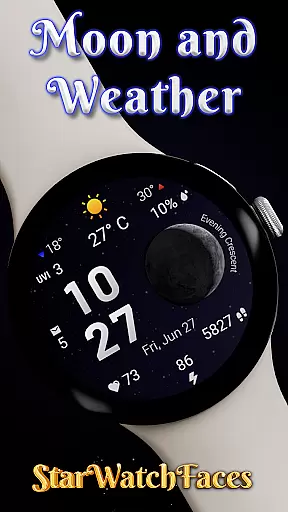
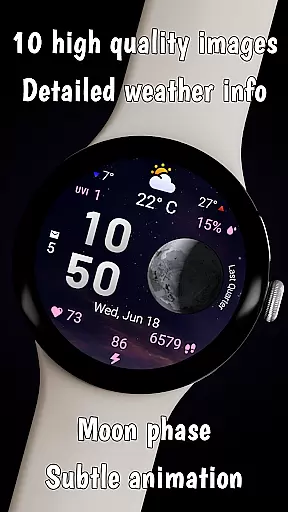
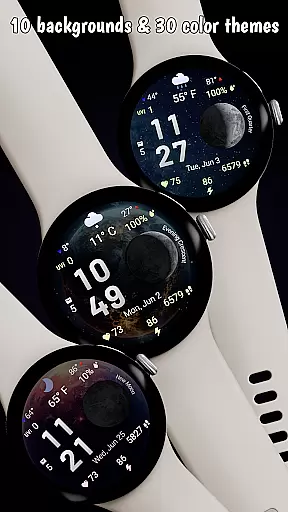
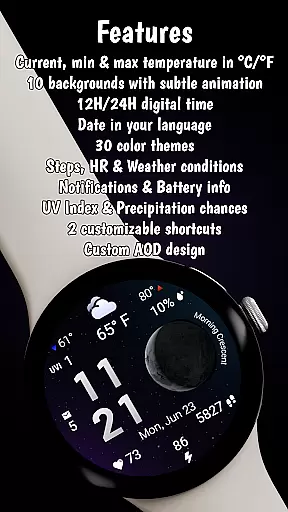

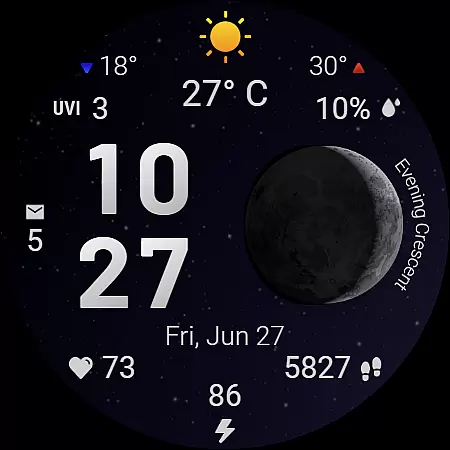
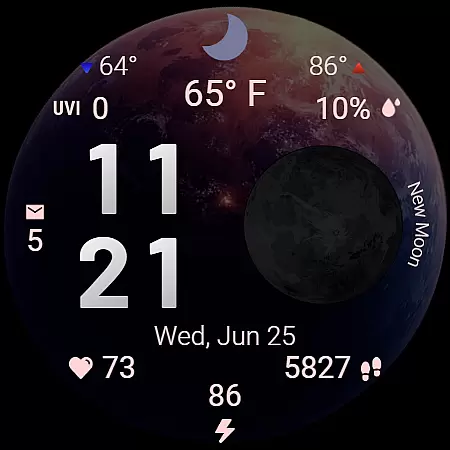
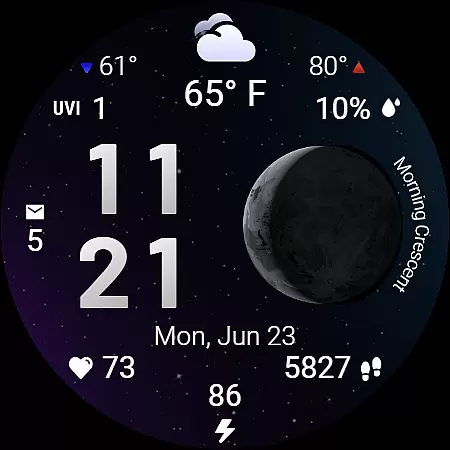
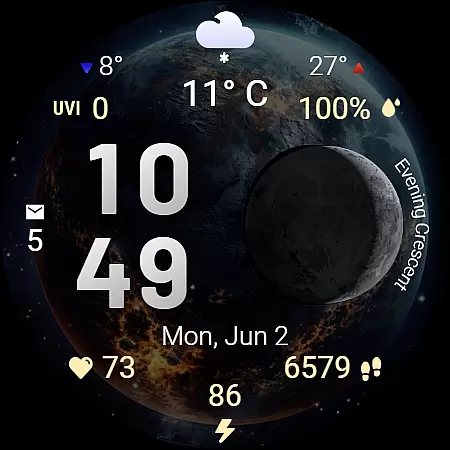
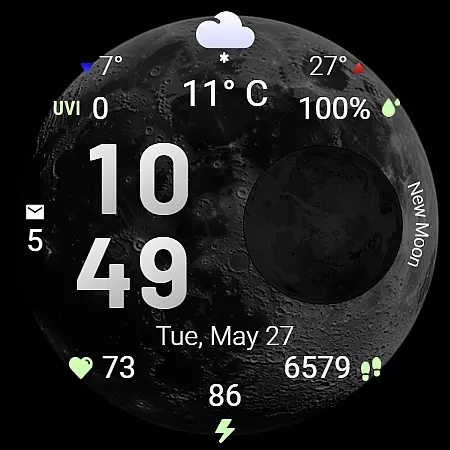
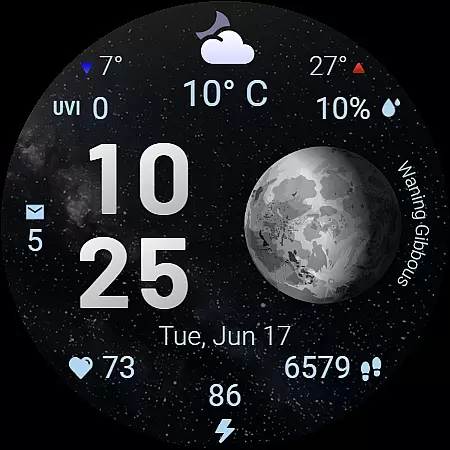
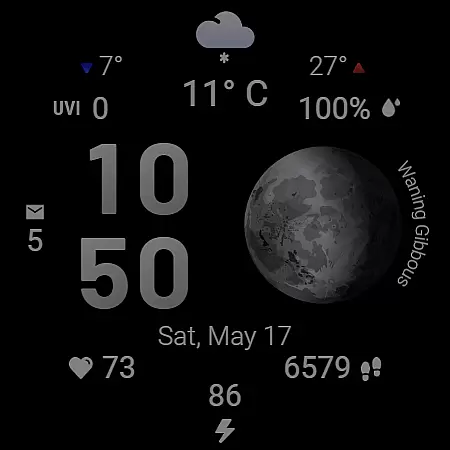
Moon & Weather is a sophisticated Wear OS watch face designed for users who appreciate both aesthetics and functionality. This application uniquely blends astronomy, weather insights, and health monitoring into one visually captivating interface. Featuring 10 beautifully animated space-themed backgrounds, live moon phase visualization, and 30 customizable color themes, it offers users a personalized yet informative experience.
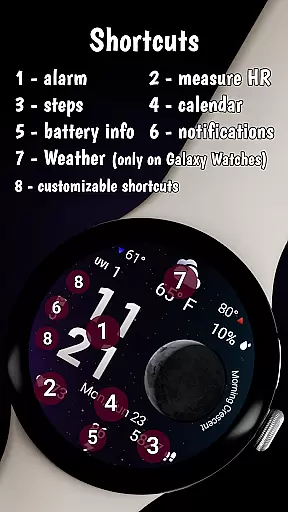
Beyond its stunning visuals, Moon & Weather provides essential data at a glance. Users can view current weather conditions including temperature, UV index, and precipitation chances alongside health metrics such as heart rate and step count. The inclusion of customizable shortcuts and always-on display mode ensures maximum productivity and convenience.
This watch face is particularly suited for Galaxy Watches running Wear OS 5 or newer. While certain advanced features may be limited on other devices due to manufacturer restrictions, its core functionalities remain robust across platforms. Whether you're an astronomy enthusiast or someone looking for a stylish way to stay informed, Moon & Weather delivers an unparalleled smartwatch experience.
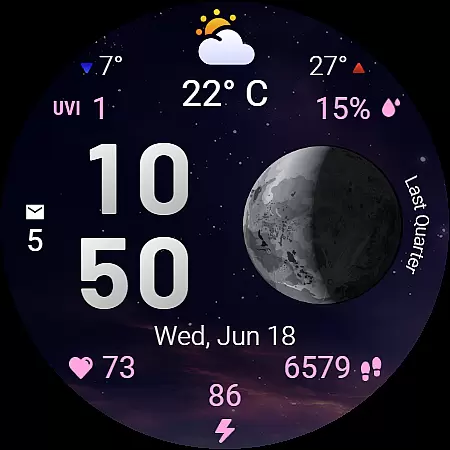
Moon & Weather watch face stands out with its stunning visual design and comprehensive feature set tailored for both aesthetics and functionality. The 10 space-themed animated backgrounds create an immersive cosmic experience while offering unique customization options. Each background works seamlessly with the live moon phase visualization, which accurately labels each phase, adding both beauty and educational value.
The watch face also excels in delivering practical information. Its weather dashboard provides real-time updates including current temperature, daily min-max temperatures, UV index, and precipitation chances, ensuring users are well-prepared throughout the day. Health monitoring features like heart rate tracking, step counting, and battery status make this more than just a timepiece but a complete personal assistant on your wrist.
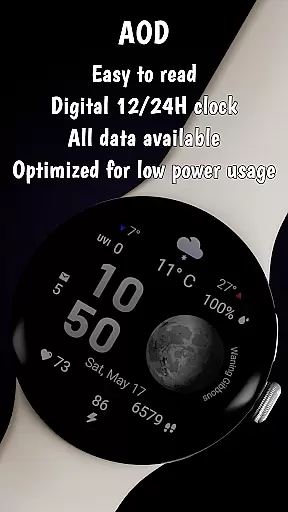
Productivity is further enhanced by customizable shortcut areas that allow quick access to frequently used apps. Optimized for low battery consumption, Moon & Weather ensures extended usability without compromising performance. This makes it ideal for users seeking both style and substance in their smartwatch experience.
Forecast Accuracy & Data Credibility are crucial features of the Moon & Weather watch face. This application provides real-time weather updates, ensuring users have access to the most accurate and reliable information on their Wear OS devices.
The watch face displays current temperature, daily minimum and maximum temperatures, UV index, and precipitation chances with clear numerical values and icons. These details are updated regularly to reflect the latest meteorological data, offering users a dependable source for planning their day or outdoor activities.
For users who rely on precise weather forecasts, this watch face ensures that all displayed information is not only visually appealing but also trustworthy. The integration of live weather conditions enhances the overall utility of the device, making it an indispensable tool for those who need to stay informed about environmental changes.
By prioritizing forecast accuracy and data credibility, Moon & Weather watch face sets itself apart as a reliable companion for both casual users and serious weather enthusiasts. Its commitment to delivering precise and timely updates makes it an essential addition to any smartwatch user's collection.
Temporal & Spatial Forecast Range is another standout feature of the Moon & Weather watch face. This functionality allows users to view weather predictions across different times of the day and geographical locations, providing comprehensive insights into upcoming weather patterns.
With the ability to display min and max temperatures alongside clear directional arrows, users can easily understand how the weather will change throughout the day. Additionally, the inclusion of a UV index and precipitation chance percentage offers further context for planning activities or preparing for potential weather shifts.
This watch face supports both 12-hour and 24-hour digital time formats, adapting seamlessly to various user preferences and regional standards. By presenting detailed weather information in an intuitive layout, it catifies the needs of individuals who require temporal and spatial data at a glance.
Whether you're monitoring local weather or tracking conditions in another location, the Temporal & Spatial Forecast Range feature ensures that you have all necessary information readily available. This capability enhances the practicality of the Moon & Weather watch face, making it a versatile choice for anyone seeking advanced weather insights on their wearable device.
Stunning animations
Live moon phases
Customizable themes
Health integration
Optimized battery
Weather features limited
Not all Wear OS
Some features require
Companion app needed
Free version restricted

Moon phase calendar with live wallpaper, lunar widget, & 3D simulation.
 3.60
3.60
Thermometer shows indoor and outdoor temperature
4.70
Local weather forecast, reliable daily weather report
4.30
Arrive safely! Travel weather forecasts for your entire trip at time of arrival.
3.60
Live weather radar, widgets & forecasts. Track rain, storms & temperature.
4.20
Get accurate rainfall and snowfall totals for pinpoint locations on a map.
4.60
Super-res, real-time weather radar. Be prepared for extreme weather.
4.50
Determine Best Hunting Times for any date, any location.
2.50
Track lightning strikes with our thunderstorms map, radar and lightning alarm.
4.70
Your ultimate app for real-time weather information!
4.70
Road weather, live radar, wind, snow, and conditions along your driving route.
4.70
72-hour weather & daily forecasts with extreme weather alerts
4.60
Prepare for severe weather with notifications, future radar, and live alerts.
4.60
The most accurate weather app, hourly and daily weather, severe weather alerts
4.50
Accurate Thermometer: indoor & outdoor temperature, humidity, pressure, and wind
4.50
Weather related custom complications for Wear OS. UV, Hi-Lo, AQI and more!
4.40
All-in-one weather radar launcher with rain, temperature maps & local forecast.
4.30
Weather watch face for Wear OS 5+
4.10
Check forecasts, watch live news & track storms with FOX Weather.
3.80


User Reviews