
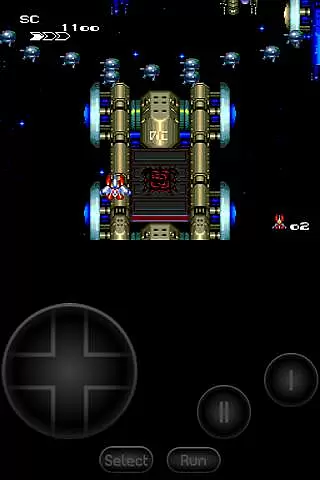
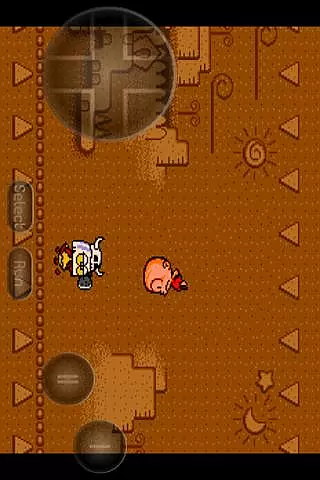
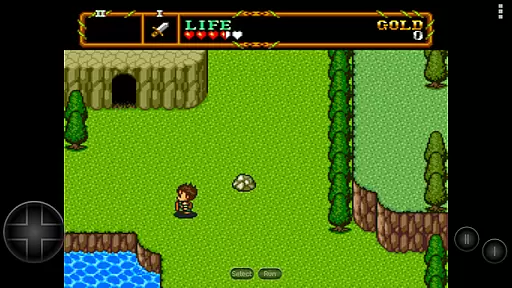
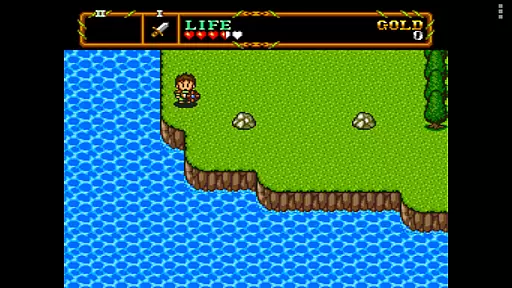
PCE.emu is an advanced open-source emulator for PC Engine and TurboGrafx-16 systems, designed with a minimalist UI and optimized for low audio/video latency. It supports a wide range of devices from Xperia Play to modern models like Nvidia Shield and Pixel phones.
The app excels in compatibility, supporting .pce, .sgx, and .cue file formats, along with various compression types. With features like configurable on-screen controls and support for Bluetooth/USB gamepads, it offers a versatile gaming experience. Ideal for retro gaming enthusiasts looking to relive classic titles on their Android devices.
PCE.emu stands out with its robust feature set tailored for retro gaming aficionados. The app supports multiple file formats including .pce, .sgx, and .cue, with optional ZIP, RAR, or 7Z compression, catering to diverse user needs.
One of the key highlights is its extensive controller support. Users can configure on-screen controls or connect Bluetooth/USB gamepads, including popular models like Xbox and PS4 controllers. The emulator also emphasizes audio quality, supporting FLAC, Ogg Vorbis, and Wav formats for an authentic retro experience.
While no ROMs are included, the app integrates seamlessly with Android's storage access framework, allowing users to access files from both internal and external storage options such as SD cards and USB drives.
Arcade authenticity and nostalgia are crucial elements for any emulator aiming to recreate the classic gaming experience. PCE.emu, as an advanced PC Engine/TurboGrafx-16 emulator, excels in delivering this by supporting a wide array of original game formats such as .pce, .sgx, and CD-based games through .cue files.
The app's compatibility with various audio track formats like FLAC, Ogg Vorbis, and Wav ensures that users can enjoy high-quality soundtracks just as they were intended in the original arcade games. This attention to detail enhances the nostalgic value, making each gaming session a trip down memory lane.
Moreover, PCE.emu offers configurable on-screen controls and supports external controllers via Bluetooth or USB. This flexibility allows gamers to choose their preferred control scheme, closely mimicking the authentic arcade setup they remember fondly.
Control responsiveness is vital for an immersive and enjoyable gaming experience, especially when emulating classic arcade games. PCE.emu addresses this need by ensuring low audio/video latency, which translates into immediate feedback from user inputs.
The emulator supports a variety of HID devices recognized by the operating system, including popular gamepads like Xbox and PS4 controllers. This broad compatibility guarantees that players can use their favorite controllers without experiencing input lag or connectivity issues.
Additionally, the minimalist UI focuses on performance optimization, further enhancing control responsiveness. By prioritizing speed and efficiency, PCE.emu delivers a seamless gaming experience where every button press is registered instantly, keeping players engaged and immersed in their favorite titles.
Wide device compatibility
Low audio/video latency
Multiple file format support
Customizable controls
Active development and support
No ROMs included
Complex setup for beginners
Limited touchscreen optimization
Requires technical knowledge
Occasional device-specific issues

R-TYPE game
 4.60
4.60
Get into your tractor to cut grass and harvest the crops in our mowing simulator
4.10
Catch ghosts, shoot monsters and defeat bosses in this RPG idle shooting game.
4.70
Mine & Craft Block Mini World! Survival Crafting and Building & Creative Online.
4.30
Suck the other’s blood and be the longest surviving mosquito!
4.40
Ready… Set… DASH! Play now!
4.70
Protect the balloon! Only 1% of players can reach lvl 100 with all the balloons!
3.70
A fast, full-featured GBA emulator with link cable emulation.
3.90
Challenge your friends in this game! Two players on one device!
4.70
Bomb the communists back to 1916!
4.70
Save the Galaxy from galaxiga alien - Classic arcade shooter game
4.60
Payback 2 includes everything from tank battles to high speed helicopter races!
4.50
Use superpower in your magic hands. Defeat the enemies in a fun elemental game.
4.50
Hit as hard as you can and make the penguin learn to fly! Arcade jumping game
4.50
Motorcycle racing games! Prove your paperboy can win in the bike race 3D!
4.50
Running game: dance in a twerk battle and become the twerk hero in our fun race!
4.30
Join the art challenge: Guess the word and draw fast before the timer runs out!
4.20
Dig yourself a way to gold, diamonds and success with this addictive mining game
3.90
Spaceship racing on a rocky planet — pure action and challenge.
4.4


User Reviews