
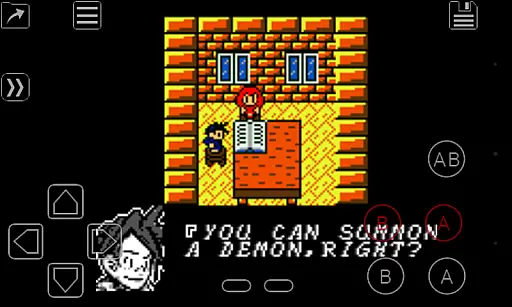
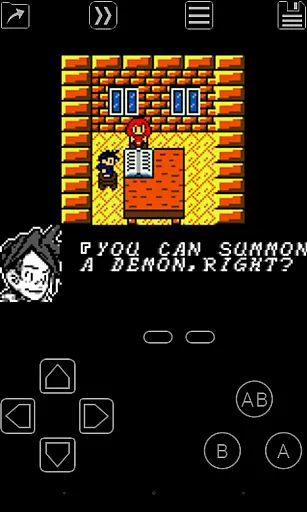
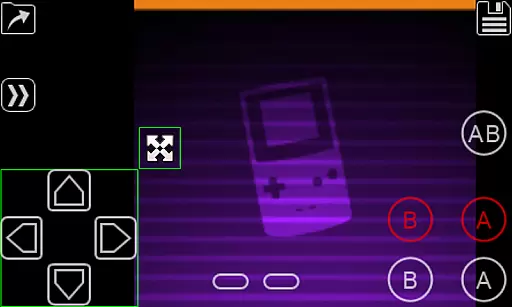
My OldBoy! is a feature-rich and high-performance emulator designed to bring authentic Game Boy and Game Boy Color gaming experiences to Android devices. The app supports an extensive range of hardware, from entry-level phones to modern tablets, ensuring broad compatibility. It accurately emulates nearly every aspect of the original console, including advanced features like link cable, rumble, and tilt sensor support.
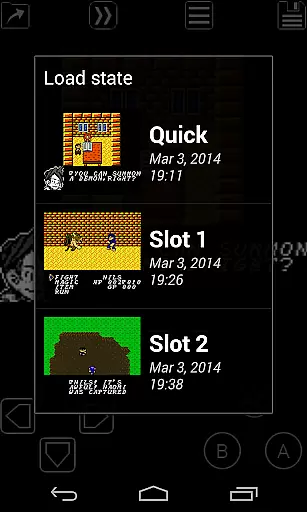
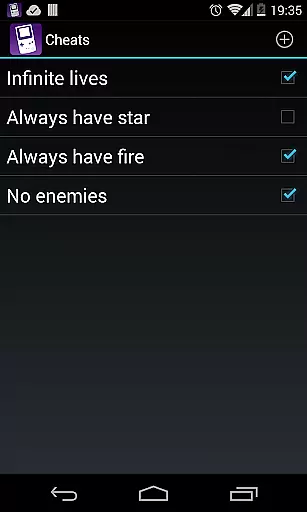
One of the standout capabilities of My OldBoy! is its ability to enhance classic GB games with custom color palettes, breathing new life into monochrome titles. With additional functionalities such as save states, fast-forward, and cheat code support, users can tailor their gaming sessions for convenience and customization. Whether you're reliving childhood memories or discovering these classics for the first time, this emulator offers a seamless blend of nostalgia and innovation.
The app also integrates modern mobile features like Google Drive sync for saved games, customizable on-screen controls, and OpenGL rendering with video filters. These enhancements ensure that My OldBoy! caters to both purists seeking accuracy and gamers looking for improved usability. Its versatility makes it ideal for retro gaming enthusiasts who want a reliable and versatile emulation solution on their Android devices.
My OldBoy! stands out in the crowded field of mobile emulators through its combination of speed, accuracy, and user-friendly features. At its core, the app utilizes ARM assembly code to deliver blazing-fast emulation performance, achieving smooth 60 FPS gameplay even on low-end devices. This ensures that players experience minimal lag or frame skips while enjoying their favorite Game Boy and Game Boy Color titles.
Beyond raw performance, the app includes several advanced features that elevate the emulation experience. For instance, it supports link cable functionality across devices via Bluetooth or Wi-Fi, enabling cooperative play. Additionally, hardware sensors and vibrators are leveraged to emulate tilt and rumble effects, adding another layer of immersion. Users can also apply custom palettes to monochrome games, experiment with cheat codes, and patch ROMs using IPS/UPS formats.
Usability is further enhanced by thoughtful design elements such as a powerful screen layout editor, external controller support, and seamless integration with Android's latest UI standards. These tools allow gamers to personalize their interface and optimize their setup for comfort and efficiency. Collectively, these features make My OldBoy! not just an emulator but a comprehensive toolkit for retro gaming aficionados.
Arcade authenticity is crucial for users seeking a genuine retro gaming experience. My OldBoy! delivers this by accurately emulating the original Game Boy and Game Boy Color hardware, ensuring that classic games run as they were intended.
The emulator supports special features like link cable, rumble, and tilt sensor, which were integral parts of the arcade experience. These authentic controls allow users to engage with their favorite retro games in a manner that closely mirrors the original gameplay.
By including options such as custom palettes, users can add a modern twist to their GB games while maintaining the nostalgic feel. This balance between authenticity and personalization enhances user satisfaction and engagement.
Ultimately, the precise emulation provided by My OldBoy! ensures that players can relive cherished memories or create new ones with the same level of enjoyment as the original devices offered.
Control responsiveness is vital for an immersive gaming experience. My OldBoy! excels in this area by utilizing ARM assembly code for fast emulation, achieving smooth 60 FPS performance even on low-end devices.
The emulator offers various control options, including an on-screen keypad and support for external controllers. This flexibility allows users to choose their preferred method of interaction, enhancing the overall responsiveness and comfort during gameplay.
Features like fast-forward and slow down provide additional control over game speed, enabling players to tailor their experience to individual skill levels or preferences. Such adaptability ensures that every gaming session feels intuitive and responsive.
With its robust screen layout editor and customizable key-mapping profiles, My OldBoy! empowers users to fine-tune their controls for optimal performance, making each interaction with the emulator seamless and enjoyable.
High emulation accuracy
Customizable controls
Save state functionality
Supports link cable emulation
Google Drive sync
No included games
Requires technical knowledge
Ads in free version
Occasional bugs
Limited touchscreen optimization

Mine planets, upgrade your space ship, battle others, and dominate the galaxy!
 3.90
3.90
Payback 2 includes everything from tank battles to high speed helicopter races!
4.50
Infinite Arcade
4.0
A fluid, action-packed arcade space shootout!
4.2
Protect the balloon! Only 1% of players can reach lvl 100 with all the balloons!
3.70
Restore peace and order in the city
3.20
Master the skies in this epic airplane shooting game! Join the air force now!
4.80
John GBA is GBA emulator. This emulator is easy to use.
3.10
Crazy games: Kick your buddies, beat the boss, and turn the office into chaos!
4.40
Full featured version of Pizza Boy A (GBA emulator)
4.80
This is an emulator for a certain 64 bit console with online cloud backup.
4.80
Jump and fly your way through danger in this rythm-based action platformer!
4.70
Gameboy Color Emulator
4.60
Play fun multiplayer games with friends on one device! Two, Three, Four players!
4.60
PC Engine/TurboGrafx-16 Emulator
4.50
Shoot the web, jump and teleport! Be a stickman hero and destroy your enemies!
4.50
Bounce through platforms. Avoid obstacles. Get the bouncing ball to the finish.
4.00
Sharpen your mind and reflexes while playing 4Way Dash
4.0
Divine powers at your fingertips! An innovative and frantic shoot-'em-up!
4.5


User Reviews