
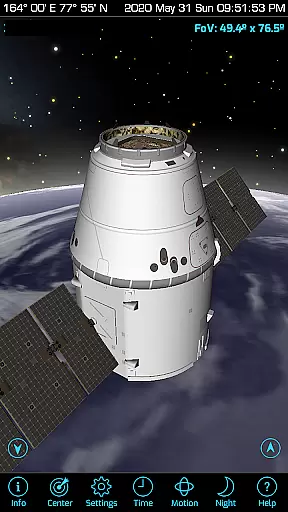
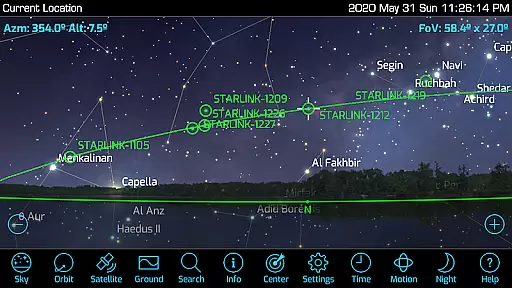
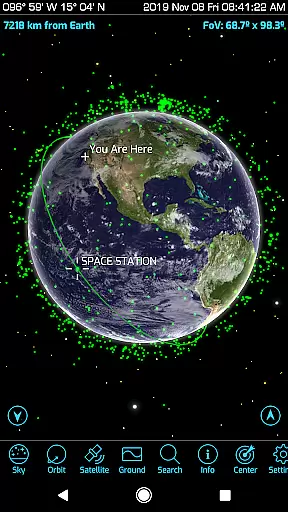
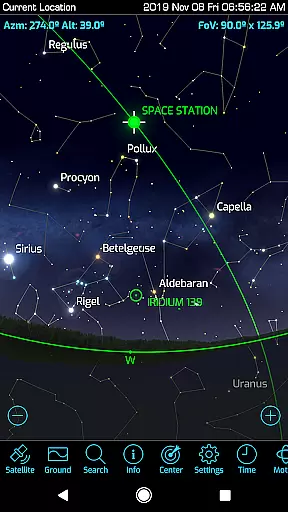
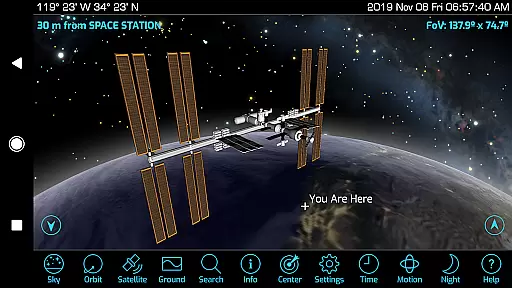
Orbitrack is an innovative educational application designed for space enthusiasts and learners alike. This augmented-reality satellite tracker and spaceflight simulator offers users a pocket guide to over 4000 spacecraft orbiting Earth. With rich graphics, detailed 3D satellite models, and real-time data updates from n2yo.com and celestrak.com, Orbitrack provides an immersive experience that brings the wonders of space closer than ever before.
The app's standout feature is its augmented reality mode, which utilizes device GPS and motion sensors to help users locate satellites in the sky. Whether you're tracking the International Space Station, studying radio frequency data for amateur satellites, or exploring highly-detailed 3D models of various spacecraft, Orbitrack makes learning about space interactive and engaging. Its user-friendly interface ensures that even those new to satellite tracking can easily navigate and understand complex orbital mechanics.
Orbitrack's value extends beyond mere observation; it's a comprehensive learning tool. Users can access updated descriptions for hundreds of spacecraft, simulate different time flows to animate views, and enjoy ambient background music while exploring. The app supports the latest Android hardware and OS, ensuring compatibility and optimal performance. Ideal for educational settings or personal exploration, Orbitrack transforms any environment into a dynamic space discovery zone.
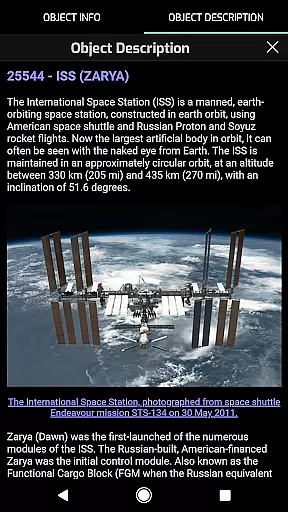
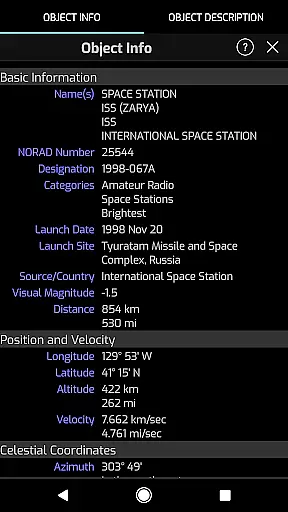
Orbitrack stands out with its extensive range of features tailored for both novice and experienced satellite trackers. One of its most notable capabilities is the ability to track thousands of satellites in real-time, providing users with precise information on when and where to find these spacecraft in the sky. The inclusion of detailed mission descriptions for each satellite enhances the educational aspect, allowing users to learn comprehensively about various missions, including the International Space Station.
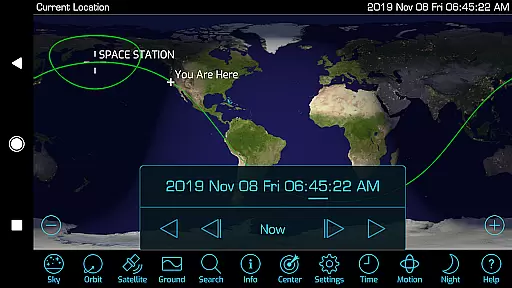
The app's rich graphics engine showcases atmospheric effects, city lights on Earth’s night side, and highly-detailed 3D satellite models, making each exploration visually stunning. Additionally, Orbitrack's Time Flow controls offer an intuitive way to set dates and times, animating the view to demonstrate orbital paths dynamically. For those interested in amateur radio, the app also includes radio frequency data for relevant satellites, broadening its appeal across different interest groups.
Usability is at the core of Orbitrack's design. Dozens of user interface tweaks and optimizations make navigation seamless, while new sound effects and ambient background music enhance the overall experience. By supporting the latest Android hardware and OS versions, Orbitrack ensures that users benefit from cutting-edge technology without compromising on performance. These features collectively establish Orbitrack as a premier tool for anyone eager to explore and understand the complexities of space.
Orbitrack stands out in its commitment to content accuracy and authority, crucial for educational applications. The app provides detailed and verified information on over 4000 spacecraft, ensuring users have access to precise data about satellites, the International Space Station, and more.
The descriptions for each satellite are sourced from reputable platforms like n2yo.com, enhancing the reliability of the educational content. This meticulous sourcing ensures that learners and enthusiasts receive not just abundant but also authoritative information about space objects.
Furthermore, Orbitrack updates its satellite data daily from credible sources such as n2yo.com and celestrak.com. This practice guarantees that users stay informed with the latest developments in the space race, reinforcing the application's role as an accurate educational tool.
While Orbitrack excels in delivering vast and accurate space-related content, it also offers personalized learning paths tailored to individual interests within the realm of space exploration. Users can choose to dive deep into specific categories such as active satellites, military satellites, or SpaceXu2019s Starlink communication satellites.
The app supports diverse learning preferences through rich graphics and interactive features. For instance, users can explore atmospheric effects, city lights on Earthu2019s night side, and highly-detailed 3D satellite models, catering to visual and hands-on learners.
Additionally, Orbitrack includes advanced features like the augmented reality mode, which allows users to engage with their environment actively. By leveraging device GPS and motion sensors, this feature aids in practical learning experiences, making complex orbital mechanics accessible and engaging for all user levels.
User-friendly interface
Real-time satellite tracking
Detailed 3D models
Augmented reality features
Comprehensive mission descriptions
Requires modern hardware
Limited iOS availability
Occasional data delays
Premium pricing model
Complex for beginners

Watch and Play Elmo's World!
 4.00
4.00
An animated storybook app to help ease your child through toilet training.
3.70
Learn and joke with the Silly Turkey!
4.0
Universe simulator: Find & explore planets system, outer space, astronomy events
4.60
An interactive enhancement of the Sesame Street classic.
4.50
Hasbro's Classic Board Game - Make Cavity Sam better or get the buzzer!
3.50
Enrich the experience of your visit to the Pantheon with our audiotour.
1.60
The best way to study for your amateur radio license exam.
4.90
Make your own game and world. Draw and animate characters
3.70
Hebrew Vocab
4.90
Learn & Speak New Languages
4.70
Dinosaurs coloring book game. Drawing and painting dinos.
4.50
The "Go To" app for Airmen studying for promotion to SSgt and TSgt
4.30
Turns you phone or tablet into TI graphing calculator (ROM required).
4.20
Master note reading with StaffWars….
4.00
An aviator’s preparation, study and test tool for FAA Knowledge Exams.
4.00
Quiz App to help case managers studying for CCMC Certification, 200+ Questions
3.40
scanner body part for fun Prank friends realistic scan effects
3.00
AR planetarium app that brings the solar system to you via XREAL Glasses.
4.3


User Reviews