

The PlayStation App is your ultimate companion for staying connected to the PlayStation gaming ecosystem. This entertainment-focused application allows users to maintain social connections with fellow gamers, keep up with gaming news, and manage their console remotely. With core features like friend list monitoring, voice chat, message sending, and even remote game downloads, it bridges the gap between mobile and console gaming experiences.
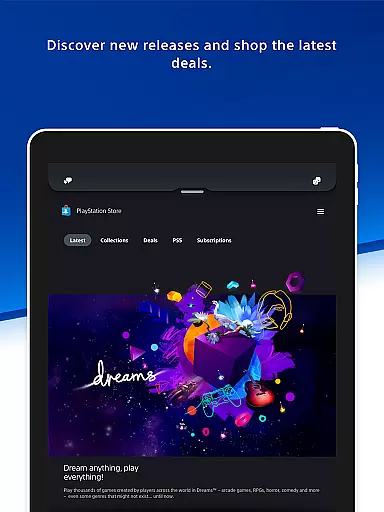
One of the standout capabilities is its seamless integration with the PSN (PlayStation Network), enabling users to view profiles, trophy collections, and plan multiplayer sessions effortlessly. Additionally, the app provides access to PlayStation Store, where users can shop for new releases, pre-order games, and grab the latest deals. Whether you're checking who's online or downloading a game to your console from afar, this app ensures that your gaming life is always at your fingertips.
This app is particularly useful for gamers who are frequently on the go but want to stay engaged with their gaming community and keep their consoles updated without being physically present. By offering quick sign-in, remote game launch, and storage management features, the PlayStation App adds significant value by enhancing convenience and connectivity in your gaming routine.
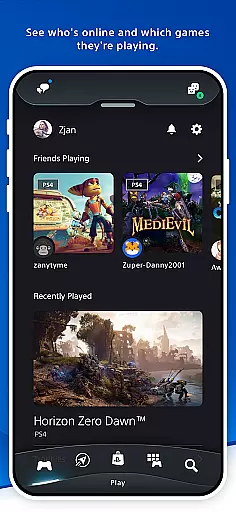
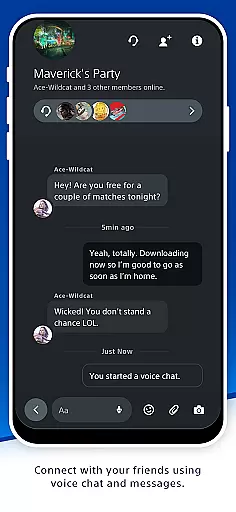
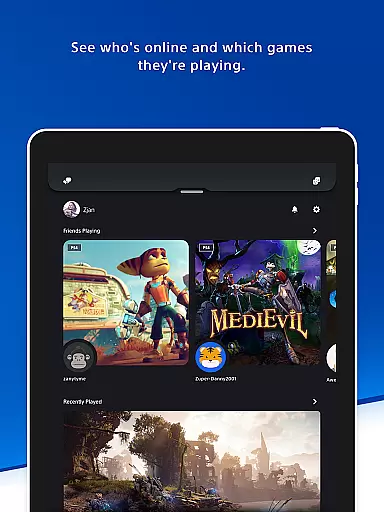
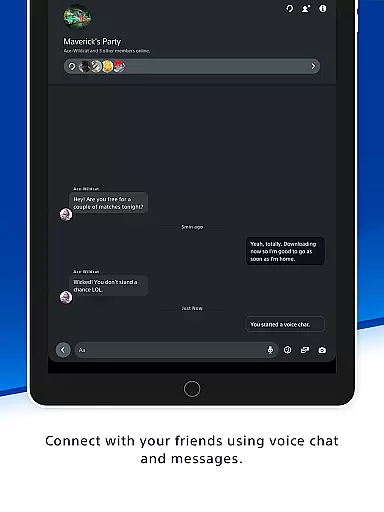
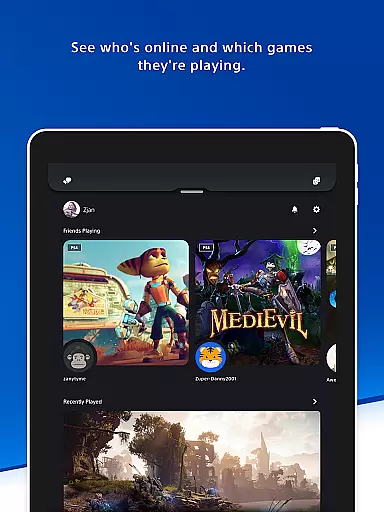
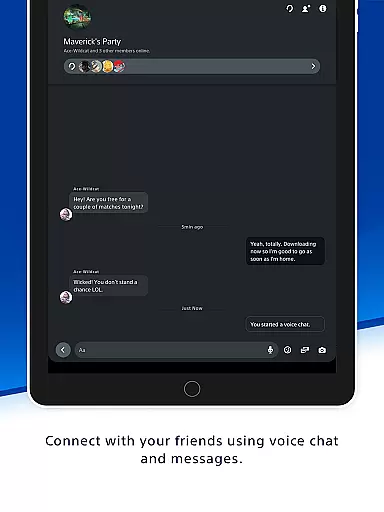
The PlayStation App boasts an array of features designed to enhance user engagement with the PlayStation ecosystem. One of its primary functions is maintaining social connectivity through comprehensive friend list management. Users can see who's online, check what games friends are playing, and communicate via voice chat and messaging services. This fosters a sense of community and makes organizing multiplayer sessions straightforward and efficient.
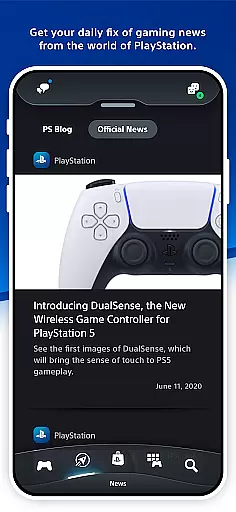
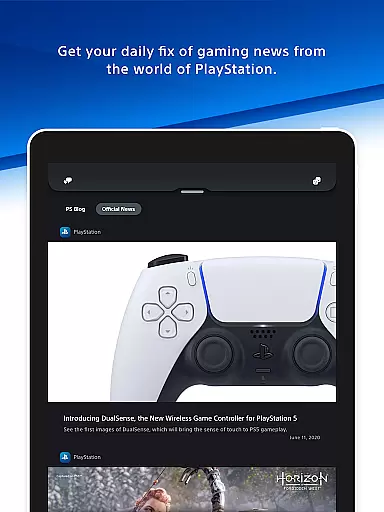
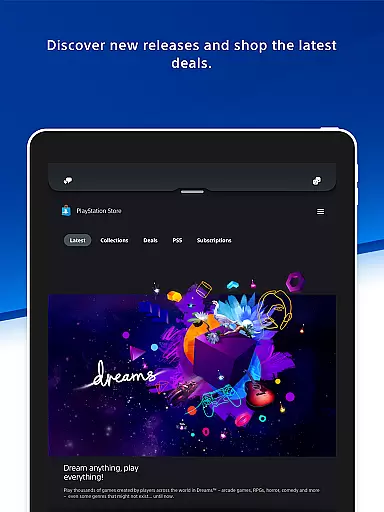
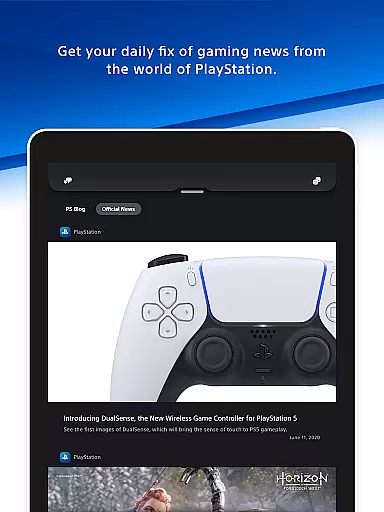
Beyond social features, the app serves as a hub for gaming news and commerce. It provides users with daily updates from the world of PlayStation and exclusive deals on the PlayStation Store. The ability to shop for new releases, pre-order games, and apply discounts directly from the app ensures that users never miss out on their favorite titles. Furthermore, notifications and invitations delivered to the phone's lock screen keep users informed and engaged at all times.
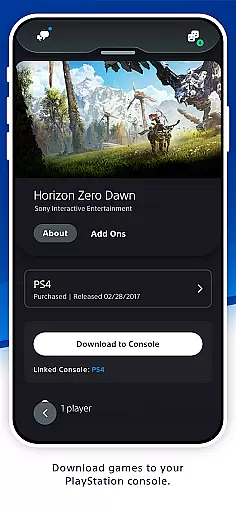
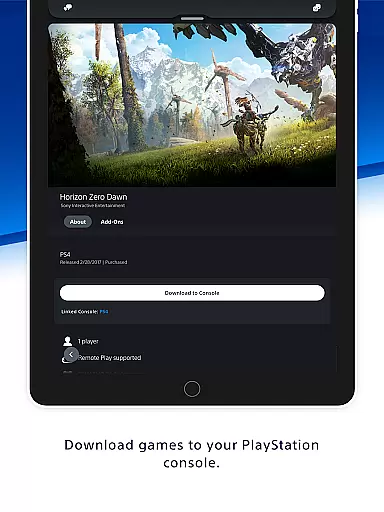
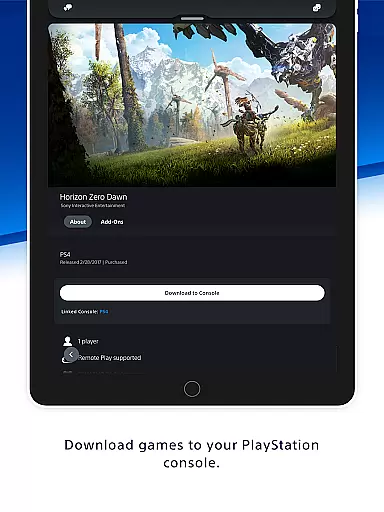
Another innovative aspect is the remote console management feature. Users can download games and add-ons to their console from anywhere, manage PS5 storage if it runs out of space during downloads, and use quick sign-in for immediate access. These functionalities not only save time but also ensure that your console is always ready for action, making the PlayStation App an indispensable tool for modern gamers.
Content variety and freshness are crucial for any entertainment app, ensuring users have access to a wide range of engaging materials. PlayStation App excels in this area by offering diverse content that caters to different gaming interests. From the latest game releases to exclusive deals on PS Store, the app keeps gamers informed and entertained.
The app provides daily gaming news from the world of PlayStation, keeping users updated with the newest developments in the gaming industry. This continuous flow of fresh content ensures that users always have something new to explore, enhancing their overall experience. Additionally, notifications and invitations delivered to the phone's lock screen ensure users never miss out on important updates or events.
Moreover, PlayStation App allows users to shop for new games, pre-order upcoming titles, and check out special discounts. This feature not only enhances user engagement but also encourages regular interaction with the app. By providing timely and relevant content, PlayStation App maintains its position as an essential tool for gamers who want to stay connected to the PlayStation community.
User engagement duration and retention are vital metrics for evaluating the success of an entertainment app. PlayStation App focuses on these aspects by offering features that encourage prolonged usage and repeat visits. One key element is the ability to connect with friends, see who's online, and plan multiplayer sessions, which fosters a sense of community among users.
Voice chat and messaging capabilities further enhance user engagement by allowing seamless communication between PSN friends. These social features create a more immersive experience, prompting users to spend more time within the app. Furthermore, viewing other players' profiles and trophy collections adds a competitive edge, motivating users to keep returning to track their progress and achievements.
Additionally, the app offers remote management features for PS5 consoles, such as downloading games and managing storage. These functionalities provide practical benefits that contribute to higher retention rates. By integrating essential tools with engaging content, PlayStation App successfully maximizes user engagement duration and retention, making it an indispensable companion for avid gamers.
User-friendly interface
Comprehensive social features
Remote console management
Exclusive store deals
Real-time notifications
Requires PSN account
Limited to PlayStation users
Some features need PS5/PS4
Region-specific content
Dependent on internet connection

Exclusive Short Drama Video! All in HD. Bringe trending reels & enjoy drama time
 3.80
3.80
Watch short films, dramas, reels, series and movies anytime on Micro Drama.
4.60
Triple A is a highly complex, kinetic, and interactive visualizer.
4.50
Come and watch short dramas, reels with diverse genres!
4.40
The Xbox app keeps you connected to your gaming community.
4.50
Start EVP/Spirit Box tonight: real EMF, offline, recording. One-time purchase.
4.10
Binaural Brainwave Doses for Every Imaginable Mood
3.60
Your Avatar, Endless Fun
4.60
Pop Drama is a premier app crafted for short drama lovers
4.60
Colorful flows will relax and calm you down, or get you trippy and creative!
4.90
The OFFICIAL PeeWee Purpdrank Soundboard!
4.80
Classic dynamic pixel art from Mark Ferrari.
4.70
Just play games to earn gift cards. Keep playing, keep earning.
4.50
Everything FOX in one place. Watch FOX News, NFL, MLB, TV shows and more.
4.50
Practice and master your ESP and intuition with five mode trainer.
4.20
Build and Share AI
4.20
Real ghost box scanner with echo, reverb, EMF, & multi-stream channels.
3.80
With the Steam Mobile App, you can take Steam with you anywhere.
3.00
Simulation of Dashboard / Touch Screen for Tesla. (Works without actual Tesla).
4.5


User Reviews