
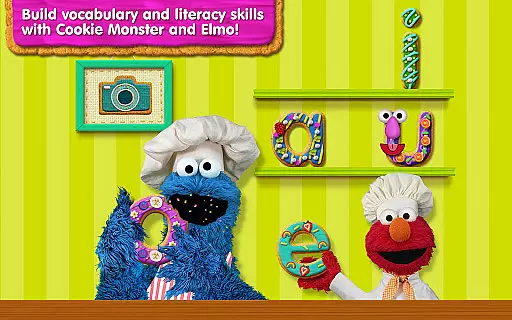
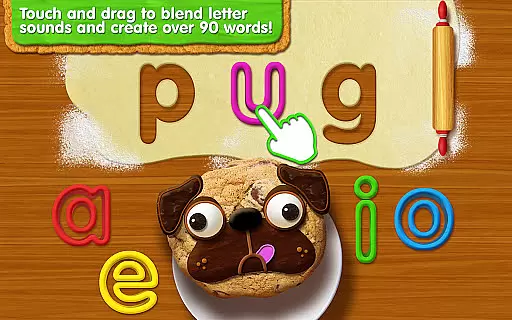
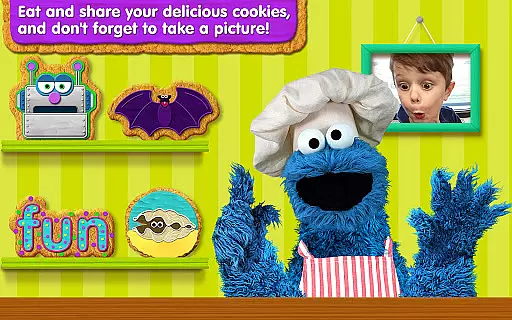
Sesame Street Alphabet Kitchen is an educational app designed to help children develop early literacy skills through a fun and interactive cookie-making experience. The app focuses on blending letter sounds to create words, allowing kids to bake 3- and 4-letter words into cookies with Chef Elmo's guidance.
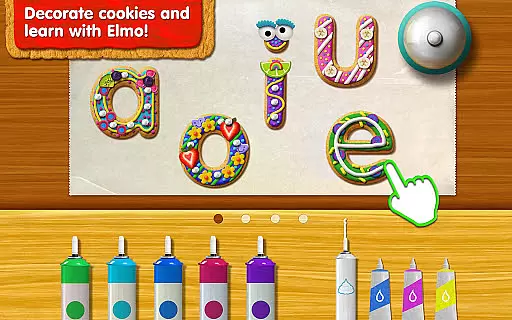
Children can cut and decorate vowel cookies using colorful frostings, icings, and other creative toppings. With over 350 word variations, the app provides ample opportunities for vocabulary building while incorporating essential learning elements like letter identification, letter sounds, and word blending.
This engaging app not only enhances literacy but also encourages creativity as kids color their cookies, take pictures with their creations, and share them with beloved Sesame Street characters like Cookie Monster and Elmo.
The app offers a rich set of features that make learning both effective and enjoyable. One standout feature is the ability to create more than 90 words, which helps build vocabulary and literacy skills. Kids learn letter names and sounds by blending letter combinations to form words, turning education into an exciting kitchen adventure.
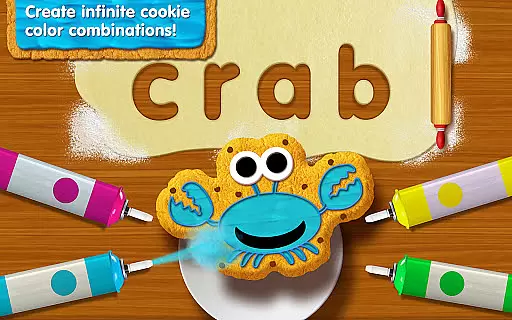
Users can customize their cookies with colorful frostings, icings, whipped cream, sprinkles, fruits, and even silly facial features. This hands-on decoration process keeps children engaged while subtly reinforcing their understanding of vowels and word formation.
Additional features include taking pictures with Cookie Monster and Elmo, 'eating' the cookies, or sharing them within the app. These interactive elements ensure sustained interest and provide a multifaceted learning experience that combines fun with foundational educational concepts.
When it comes to educational applications, the accuracy and relevance of content are paramount. Sesame Street Alphabet Kitchen sets a high standard in this regard by offering a research-based curriculum that aligns with early literacy development needs. The app focuses on letter identification, letter sounds, word blending, and vocabulary building, which are essential components for foundational reading skills.
The app's content is crafted by Sesame Workshop, an organization renowned for its educational media. With over 350 word cookie variations and more than 90 words to build, children can explore a wide range of vocabulary in a playful setting. This ensures that while they are having fun creating and decorating cookies, they are also receiving a structured learning experience that promotes language development.
Parents and educators can trust that the learning material is authoritative and designed to meet educational standards. The integration of enjoyable activities like taking pictures with Cookie Monster and Elmo, or 'eating' and sharing their cookie creations, makes the curriculum not only comprehensive but also engaging. This unique blend of education and entertainment helps maintain children's interest and motivates them to continue practicing their literacy skills.
Gamification in educational apps serves as a powerful tool to enhance learning outcomes by increasing engagement and motivation. Sesame Street Alphabet Kitchen brilliantly incorporates game-like elements into its learning framework, transforming the process of learning vowels and new vocabulary into an exciting cookie-making adventure. Children get to create letter cookies and decorate them, which adds a layer of creativity and personal investment to the learning process.
The app goes beyond simple gamification by integrating features that promote active participation. For instance, kids learn through hands-on activities such as cutting and decorating vowel cookies with colorful frostings, icings, and other toppings. These activities are not just for fun; they are intricately linked to the educational objectives of recognizing letter names and sounds, and blending them to form words.
Moreover, the ability to color the cookies, take pictures with their creations, and share them with beloved characters like Cookie Monster and Elmo adds a social and interactive dimension to the learning experience. This fosters a sense of accomplishment and encourages children to share their achievements, reinforcing positive learning behaviors. By merging play with pedagogy, Sesame Street Alphabet Kitchen exemplifies how gamification can be seamlessly integrated into education to produce meaningful and lasting learning experiences.
User-friendly interface
Engaging content for kids
Variety of word combinations
Creative cookie decorations
Interactive character engagement
Limited free content
In-app purchase required
Only basic literacy skills covered
Repetitive gameplay
Not suitable for older children

Little Explorer – Garage, Kitchen and Bathroom
 4.3
4.3
A world for little builders to create, imagine, and learn through play.
4.20
Tracing, phonics & spelling games for toddlers, preschool & kindergarten kids!
4.50
Fun educational jigsaw puzzles for kids and preschoolers.
4.50
Baby Phone Game for Kids & Toddlers to Learn Sounds, Numbers, ABCs, Phone Calls
3.80
Explore Dopples World, build your avatar life & create endless stories!
4.70
Amazing toddler coloring games for 2+. Enjoy painting games
4.60
Explore Fantasy Land, get to know the world and create stories!
4.30
Expert-designed fun interactive learning games to prep kids (2-5) for preschool.
4.00
Toddler Learning Games, Learn: Colors, Shapes, Puzzles, ABC ... ►NoAds!◄
4.50
Kids math games, abc games for kids 4-5 years old. Kindergarten learning games
4.50
Enjoy coloring with wide variety of 1000+ coloring games for kids & drawing game
4.50
Fun baby games for kids. Play baby piano, musical instruments & nursery rhymes.
4.50
A must-have sequel to our Learn Letter Sounds with Carnival Kids app
4.30
Cure the patients to create your hospital story!
3.90
Explore & build the cute kitty city, create fun stories & discover surprises!
4.4
Draw shapes, mix colors, and dodge traps to defeat foes in the vibrant Art Zone!
4.2
A speed-learning English vocabulary game designed for user to reach proficiency
4.0
Discover the infinite cycles of the universe
4.0


User Reviews