
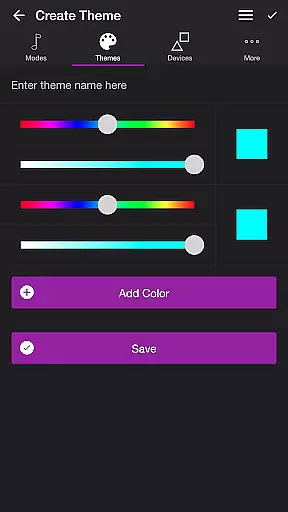
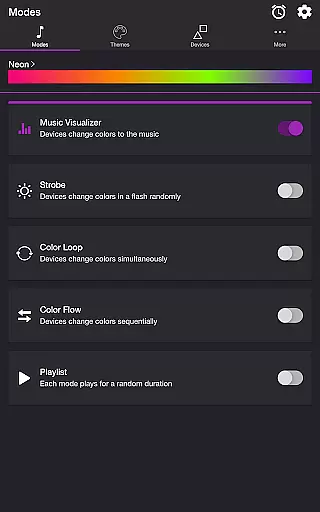
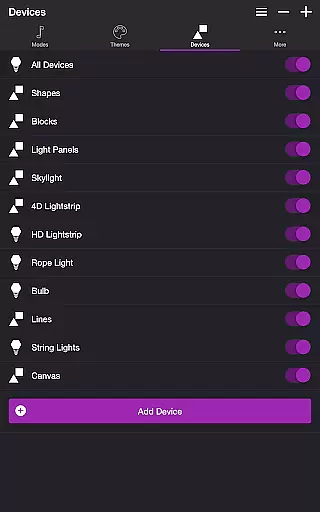
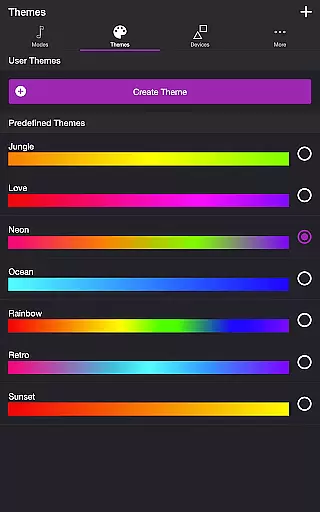
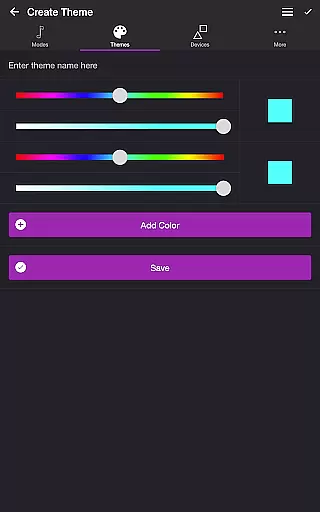
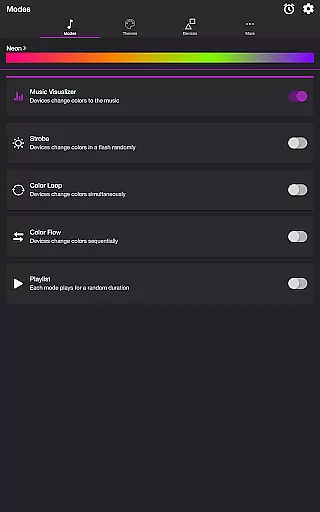
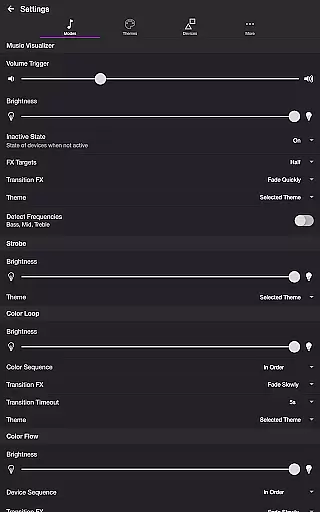
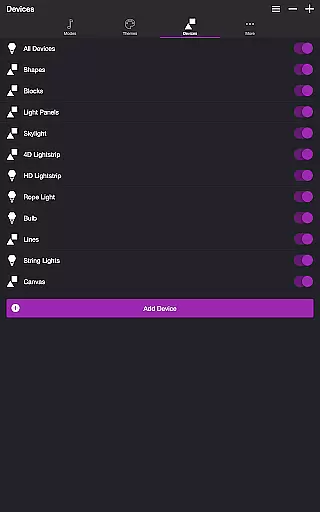
Soundstorm for Nanoleaf is an entertainment app designed to enhance your party experience through synchronized light effects with music. The app works seamlessly with Nanoleaf Wall Lights and Nanoleaf Matter (Wi-Fi) Smart Devices, creating immersive lighting environments that pulse and flash to the rhythm of your favorite songs.
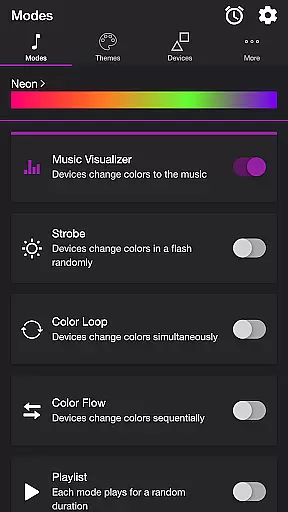
The application offers multiple modes including Music Visualizer, Strobe, Color Loop, Color Flow, and Playlist. Each mode provides unique ways to interact with your Nanoleaf devices, allowing you to customize themes, adjust settings, and control individual lights. Whether you want a vibrant dance floor or a relaxing ambiance, Soundstorm for Nanoleaf delivers both functionality and fun.
This app is perfect for anyone looking to elevate their home entertainment setup. With intuitive controls and extensive customization options, it transforms any space into a dynamic light show, making it ideal for parties, relaxation, or creative inspiration.
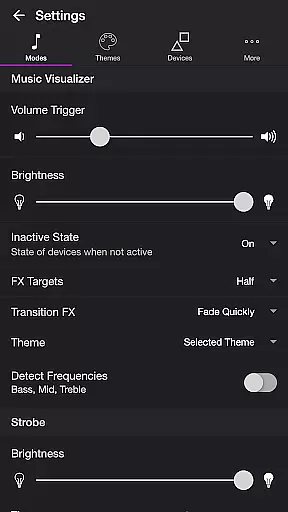
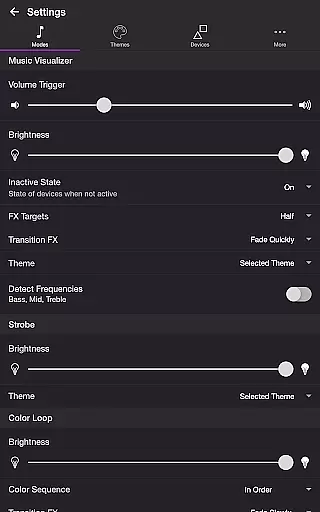
Soundstorm for Nanoleaf boasts an array of features that cater to diverse user preferences. The Music Visualizer mode uses microphone access to sync lights with music beats, while offering adjustable volume triggers and brightness levels. Users can also choose from various transition effects like Random, Pulse, Fade Quickly, and Fade Slowly, ensuring a personalized experience.
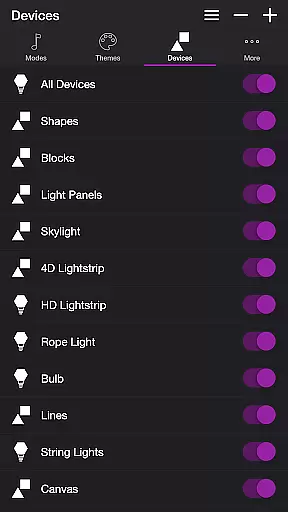
In addition to Music Visualizer, the app includes Strobe for random color flashes, Color Loop for simultaneous color changes, and Color Flow for sequential transitions. The Playlist mode cycles through these effects at random durations. Each mode supports custom themes, frequency detection toggles, and specific device targeting, providing granular control over the light show.
Advanced settings allow users to select automatic start modes, set timers, and manage device sequences. These features collectively enable precise customization, making Soundstorm for Nanoleaf a versatile tool for creating captivating lighting displays tailored to any occasion.
Soundstorm for Nanoleaf offers a diverse range of content through its multiple modes and themes, ensuring users have a fresh experience with every use.
The app includes several engaging modes such as Music Visualizer, Strobe, Color Loop, Color Flow, and Playlist, each providing unique light effects that cater to different moods and settings.
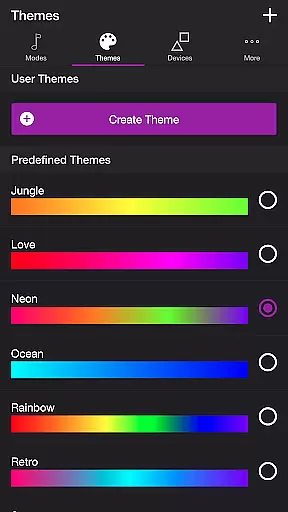
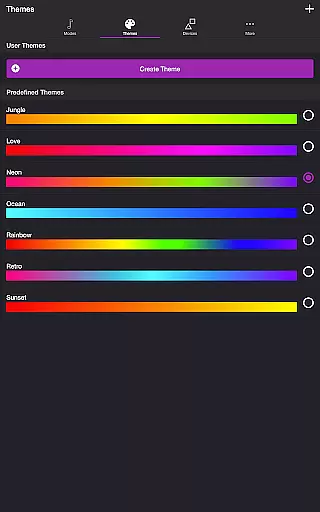
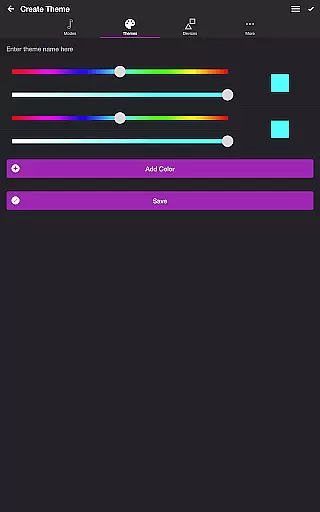
Users can choose from predefined themes or create their own, adding another layer of personalization and novelty to the visualizer experience.
With adjustable settings and customizable options, the app ensures that the content remains dynamic and adaptable to individual preferences, keeping the entertainment value consistently high.
One of Soundstorm for Nanoleaf's strengths is its ability to maintain user engagement over extended periods, thanks to its interactive and customizable features.
The app allows users to fine-tune various settings like brightness, transition effects, and frequency triggers, which encourages prolonged interaction as users experiment with different combinations to suit their environment.
Features such as Sleep Timer and automatic mode switching ensure that users remain engaged without having to constantly interact with the app manually.
By offering a personalized and immersive experience, Soundstorm for Nanoleaf effectively boosts user retention, making it a go-to choice for enhancing any space with vibrant light shows.
User-friendly interface
Wide range of customization
Seamless device integration
Versatile entertainment options
Regular feature updates
Requires compatible devices
Microphone access needed
Limited free themes
Complex for beginners
Occasional bugs

Binge-worthy short dramas on DramaRush—engaging stories that fit your day.
 3.90
3.90
Unofficial Game Companion App” “Guides • Builds • Tips • Progression
4.4
Stream Movies & TV Series: Original Shows, Family Movies & New Releases Weekly
4.60
Classic dynamic pixel art from Mark Ferrari.
4.70
SpiritWave is paranormal ITC application.
5.00
Real ghost box scanner with echo, reverb, EMF, & multi-stream channels.
3.80
Direct access to the most complete Guitar Tab Archive in Spanish: LaCuerda.net
4.60
Create and play realistic-looking mock Emergency Alert System messages.
4.30
Binaural Brainwave Doses for Every Imaginable Mood
3.60
Stream Live TV, News & Documentaries. Watch Full Seasons with PBS Passport.
4.80
Fun brain twisting challenge with trending Whirlpool Filter.
4.70
Hand-drawn, cartoon OC creator - original character creator
4.70
Tarot & Oracle Card Readings
4.50
Create, chat & bond with AI souls who truly listen.
4.50
Play games. Earn real rewards. Cash out in 3hours via PayPal or gift cards.
4.40
Alice Box is an Instrumental Trans Communication app.
3.80
Daily immersive workout plan: Body warm up & finger yoga exercises
3.80
With the credits you earn play more games
2.90
Control your AWTRIX 3 easily
4.2


User Reviews