
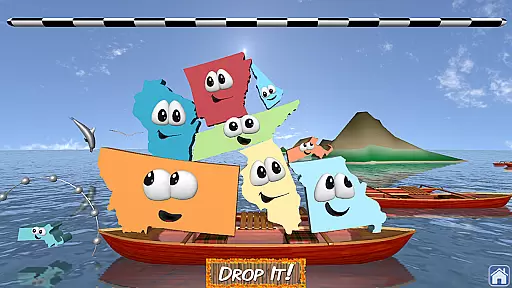
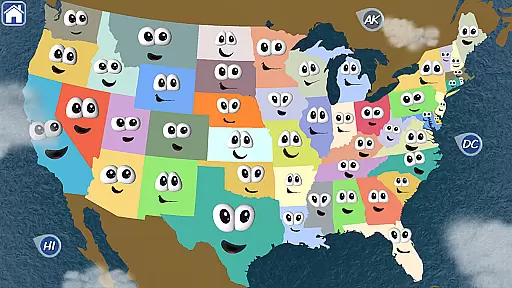
Stack the States® 2 is an engaging educational app designed to make learning US geography enjoyable and interactive. This app allows users to explore state capitals, cities, shapes, landmarks, flags, and more through a unique stacking game mechanic. With new question types, bonus games, voice mode, and stunning 3D graphics, it offers a comprehensive learning experience.
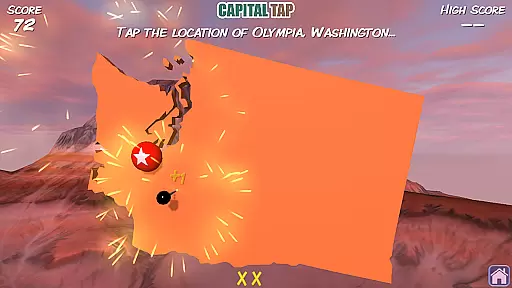
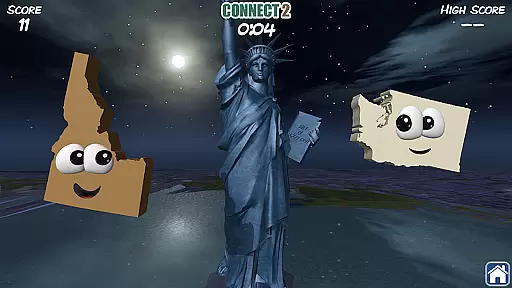
The app features a detailed interactive map and 3D models of over 90 US landmarks, providing an immersive way to learn about the United States. Users can earn states by completing levels, which then appear on their personalized map. The goal is to collect all 50 states while unlocking free bonus games like Map It, Connect 2, and Capital Tap. Suitable for all ages, Stack the States® 2 combines education with entertainment seamlessly.
Stack the States® 2 boasts a variety of features that enhance the learning experience. New question types and bonus games such as Connect 2 and Capital Tap keep the content fresh and engaging. The introduction of voice mode enables non-readers to play independently, broadening the app's accessibility.
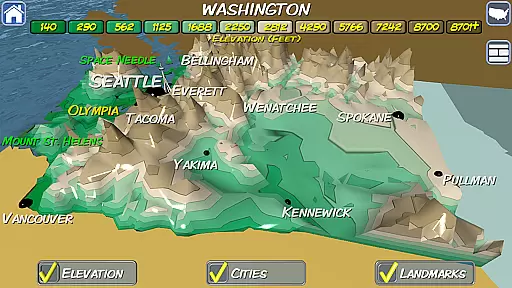
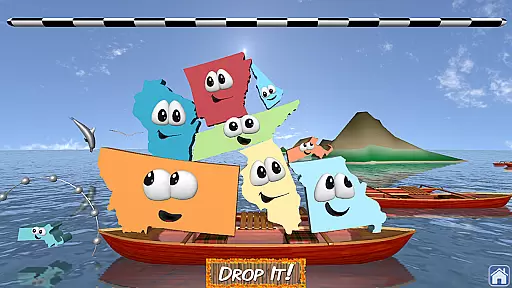
Visually, the app impresses with beautiful 3D graphics and 10 different 3D scenes depicting various US locations. The brand new interactive map highlights major cities and offers a 3D elevation view of each state. Additionally, users can enjoy hundreds of unique questions, 50 flash cards for each state, and up to six player profiles, making it versatile for individual or classroom use.
In Stack the Statesu00ae 2, content authority is ensured through accurate geographical data and educational material. The app provides a rich learning experience by incorporating state capitals, cities, landmarks, and more.
The game's curriculum alignment is evident in its well-researched question types that cover various aspects of U.S. geography. With hundreds of unique questions and flashcards for each state, it offers an authoritative source for geographical knowledge.
Players can learn at their own pace with features like voice mode, which helps non-readers participate independently. This ensures that the content is accessible to users of all ages and reading levels.
By engaging players with interactive elements such as 3D graphics and models of over 90 US landmarks, Stack the Statesu00ae 2 delivers an immersive educational experience that aligns closely with traditional geography curricula.
Stack the Statesu00ae 2 excels in gamification-learning integration by transforming education into an enjoyable experience. Players learn U.S. geography through gameplay where they stack animated states to reach a checkered line, making learning tactile and fun.
The app motivates learners by rewarding them with new states for their personalized map after completing levels successfully. This collectible aspect encourages continuous engagement while reinforcing geographical knowledge.
Bonus games such as Map It, Connect 2, and Capital Tap add layers of entertainment and challenge, ensuring that players remain engaged beyond the core stacking activity. These mini-games provide additional ways to reinforce learning outcomes.
With beautiful 3D scenes depicting various locations in the U.S., along with sound effects and music, Stack the Statesu00ae 2 creates an inviting atmosphere that seamlessly blends education with entertainment, enhancing retention and enjoyment.
Educational and fun
Interactive 3D graphics
Voice mode for non-readers
Multiple bonus games
Personalized US map
No social network integration
Limited to US geography
No in-app purchases
Contains external links
Only available in English

 2.80
2.80
Learn and practice multiplication and division
4.0
Explore & build the cute kitty city, create fun stories & discover surprises!
4.4
Puzzles, Cats and Programming
4.80
Daycare full of baby games! Take care of cute toddlers & play fun mini-games!
3.90
Create stories and build your own virtual world for your avatar!
3.00
Cure the patients to create your hospital story!
3.90
Play virtual baby daycare simulator & be a babysitter, take care of cute babies!
4.60
Expert-designed fun interactive learning games to prep kids (2-5) for preschool.
4.00
Amazing toddler coloring games for 2+. Enjoy painting games
4.60
Fun educational jigsaw puzzles for kids and preschoolers.
4.50
Kids math games, abc games for kids 4-5 years old. Kindergarten learning games
4.50
A cube building game for small (and large) builders.
4.40
OG Trail - Lets you play the classic Oregon Trail simulation game on Android
4.20
Fun baby care game for kids with dinosaur friends. Enjoy the fun kids game.
4.00
CASHFLOW - The Investing Game
4.00
The kids phonics and reading app that's helped millions of kids learn to read
4.00
Safe, fun, ad-free games for kids! For babies, toddlers, & kids age 2-6
3.60
Companion app for Cozmo, the educational toy robot who’s got a mind of his own.
3.30


User Reviews