
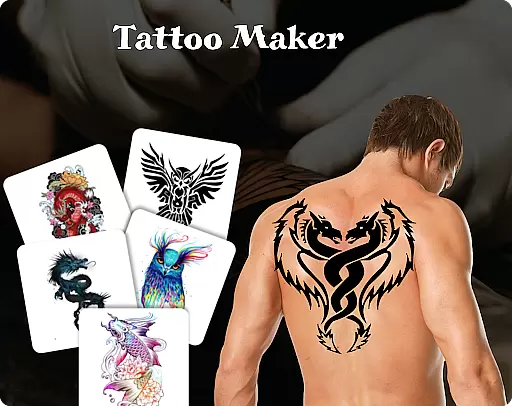
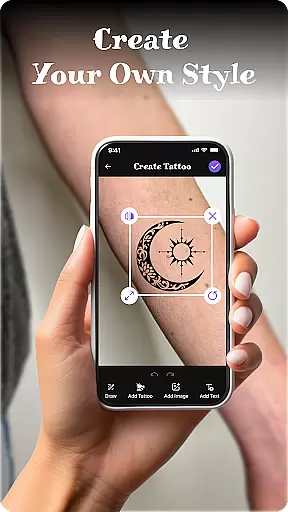
Tattoo Maker: Design & Art is a creative app that allows users to design custom tattoos and preview them on their body through realistic AR technology. With a vast library of tattoo designs, the app caters to both tattoo enthusiasts and professional artists looking for inspiration.
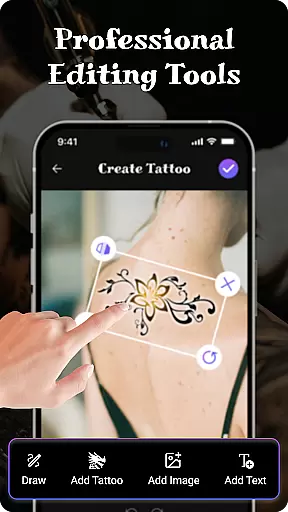
The app provides advanced art tools including brushes, vibrant colors, text customization, and precise editing options like flipping and rotating designs. Users can upload photos to see how their tattoos would look in real life, making it an ideal tool for planning actual tattoos or simply exploring creative ideas.
Whether you're a beginner or an experienced artist, Tattoo Maker offers a fun and accessible platform to experiment with unique tattoo designs and share your creations effortlessly.
Tattoo Maker stands out with its comprehensive set of features tailored for creativity and precision. The app includes pro-level drawing tools such as adjustable brushes, sizes, and color palettes, enabling users to craft intricate designs with ease.
One of the standout features is the ability to add customizable text to your tattoos, complete with various fonts and styling options. Additionally, the app's extensive tattoo art library offers countless pre-made designs ranging from small minimalist patterns to detailed masterpieces.
For those planning real tattoos, the AR-based body preview function lets users upload personal photos and simulate how their designs will appear on their skin. This feature ensures accurate scaling, rotation, and placement before committing to permanent ink.
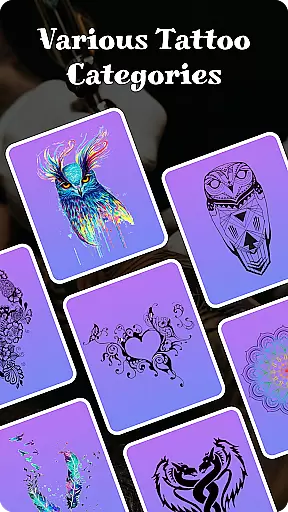
When it comes to designing tattoos, having access to a comprehensive product database is essential. Tattoo Maker: Design & Art offers an extensive collection of tattoo designs and art resources that cater to every style and preference. The app includes everything from small minimalist symbols to intricate, detailed masterpieces, ensuring that users have plenty of options to choose from.
The depth of the product database in Tattoo Maker is one of its standout features. Users can explore various categories and discover new design elements such as brushes, sizes, and vibrant colors. This vast repository allows both amateur enthusiasts and professional artists to experiment with different styles and find inspiration for their next piece.
Moreover, the app's database is not just about quantity but also quality. Each design element has been carefully curated to ensure authenticity and relevance. Whether you're looking for traditional motifs or modern interpretations, Tattoo Maker provides reliable information and high-quality images that enhance your creative process.
Personalization is at the heart of Tattoo Maker: Design & Art. The app offers precise tools that allow users to create custom tattoos tailored specifically to their preferences. With features like flipping, rotating, and fitting designs perfectly onto photos of your body, you have complete control over how your tattoo will look once applied.
In addition to visual adjustments, Tattoo Maker lets you add text with cool fonts and colors, further personalizing your artwork. You can tweak these textual elements until they seamlessly integrate into your overall design concept. This level of customization ensures that each tattoo reflects the individuality and creativity of its creator.
Furthermore, the app employs advanced algorithms to learn user preferences over time, enhancing the precision of personalized recommendations. As you continue to use Tattoo Maker, it becomes better equipped to suggest design elements that align with your unique taste, making the entire tattoo creation process more intuitive and enjoyable.
User-friendly interface
Vibrant color options
Realistic AR previews
Extensive design library
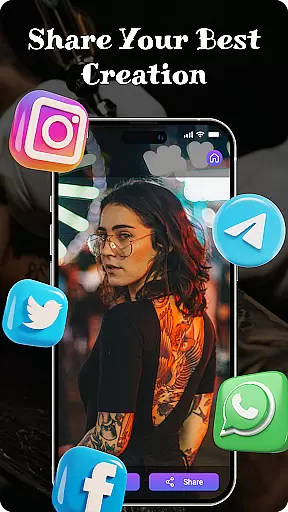
Easy sharing functionality
Limited free resources
Occasional ads
Premium feature costs
Steep learning curve
Inconsistent rendering

A tool that brings skin care and technology together at your fingertips.
 4.50
4.50
Transform your sweet selfies with Selfie Beauty Camera Filters And Effects!
4.60
Unique selfie filter camera! Upload live sticker & face filter every week!
4.70
The all new Cosmo Prof app offers exclusive pro products, deals, and training.
4.00
Beauty Camera AI Photo Editor with effect, filter, makeup tools for photo editor
4.30
Create, design and dress up your own beautiful characters in cute fashion styles
3.50
Beauty Camera - Selfie Camera with sweet selfie, makeup, filter, sticker, editor
4.50
DSLR Hd camera capture high quality 4k hd picture with filters and blur editor
4.50
Mirror app that shows your image with photo editor, zoom and light!
4.70
Book your appointments
4.90
Get Smart About Your Skin with Fully Personalized Beauty Tech!
4.80
Use your phone as a makeup mirror, shaving mirror. Magnifying mirror with light!
4.80
Blushify is a beauty camera for makeup, face editing, and glowing selfies!
4.70
HD Camera, Selfie Camera, Camera filters, is a fully featured 4K camera
4.60
Winter picture editor: Christmas stickers, frames for photos & Christmas cards.
4.40
Healthier, more beautiful with Medicube Digital Clinic AGE-R!
4.10
Never run out of your go-to beauty & get 5% off with auto-replenish deliveries!
4.00
The Official Voting App
3.90
Beauty/age defining ai coach guides you through the exercises in daily routine.
3.30


User Reviews