
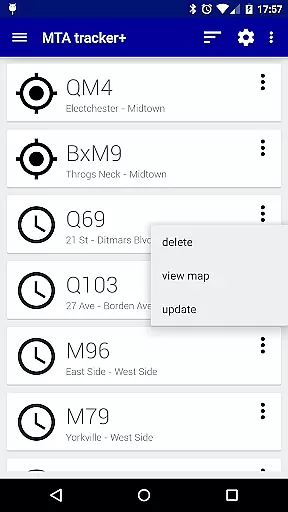
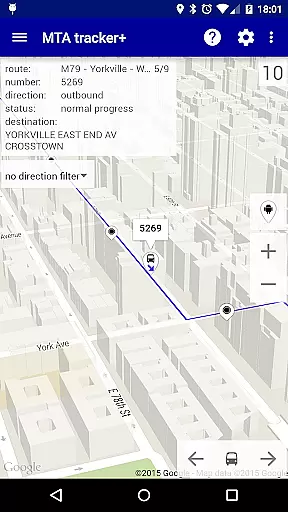
Transit Tracker+ is a comprehensive navigation app designed specifically for New York City's Metropolitan Transportation Authority (MTA) users. This ad-free version offers advanced features beyond the basic Transit Tracker, including real-time vehicle tracking, route schedules, and proximity alerts. The app leverages MTA's public APIs to provide accurate data on bus and train movements, ensuring reliable commute planning.
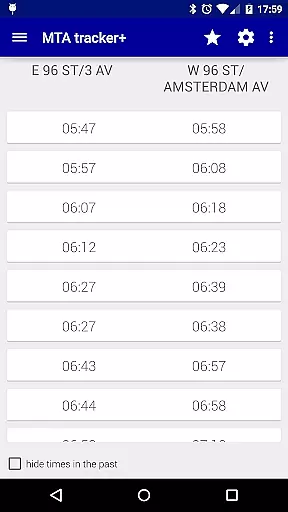
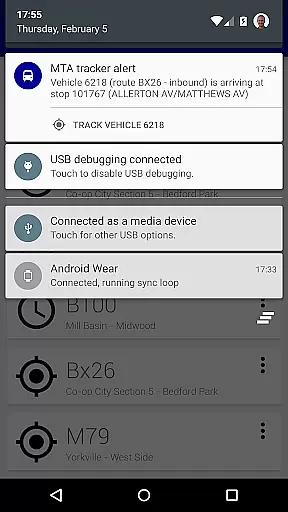
Key functionalities include the ability to track specific routes and receive notifications when vehicles approach designated stops. Users can also download route schedules for offline access and view them as origin/destination tables or interactive maps. The app supports light and dark themes, customizable map views with traffic data, and adjustable update intervals for vehicle locations. These features make Transit Tracker+ an essential tool for NYC commuters seeking efficient transportation management.
Transit Tracker+ stands out with its robust feature set tailored for urban commuters. The app provides real-time tracking of MTA buses and trains using vehicle numbers, stop IDs, or route details. This functionality allows users to plan their journeys effectively by knowing exactly when the next vehicle will arrive at their stop.
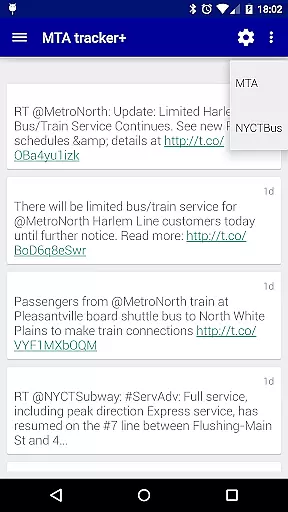
In addition to live tracking, the app offers detailed route schedules that can be viewed on a map or as organized tables. Users can search for nearby stops based on their current location or specified addresses, with options to filter results by route and number of stops. Customizable alerts notify users when vehicles are approaching specific stops, enhancing convenience. The inclusion of Twitter updates from @MTA ensures users stay informed about service changes or disruptions, making this app a complete solution for navigating NYC's complex transit system.
Map accuracy is a critical feature for any navigation app, and Transit Tracker+ - NYC excels in this area. The application uses real-time data provided by the MTA through public APIs to ensure that users have access to the most up-to-date transit information available. This includes live tracking of buses and trains, ensuring that the map reflects the current location of vehicles with precision.
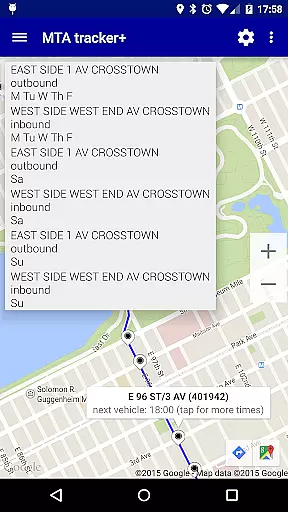
The app allows users to input specific route numbers, stop numbers, or vehicle numbers to see exact locations on the map. By tapping on a stop, users can view detailed schedules and arrival times, which are presented both as origin/destination tables and visually on the map. This dual presentation ensures that whether you're planning your journey from a desktop or on-the-go with your mobile device, you'll have an accurate understanding of where your transit options stand.
Additionally, Transit Tracker+ provides features such as satellite imagery and color-coded traffic data overlay on maps, giving users more context about their surroundings and potential delays. These tools contribute to a comprehensive view of NYC's transit landscape, empowering riders to make informed decisions based on reliable mapping technology.
Route planning is made effortless with Transit Tracker+ - NYC, thanks to its intuitive interface and robust feature set designed specifically for navigating New York Cityu2019s complex public transportation system. Users can enter their desired route numbers or select stops directly on the map to receive detailed itineraries tailored to their travel needs. This functionality not only simplifies trip preparation but also enhances overall commuting efficiency.
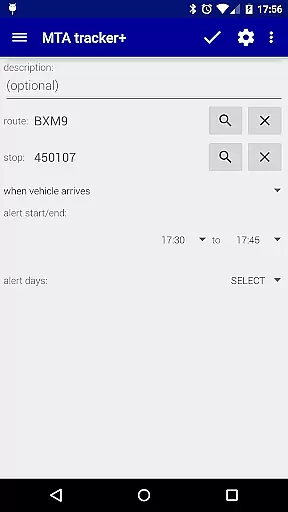
One standout aspect of route planning within the app is the ability to define custom alerts for specific routes and stops. Riders can set notifications based on proximity to certain locations along their journey, ensuring they never miss their stop again. Moreover, these alerts take into account the actual path taken by vehicles according to MTA guidelines, providing highly accurate predictions even when unexpected detours occur.
For those who prefer visual aids over textual descriptions, Transit Tracker+ offers interactive maps displaying upcoming departures at each stop. Tapping on any point reveals all scheduled times for that location, allowing passengers to quickly assess alternatives if needed. With these advanced capabilities, users gain unparalleled control over their daily commutes while enjoying peace of mind knowing exactly how to reach their destinations efficiently.
User-friendly interface
Real-time tracking
Offline schedule access
Customizable alerts
Light and dark themes
Limited route support
No official MTA endorsement
Occasional data delays
Alert inaccuracies
Premium price tag

Order a cab online. An affordable taxi ride and driver in no time. What a bolt!
 4.80
4.80
Use GPS maps or search by property owner, address or parcel to view parcel data
4.30
Affordable rides and food delivery with incredible discounts in just one app.
4.50
Explore with GPS Navigation with GPS offline, voice GPS, speed camera radar
4.60
GPS Navigation: Get map directions and find the shortest routes to avoid delays!
4.00
ParkWhiz, an Arrive Mobility brand, part of the Arrive Network
4.30
Get route, find shortest path, near by places and weather update
3.90
Simple & easy to use a compass app. Get accurate directions.
4.20
Lets explore the world's famous places by using Live Cams, GPS & Satellite View.
4.20
Get there with the Waymo Driver — The World’s Most Experienced Driver™
4.90
Truck Safe GPS Navigation & Maps: Parking, Fuel, Diesel, Weight Station
4.80
Find routes fast with GPS Maps, GPS Navigation & driving directions.
4.10
Use GPS Maps and GPS Voice Navigation to find your way and get directions
4.10
Explore Live Earth Map with 3D World Map & locate cites, mountains real time.
3.80
Start your next adventure confidently using our Accurate Compass App
3.70
Discover over 800 points of interest along the canal.
3.70
Navigate via GPS Maps of GPS Voice Navigation, driving directions to find routes
3.60
Your real-time window to the world. Explore anywhere, anytime.
3.30
Explore the world with Live Satellite View, 3D Maps, GPS Navigation & Earth Map.
2.90


User Reviews