
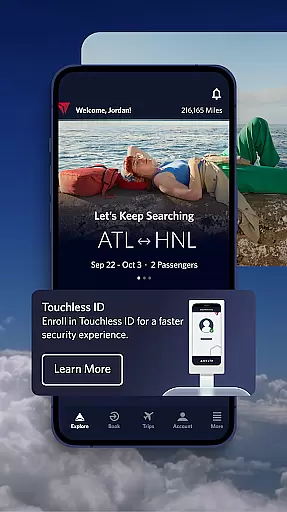

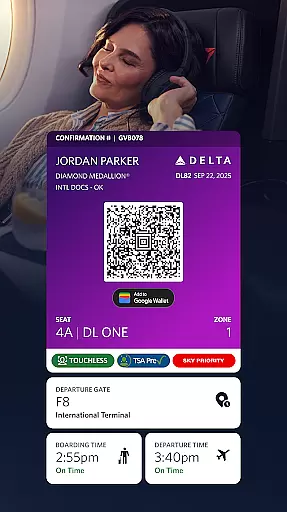
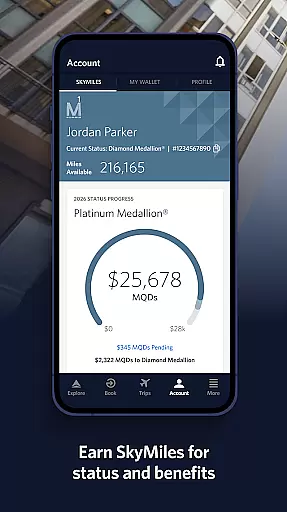
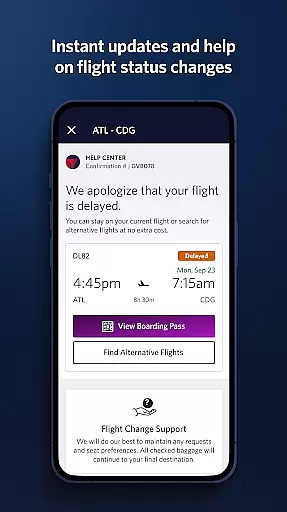
Fly Delta is an award-winning travel application designed to make your entire travel experience seamless and efficient. The app provides comprehensive tools for managing every aspect of your journey, from planning and booking flights to real-time updates during travel.
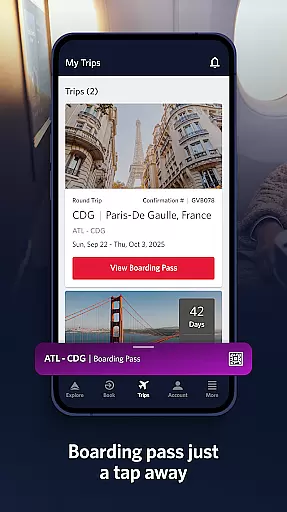
Key features include the ability to book domestic and international flights, track upgrades using SkyMiles®, and manage travel preferences. At the airport, users can check in digitally, access boarding passes offline, and navigate through airports with detailed maps. During and after the flight, users can track their baggage in real time and access Delta Sky Club® information.
This app is particularly useful for frequent travelers who need quick access to flight details, upgrade options, and real-time notifications. By consolidating all essential travel tools into one platform, Fly Delta ensures a smoother, more organized travel experience.
Fly Delta offers a robust set of features that cater to various stages of travel. Planning features allow users to shop and book flights while managing travel preferences and payment methods. The app also supports saving travel companions and provides live chat support for immediate assistance.
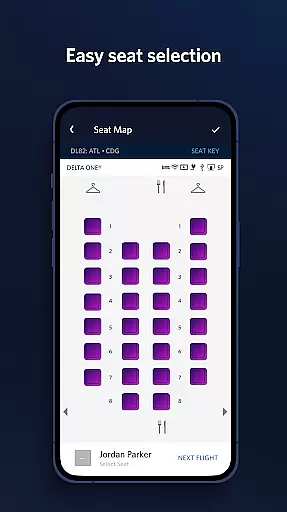
For airport use, the app includes functionalities like digital check-in, storing flight notifications, and navigating airport maps. Users can view upgrade lists, scan passports, change seats, and track checked baggage. Additional conveniences include offline boarding pass access and the ability to add trip extras such as Wi-Fi passes.
During and after flights, users benefit from real-time baggage tracking, mobile drink vouchers, and detailed fleet information. These features collectively enhance user convenience by providing timely and relevant travel information, ensuring a stress-free travel experience.
Booking authenticity is a crucial aspect of the Fly Delta app, ensuring that all reservations made through the platform are legitimate and secure. This feature provides peace of mind to travelers by confirming that their flight bookings are recognized and guaranteed by Delta Airlines.
The app achieves booking authenticity by integrating directly with Delta's reservation systems, allowing users to shop and book both domestic and international flights seamlessly. Each booking is instantly verified and added to the user's profile, where they can manage travel preferences, save companions, and even pay for upgrades using their SkyMiles.
For users, this means a reliable and trustworthy booking process. The app not only confirms the reservation but also offers real-time updates and notifications about flight statuses, gate changes, and other important information. This ensures that travelers are always informed and prepared for a smooth travel experience.
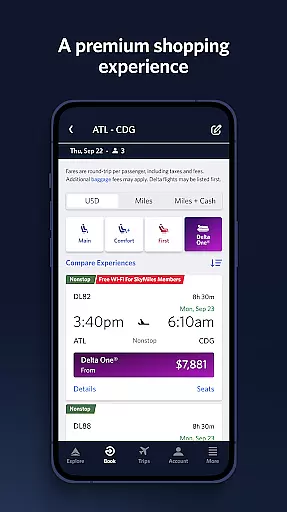
Price transparency in the Fly Delta app ensures that customers have clear and upfront information about the costs associated with their travel bookings. This feature is essential for building trust and helping users make informed decisions when planning their trips.
Fly Delta provides detailed pricing by displaying all applicable fees, taxes, and charges during the booking process. Users can easily view and compare prices for different flights, select preferred seating options like bulkhead or aisle seats, and even add extras such as Wi-Fi passes or Mileage Boosters at transparent rates.
This level of transparency benefits travelers by eliminating hidden fees and unexpected costs. It empowers them to budget effectively and choose services that best fit their needs without any surprises. Additionally, the ability to track and pay for checked bags within the app further enhances the clarity of total travel expenses.
User-friendly interface
Comprehensive travel tools
Real-time updates
Offline boarding pass
Live chat support
Limited third-party integrations
Occasional bugs reported
Heavy on battery usage
Some features are subscription-based
Requires constant updates

View delays, closures, and weather-related conditions on Missouri state roads.
 3.30
3.30
Discover the power of one-way location tracking. Share your location securely.
4.50
MyTSA gives you 24/7 access to info that passengers frequently request from TSA.
4.10
With the Spirit Airlines app, easily manage all your trips in one place.
4.70
Replace your car trips with the world’s largest shared electric vehicle company.
4.90
Stay at Motel 6 for less - book fast, save more with MY6 app!
4.70
Managing your travel should be easy. With the Amtrak app, it is.
4.30
Frontier’s Android app makes travelling easier than ever before!
4.70
The United app puts valuable travel information in the palm of your hand.
4.70
It drives. You ride.
4.90
Travel and Book 8,000+ Hotels Worldwide with the Marriott Bonvoy™ app.
4.90
View current Montana road conditions, cameras, plows, and timelapse videos.
4.70
A tool for outdoor activities.
4.30
Get real-time traffic, directions, search and find places
4.10
INDOT Trafficwise is a traffic and traveler information mobile app.
4.00
Mix of explore game, travel mapping & tracking to memorize everywhere you go
3.60
Tide Table Chart provides quick and easy access to high and low tide forecasts.
3.20
Learn about one of the most famous Victorian cemeteries in the world
2.80
View current Idaho road conditions, road cameras, and timelapse videos.
4.3


User Reviews