
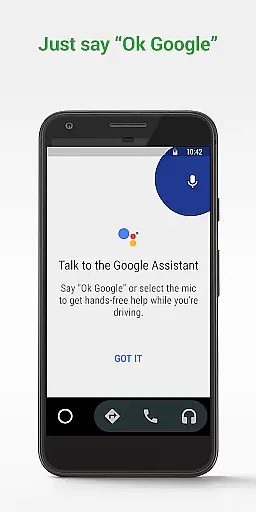
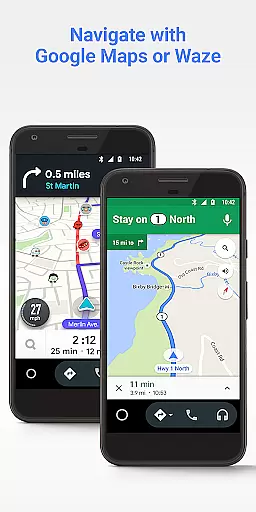
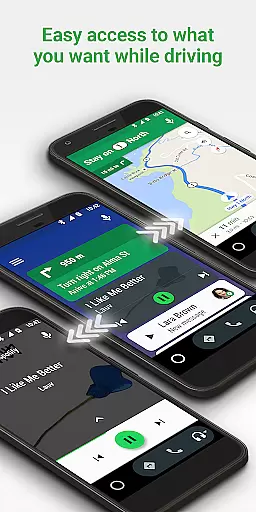
Android Auto is a driving companion app designed to keep users focused and connected while on the road. It offers a simplified interface with large buttons and powerful voice actions, making it easier to use essential apps from your phone while driving. The app integrates with Google Maps and Waze for real-time navigation, provides traffic alerts, and allows hands-free control through the Google Assistant.
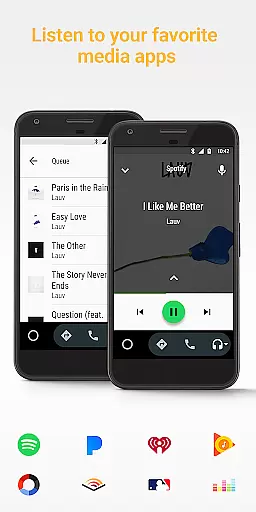
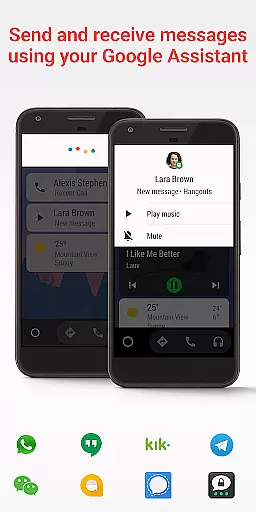
The app also supports various media and messaging services, allowing drivers to manage entertainment and communication safely. Android Auto works with popular apps like Spotify, WhatsApp, and Google Play Music, ensuring users stay entertained and connected without distraction. This makes it an invaluable tool for modern drivers who need to balance safety with connectivity.
Android Auto stands out with its comprehensive feature set tailored for drivers. The app's voice-activated controls allow users to navigate, send messages, and play music without taking their hands off the wheel. Integration with Google Assistant enables natural language processing, letting users perform tasks by simply speaking commands.
Another key feature is its compatibility with a wide range of apps, including navigation tools like Google Maps and Waze, as well as media platforms such as Spotify and Pandora. Additionally, Android Auto supports numerous messaging apps like WhatsApp and Hangouts, allowing users to communicate safely. These features collectively enhance the driving experience by minimizing distractions and maximizing convenience.
Accessing detailed vehicle information is crucial for drivers who want to stay informed about their car's status and performance. Android Auto provides essential data through its integration with compatible vehicles, ensuring users have the necessary insights at their fingertips.
The application displays key vehicle metrics such as speed, fuel level, and engine temperature directly on the interface. This real-time information allows drivers to monitor their vehicle's health without taking their eyes off the road, promoting safer driving habits.
Android Auto also supports advanced features like navigation with real-time traffic alerts and hazard notifications. By connecting with apps such as Google Maps and Waze, it offers precise directions and updates on your route, estimated time of arrival, and potential obstacles.
With these capabilities, Android Auto not only enhances the driving experience but also contributes to better vehicle maintenance and safety. Drivers can make informed decisions, avoid potential issues, and enjoy a more connected and efficient journey.
Price transparency in automotive services ensures that drivers are fully aware of costs associated with using various features and services. Android Auto excels in providing clear information about any expenses related to its functionalities.
While the core features of Android Auto are free, some connected services may require subscriptions or in-app purchases. The app clearly outlines these costs within its settings and during the setup process, ensuring users understand what they are signing up for.
Additionally, Android Auto supports multiple music and media streaming services, some of which might involve subscription fees. Users can choose from a variety of options like Spotify, Pandora, and Google Play Music, each with transparent pricing models.
This commitment to price transparency helps build trust with users, allowing them to enjoy Android Auto's extensive features without worrying about unexpected charges. It empowers drivers to select the services that best fit their budget and preferences.
User-friendly interface
Voice command support
Wide app compatibility
Real-time navigation
Hands-free operation
Limited to Android devices
Requires compatible car
Dependent on data connection
Some features may vary
Occasional connectivity issues

ODB2 based monitoring application for the Chevy Bolt (2017-2021)
 4.00
4.00
Theme for Car Launcher
4.3
Theme for Car Launcher
4.5
Discover new and used cars in Syria easily! Browse ads and connect with sellers.
3.70
BlueDriver® is a Premium Diagnostic OBD2 Scan Tool. www.BlueDriver.com
3.90
View your car’s service records and find out when maintenance is due.
4.70
Find Fast EV Chargers | Charge Your Vehicle at 1,100+ Fast Car Charging Stations
4.60
Quick and easy car diagnostics to get you the right fix.
4.70
Earn and save with Fuel Rewards®
3.20
Get more out of your AAWireless adapter with this companion app | aawireless.io
4.80
Car Values, Research and More
4.80
Lexus app currently supports 2010 or newer vehicles (2018 or newer for Hawaii).
4.80
1M+ high-quality auto parts at your fingertips. Fitment guaranteed.
4.70
Easy connect & control your cars from afar. Remote Lock & unlock car and carplay
4.60
Secure mobile payments & fuel savings at Phillips 66®, Conoco® and 76® stations
4.40
Autotrader is your online solution for buying and selling new and used cars.
4.40
A full featured, real-time transit locator system
4.30
AlfaOBD software for Fiat Group cars native diagnostic
3.70
O'Reilly Pro will streamline your parts lookup and ordering process!
3.20


User Reviews