
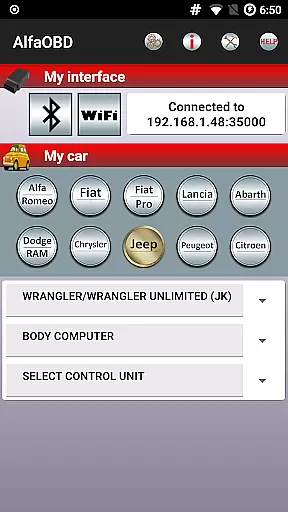
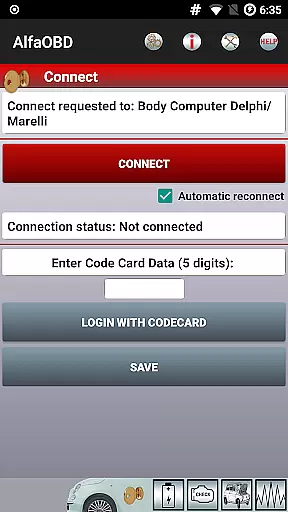
AlfaOBD is a comprehensive diagnostic tool specifically designed for vehicles produced by Stellantis (formerly FCA), including brands like Alfa-Romeo, Fiat, Lancia, Dodge, RAM, Chrysler, and Jeep. It also supports Peugeot Boxer and Citroen Jumper models. This software provides car owners with professional-grade diagnostic features typically found in commercial scanners.
The application allows users to perform dealer-level diagnostic and configuration procedures, making it an invaluable tool for both personal and professional use. With compatibility across a wide range of vehicles, AlfaOBD ensures that users can access detailed diagnostic information, empowering them to make informed decisions about vehicle maintenance and repairs.
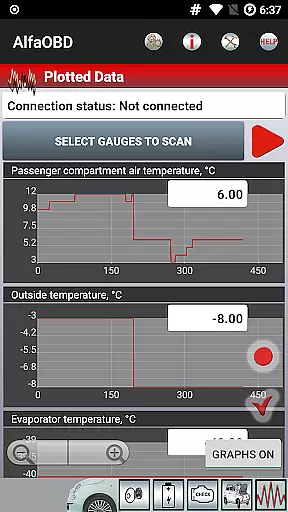
AlfaOBD stands out with its native support for electronic control units used in Fiat group cars, offering functionality beyond the generic OBDII support provided by many other diagnostic applications. The app enables monitoring of various dynamic parameters from different ECUs such as engine, gearbox, ABS, and climate control, presenting data graphically for easy interpretation.
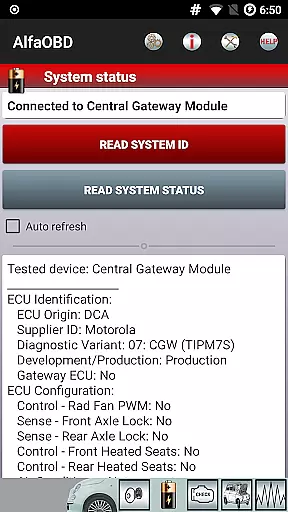
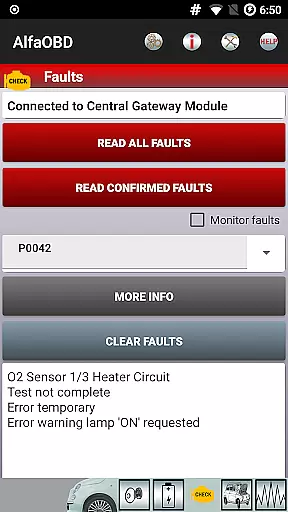
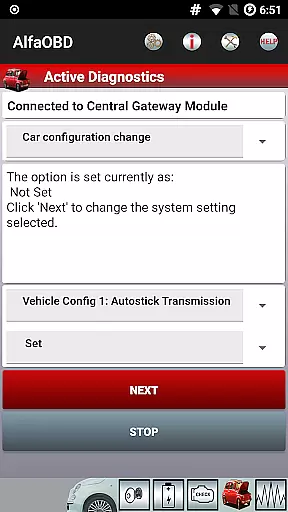
Key features include reading static data like ECU identification, system status, fault codes, and clearing fault codes. Additionally, AlfaOBD facilitates active diagnostics and configuration procedures for multiple vehicle systems, programming of electronic keys, and RF remote controls. These capabilities ensure users have extensive control over their vehicle's settings and performance.
Detailed vehicle information is crucial for effective diagnostics and maintenance. AlfaOBD provides comprehensive data on various electronic control units (ECUs) used in Stellantis vehicles, including Alfa-Romeo, Fiat, Lancia, Dodge, RAM, Chrysler, and Jeep. This native support sets it apart from other diagnostic tools that offer only generic OBDII support.
The application allows users to monitor dynamic parameters of essential systems such as the engine, gearbox, ABS, and climate control ECUs. It presents this data graphically, making it easier to understand and analyze. Additionally, AlfaOBD reads static data like ECU identification, system status, fault codes, and environmental information, offering a complete picture of the vehicle's condition.
With AlfaOBD, users can clear fault codes and perform active diagnostics and configuration procedures for multiple vehicle systems. This detailed insight helps car owners and professionals alike to maintain optimal vehicle performance and address issues promptly.
Price transparency ensures that users are fully aware of the costs associated with using diagnostic tools. AlfaOBD offers its advanced features without hidden fees, providing users access to dealer-level diagnostic and configuration procedures at no extra cost. This openness allows users to budget effectively for their vehicle maintenance needs.
While AlfaOBD itself is a powerful tool, it requires a compatible OBD interface for full functionality. The list of supported interfaces is available on the official website, ensuring users know exactly what additional equipment they might need. This clarity prevents unexpected expenses and enhances user satisfaction.
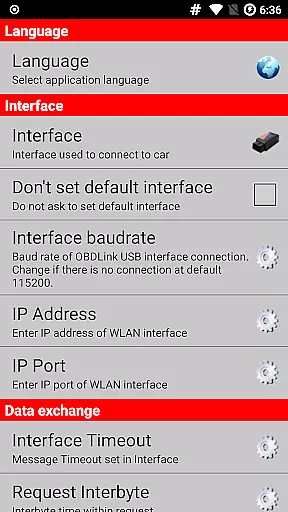
Moreover, AlfaOBD supports a wide range of languages and is accessible to a global audience. Users can select their preferred language via the application settings menu, ensuring that everyone can utilize the tool effectively regardless of their location or language preference.
User-friendly interface
Wide vehicle compatibility
Professional diagnostic tools
Comprehensive ECU support
Multilingual support
Requires compatible OBD interface
Limited third-party diagnostics on newer models
SGW bypass may be needed
Interface compatibility issues
Complex setup for beginners

Ferrari inspired analog & digital watch face with quick access and premium style
 4.5
4.5
Practice the drills within MotoJitsu Master Riding Program Volume 1 & 2!
4.80
* This app needs an adapter cable and a certain OBD2 adapter to work *
4.20
CVT diagnostics with ELM327 for Nissan-based vehicles
4.40
Better fuel to help keep you on the road
3.20
Read and delete OBD codes with any ELM327 OBD scanner. Coding functions included
3.40
Control maps, media and messaging, with the Google Assistant while you drive
4.10
Monitor your behind-the-wheel behavior to become a safer driver and save.
4.10
Earn and save with Fuel Rewards®
3.20
Your go-to app for car, truck & SUV parts, DIY tools, and expert repair help.
4.70
The ExtraMile App allows you to pay for fuel from the comfort of your car!
4.70
OBD1 ECMs application. Data log or tune directly from your phone or tablet!
4.60
OBDII - ELM327 Terminal tool for 96-00 Volvos
4.50
Instantly redesign your car with AI. From sporty to futuristic, try it all.
4.50
Instant diesel savings. No credit checks or fees. Nationwide growing network.
4.40
Secure mobile payments & fuel savings at Phillips 66®, Conoco® and 76® stations
4.40
Realtime Charts is a plugin for the Torque Pro App (OBD 2 & Car)
4.20
O'Reilly Pro will streamline your parts lookup and ordering process!
3.20
Theme for Car Launcher
4.5


User Reviews