
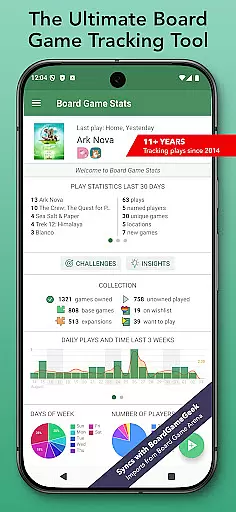
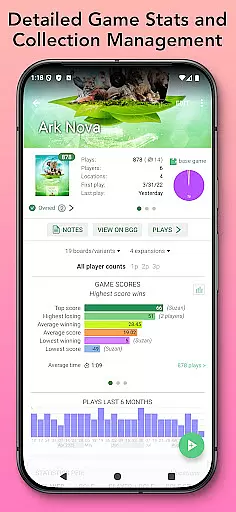
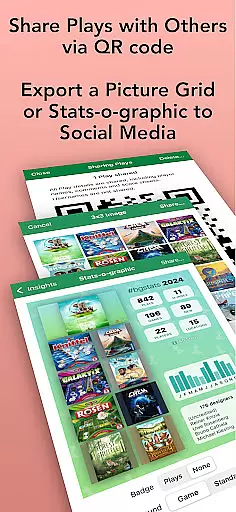
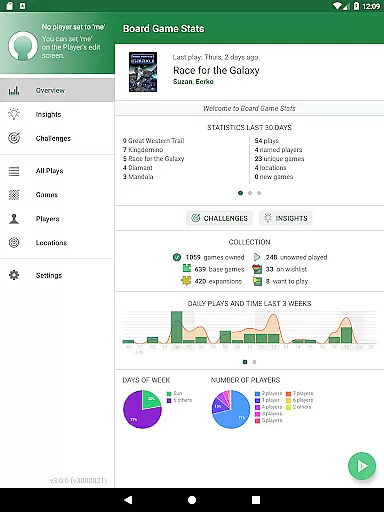
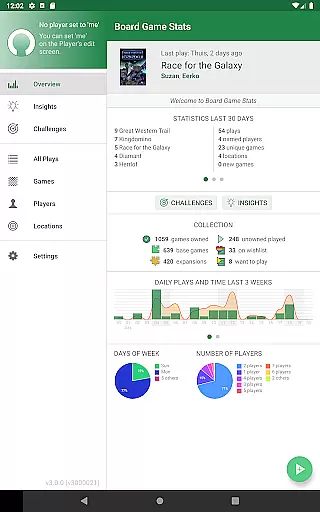
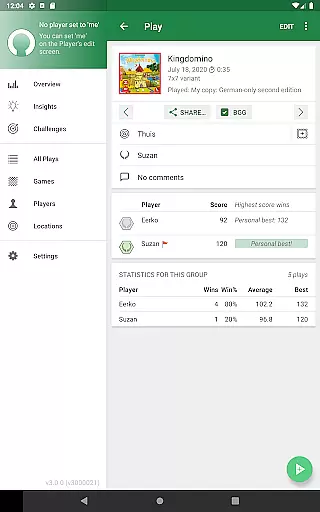
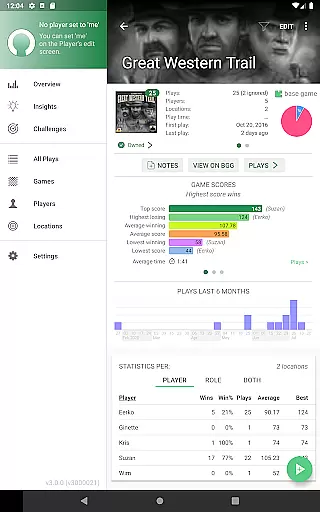
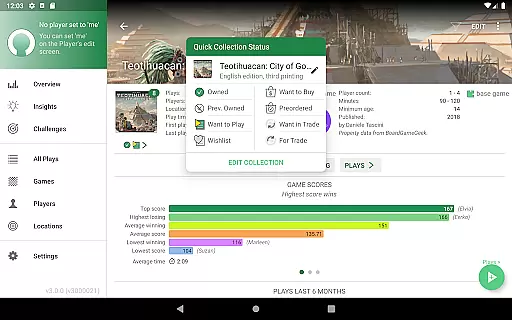
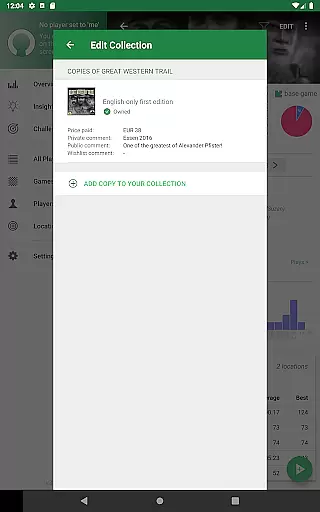
Board Game Stats (BG Stats) is a comprehensive lifestyle app designed for board game enthusiasts who want to track their collection, plays, and scores efficiently. The app offers detailed statistics and graphs for games, players, and plays, allowing users to analyze their gaming habits and performance. With offline functionality and seamless integration with BoardGameGeek, BG Stats provides an essential tool for managing your board game activities.
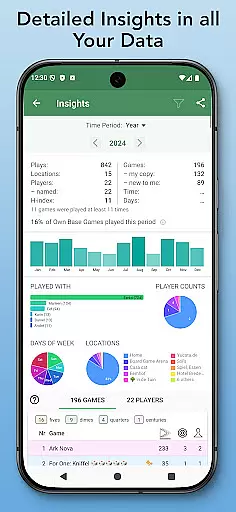
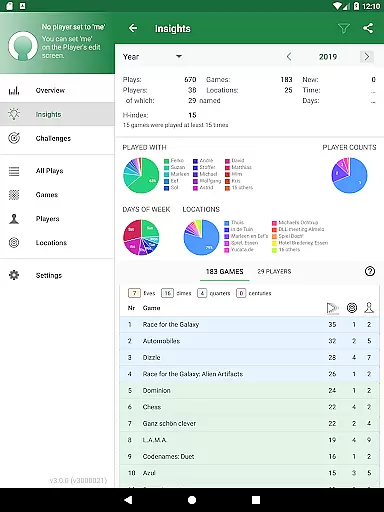
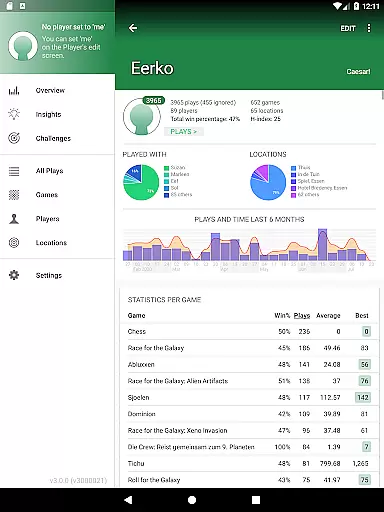
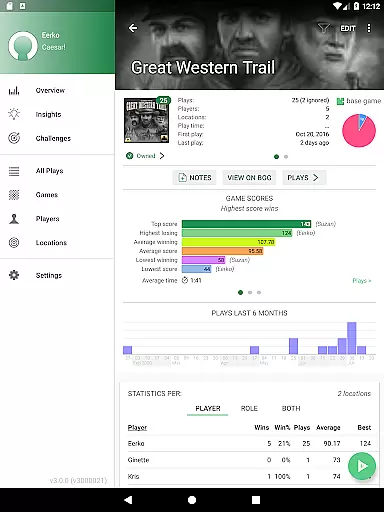
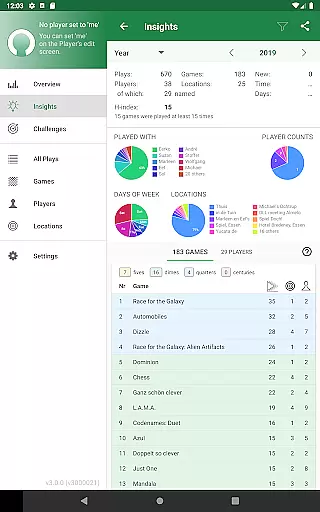
The app's collection management features let you keep track of every game you own or are interested in, complete with custom statuses, filters, and automatic syncing with BoardGameGeek. Its play tracking capabilities include scoring rules, player roles, and location tracking, while the statistics module offers insights through pie charts, play duration graphs, and score trends. Whether you're looking to improve your gaming strategy or simply organize your collection, BG Stats delivers valuable data-driven insights.
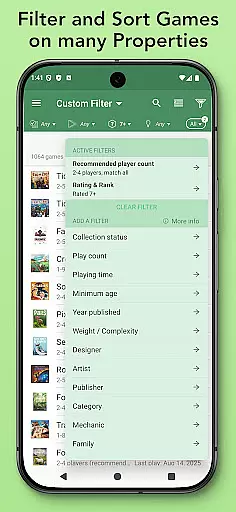
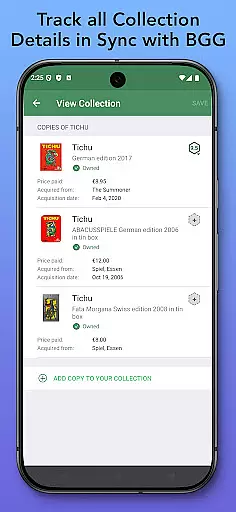
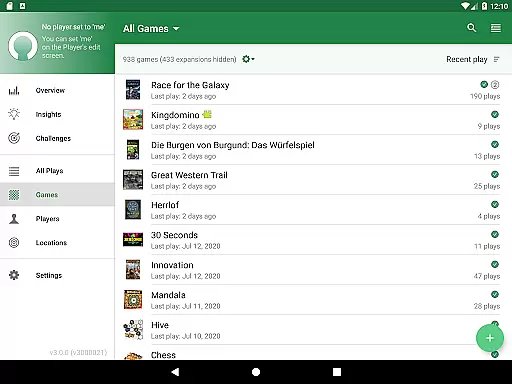
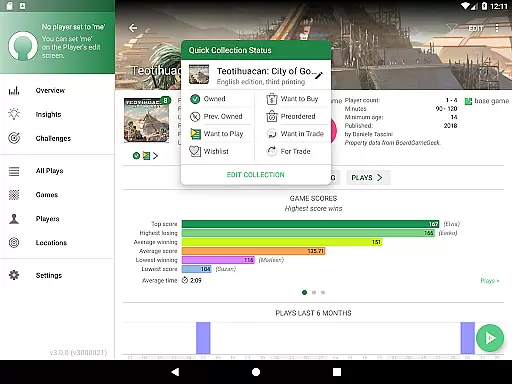
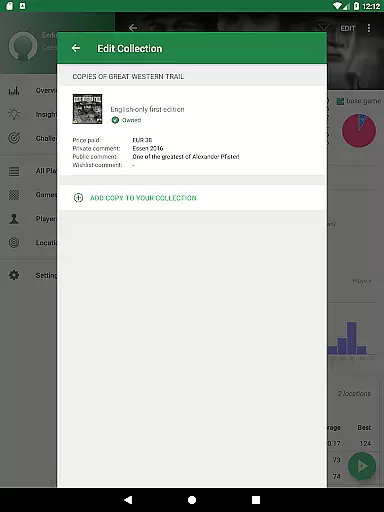
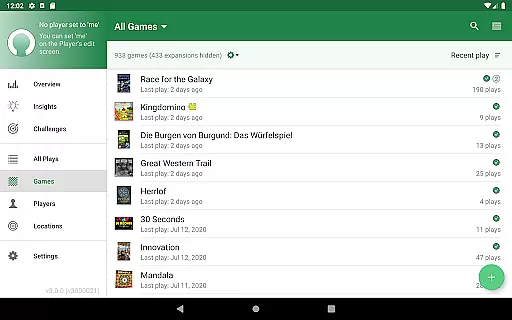
BG Stats stands out with its robust feature set tailored specifically for board gamers. The app allows users to manage their entire board game collection with precision, offering options to track multiple copies, set acquisition details, and filter by status. This level of detail ensures that users can maintain an accurate and organized inventory of their games.
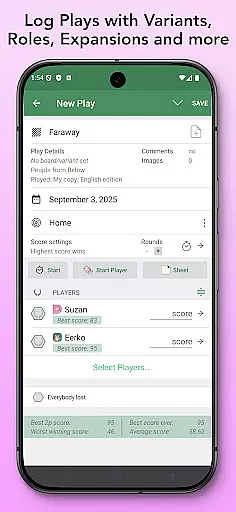
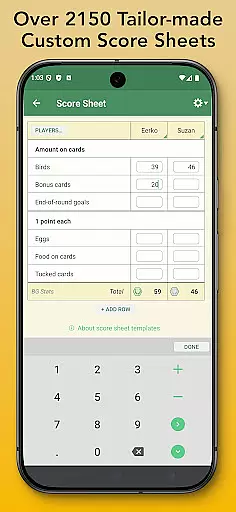
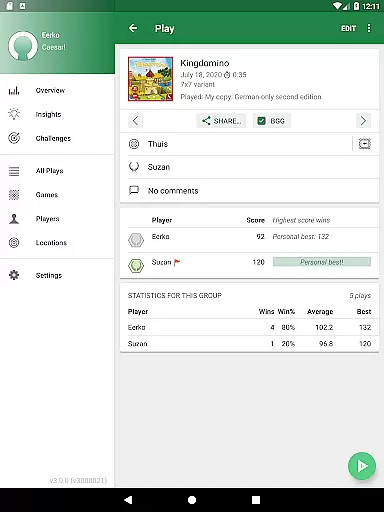
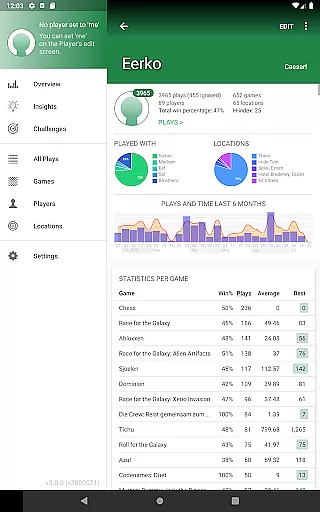
In addition to collection management, the app excels in play tracking. Users can log plays with specific scoring rules, create teams, and even use tailor-made score sheets for over 2300 games. The inclusion of advanced statistics, such as winning streaks, role-based stats, and cost per play, adds significant value for serious gamers. These features not only enhance gameplay analysis but also foster friendly competition among players.
For those seeking even more functionality, BG Stats offers in-app purchases like the Power Expansion and Challenges expansion. These add-ons provide extended game charts, custom filters, and challenge templates that push the boundaries of traditional board game tracking apps. With cloud sync available via subscription, users can access their data across multiple devices, ensuring they never miss a beat in their board gaming journey.
Board Game Stats offers comprehensive coverage of the board gaming lifestyle, catering to both casual players and dedicated enthusiasts. The app allows users to manage their entire board game collection, track plays, and generate detailed statistics, ensuring that every aspect of the hobby is well-documented.
The application supports a wide range of features tailored to board game enthusiasts. Users can sync their collections with BoardGameGeek, the largest online community for board games, enabling them to keep an accurate record of owned games, wishlists, and games they want to play. This extensive integration ensures that users have access to up-to-date information about their games.
Additionally, the app provides advanced tools such as tailor-made score sheets for over 2300 games, role-based statistics, and even heat maps of play durations. These features allow users to gain deeper insights into their gaming habits and preferences, making it an invaluable tool for anyone immersed in the board gaming lifestyle.
By offering expansions like Power Expansion and Challenges, the app further enhances its lifestyle coverage. Users can create custom challenges, filter data based on specific criteria, and even compare player statistics, adding layers of engagement and personalization to their board gaming experience.
Board Game Stats ensures content authenticity by providing reliable and accurate data directly synced from BoardGameGeek, the most authoritative source for board game information. This guarantees that all game details, including images, descriptions, and player statistics, are verified and credible.
The app's meticulous approach extends to its play tracking features, where users can log plays with precise scoring rules and detailed metadata. By allowing users to import existing plays from multiple platforms like BoardGameGeek, Yucata, and Board Game Arena, the app maintains a high standard of data integrity and reliability.
Furthermore, the statistical insights provided by the app are generated using robust algorithms that analyze user data accurately. Features like H-index calculations, win percentages, and cost-per-play metrics are designed to offer trustworthy analytics that help users make informed decisions about their gaming activities.
With regular updates and a native interface optimized for various devices, Board Game Stats demonstrates a commitment to delivering authentic and credible content. Its support for dark mode, landscape orientation, and tablet screens ensures a seamless user experience while maintaining the highest standards of accuracy and reliability.
User-friendly interface
Comprehensive statistics
Offline functionality
Seamless BGG integration
Customizable filters
Premium features locked
Subscription required
Complex for beginners
Limited free exports
Occasional BGG sync issues

Design and brew great homebrewing beer, mead, cider and wine recipes on the go!
 3.60
3.60
What is my face shape? Find out your face shape from picture, see fitting frames
3.90
Big bold hybrid watch face with 30 colors, 5 fonts & 5 complications.
4.0
Discover the "To Be a Christian" App: Your Guide to Deepening Faith!
5.00
Do you want to communicate with spirits?
3.80
Material You inspired colors with BIG and Bold looks for Wear OS watches.
4.20
Smart home security protection
3.20
Made To Order Faves
4.70
Simple, stylish & fresh watch face. Customize colors, gradients & complications.
4.70
Get roadside help, discounts, travel tools & more — AAA is with you everywhere.
4.80
Countdown to Christmas 2025 with festive games & activities in a virtual village
4.80
PARAVOX 4 is a professional ITC paranormal research application.
4.50
Zodiac & Horoscope Launcher: Daily Sign Predictions & Astrology
4.40
Mixing Colors for Menswear
4.20
SmartHQ: Your Connected Home Command Center
4.10
Spiritus Ghost Box is an Audio and Visual ITC tool for paranormal research.
4.00
Unique informative Dial with Live Moon Phase at a glance!
3.60
Easily manage your child's playtime, spending messaging and more.
3.50
The Miracle Box includes methods used by Steve Huff of Huff Paranormal.
3.20


User Reviews