
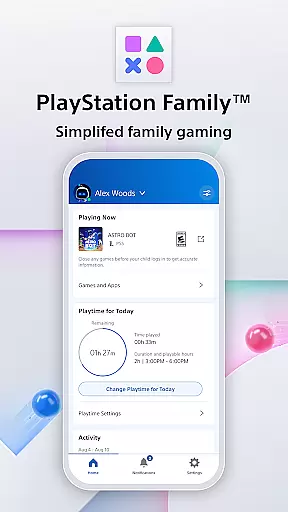
PlayStation Family is a comprehensive parenting tool designed to simplify family gaming management. This app provides parents with essential features to monitor and control their child's gaming activities effectively. With intuitive parental controls, real-time notifications, and customizable playtime settings, PlayStation Family ensures a safe and balanced gaming environment.
The app offers detailed activity reports that give insights into your child's gaming habits, including playtime hours and current game status. Parents can also manage social interactions, set spending limits, and receive instant alerts for any additional playtime requests. Whether you need to establish age-appropriate content restrictions or maintain a healthy gaming routine, PlayStation Family has got you covered.
This app is particularly useful for families who want to integrate gaming into their daily lives without compromising on safety and responsibility. By providing easy access to crucial information and controls directly on your phone, PlayStation Family empowers parents to make informed decisions about their child's gaming experience.
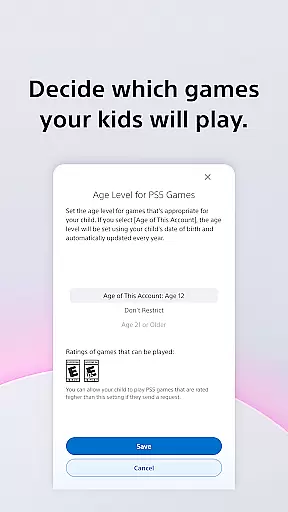
PlayStation Family stands out with its robust set of features tailored for modern parenting needs. One of the key highlights is the easy setup process, allowing parents to create accounts for their children with age-based recommendations for parental controls. This ensures that kids only access content suitable for their age group.
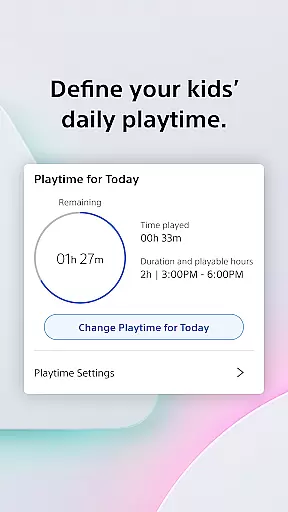
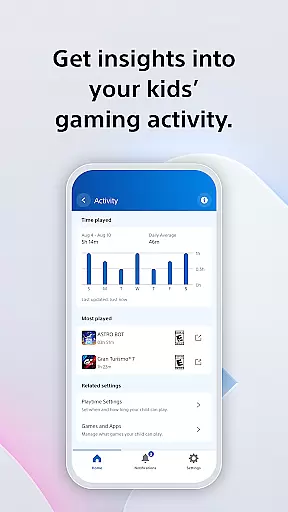
Customizable playtime settings enable parents to define when gaming fits into the family's routine. Whether it's scheduling breaks for homework or setting bedtime limits, these controls help maintain a balanced lifestyle. The activity report feature provides valuable insights into your child's gaming activity, showing online status and weekly playtime trends.
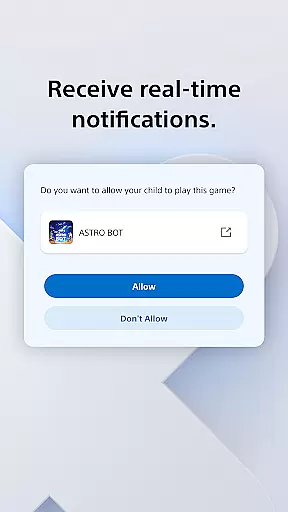
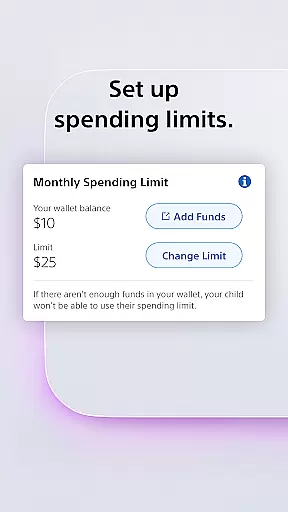
Real-time notifications keep parents informed and in control by alerting them to extra playtime requests which can be approved or declined instantly from their phones. Additionally, the app allows customization of privacy settings for social interactions and manages monthly spending limits, ensuring financial oversight while allowing children to enjoy purchasing content from PlayStation Store.
PlayStation Family offers comprehensive lifestyle management specifically tailored for gaming families. The app covers essential aspects such as playtime scheduling, spending controls, and social interaction settings.
Parents can define daily gaming routines that fit around family activities like homework or meal times. This ensures a balanced approach to digital entertainment while maintaining important family traditions and responsibilities.
The application also provides detailed activity reports and real-time notifications for parental approval requests. These features give parents complete oversight of their children's gaming habits while allowing flexibility in managing access to age-appropriate content.
With its focus on family-oriented features, PlayStation Family demonstrates excellent coverage of the parenting lifestyle category. The app successfully addresses multiple dimensions of digital parenting in the gaming context.
All information and recommendations provided through PlayStation Family are backed by Sony's extensive experience in gaming and digital entertainment. The age-based parental control suggestions come from established industry standards.
The app maintains direct connections with PlayStation consoles and services, ensuring all activity reports and playtime data are accurate and up-to-date. Real-time notifications further enhance this authenticity by providing immediate updates on children's gaming requests.
Sony Interactive Entertainment, the company behind the app, brings decades of expertise in gaming and family entertainment. Their established position in the industry adds credibility to the app's functionality and recommendations.
Additionally, the app's compliance with PlayStation terms of service and clear documentation of feature availability on different console versions demonstrate transparency and build trust with users. This authoritative approach helps parents make informed decisions about their children's gaming activities.
User-friendly interface
Comprehensive parental controls
Real-time notifications
Detailed activity reports
Customizable playtime settings
Limited to PS4 and PS5
Requires constant internet
No advanced analytics
Monthly spending limit
Initial setup complexity

Unique BIG BOLD TIME with amazing colors and customisations.
 3.70
3.70
Big bold digital watch face with 30 colors, 6 complications and AOD.
4.0
Earn points with every purchase with Moe Rewards.
4.20
Tap to the beat with interactive videos — warm up your reflexes & have fun
4.70
A smart Siddur with halachic times
4.60
This minimalist yet classic board design brings a futuristic twist to your wrist
4.20
Falling Fruit is a massive collaborative map of food in our cities.
3.20
Digital smart watch face made for Wear OS.
4.70
Wear your favorite memories, loved ones, pets or travel photos on your watch
4.4
Good magnifier app to see tiny things bigger and more clearly!
4.80
Retro animated weather with hourly forecast Watch Face for Wear OS
4.60
Smart controls for your Ember Smart Mugs
4.10
Unique informative Dial with Live Moon Phase at a glance!
3.60
Going above and beyond known spirit communication
3.60
Creativity and savings for kids, beginners and experts in arts and crafts
3.50
The Miracle Box includes methods used by Steve Huff of Huff Paranormal.
3.20
Duo Watch Face (animated)
4.2
A uniquely designed isometric digital watch face made for Wear OS
4.0
Futuristic watchface inspired by Back to the Future: sleek, retro, timeless
4.4


User Reviews