
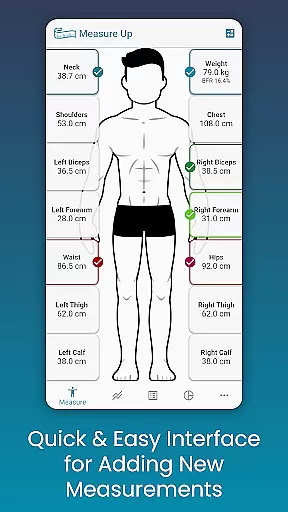
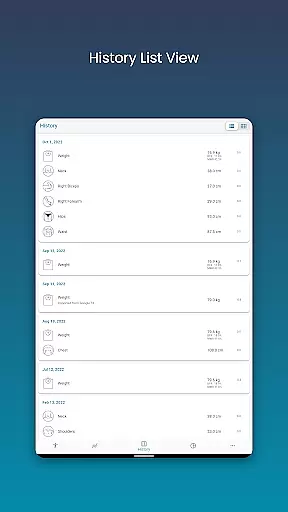
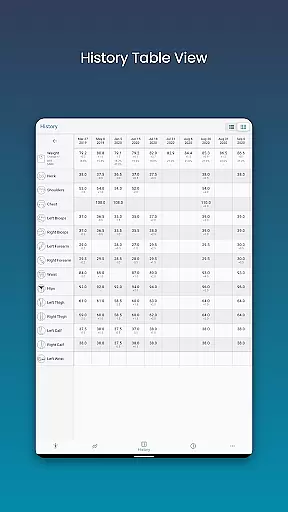
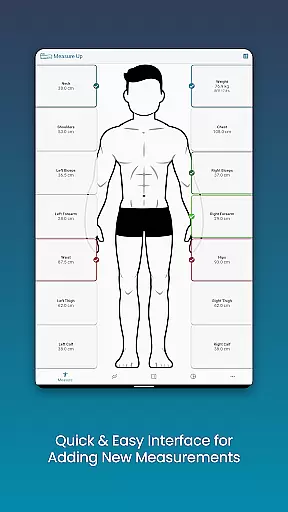
Body Measurement Tracker is a specialized Health & Fitness application designed to simplify the process of monitoring weight loss or muscle gain progress. The app's core functionality revolves around its intuitive measurement tracking system, which allows users to effortlessly record and monitor their body measurements.
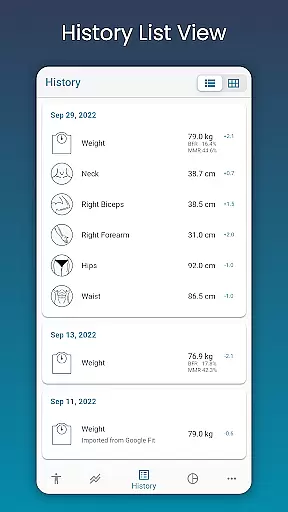
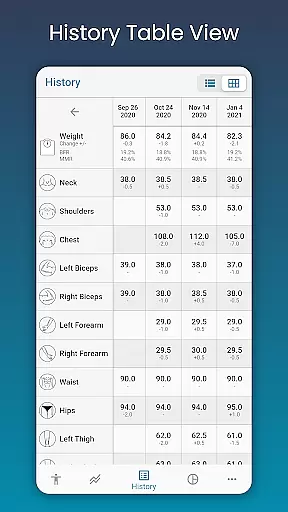
What sets this app apart is its user-friendly interface that provides visual cues for daily tracking, ensuring users never lose track of their progress. The app also offers multiple data visualization options including charts, tables, and lists, giving users flexibility in how they view their progress. Integration with Google Fit enhances its capabilities by enabling seamless synchronization with other health applications.
This application proves particularly valuable for fitness enthusiasts who need to maintain detailed records of their body composition changes over time. By providing clear visual representations of progress and customizable tracking options, it helps users stay motivated and make informed decisions about their fitness journey.
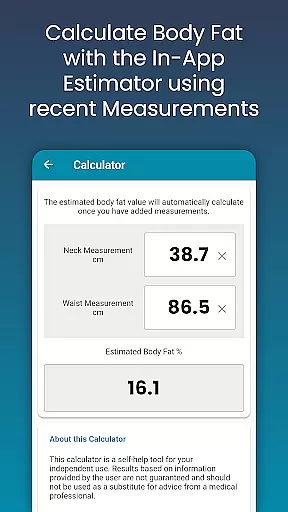
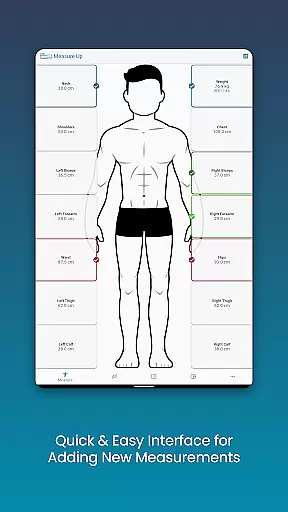
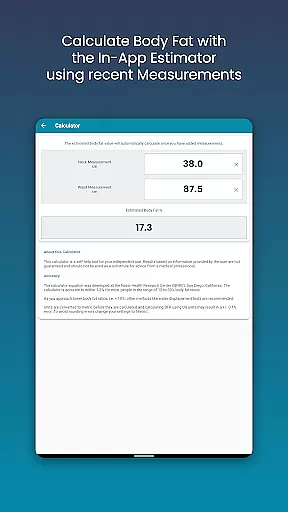
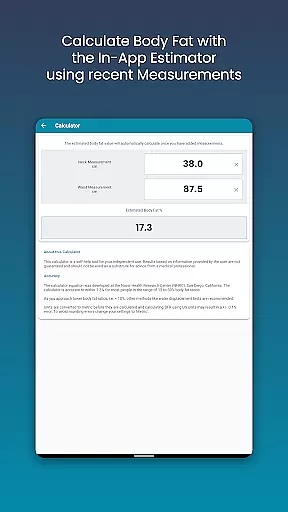
The app boasts an impressive array of features that cater to various tracking needs. Its measurement system stands out with three distinct input methods: quick current measurements, historical data entry through date adjustments, and an integrated body fat calculator for instant estimations.
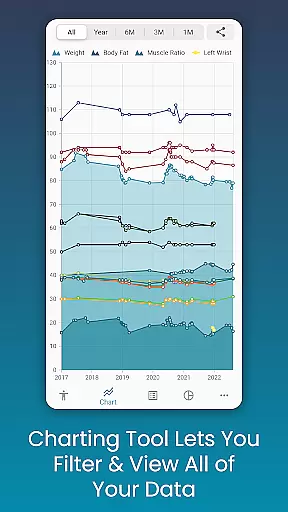
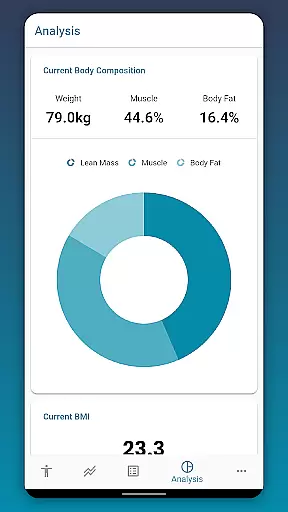
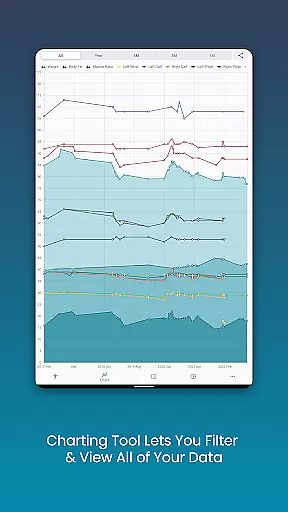
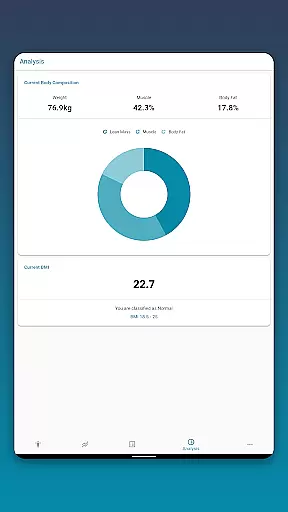
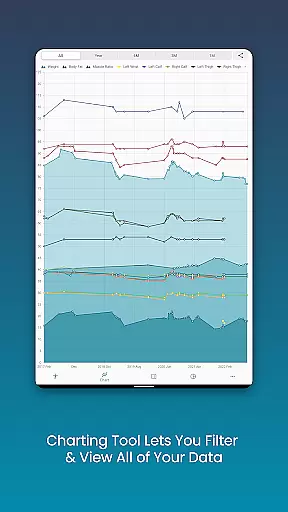
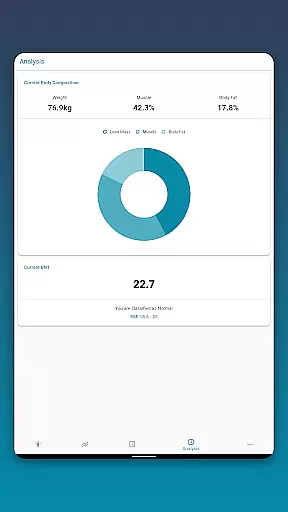
Advanced charting capabilities enable users to visualize their progress through customizable graphs. These charts support multiple measurement overlays, allowing users to analyze different metrics simultaneously. The ability to stack lean mass, body fat, and muscle measurements provides comprehensive insights into body composition changes.
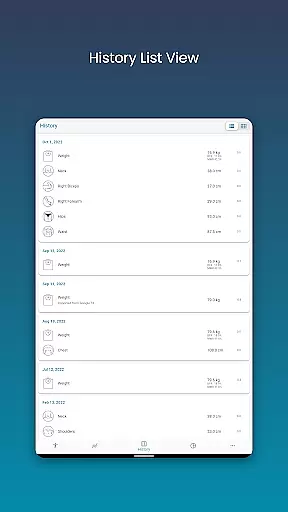
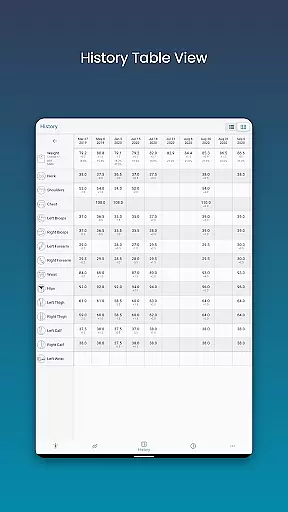
Additional notable features include robust data management options such as cloud backup and restore functionality, multiple viewing formats for measurement history, and customizable tracking parameters. Users can personalize their experience by creating custom measurements and adjusting color schemes to suit their preferences.
Personalized planning in fitness applications refers to the ability to tailor workout and measurement plans according to individual user needs and goals. This feature is crucial as it ensures that users follow a regimen that is specifically designed for their unique body conditions and targets.
Body Measurement Tracker excels in this area by allowing users to input and monitor various body metrics, such as weight, body fat percentage, and custom measurements. The app provides an intuitive interface where users can easily add past data or calculate body fat using the integrated calculator, ensuring accurate tracking tailored to personal progress.
The benefits of personalized planning are manifold. Users receive a clear roadmap of their fitness journey, with visual aids like charts and tables that display their progress over time. This not only helps maintain motivation but also allows for timely adjustments based on real data.
Ultimately, personalized planning transforms a generic fitness routine into a targeted strategy. By leveraging Measure Up's comprehensive tracking features, users gain insights into their body composition changes, empowering them to make informed decisions about their health and fitness strategies.
Progress visualization is a critical component of any fitness application, enabling users to see their advancements over time through graphical representations. This feature is essential because it translates raw data into understandable and actionable insights.
In Body Measurement Tracker, progress visualization is executed through multiple formats including charts, tables, and lists. The chart analysis feature stands out by allowing users to toggle different metrics on and off, providing a customizable view of their data. This flexibility ensures that each user can focus on the statistics most relevant to their goals.
Users benefit significantly from these visualization tools. They can effortlessly interpret trends in their body measurements, whether they aim to lose weight or gain muscle. The ability to export charts as PNG images further enhances sharing capabilities, making it easy to discuss progress with trainers or friends.
By offering diverse visualization options, Body Measurement Tracker not only simplifies data interpretation but also boosts user engagement. Seeing tangible results encourages continued commitment to fitness goals, demonstrating the app's value in facilitating successful health journeys.
User-friendly interface
Comprehensive tracking
Flexible visualization
Google Fit integration
Data security features
Limited advanced metrics
Premium feature costs
Occasional sync issues
Learning curve
Device compatibility

Power-lifting, weightlifting and Wendler 531 app to track your workout program.
 4.90
4.90
Get alert about getting out of desired heart rate zone.
4.10
The Sleep Miracle Sound Machine: Soothes baby to sleep with a gentle "Shhh"
3.00
Load the bar with this barbell & plate calculator. It's leg day, not brain day!
4.70
Find Paid Clinical Trials In Your Area
3.70
Your personal BP tracking companion, focus on helping you achieve wellness goal.
4.10
beat yesterday.
4.00
Workouts for everyone
4.70
Control your blood pressure, heart rate and blood sugar in a fast way.
4.00
App to stop smoking slowly or now with a motivational badges and helpful tips
4.80
Drink water reminder app. Track water intake. Smart simple hydration tracker.
4.70
Raccoon AI Calorie Counter. Intermittent Fasting & Timer. Macro, Carb, Protein
4.50
Relax to calm sounds, white noise, music, guided meditation and bedtime stories
4.40
Eat smarter with Eato, your personal calorie counter and nutrition tracker!
4.40
Track heart rate & HRV in 30s! Get live health insights and anomaly alerts
4.40
Looking to take control of your health? Our psychology-based programs can help.
4.10
Your Health Has Met Its App (℠)
3.90
Turn your steps into cash, gift cards & rewards with our step counting pedometer
3.80
Transform your body and soul with DBFFitness, with a 40-day fitness journey.
4.1


User Reviews