
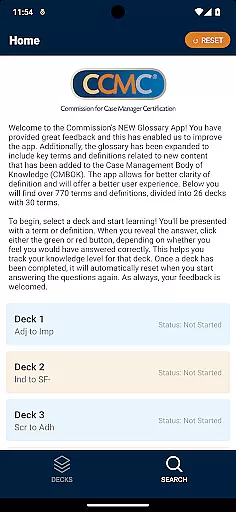

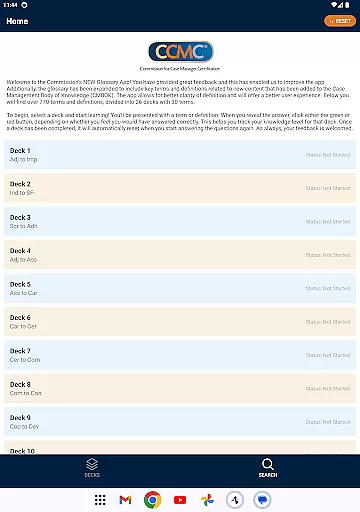


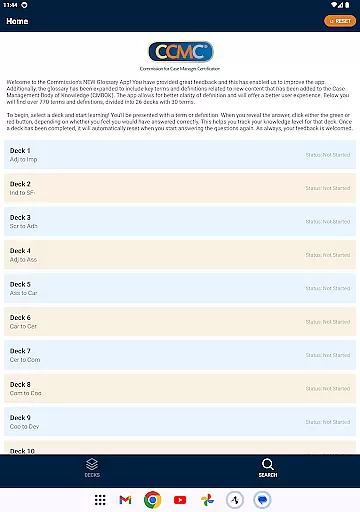


The CCM Glossary App is an educational tool designed to help users master key terms and definitions in case management. With over 770 terms divided into 26 decks, this app provides a structured learning experience for professionals and students alike.
Each deck contains 30 terms, allowing users to focus on specific areas of the Case Management Body of Knowledge (CMBOK). The app tracks user progress through interactive quizzes, helping learners assess their knowledge level effectively.
This app is particularly useful for those preparing for certification exams or seeking to deepen their understanding of case management terminology. By offering expanded content and improved clarity, it ensures a better learning experience for all users.
The CCM Glossary App offers several notable features that enhance the learning process. First, its comprehensive glossary includes new terms and definitions aligned with the latest updates to the CMBOK, ensuring users have access to current information.
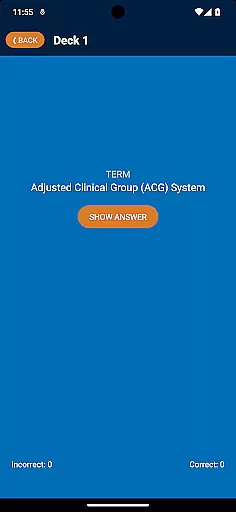
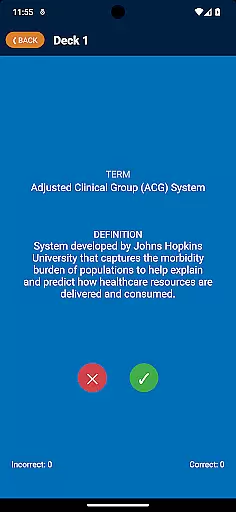
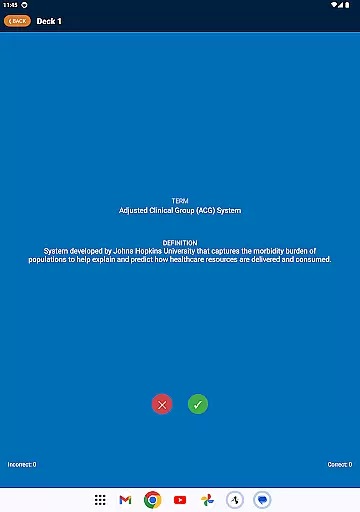
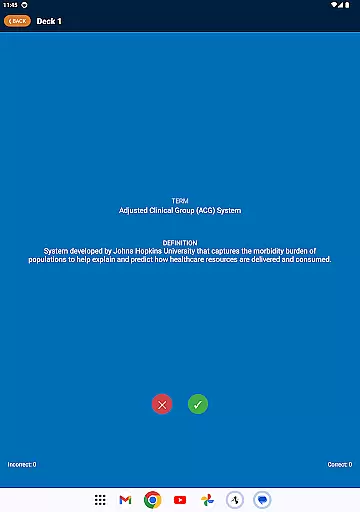
Second, the app employs an interactive quiz system where users can test their knowledge. After reviewing a term or definition, users indicate whether they answered correctly using green or red buttons. This feature helps track progress and identify areas needing improvement.
Lastly, the app automatically resets completed decks, enabling continuous learning. Its intuitive design and systematic approach make it an invaluable resource for mastering case management terminology efficiently.
In the realm of educational applications, content accuracy is paramount. The CCM Glossary App ensures precision by sourcing terms and definitions directly from the Case Management Body of Knowledge (CMBOK). This guarantees that users are learning from the most authoritative and reliable materials available in the field.
Each term within the app has been carefully selected and defined by experts, ensuring that learners receive clear and accurate information. With over 770 terms divided into 26 decks, the depth and breadth of the content provide a comprehensive learning experience that covers essential concepts in case management.
The validation process doesn't stop at expert curation; user feedback plays a crucial role in maintaining content quality. By incorporating user suggestions and continuously updating the glossary, the app remains a dynamic and evolving educational tool. This commitment to accuracy and authority empowers users with trustworthy knowledge they can apply confidently in their professional endeavors.
Personalized learning paths are integral to effective education, allowing users to tailor their study experiences according to individual needs and goals. The CCM Glossary App facilitates this through its innovative deck system, which organizes terms into manageable categories for focused learning sessions.
Users can select specific decks based on their current knowledge level or areas of interest, creating a customized learning journey. As they progress, the app tracks their performance, providing insights into strengths and weaknesses. This data-driven approach enables learners to concentrate on areas requiring improvement while reinforcing already strong competencies.
Moreover, the app's adaptive features enhance personalization by resetting completed decks automatically, encouraging repeated practice and mastery. Such tailored learning not only boosts retention but also fosters a deeper understanding of complex case management concepts, ultimately leading to more competent professionals in the field.
User-friendly interface
Comprehensive glossary
Interactive quizzes
Progress tracking
Regular updates
Limited to case management
No offline mode
Requires Google account
Ads may appear
Occasional bugs

Learn and joke with the Silly Turkey!
 4.0
4.0
Explore numbers the Starfall way!
4.00
Experience the sky, planet earth and the solar system like never before
4.90
Engage in learning science and math with the award-winning PhET simulations!
4.70
Listen, request and record pronunciations in more than 450 languages. Everywhere
3.90
MONOPOLY JUNIOR brings Hasbro's classic the board game to life.
3.00
Your best partner for learning Japanese words. Based on a best-selling textbook.
2.80
Stargazing Guide App. Stars and constellations map. Solar system planets finder.
4.60
Cool math games & learn to read activities- loved by kids, approved by teachers.
4.50
Memorize anything efficiently with AnkiDroid! Many pre-built decks available.
4.80
AI Language tutor: Speak fluently with Lucy’s personalized coaching
4.70
Turn scrolling hours into improving your knowledge, communication, intelligence
4.50
Astronomy Guide to the Night Sky
4.40
Practice Casino Roulette Payouts for Table Game Dealers and Croupiers
4.40
School Communication
4.30
Designed for Calculator 84 users
4.20
Deal Craps (Practice Craps Payouts)
3.80
An animated storybook app to help ease your child through toilet training.
3.70
Make your own game and world. Draw and animate characters
3.70


User Reviews