
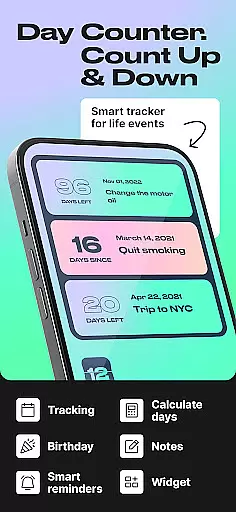
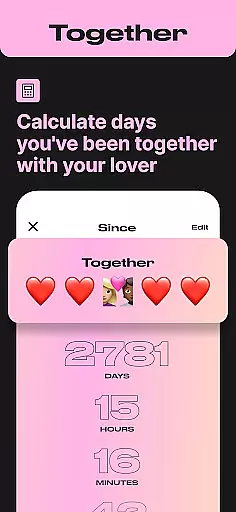
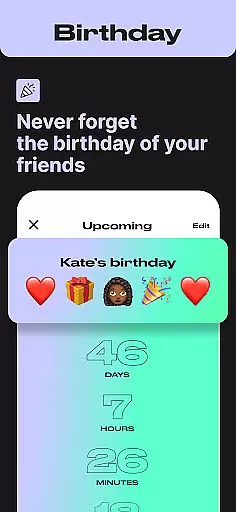
Day Counter is an intuitive Events app designed to help users effortlessly track important dates and milestones. The core functionality revolves around two powerful modes: count up and countdown timers, allowing you to monitor days since or until any significant event. Whether it's personal goals, work deadlines, or special occasions like birthdays and holidays, this app keeps you organized with its unlimited counters feature.
Beyond basic date tracking, Day Counter offers practical widgets and reminders that ensure you never miss a key moment. Its clean, minimal design provides a distraction-free experience while custom notifications deliver timely alerts. The app particularly shines in habit tracking and productivity enhancement, making it suitable for both professional and personal use cases.
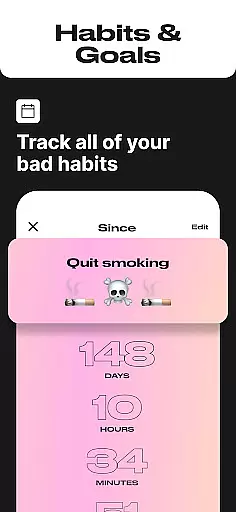
A great application of Day Counter is in sobriety tracking or monitoring habit streaks. Users overcoming personal challenges can benefit from the sober day counter and streak tracker features, which provide motivation through visual progress representation. This makes the app not just a simple date calculator but a meaningful tool for self-improvement and time management.
Day Counter stands out among Events apps due to its comprehensive feature set tailored for diverse time-tracking needs. One of its most notable aspects is the dual-mode functionality, offering both count up and countdown options. This flexibility allows users to create precise timers for past memories and future anticipations alike, whether it's counting down to Christmas or tracking days of a new habit.
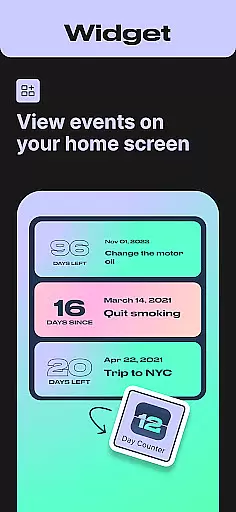
The app implements these features through an unlimited counters system, enabling users to manage multiple events simultaneously. Each counter can be personalized with custom names, dates, and notification preferences. The widget integration brings these timers directly to your home screen while smart reminders ensure you're always aware of approaching deadlines or milestones. These thoughtful implementations demonstrate how Day Counter goes beyond basic calendar apps.
What truly sets Day Counter apart is its versatility across different life scenarios. From professional productivity tracking to personal development monitoring, each feature delivers tangible value. The sober day counter and habit tracker, for instance, provide crucial support for users working toward self-improvement goals. Meanwhile, features like birthday countdowns and holiday trackers add convenience to personal life management, making this app a valuable tool for various user needs.
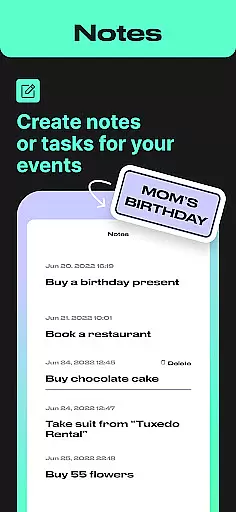
Task creation and detail customization are essential features for any event management app, allowing users to tailor their tracking experience to specific needs. Day Counter excels in this area by offering flexible options for setting up countdowns and count-ups for various events.
The app provides intuitive controls for creating tasks with precise start and end dates. Users can easily name their counters, set specific timeframes, and choose between count-up or countdown modes depending on whether they're tracking days until future events or counting elapsed time from past milestones.
What sets Day Counter apart is its unlimited customization potential. The application supports multiple categories of events - from personal milestones like birthdays and anniversaries to practical deadlines such as exams and work projects. Each counter can be individually adjusted with unique parameters and personalized notifications.
This level of customization delivers significant value to users by enabling them to maintain organized schedules while staying connected to meaningful moments. Whether tracking sobriety milestones, habit streaks, or upcoming holidays, the detailed customization options ensure that every important date receives proper attention and planning.
Effective reminder settings are crucial for ensuring users never miss important events or milestones. Day Counter implements a robust notification system that keeps users informed and prepared for upcoming deadlines and celebrations.
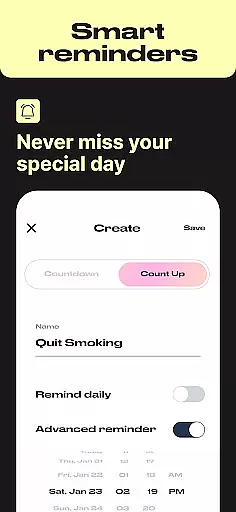
The app's reminder functionality stands out through its customizable notification options. Users can set personalized alerts for each counter they create, choosing from various time intervals and notification methods. This flexibility allows for timely reminders that align with individual preferences and schedules.
Day Counter's notification system extends beyond basic reminders. The app offers advanced features such as recurring alerts for ongoing events, milestone notifications for long-term trackers, and customizable sound options for different types of reminders. These features combine to create a comprehensive alert system that adapts to diverse user needs.
By implementing sophisticated reminder settings, Day Counter helps users maintain better time management and personal accountability. The reliable notification system ensures that both professional deadlines and personal milestones receive appropriate attention, contributing to improved productivity and enhanced celebration of life's significant moments.
User-friendly interface
Unlimited event tracking
Customizable notifications
Minimalist design
Versatile functionality
Limited advanced features
No team collaboration
Premium subscription
Occasional bugs
Basic widget options

Create Birthday Cards in Birthday Invitation Maker and Birthday Card Creator App
 3.00
3.00
Microsoft Build is an annual developer conference hosted by Microsoft
4.20
Greeting card maker with photos best app| Birthday cards| All wishes eCards FREE
4.50
Invitation card maker for birthday party & Wedding. Digital greeting card editor
4.90
The official app for Sched events! View your event schedule here.
4.20
Soft Proxy for Your Online World
4.5
RAISE-365 makes fundraising easy and fun!
3.20
Plan your wedding for free on the go: vendors, budget, website and checklists!
4.80
Save money on concert, sport, and theater tickets, and discover upcoming events.
4.80
Find EDM shows near you! See your favorite artists live, and discover new music.
4.90
Create invitation cards for birthdays, weddings, Christmas and more.
4.80
The KRUU app - plan, celebrate, remember
4.80
Birthday Greetings provides Birthday Card, Frames, Gifs & Father's day Wishes
4.80
Buy and Sell Tickets for Concerts, Sports, and Theater.
4.70
Here you can choose tickets for films, performances, concerts and other events
4.60
For weddings, parties & events
4.60
Text message invitations for birthday party, wedding, graduation, baby shower +
4.60
Freebie Games for Epic Games, Steam, Amazon, Rockstar etc.
4.40
Manages display and transfer of tickets from the Mundo Tickets platform
3.80


User Reviews