
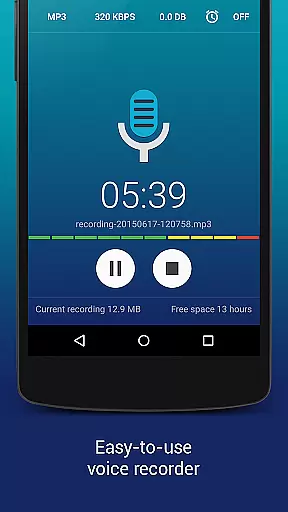
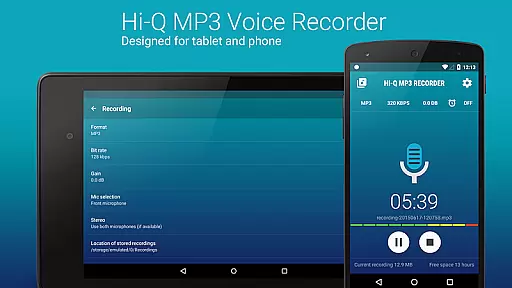
Hi-Q MP3 Voice Recorder (Pro) is a premier mobile application designed for high-quality audio recording. This feature-rich app allows users to capture sound with exceptional clarity at 44 kHz audio sampling, making it ideal for both casual and professional use. Whether you're recording personal voice notes, lectures, musical performances, or brainstorming sessions, this app delivers unparalleled audio fidelity.
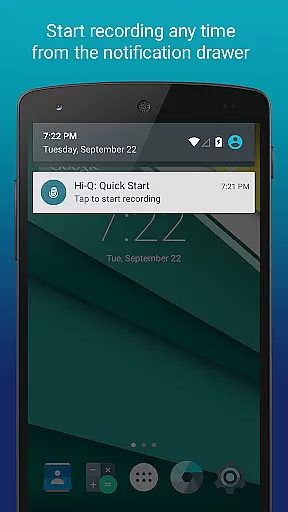
The app offers an intuitive interface with easy one-touch recording functionality. Its customizable settings cater to various user needs, from adjustable bit rates up to 320 kbps to multiple file format options including MP3, WAV, OGG, M4A, and FLAC. With practical features like Home Screen Widgets for quick access, automatic cloud uploads to Google Drive or Dropbox, and Wi-Fi transfer capabilities, Hi-Q MP3 Voice Recorder (Pro) ensures convenience and reliability in managing your recordings.
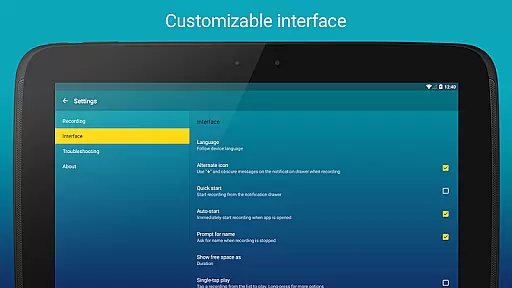
Hi-Q MP3 Voice Recorder (Pro) stands out with its comprehensive suite of advanced features tailored for optimal recording experiences. One notable feature is the Discretion Mode, allowing users to discreetly switch the recording icon so that their actions go unnoticed - perfect for sensitive recording environments. The app also supports high bitrate recordings up to 320 kbps, ensuring top-notch audio quality.
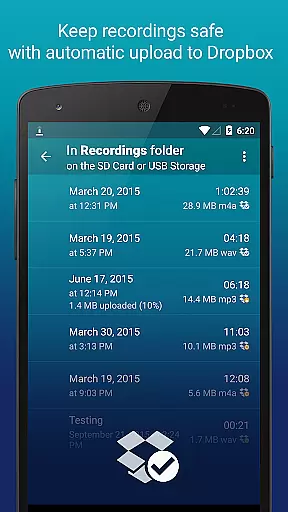
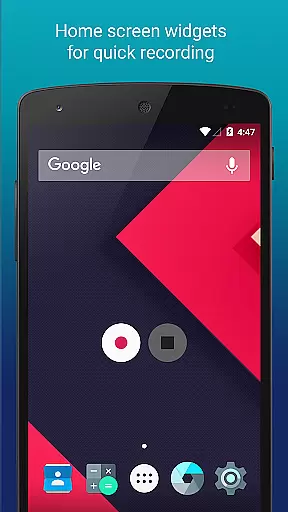
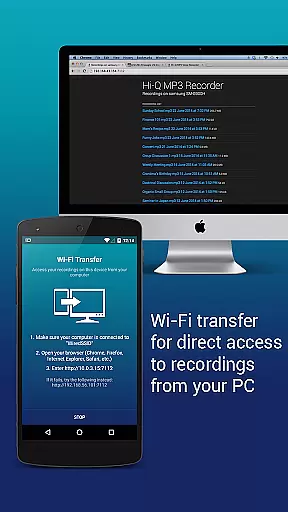
For seamless integration into daily workflows, the app provides Home Screen Widgets that enable swift start, pause, and resume functions right from the home screen. Automatic uploads to cloud services such as Google Drive or Dropbox ensure data safety and free up device storage. Additionally, the innovative Wi-Fi Transfer function allows users to wirelessly send recordings to other devices via their home Wi-Fi network or a mobile hotspot.
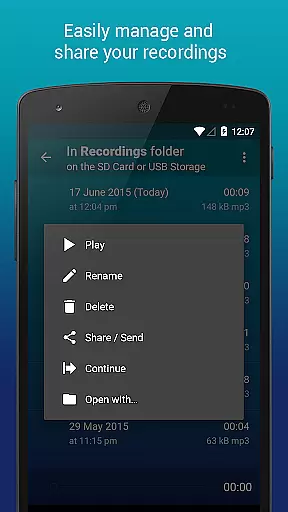
Further enhancing user control are features like Gain Level adjustments which let users specify input gain settings in real-time, adapting to different noise levels effectively. The Clip Management system empowers users to organize recordings effortlessly by sharing, sorting, renaming, and deleting files as needed. Playback speed controls offer flexibility without altering pitch, catering to diverse review requirements.
Hi-Q MP3 Voice Recorder (Pro) offers a unique approach to building a personal music library through high-quality audio recording. With the ability to record in various formats including MP3, WAV, OGG, M4A, and FLAC, users can create an extensive collection of audio files that maintain impressive fidelity.
The app's support for 320 kbps recordings ensures that each audio clip captures the depth and nuances of the original sound, making it suitable for both casual and professional use. This level of quality provides a rich listening experience, rivaling that of purchased or streamed music.
Regarding copyright authenticity, while Hi-Q MP3 Voice Recorder does not provide pre-recorded content, it empowers users to create original recordings. This means every piece of audio recorded using the app is authentic and owned by the user, avoiding any copyright infringement issues.
Furthermore, the app's capability to upload recordings directly to cloud services like Google Drive or Dropbox guarantees that users' audio libraries are safely stored and easily accessible across multiple devices.
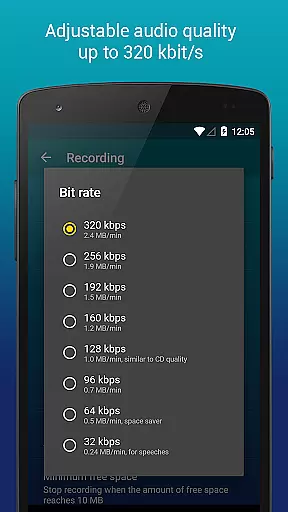
One of the standout features of Hi-Q MP3 Voice Recorder (Pro) is its robust set of audio quality options. Users can customize their recording experience with adjustable bit rates up to 320 kbps, ensuring high-fidelity audio capture suitable for a variety of needs.
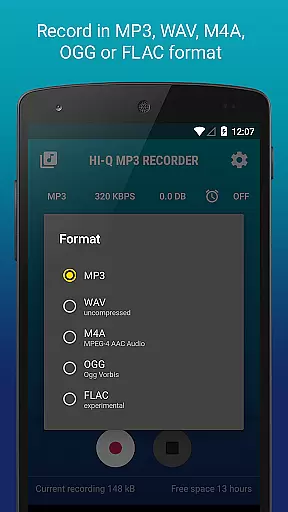
The app supports multiple recording formats such as MP3, WAV, OGG, M4A, and FLAC. This versatility allows users to choose the format that best suits their requirements, whether they need compressed files for easy sharing or lossless formats for archival quality.
Additionally, the ability to select between front and back microphones on devices enhances the recording quality based on the environment. The sensitive front microphone is ideal for capturing subtle sounds, while the clearer back microphone is perfect for reducing background noise during live performances or lectures.
For those who require precise control over their recordings, the real-time gain adjustment feature enables optimal audio capture in different noise conditions. This meticulous attention to detail ensures that every recording maintains professional-grade quality.
User-friendly interface
High-fidelity audio
Customizable settings
Cloud integration
Discreet recording mode
No phone call recording
Limited widget support on SD cards
Premium price tag
Advanced features may overwhelm beginners
Occasional sync issues reported

Taal player that lets you sing any Indian & Western song with Tabla & Tanpura
 4.60
4.60
Remove ads permanently from Music Visualizer
4.2
VB-AUDIO Software / VBAN-Receptor allows listening to any VBAN Streams
4.10
Powerful beat maker & DJ mixer to remix tracks, make music, & perform DJ mix
3.70
The ultimate media player for Android devices
3.90
Guzheng Master supports many playing techniques as an acoustic Guzheng
4.50
24,000 free audio books and no ads!
4.90
Offline Music Player & MP3 Player.Powerful equalizer, Lyrics, Themes, Tag Editor
4.80
The original SP-1200 experience on your iPad
4.20
Tune in to the greatest hits on UK Radio | The home of Capital, Smooth & Heart.
4.90
Your song collections with lyrics and chords on Android smartphones and tablets.
4.80 4.70
4.70
Ultimate Sonos Controller
4.70
Listen radio AM / FM Stations. Live AM / FM Radio App Station. Radio Com.
4.70
Help you quickly get started with Shokz headphones
4.40
Advanced 10-Band Audio Graphic Equalizer Sound Booster Pro
4.30
No wifi music app. Mp3 offline. Tuner radio, young radio music. Music downloader
4.20
Control your MIDI USB or Bluetooth devices in app and avoid some trampling
3.30
The Skullcandy App Experience
3.20


User Reviews